📘 Rapoo-handleidings • Gratis aanlyn PDF's
Rapoo-logo

Rapoo Handleidings en Gebruikersgidse

Rapoo is 'n wêreldleier in draadlose randapparatuurtegnologie, wat hoëprestasie-muise, sleutelborde en spelbykomstighede vervaardig.

Wenk: sluit die volledige modelnommer in wat op jou Rapoo-etiket gedruk is vir die beste passing.

About Rapoo manuals on Manuals.plus

Shenzhen Rapoo Tegnologie Co., Ltd., operating globally as Rapoo, is a prominent manufacturer of computer peripherals and accessories. Established in 2002, the company is dedicated to developing high-quality wireless technologies, including their signature Multi-Mode Wireless connection which allows devices to switch seamlessly between Bluetooth and 2.4 GHz modes. Rapoo's product lineup encompasses ergonomic office mice and keyboards, ultra-slim combos, high-fidelity gaming headsets, and mobile accessories.

With a philosophy centered on "Wireless Your Life," Rapoo designs products that cater to both professional productivity and gaming performance (V-Series). Their devices are known for long battery life, precision tracking sensors, and cross-platform compatibility across Windows, macOS, iOS, and Android systems. The brand distributes its products in over 80 countries, maintaining a strong presence in both European and Asian markets.

Rapoo handleidings

Nuutste handleidings van manuals+ saamgestel vir hierdie handelsmerk.

rapoo ralemo Air 1 draadlose muis gebruikershandleiding

21 Oktober 2025
rapoo ralemo Air 1 Draadlose Muis Spesifikasie Produk: Draadlose muis Model: ralemo Airl Overview Type-C interface Bluetooth button ON/OFF switch DPI button Scroll wheel Wireless Charging package contents ralemo Air…

rapoo E9010M Wireless Keyboard User Guide

10 Mei 2025
rapoo E9010M Draadlose Sleutelbord Gebruiker Meer asview Keyboard Fn+F1=Back Fn+F2=Forward Fn+F3=Homepage Fn+F4=Email Fn+F5=Multimedia Player Fn+F6=Play / Pause Fn+F7=Stop Fn+F8=Previous Track Fn+F9=Next Track Fn+F10=Volume - Fn+F11=Volume + Fn+F12=Mute Fn+Q=Mac Mode Fn+W=Windows Mode…

rapoo UCK-6001 Ultraslim Keyboard Gebruikersgids

26 Februarie 2025
rapoo UCK-6001 Ultraslanke Sleutelbord PRODUK VERBYVIEW CONNECTION System Requirements USB-C port (PD & DP Alt Mode), USB-C PD charger & cable Compatible with all major operating systems For USB Power…

rapoo UCH-4013 USB-C na USB-A Hub Gebruikersgids

26 Februarie 2025
Quick Start Guide UCH-4013 v1.0 USB-C to USB-A & USB-C Hub UCH-4013 USB-C to USB-A Hub System Requirements USB-C port Compatible with all major operating systems Please check www.rapoo-eu.com for more…

Rapoo XC210 Wireless Charger: User Manual and Guide

Gebruikershandleiding
Comprehensive user manual for the Rapoo XC210 wireless charger. Learn how to set up, use, and troubleshoot your Qi-compatible charging stand for smartphones. Includes specifications and safety information.

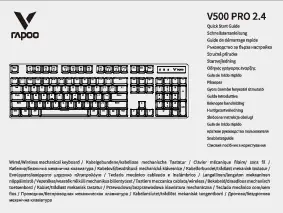
Rapoo V500 PRO 2.4 Quick Start Guide

Vinnige Begingids
This document provides a quick start guide for the Rapoo V500 PRO 2.4 wired and wireless mechanical keyboard, detailing setup, features, indicators, function key combinations, warranty, compliance, and disposal information.

Rapoo manuals from online retailers

Rapoo K8000M Multi-Mode Keyboard User Manual

K8000M • March 22, 2026
This manual provides detailed instructions for setting up, operating, and maintaining your Rapoo K8000M Multi-Mode Keyboard. Learn about its Bluetooth 3.0/4.0 and 2.4 GHz wireless connectivity, multimedia hotkeys,…

Rapoo EV250 Silent Vertical Ergonomic Mouse User Manual

EV250 • March 16, 2026
Official user manual for the Rapoo EV250 Silent Vertical Ergonomic Mouse. Learn about setup, operation, maintenance, and troubleshooting for this 2.4G wireless optical mouse with adjustable DPI and…

Rapoo E900T Portable Wireless Keyboard User Manual

E900T • March 14, 2026
This manual provides detailed instructions for setting up, operating, and maintaining your Rapoo E900T Portable Wireless Keyboard with Touchpad, covering setup, operation, features, and troubleshooting for multi-device use…

Rapoo MT760 PRO Wireless Mouse User Manual

MT760 PRO • March 12, 2026
Comprehensive user manual for the Rapoo MT760 PRO Wireless Mouse, covering setup, operation, features, and troubleshooting for optimal performance.

Rapoo VT3s Max Gaming Mouse User Manual

VT3s Max • April 9, 2026
Comprehensive instruction manual for the Rapoo VT3s Max Gaming Mouse, covering setup, operation, features, specifications, and maintenance for optimal e-sport performance.

Rapoo VT0 Air MAX Wireless Gaming Mouse User Manual

VT0 Air MAX • April 8, 2026
Comprehensive user manual for the Rapoo VT0 Air MAX Wireless Gaming Mouse, covering setup, operation, maintenance, troubleshooting, and specifications for optimal performance on Windows and macOS.

Rapoo VT1 Max Gaming Mouse User Manual

VT1 Max • April 3, 2026
A comprehensive guide for setting up, operating, and maintaining your Rapoo VT1 Max Gaming Mouse, featuring dual 8K wireless technology, PAW3950/3398 sensor, and lightweight ergonomic design.

Rapoo VT9 Series Gaming Mouse User Manual

VT9 Series • March 19, 2026
Comprehensive user manual for the Rapoo VT9 Air/Pro/Pro Mini dual-mode wireless gaming mouse, covering setup, operation, maintenance, specifications, and troubleshooting.

Rapoo VT3 GEN-2 Wireless Gaming Mouse User Manual

VT3 GEN-2 • March 18, 2026
Comprehensive instruction manual for the Rapoo VT3 GEN-2 Wireless Gaming Mouse, covering setup, operation, maintenance, troubleshooting, and specifications for optimal performance.

Rapoo VT1 2.0 Wireless Gaming Mouse User Manual

VT1 2.0 • March 17, 2026
Comprehensive instruction manual for the Rapoo VT1 2.0 Wireless Gaming Mouse, featuring PAW3398 sensor, Nordic54 chip, 8kHz polling rate, ergonomic design, and versatile 2.4G wireless and wired connectivity…

Rapoo video guides

Kyk na video's oor opstelling, installasie en probleemoplossing vir hierdie handelsmerk.

Rapoo support FAQ

Algemene vrae oor handleidings, registrasie en ondersteuning vir hierdie handelsmerk.

  • How do I pair my Rapoo wireless mouse via Bluetooth?

    Turn on your mouse and press the Bluetooth button for at least 3 seconds until the status light flashes slowly. Open the Bluetooth settings on your computer or tablet, and select 'Rapoo 3.0MS' or 'Rapoo 5.0MS' from the list of available devices to pair.

  • How do I switch between connected devices on a Multi-Mode Rapoo keyboard?

    For most Multi-Mode keyboards, press the key combination FN+1, FN+2, or FN+3 to switch between paired Bluetooth devices, or FN+4 to switch to the 2.4 GHz USB receiver connection.

  • What does a flashing red light mean on my Rapoo mouse?

    A rapidly flashing red indicator light usually indicates a low battery. You should recharge the built-in battery using the provided USB cable or replace the alkaline batteries if your model uses them.

  • Where is the USB receiver located for my Rapoo mouse?

    The 2.4 GHz Nano receiver is typically stored in a dedicated storage compartment inside the battery cover or on the bottom of the mouse.

  • Is my Rapoo keyboard compatible with Mac and Windows?

    Yes, many Rapoo keyboards support both operating systems. You can often toggle between layouts using shortcuts like FN+Q for Mac mode and FN+W for Windows mode.