
1. Inleiding en oorview
This manual provides detailed instructions for setting up and using your Rapoo Blade-Series E9310M Wireless Keyboard and M300G Silent Mouse Combo. This combo offers multi-device connectivity and a compact design for enhanced productivity across various operating systems.
Sleutel kenmerke:
- Compact Wireless Combo: Features a 99-key layout with number pad and arrow keys, paired with a silent mouse with side buttons. This design optimizes typing and browsing efficiency while occupying 20% less space.
- Multi-Device and Multi-OS Support: Connects to up to 4 devices across Windows, Mac OS, and Linux via Bluetooth 5.0/4.0 and a plug-and-play USB receiver.
- Fluid Typing Experience: Laptop-like profile with incurve rounded keys ensures a fast, fluid, precise, and quiet typing experience.
- 5-DPI Adjustable Silent Mouse: The M300G mouse offers good portability and ergonomics, with 5 preset DPI levels (800/1000/1200/1600/2400) for smooth tracking.
- Multimedia sleutels: Supports Windows and Mac OS dual system shortcuts for 12 common functions like play/pause and volume control.
- Aesthetic and Durable Design: Constructed with an aluminum alloy frame and a matte antioxidant finish for a delicate texture and enhanced durability.
- Verfyn besonderhede: Includes device and capitalization indicator lights for improved user awareness and an upgraded Bluetooth 5.0/4.0 for extended battery life.
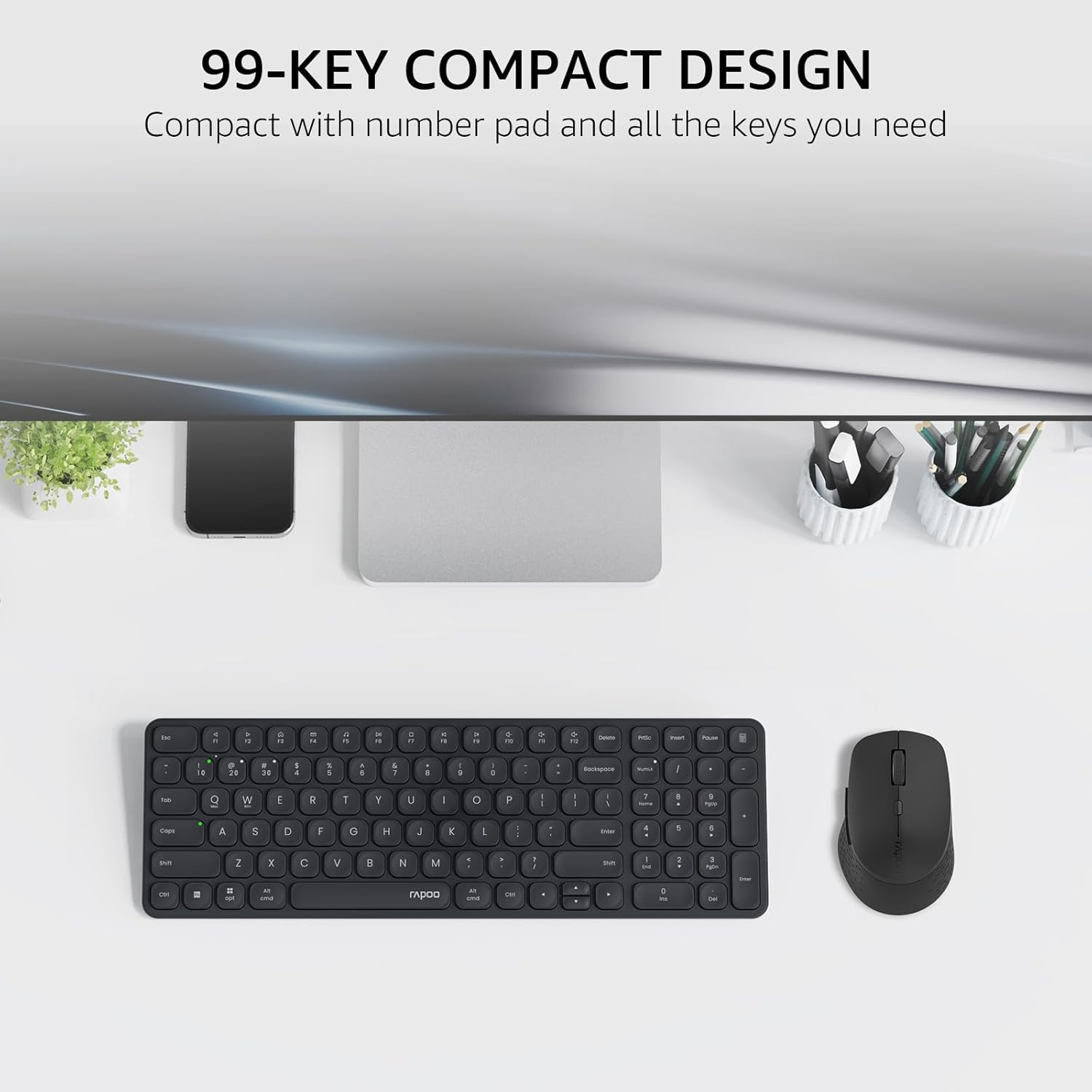
Image: The Rapoo E9310M keyboard and M300G mouse combo, showcasing its compact design on a desk.
2. Opstelinstruksies
2.1 Battery installasie
The keyboard and mouse require AAA batteries. Two AAA batteries are included with the product.
- Vind die batterykompartement aan die onderkant van die sleutelbord en muis.
- Maak die batteryvakdeksel oop.
- Plaas die AAA-batterye in en maak seker dat die polariteit (+/-) korrek is.
- Maak die batterykompartement se deksel stewig toe.
2.2 Koppel aan toestelle
Your Rapoo combo supports connection via 2.4GHz USB receiver or Bluetooth 5.0/4.0, allowing connection to up to 4 devices (3 via Bluetooth, 1 via 2.4GHz).
2.2.1 2.4GHz USB Receiver Connection
- Locate the USB receiver, typically stored within the mouse's battery compartment.
- Koppel die USB-ontvanger in 'n beskikbare USB-poort op jou rekenaar.
- Skakel die sleutelbord en muis aan met hul onderskeie kragskakelaars.
- The devices should automatically connect to your computer. If not, press the 2.4G pairing button on the keyboard/mouse (refer to device for exact button location).
2.2.2 Bluetooth Connection (for up to 3 devices)
- Skakel die sleutelbord en muis aan.
- On the keyboard, press and hold one of the Bluetooth pairing keys (e.g., Fn + 1, Fn + 2, or Fn + 3) until the indicator light flashes, indicating pairing mode.
- On your device (PC, tablet, phone), go to Bluetooth settings and search for new devices.
- Select the Rapoo keyboard from the list and follow any on-screen prompts to complete pairing.
- Repeat steps 2-4 for the mouse, pressing its Bluetooth pairing button (usually on the underside) until its indicator flashes.
- To switch between paired Bluetooth devices, simply press the corresponding Bluetooth key (Fn + 1/2/3) on the keyboard or the Bluetooth switch on the mouse.
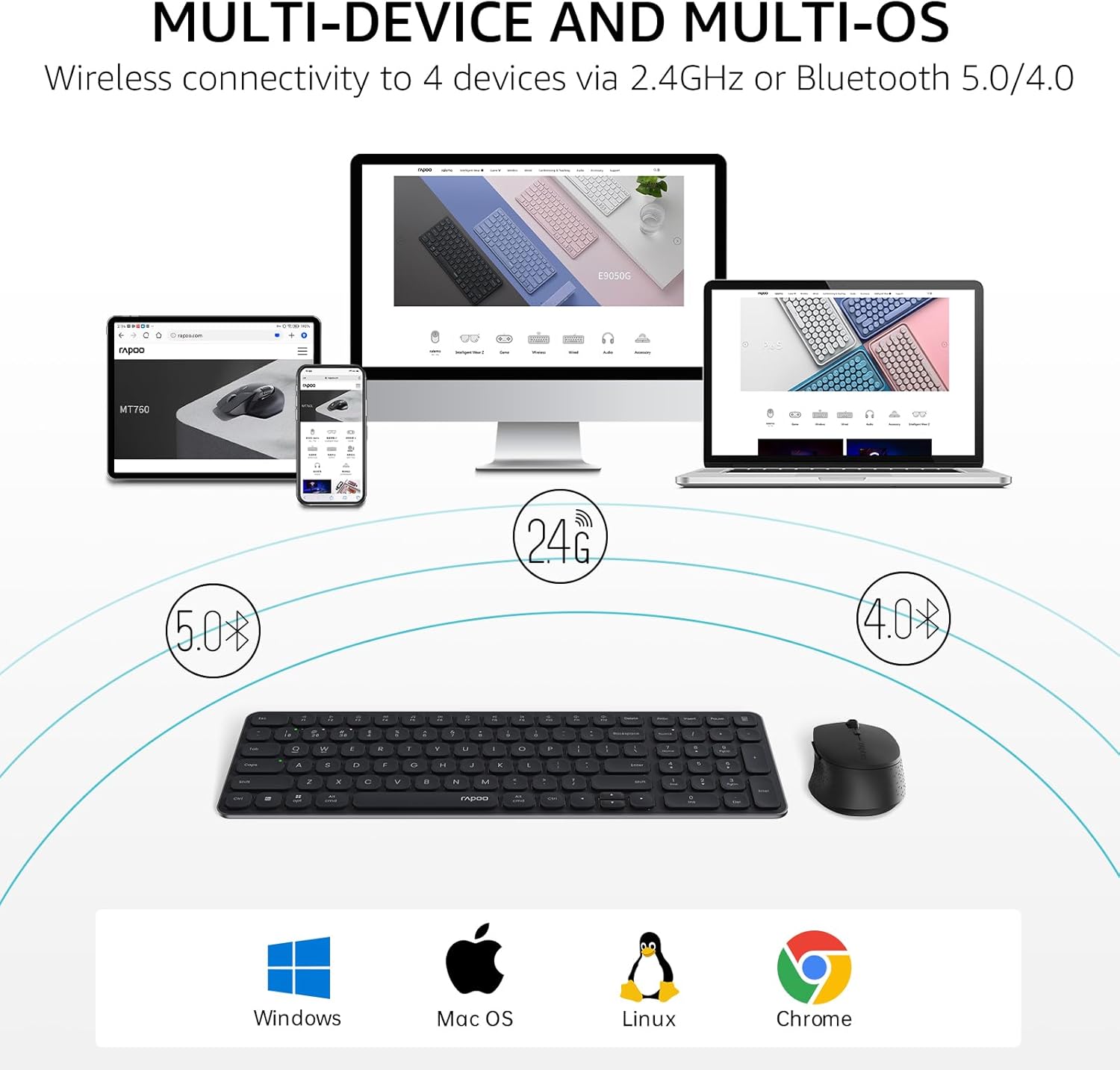
Image: The Rapoo keyboard and mouse combo connected to a desktop, laptop, tablet, and smartphone, illustrating its multi-device capability.
3. Bedryfsinstruksies
3.1 Sleutelbordfunksies
The E9310M keyboard features a 99-key layout, including a number pad and dedicated arrow keys, designed for efficient input.
3.1.1 Multimedia sleutels
Access 12 widely used function keys by pressing the Fn key in combination with the corresponding F-keys (F1-F12). These shortcuts are compatible with both Windows and Mac OS.
- Fn+F1: Speel / Pouse
- Fn+F2: Stop
- Fn+F3: Vorige Snit
- Fn+F4: Volgende Snit
- Fn+F5: Demp
- Fn+F6: Volume af
- Fn+F7: Volume op
- Fn+F8: Soek
- Fn+F9: Tuis
- Fn+F10: Pos
- Fn+F11: My rekenaar
- Fn+F12: Gunstelinge
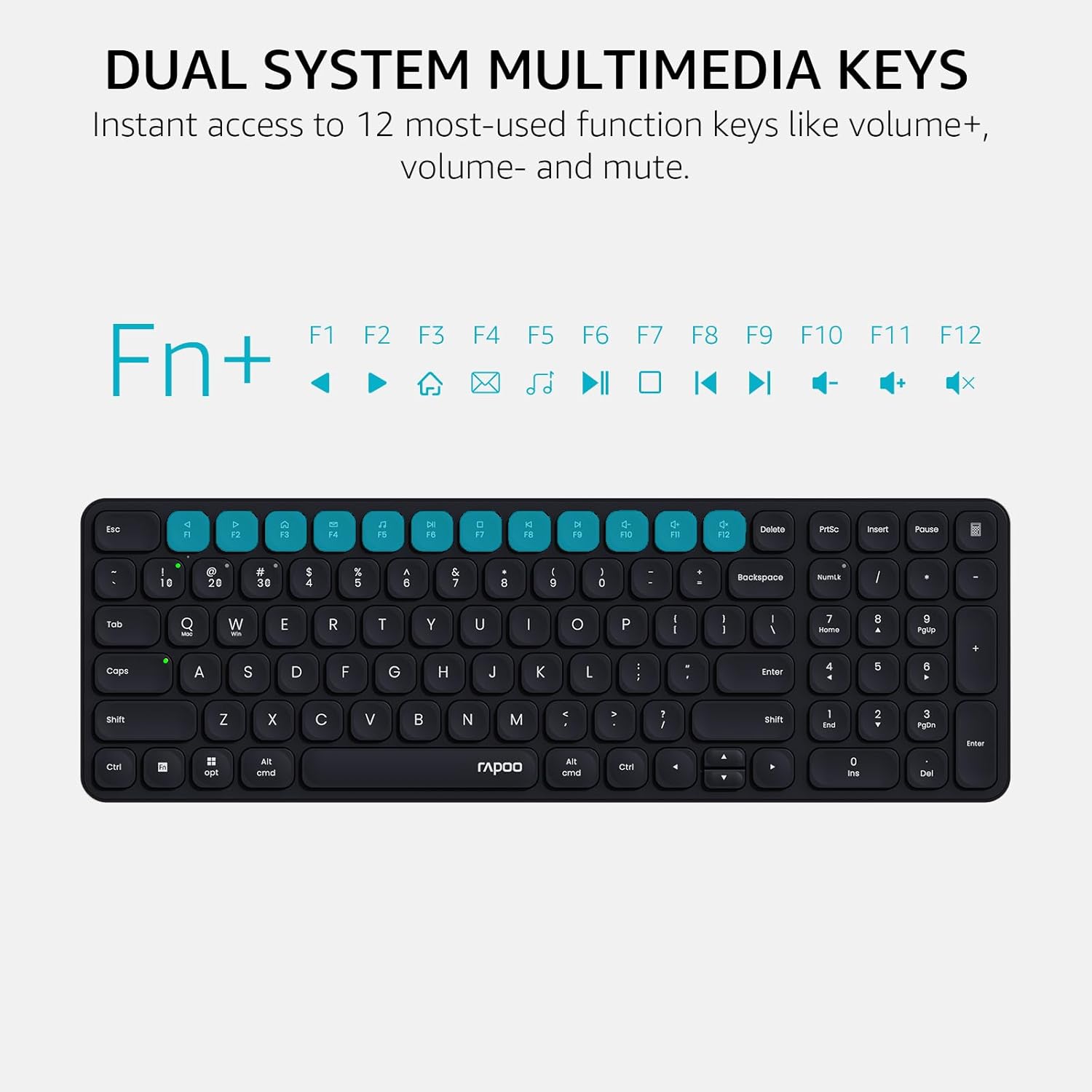
Image: Close-up of the Rapoo E9310M keyboard highlighting the multimedia function keys (F1-F12) and their corresponding icons.
3.1.2 Device and Capitalization Indicator Lights
The keyboard includes indicator lights to show which device is currently active and the status of the Caps Lock key.
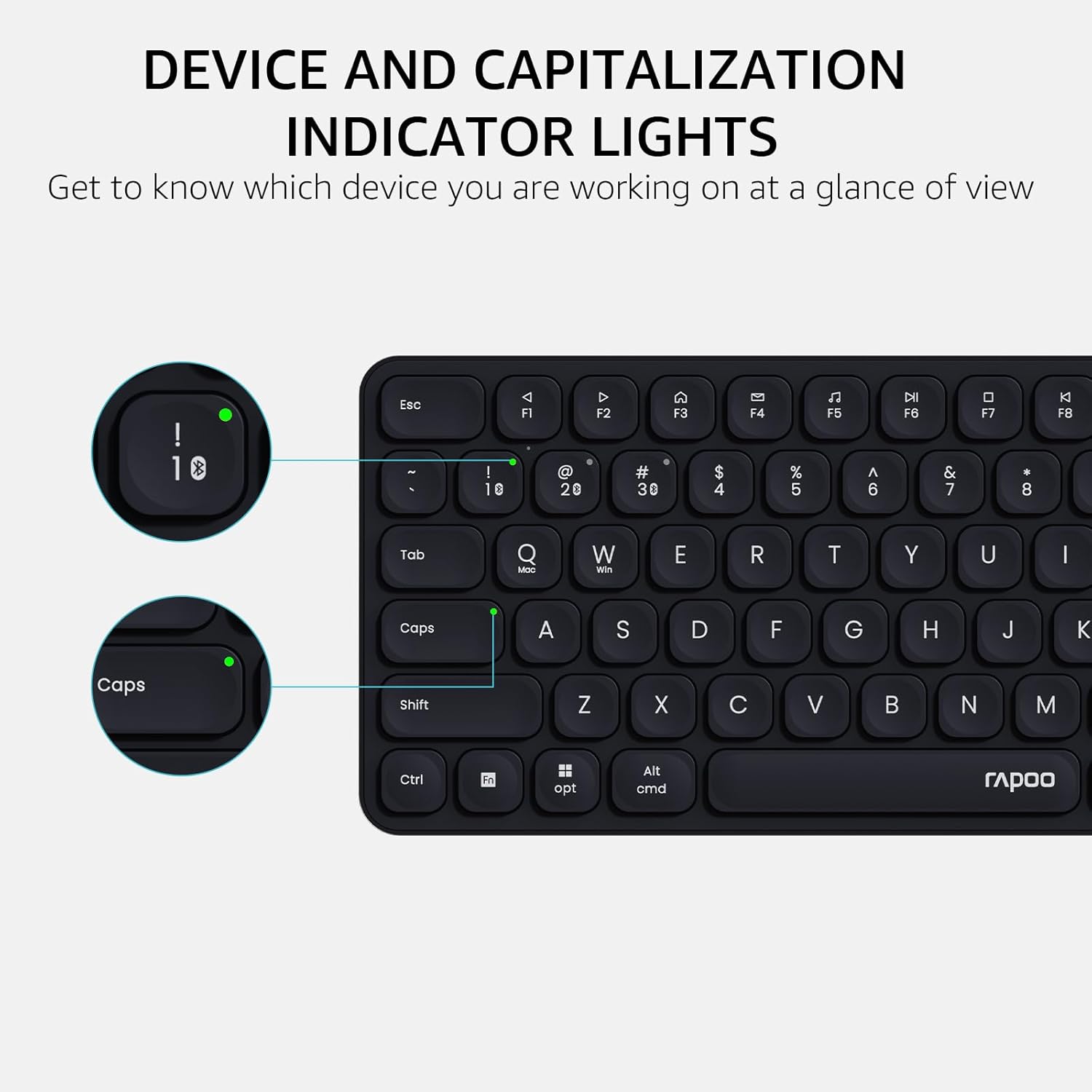
Beeld: 'n Gedetailleerde view of the Rapoo E9310M keyboard, pointing out the indicator lights for device connection and Caps Lock status.
3.2 Muisfunksies
The M300G Silent Mouse provides precise control with adjustable DPI settings and a quiet click design.
3.2.1 DPI-aanpassing
The mouse features 5 adjustable DPI levels (800/1000/1200/1600/2400) to suit different screen resolutions and user preferences. Press the DPI button (usually located near the scroll wheel) to cycle through the settings.
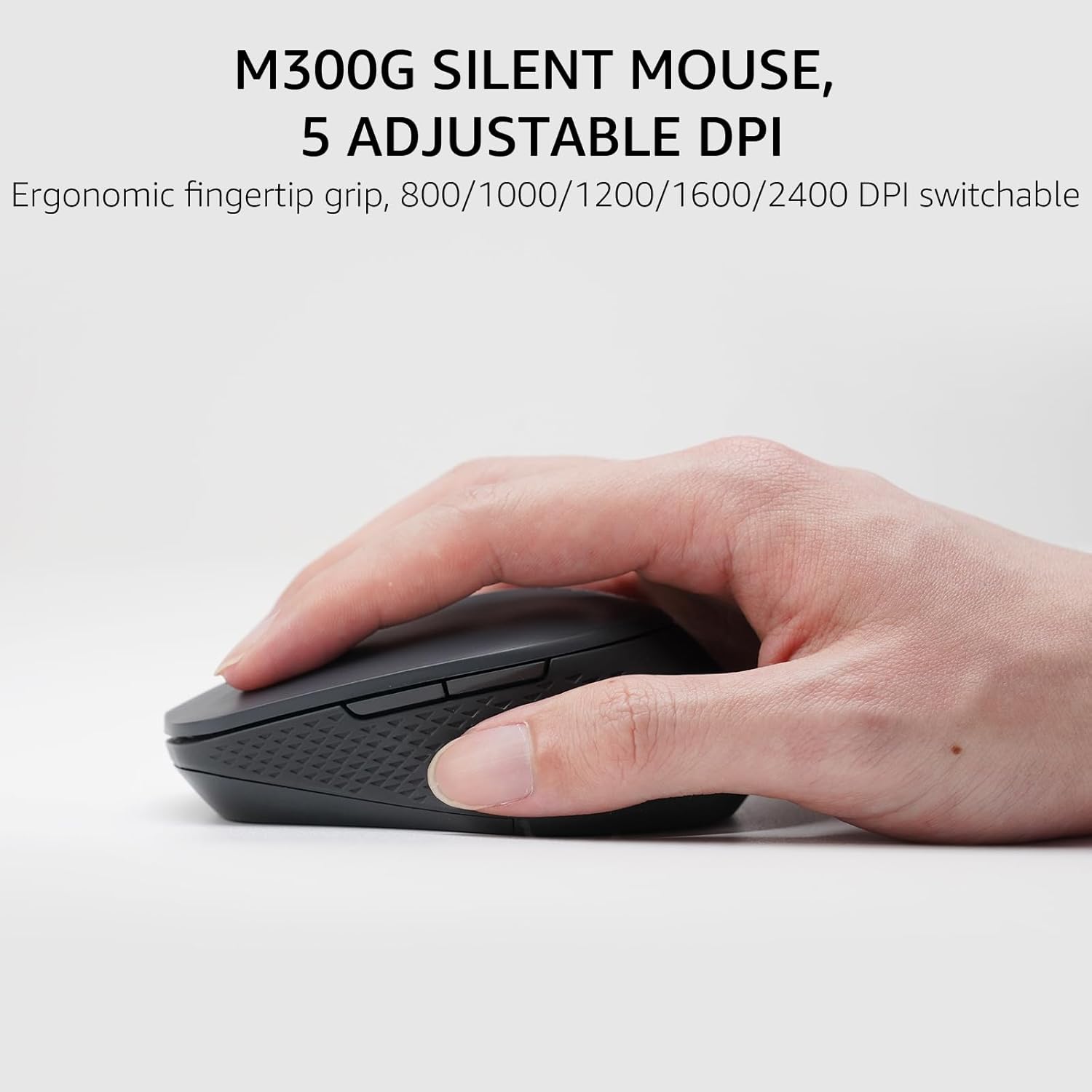
Image: The Rapoo M300G Silent Mouse, highlighting its ergonomic design and the DPI adjustment button.
4. Onderhoud
4.1 Skoonmaak
- Gebruik 'n sagte, droë lap om die oppervlaktes van die sleutelbord en muis skoon te maak.
- Vir hardnekkige vuiligheid, effens dampMaak die lap skoon met water of 'n sagte skoonmaakoplossing. Vermy oormatige vog.
- Moenie skuurmiddels, oplosmiddels of aërosolspuitmiddels gebruik nie.
4.2 Batteryvervanging
When the battery indicator light flashes or performance degrades, replace the batteries. The upgraded Bluetooth 5.0/4.0 technology extends battery life up to 12 months.
- Skakel die toestel af.
- Maak die batterykompartement oop.
- Verwyder ou batterye en gooi dit weg volgens plaaslike regulasies.
- Plaas nuwe AAA-batterye in en let op die korrekte polariteit.
- Maak die kompartement toe.
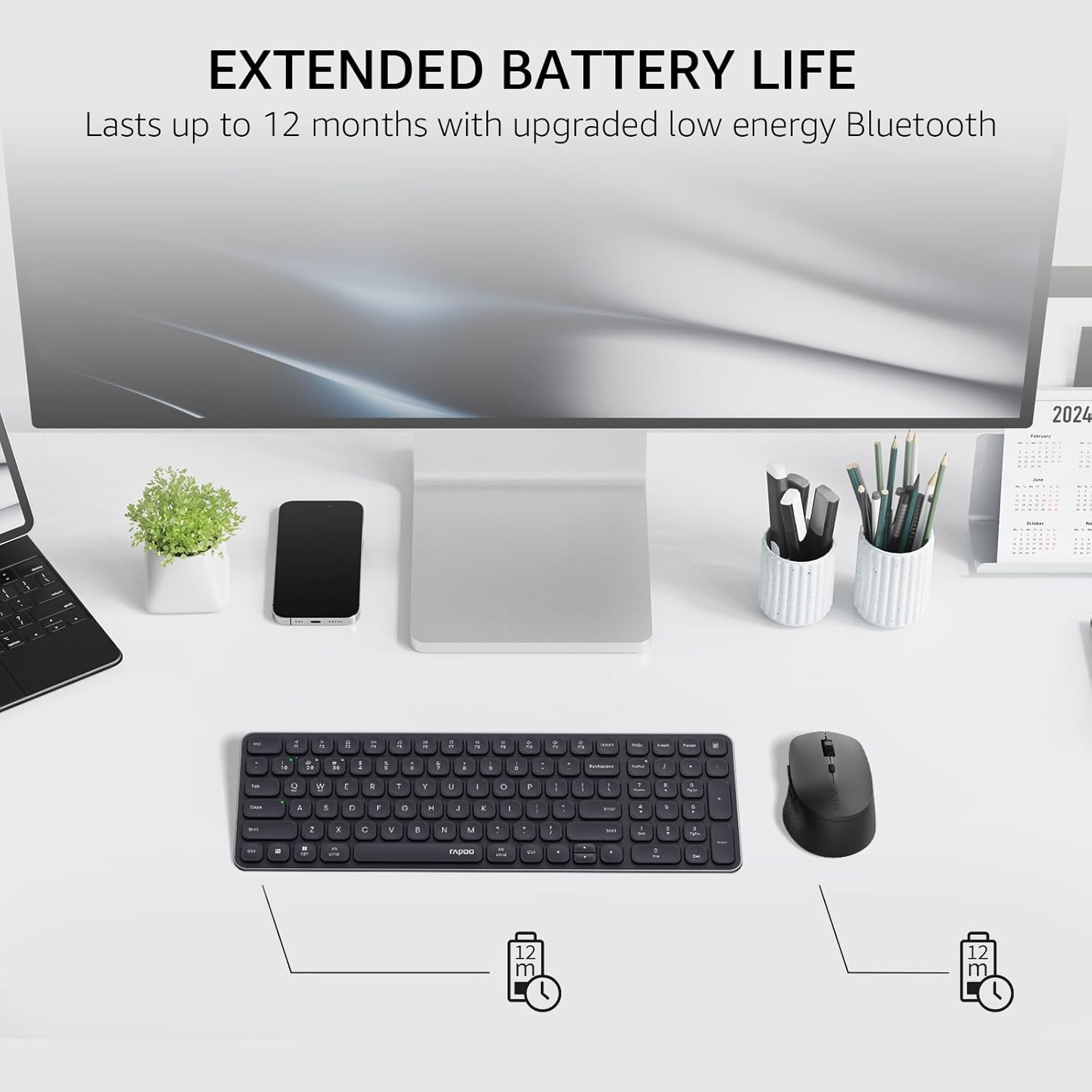
Image: The Rapoo keyboard and mouse on a desk, with an overlay indicating an extended battery life of up to 12 months.
5. Probleemoplossing
5.1 Verbindingsprobleme
- Toestel koppel nie: Ensure the keyboard/mouse is turned on and in pairing mode (indicator light flashing). Check your device's Bluetooth settings to ensure Bluetooth is enabled and the correct Rapoo device is selected.
- 2.4GHz connection unstable: Ensure the USB receiver is securely plugged into a working USB port. Try a different USB port. Ensure no other wireless devices are causing interference.
- Bluetooth connection dropping: Ensure the devices are within the effective range (typically 10 meters/33 feet). Check battery levels. Remove and re-pair the device if issues persist.
5.2 Keyboard/Mouse Not Responding
- No input: Check battery levels and replace if necessary. Ensure the correct connection mode (2.4GHz or Bluetooth channel) is selected on the keyboard/mouse.
- Sleutels werk nie: Maak die omgewing rondom die betrokke sleutels skoon om enige puin te verwyder.
- Muiswyser onreëlmatig: Clean the mouse sensor. Ensure the mouse is used on a suitable surface. Adjust DPI settings if sensitivity is an issue.
6. Spesifikasies
| Kenmerk | Detail |
|---|---|
| Handelsmerk | Rapoo |
| Model (Sleutelbord) | E9310M |
| Model (Muis) | M300G |
| Kleur | Swart |
| Verbindingstegnologie | Bluetooth (5.0/4.0), Radio Frequency (2.4GHz) |
| Versoenbare toestelle | Laptop, Personal Computer (Windows, macOS, Linux, Chrome OS) |
| Sleutelborduitleg | QWERTY, 99-Key with Number Pad |
| Muis DPI | 800/1000/1200/1600/2400 (Adjustable) |
| Kragbron | Batteryaangedrewe (2 AAA-batterye ingesluit) |
| Item gewig | 393.2 gram |
| Vervaardiger | Shenzhen Rapoo Tegnologie Co., Ltd. |
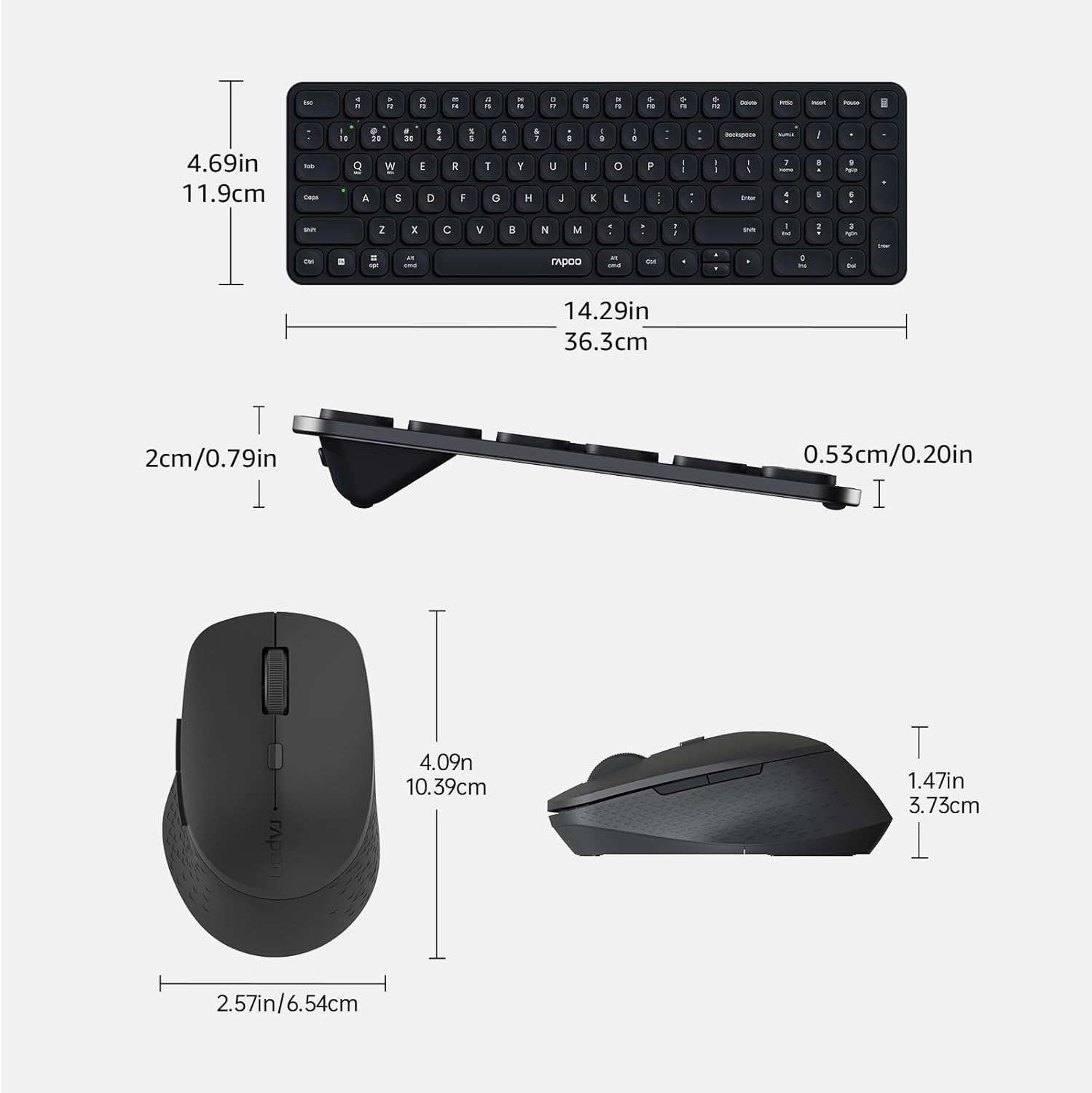
Image: Technical drawing showing the dimensions of the Rapoo E9310M keyboard and M300G mouse in inches and centimeters.
7. Waarborg en Ondersteuning
7.1 Waarborginligting
Hierdie produk kom met 'n 1 jaar waarborg vanaf die aankoopdatum. Bewaar asseblief u aankoopbewys vir waarborgeise. Die waarborg dek vervaardigingsfoute en wanfunksies onder normale gebruiksomstandighede.
7.2 Kliëntediens
For technical assistance, troubleshooting, or warranty inquiries, please contact Rapoo customer support. Refer to the official Rapoo webwebwerf of die produkverpakking vir die mees onlangse kontakinligting.