

MIDLAND Smartcom Interkom
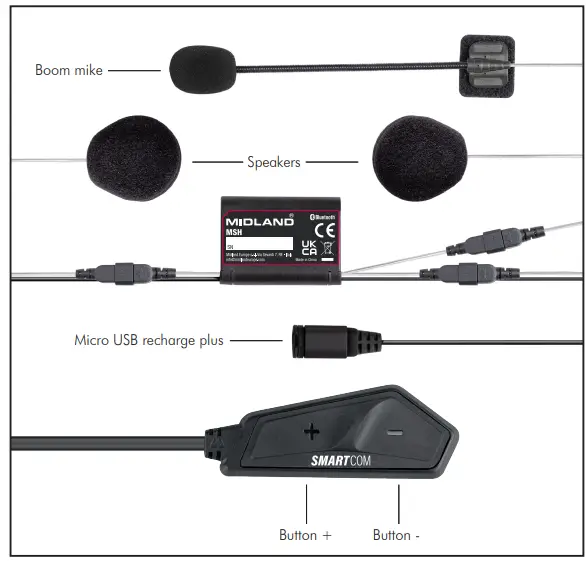
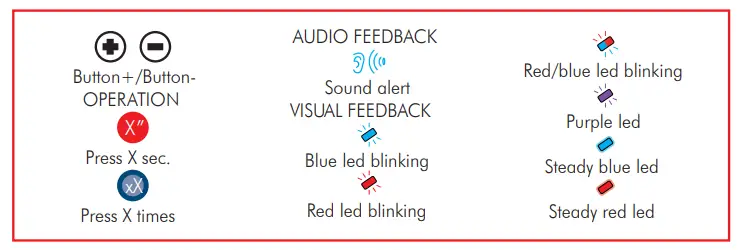
BESKRYWING – LEGENDE
SKAKEL AAN 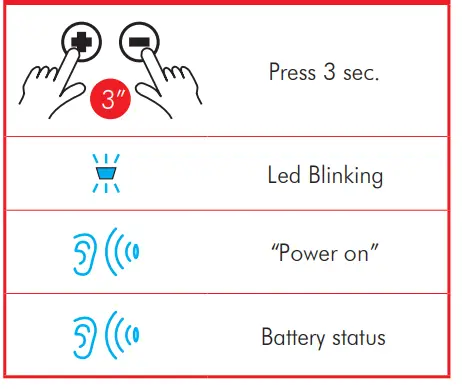 SKAKEL AF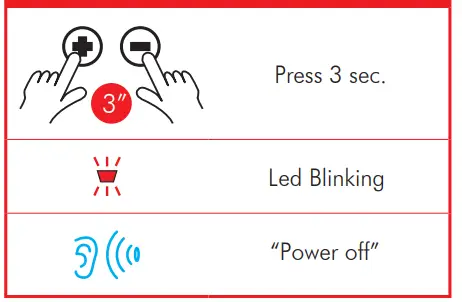
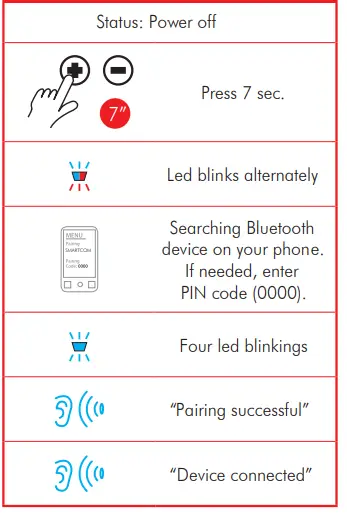
KOPPEL MET FOON/GPS
KOPPEL 'N ANDER SMARTCOM OF MIDLAND 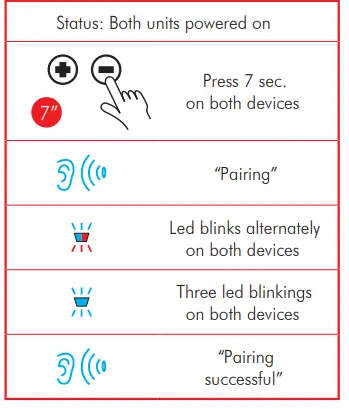
PAAR MET 'N ANDER MODEL/MERK-EENHEID
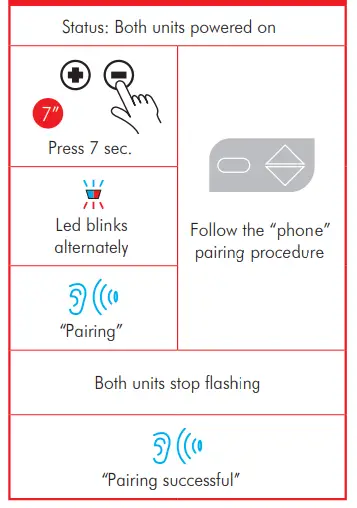
HERSTEL ALLE PARINGS
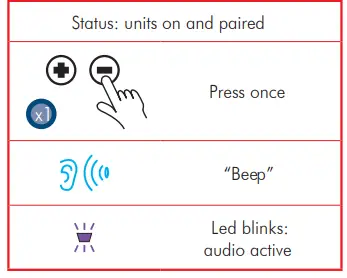
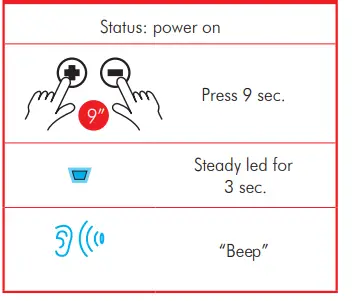 OOP/SLUIT INTERKOM
STEM OPROEP
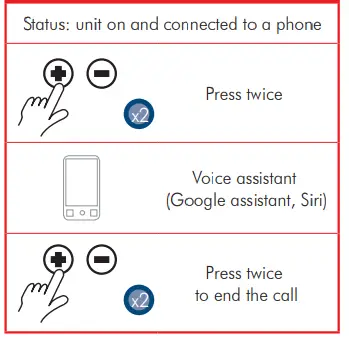
BEANTWOORD 'N OPROEP
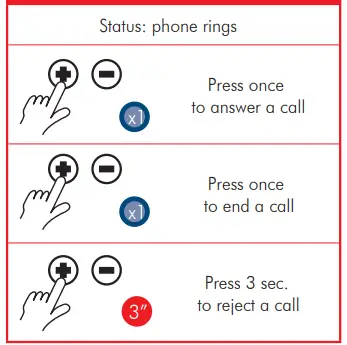 Om die outomatiese antwoord af/aan te skakel wanneer die toestel afgeskakel is, druk + en – vir 9 sekondes.
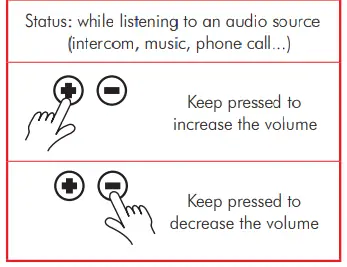
VOLUME-AANPASSING
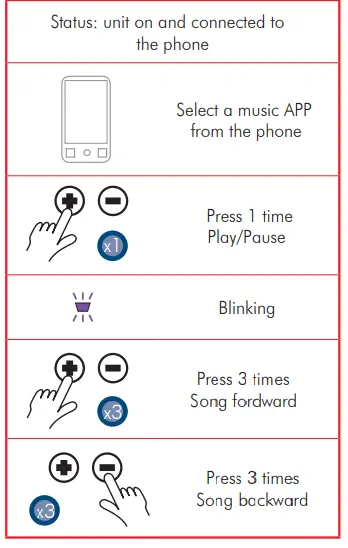
MUSIEK
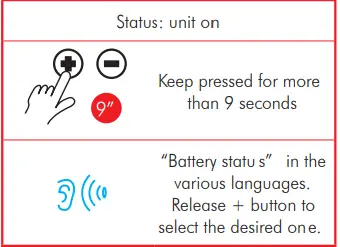
VERANDER TAAL
- Frekwensie 2.4 GHz
- Maks krag IOOmW
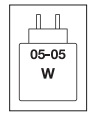
Die krag wat deur die laaier voorsien word, moet tussen minimum 05 watt wees wat deur die radiotoerusting benodig word, en maksimum 05 watt om maksimum laaispoed te bereik.
Om die volledige handleiding af te laai, besoek www.tucanourbano.com
Versprei deur:
- MANDELLI sri
- Via T.Grossi, 5 – 20841 Carate Brianza
- MB (Italië) – www.tucanourbano.com
Dokumente / Hulpbronne
 | Smartcom-interkom |
Verwysings
- Gebruikershandleidingmanual.tools
Published: August 7, 2025