Numera Manuals & User Guides
Numera specializes in advanced medical alert systems, personal emergency response solutions (PERS), and fall detection devices for independent living.
About Numera manuals on Manuals.plus
Getal, a brand by Nice North America, is a leading provider of personal emergency response systems (PERS) and healthcare tracking solutions. Designed to support active, independent living, Numera's flagship products include the LibrisĀ® mobile responder and the PERS 4200X Home Hub. These devices heavily integrate cellular connectivity, advanced fall detection, and two-way voice communication.
These medical alert systems connect users seamlessly to monitoring services and caregivers, ensuring reliable help is always accessible in case of an emergency. With additional features like GPS location tracking and the EverThereĀ® cloud platform, Numera devices empower seniors and at-risk individuals with complete safety and peace of mind both at home and on the go.
Numera manuals
Nuutste handleidings van manuals+ saamgestel vir hierdie handelsmerk.
numera SSC00101 Home Hub Gebruikersgids
numera Libris 2 Demo Valbespeuring Gebruikersgids
numera PERS4200x Home Hub Gebruikersgids
Numera Libris 2 gebruikershandleiding
Libris Aura Charging Cradle User Guide
Numera Libris Aura User Guide: All-In-One Personal Safety Solution
Demo Fall Detection Guide for Numera Libris 2
Numera Home Hub 4200x Installasie- en Konfigurasiegids
Numera support FAQ
Algemene vrae oor handleidings, registrasie en ondersteuning vir hierdie handelsmerk.
-
How do I test the Fall Detection feature on my Numera Libris 2?
A Demo Fall Detection feature can be enabled via the Numera Dealer Portal. Once enabled, stretch your arm out parallel to the ground, drop the device, and leave it for 2-3 seconds. Within a minute, it will detect the fall and initiate an emergency call.
-
What do the lights on my Numera Libris 2 mean?
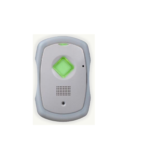
The Cellular Indicator on top shows green for a strong signal, amber for moderate, and red for poor. The Battery Indicator (around the Call Button) is green when adequately charged, amber when moderately charged, and red when the battery is low.
-
How do I activate a new Numera Libris 2 device?
Place the Libris 2 into its charging cradle to automatically turn it on. Wait for the audio prompts indicating it is ready. Finally, press and hold the Call Button to complete a setup call with your response team, then charge it for at least 4 hours before daily use.
-
How often should I test my Numera Personal Help Button?
Numera strongly recommends testing your equipment at least weekly to ensure the system is working properly. Press the Help Button and wait for a verbal response from your monitoring service provider to confirm the connection.