
Inleiding
This manual provides essential information for the safe and efficient use of your Xiaomi 55-inch 4K UHD Smart Quantum MagiQ S Mini LED Google TV. Please read these instructions thoroughly before operating the device and retain them for future reference.
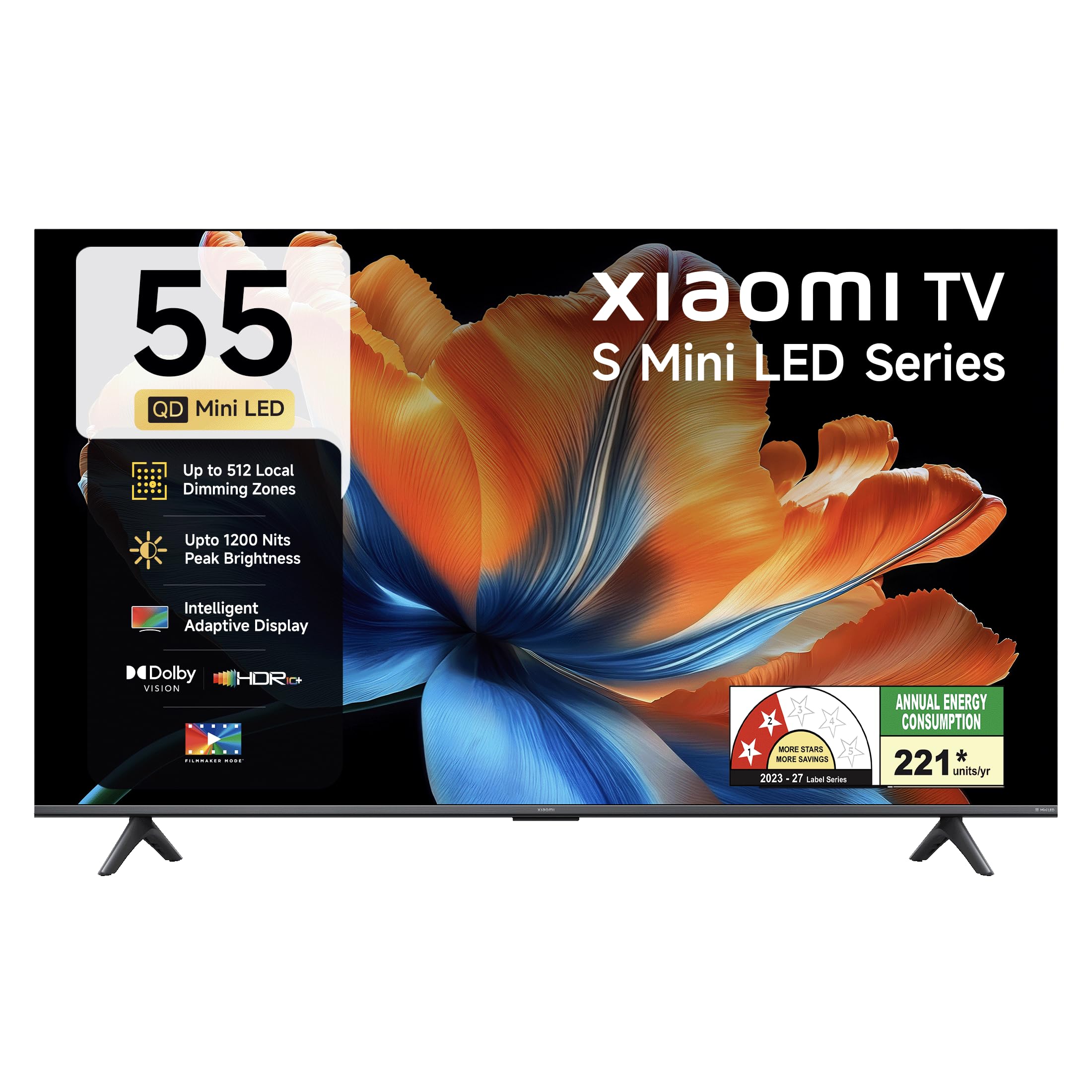
Beeld: Voorkant view of the Xiaomi 55-inch 4K UHD Smart Quantum MagiQ S Mini LED Google TV, showcasing sy slanke randontwerp.
Opstelgids
1. Uitpak en Ingesluite Komponente
Carefully remove all items from the packaging. Ensure all components listed below are present and undamaged.

Image: Contents of the product box, including the TV unit, remote control, user manual, two stand units, four screws, two AAA batteries, and a power cord.
- 1 LED TV-eenheid
- 1 afstandbeheer
- 1 Gebruikershandleiding (hierdie dokument)
- 2 Stand Units
- 4 Skroewe vir staanderinstallasie
- 2 AAA-batterye (vir afstandbeheer)
- 1 Kragkabel
2. Staaninstallasie of Muurmontering
Your television supports both table-top stand installation and wall mounting. Choose the method suitable for your environment.
- Vir Staaninstallasie: Attach the two provided stand units to the bottom of the TV using the four screws. Ensure they are securely fastened.
- Vir muurmontering: Use a compatible VESA wall mount (sold separately). Follow the instructions provided with your wall mount kit. Ensure the wall can support the TV's weight.
3. Verbinding van eksterne toestelle
Connect your external devices such as set-top boxes, gaming consoles, or audio systems to the TV's ports.

Beeld: Agter view of the TV highlighting connectivity ports: Optical, Earphone, AV In, 3 HDMI ports (one with eARC), 2 USB 2.0 ports, Antenna, and Ethernet.
- HDMI-poorte (x3): Connect gaming consoles, Blu-ray players, or set-top boxes. One port supports eARC for enhanced audio return channel functionality.
- USB-poorte (x2): Koppel USB-bergingstoestelle vir mediaweergawe.
- Ethernet-poort: Vir bedrade internetverbinding.
- Optiese uitset: Vir die koppeling aan eksterne klankstelsels.
- AV-invoer: Vir die koppeling van ouer toestelle met behulp van saamgestelde video en stereo-klank.
- Antenna: Vir die koppeling van 'n terrestriële of kabelantenna.
4. Aanvanklike aanskakeling en opstelling
After connecting all necessary cables, plug the power cord into an electrical outlet. Press the power button on the remote control or the TV to turn it on. Follow the on-screen instructions for initial setup, which typically includes:
- Taalkeuse
- Netwerkverbinding (Wi-Fi of Ethernet)
- Google-rekening aanmelding
- Kanaalskandering
Bedien jou Xiaomi slim-TV
1. Afstandbeheer funksies
The included remote control provides access to all TV functions. Insert the two AAA batteries into the remote control, ensuring correct polarity.

Image: Xiaomi remote control, featuring dedicated quick access buttons for popular streaming services and Google Assistant voice control.
- Kragknoppie: Skakel die TV aan of af.
- Google Assistent-knoppie: Aktiveer stembeheer vir die soek van inhoud, die beheer van slimhuistoestelle en meer.
- Navigasieblok: Word gebruik om deur spyskaarte te navigeer en items te kies.
- Volume op/af: Pas die klankvolume aan.
- Kanaal op/af: Verander TV-kanale.
- Vinnige Toegangknoppies: Dedicated buttons for Netflix, Prime Video, YouTube, Disney+ Hotstar, SonyLIV, and Live TV.
- Demp-knoppie: Maak die TV-klank stil.
2. Google TV Interface and Applications
Your TV runs on the Android 14 OS with Google TV, offering a personalized content experience. Access a wide range of applications from the Google Play Store.

Image: The PatchWall interface, providing customized content recommendations and curation from various streaming platforms.
- Inhoud Eerste UI: Organizes content from all your streaming services in one place.
- Persoonlike Profiles: Skep individuele profiles for personalized recommendations.
- Ondersteunde toepassings: Pre-installed and downloadable apps include Netflix, Prime Video, YouTube, Zee5, JioCinema, SonyLiv, and more.
- Google Assistent: Use voice commands for navigation, search, and smart home control.
3. Beeld- en klankinstellings
Optimaliseer jou viewluisterervaring deur verskeie beeld- en klankmodusse.
Prentinstellings:
- Filmmaker-modus: Disables post-processing effects to display content as intended by the director.
- Dolby Vision: Enhances HDR content with dynamic metadata for optimized image quality frame by frame.
- HDR10+: Uses dynamic data to enhance every frame, providing an immersive viewondervinding.
- Ooggeriefmodus: Reduces blue light and flicker for a more comfortable viewondervinding.
- MEMC Engine: Motion Estimation, Motion Compensation technology for smoother motion in fast-paced scenes.
- AI Picture Optimization Engine: Advanced AI algorithms analyze content in real-time to enhance clarity, contrast, and color reproduction.

Image: Filmmaker Mode, designed to preserve original colors, contrast, and motion for an authentic cinematic experience.

Image: Dolby Vision technology, optimizing image quality with deeper blacks and brighter highlights.

Image: HDR10+ dynamic frame-by-frame tuning, ensuring consistent detail across dark and bright scenes.

Image: Eye Care Mode, providing flicker-free visuals with DC Dimming and reduced blue light for comfortable viewing.
Oudio-instellings:
- 34 Watt Uitset: Powerful built-in box speakers.
- Dolby Audio: Delivers rich, clear, and powerful sound.
- DTS-X & DTS Virtueel:X: Bied immersiewe, multidimensionele klank.
- Xiaomi-klank: Preset audio configurations developed for optimal sound quality.

Image: Xiaomi Sound, offering tailored audio experiences through expert-developed configurations.
4. Connectivity and Streaming
Your TV offers versatile connectivity options for seamless streaming and device integration.
- Dubbelband Wi-Fi: Connects to 2.4GHz and 5GHz wireless networks.
- Bluetooth: Koppel draadlose oorfone, luidsprekers of ander Bluetooth-bykomstighede.
- Google Cast Built-in: Stream content directly from compatible apps on your smartphone or tablet.
- Apple AirPlay 2: Stroom inhoud vanaf Apple-toestelle.
- Miracast: Spieël jou Android-toestel se skerm draadloos.

Image: Stream content from your phone using Google Cast or Apple AirPlay 2.
Sorg en Onderhoud
Behoorlike sorg verseker die lang lewensduur en optimale werkverrigting van jou TV.
- Skerm skoonmaak: Vee die skerm liggies af met 'n sagte, pluisvrye lap. Vir hardnekkige merke, gebruik 'n skermspesifieke skoonmaakoplossing wat op die lap aangewend word, nie direk op die skerm nie.
- Liggaam skoonmaak: Wipe the TV's frame and back panel with a soft, dry cloth. Avoid abrasive cleaners or solvents.
- Ventilasie: Verseker voldoende lugvloei rondom die TV. Moenie ventilasie-openinge blokkeer nie.
- Skakel af: Skakel altyd die TV af en trek die stekker uit die stopcontact voordat u dit skoonmaak of as dit vir 'n lang tydperk nie gebruik gaan word nie.
- Sagteware-opdaterings: Periodically check for and install software updates to ensure optimal performance and security.
Opsporing van algemene probleme
Refer to this section for solutions to common operational problems.
| Probleem | Oplossing |
|---|---|
| TV skakel nie aan nie | Ensure the power cord is securely plugged into both the TV and a working electrical outlet. Check if the power outlet is active. Try pressing the power button on the TV itself. |
| Geen beeld nie, maar klank is teenwoordig | Check the input source. Ensure the connected device (e.g., set-top box) is turned on and functioning. Try a different HDMI cable or port. |
| Geen klank nie, maar beeld is teenwoordig | Check the volume level and ensure the TV is not muted. Verify audio output settings (e.g., internal speakers, external sound system). Check audio cables for external devices. |
| Afstandbeheer reageer nie | Replace the AAA batteries in the remote control. Ensure there are no obstructions between the remote and the TV. Re-pair the Bluetooth remote if necessary (refer to TV settings). |
| Kan nie aan Wi-Fi koppel nie | Ensure your Wi-Fi router is on and working. Re-enter the Wi-Fi password. Try restarting both the TV and the router. Check if other devices can connect to the Wi-Fi network. |
Tegniese spesifikasies
Detailed specifications for the Xiaomi 55-inch 4K UHD Smart Quantum MagiQ S Mini LED Google TV (Model L55MC-IN).

Image: Physical dimensions and weight of the Xiaomi 55-inch TV, both with and without the stand.
| Kenmerk | Spesifikasie |
|---|---|
| Modelnommer | L55MC-IN |
| Skerm grootte | 55 duim (138 cm) |
| Vertoon tegnologie | Mini LED |
| Resolusie | 4K Ultra HD (3840 2160 x XNUMX XNUMX) |
| Herlaaitempo | 60 Hz (DLG 120 Hz) |
| Piek helderheid | Tot 1200 nits |
| Bedryfstelsel | Android 14 OS with Google TV |
| RAM | 2 GB |
| ROM (Interne Berging) | 32 GB |
| Klank Uitset | 34 Watt |
| Oudiotegnologieë | Dolby Audio, DTS-X, DTS Virtual:X |
| Konnektiwiteit | Dual Band Wi-Fi, Bluetooth, 3 HDMI (1 eARC), 2 USB, Optical, Ethernet, AV In |
| Skermspieëling | Google Cast, Apple AirPlay 2, Miracast |
| Spesiale kenmerke | Filmmaker Mode, MEMC, Eye Comfort Mode, AI Picture Optimization Engine |
| Produk Afmetings (D x B x H) | 31.2D x 31.2W x 76.9H Centimeters (with stand) |
| Item Weight Without Stand | 11.6 kilogram |
| Kragverbruik | 230 Watt |
| Land van oorsprong | Indië |
Waarborg inligting
Your Xiaomi TV comes with a comprehensive warranty provided by the brand from the date of purchase.
- Standaard waarborg: 3-year comprehensive warranty for non-prebook customers (purchases between April 22nd - May 31st).
- Pre-book Customer Warranty: 4-year comprehensive warranty for pre-book customers (purchases between April 22nd - April 30th).
Warranty claims can be made using your Amazon invoice as proof of purchase. For detailed terms and conditions, please refer to the official Xiaomi warranty policy or contact customer support.
Kliënte ondersteuning
For any assistance, service requests, or queries regarding your Xiaomi TV, please contact Xiaomi customer support.

Beeld: Oorview of Xiaomi's customer support commitments, including quick installation, prompt call-backs, and swift doorstep solutions.
- Installasiedienste: New TV installations are typically completed within 3 hours of your appointment.
- Service Requests: Expect a call back from the support team within 60 minutes for any service request.
- On-site Support: Experts aim to arrive at your home within 24 hours of your service request.
Please visit the official Xiaomi India webwebwerf of verwys na die kontakinligting wat in u produkverpakking verskaf word vir die mees onlangse ondersteuningsbesonderhede.