
1. Inleiding
Welcome to the OPPO K14 5G Smartphone user manual. This guide provides comprehensive instructions to help you set up, operate, and maintain your new device. Please read this manual thoroughly to ensure optimal performance and longevity of your smartphone.
2. Produk verbyview
The OPPO K14 5G is a high-performance smartphone designed for daily use, gaming, and content creation. It features a durable design, a powerful 7000 mAh battery, 6GB RAM, 128GB internal storage, and a SuperCool VC System for efficient thermal management.
2.1 Toestelkomponente
- Vertoon: Large, vibrant screen for immersive viewing.
- Agterste kameras: Dual AI camera system for high-quality photography.
- Voorste kamera: Vir selfies en video-oproepe.
- Kragknoppie: Located on the side, used for power on/off and screen lock.
- Volume knoppies: Located on the side, used to adjust audio levels.
- USB-C-poort: Vir laai en data-oordrag.
- SIM/SD-kaartgleuf: Vir die invoeging van SIM-kaarte en uitbreidbare berging.
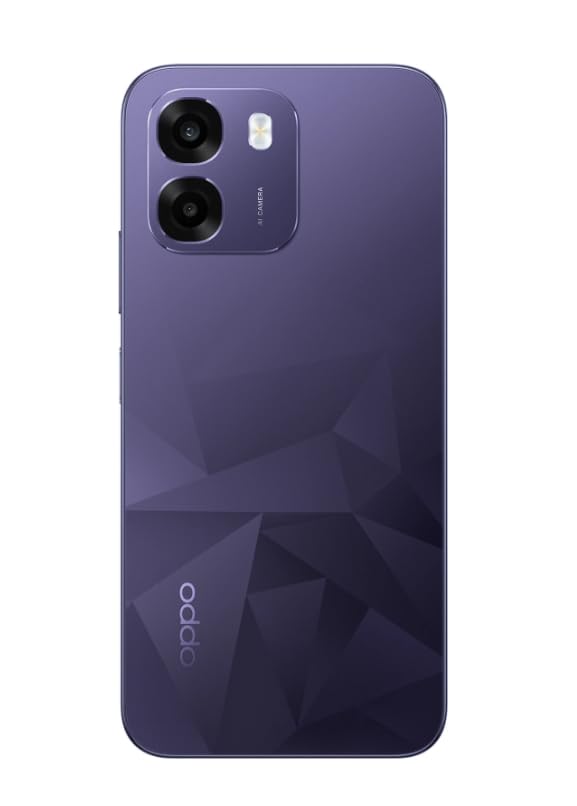
Beeld: Agter view of the OPPO K14 5G Smartphone, showcasing the dual camera setup and geometric pattern in Prism Violet.
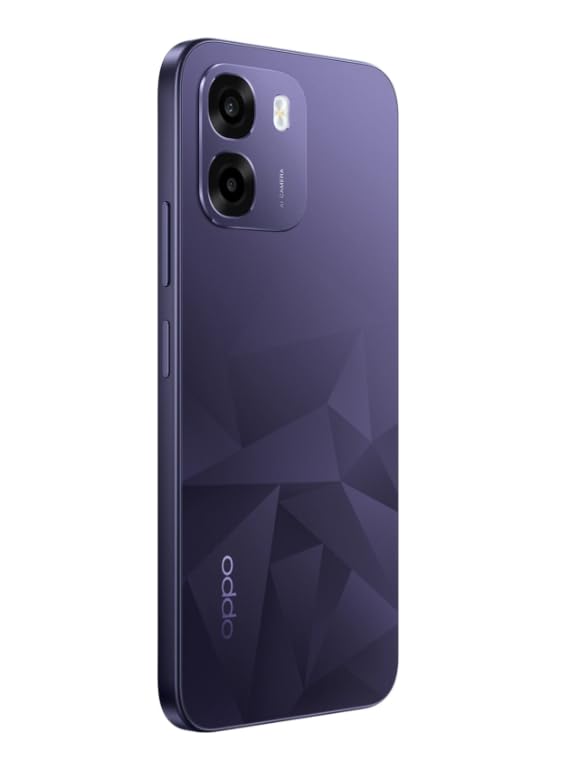
Beeld: Sykant view of the OPPO K14 5G Smartphone, highlighting the slim profile en knoppieplasing.
3. Opstelling
3.1 SIM-/SD-kaart insit
- Locate the SIM/SD card tray on the side of your device.
- Plaas die SIM-uitwerpgereedskap in die klein gaatjie langs die laai en druk liggies totdat die laai uitspring.
- Plaas jou Nano-SIM-kaart(e) en/of microSD-kaart in die laai met die goue kontakte na onder. Maak seker dat hulle korrek geplaas is.
- Plaas die laai versigtig terug in die foon.
3.2 Aanvanklike aanskakeling en opstelling
- Druk en hou die aan/af-knoppie in totdat die OPPO-logo verskyn.
- Volg die instruksies op die skerm om jou taal en streek te kies, aan Wi-Fi te koppel en jou Google-rekening op te stel.
- You can transfer data from an old device during this process or skip it for later.
3.3 Laai die toestel
Before first use, it is recommended to fully charge your OPPO K14 5G. Connect the USB-C cable to the phone's charging port and the other end to a compatible power adapter. The device supports 45W fast charging.
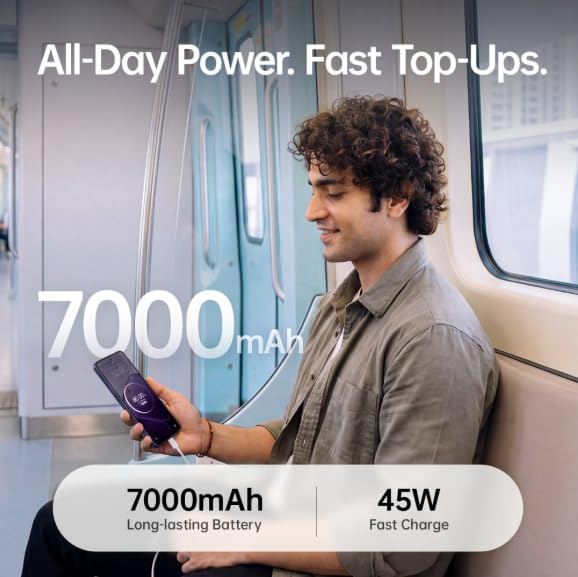
Image: The OPPO K14 5G highlighting its 7000mAh long-lasting battery and 45W fast charge capability.
4. Bedryfsinstruksies
4.1 Basiese navigasie
- Raak: Tap to select items, open apps, or confirm actions.
- Swiep: Move your finger across the screen to scroll, switch between home screens, or navigate within apps.
- Knyp: Gebruik twee vingers om in of uit te zoem op foto's en web bladsye.
- Gebare: Customize navigation gestures in Settings for a fluid experience. The 120Hz display ensures smooth motion.
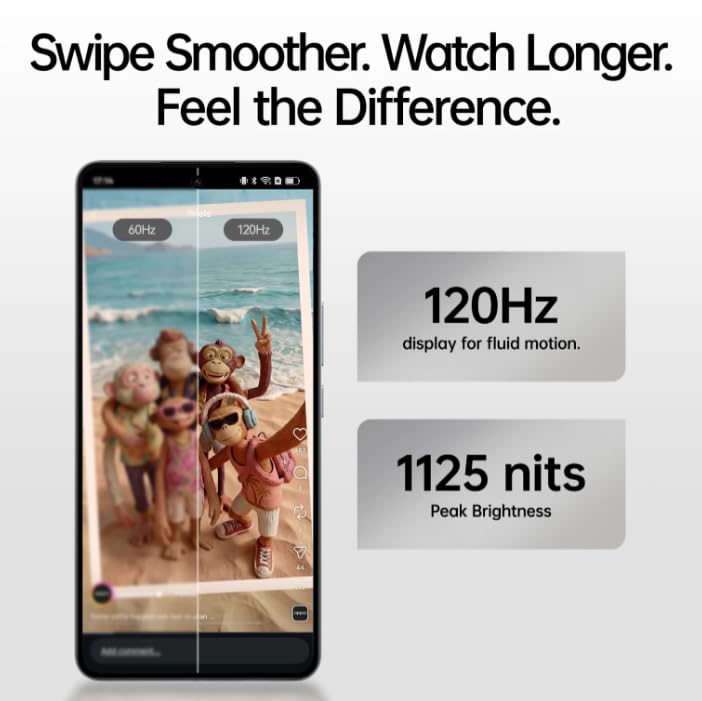
Image: The OPPO K14 5G display showcasing 120Hz for fluid motion and 1125 nits peak brightness.
4.2 Oproepe en Boodskappe
- Maak oproepe: Maak die Foon-app oop, voer die nommer in en tik op die oproepikoon.
- Stuur boodskappe: Maak die Boodskappe-app oop, tik om 'n nuwe gesprek te begin, voer die ontvanger en jou boodskap in.
4.3 Netwerkkonnektiwiteit
The OPPO K14 5G supports 5G connectivity for fast internet speeds. Ensure your SIM card supports 5G and that you are in a 5G coverage area. You can manage Wi-Fi and mobile data settings in the Settings app.
5. Kameragebruik
Your OPPO K14 5G is equipped with a dual AI camera system designed to capture sharp and detailed photos in various conditions. The main camera is 50MP.
5.1 Foto's en video's neem
- Maak die Kamera-toepassing oop.
- Kies jou verlangde modus (Foto, Video, Portret, Nag, ens.).
- Tik die sluiterknoppie om 'n foto te neem of video-opname te begin/stop.
- Use the zoom controls or switch between lenses as needed.
6. Batterybestuur
The OPPO K14 5G features a large 7000 mAh battery, providing extended usage time. To maximize battery life:
- Pas die helderheid van die skerm aan.
- Maak ongebruikte programme toe wat in die agtergrond loop.
- Aktiveer kragbesparingsmodusse wanneer die battery laag is.
- Vermy uiterste temperature.
7. Werkverrigting en verkoeling
The device is engineered for smooth performance with 6GB RAM and is equipped with a SuperCool VC System. This system includes a 3900 mm² vapour chamber cooling area, which effectively dissipates heat during intensive tasks like gaming, ensuring sustained performance without overheating.
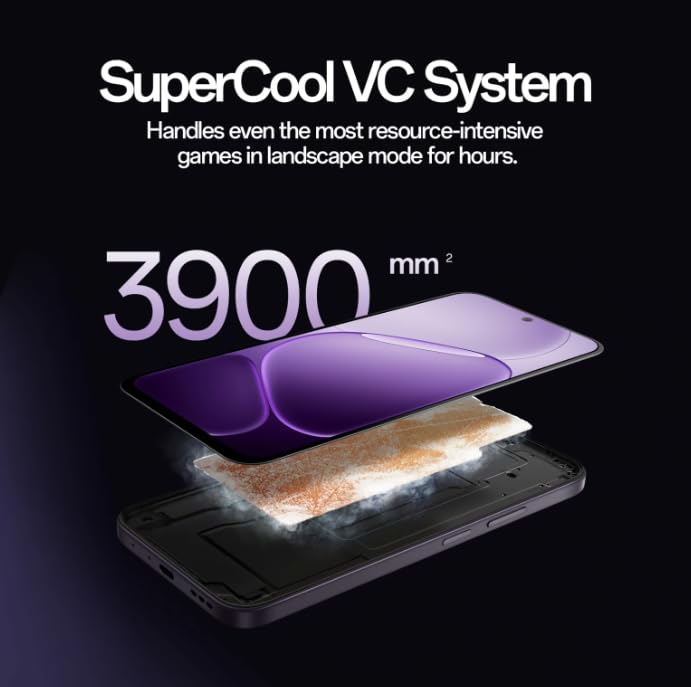
Image: Diagram illustrating the SuperCool VC System with its 3900 mm² vapour chamber, designed to prevent overheating during extended use.
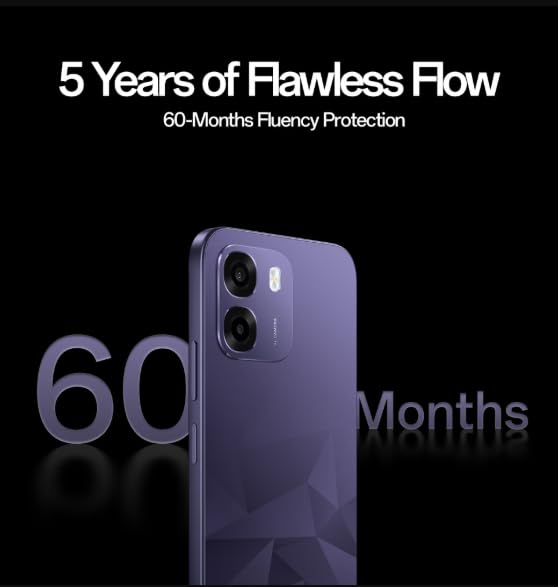
Image: The OPPO K14 5G promoting 60-Months Fluency Protection for long-term smooth performance.
8. Onderhoud
8.1 Skoonmaak van jou toestel
Use a soft, lint-free cloth to clean the screen and body of your phone. Avoid using harsh chemicals or abrasive materials. The device offers IP69 all-weather protection.
8.2 Sagteware-opdaterings
Regularly check for and install software updates to ensure your device has the latest features, security patches, and performance improvements. Go to Settings > About device > Software update.
8.3 Rugsteun van data
Rugsteun gereeld jou belangrike data (foto's, kontakte, dokumente) na 'n wolkdiens of 'n rekenaar om dataverlies te voorkom.
9. Probleemoplossing
If you encounter issues with your OPPO K14 5G, try the following steps:
- Toestel skakel nie aan nie: Maak seker dat die battery gelaai is. Koppel dit vir ten minste 15 minute aan 'n laaier voordat jy probeer om dit aan te skakel.
- Programme wat vasval/vries: Close the app and reopen it. If the issue persists, clear the app's cache (Settings > Apps > [App Name] > Storage > Clear cache).
- Network Issues (5G/Wi-Fi): Check if Airplane Mode is off. Restart your phone. For Wi-Fi, try forgetting the network and reconnecting. For 5G, ensure you have coverage and your SIM is active.
- Stadige prestasie: Close background apps, clear cache, or restart the device.
- Fabrieksinstelling: As a last resort, if problems persist, you can perform a factory reset (Settings > System settings > Back up and reset > Reset phone). Warning: This will erase all data on your phone. Back up your data before proceeding.
10. Spesifikasies
| Kenmerk | Spesifikasie |
|---|---|
| Handelsmerk | OPPO |
| Model | K14 5G |
| RAM Geheue Geïnstalleerde Grootte | 6 GB |
| Geheue berging kapasiteit | 128 GB |
| Sellulêre Tegnologie | 5G |
| Verbindingstegnologie | 5G |
| Kleur | Prism Violet |
| Number of Rear Facing Cameras | 2 |
| Battery kapasiteit | 7000 miljoenamp Ure |
| Spesifieke gebruike vir produk | Gaming, Content Creation |
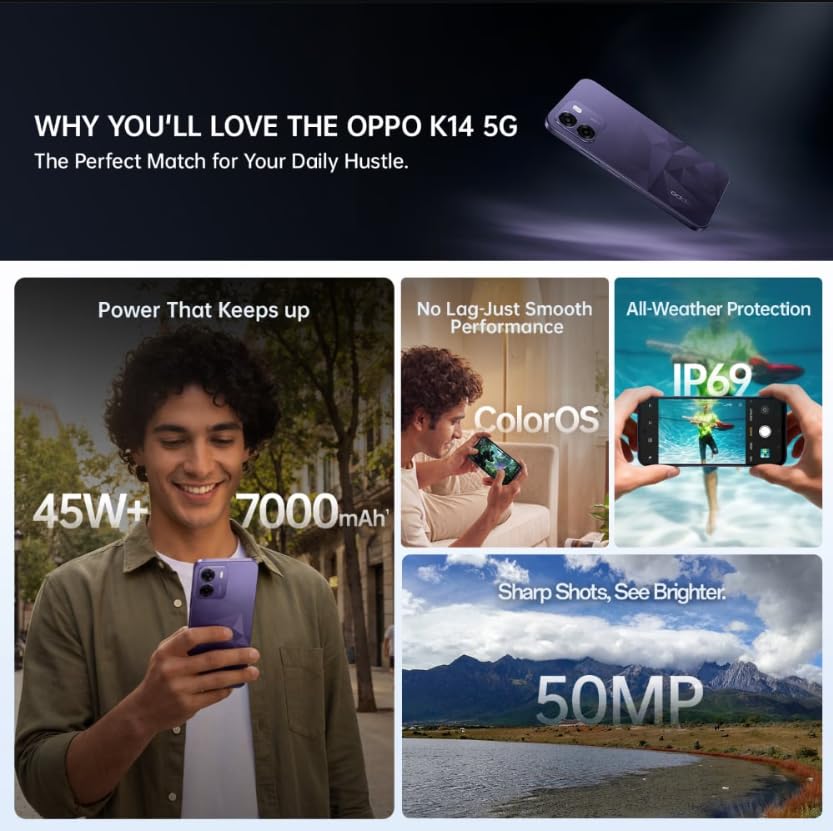
Image: A collage of key features for the OPPO K14 5G, including 7000mAh battery, smooth performance with ColorOS, IP69 all-weather protection, and a 50MP camera.
11. Waarborg en Ondersteuning
Your OPPO K14 5G Smartphone comes with a standard manufacturer's warranty. Please refer to the warranty card included in your product packaging for specific terms and conditions, including coverage duration and service procedures. For technical assistance, troubleshooting beyond this manual, or warranty claims, please contact OPPO customer support through their official website or designated service centers.
Keep your purchase receipt and product packaging for warranty purposes.