
Skyworth 60Q6700H
SKYWORTH 60Q6700H 4K QLED Google Smart TV User Manual
Model: 60Q6700H
1. Inleiding
This manual provides essential information for the setup, operation, maintenance, and troubleshooting of your SKYWORTH 60Q6700H 4K QLED Google Smart TV. This television features a 60-inch 4K Ultra HD QLED+ display, 120Hz HSR refresh rate, HDR10+/Dolby Vision support, Dolby Atmos audio, and integrated Google TV functionality. Please read this manual thoroughly before using your TV to ensure proper and safe operation.
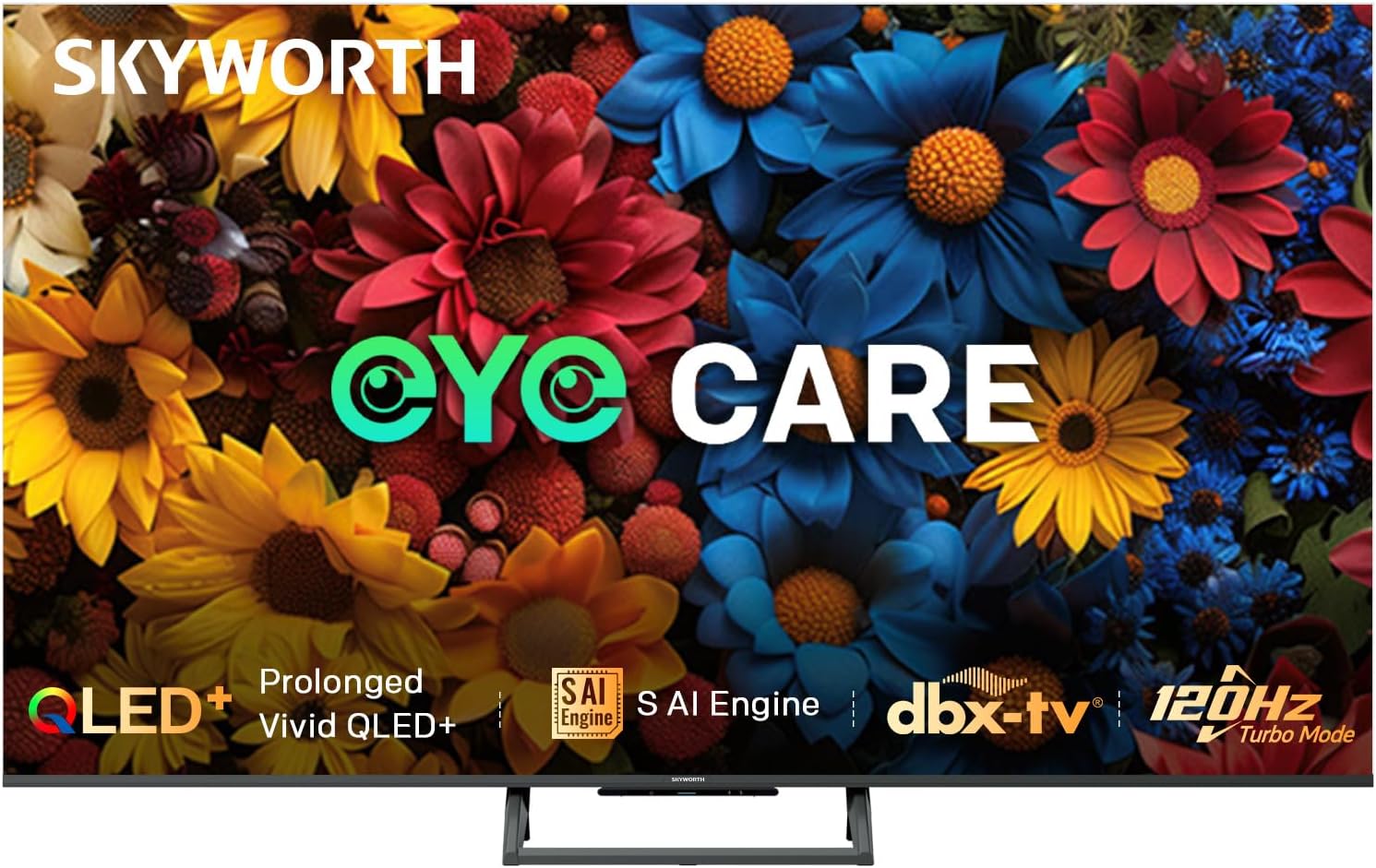
Beeld: Voorkant view of the SKYWORTH 60Q6700H 4K QLED Google Smart TV, showcasing sy slanke rame en staander.
2. Wat is ingesluit
Verifieer dat al die volgende komponente in jou pakket ingesluit is:
- SKYWORTH 60Q6700H 4K QLED Google Smart TV
- Afstandbeheer
- Kragkabel
- TV-staander (2 stukke)
- Gebruikershandleiding (hierdie dokument)
- AA-batterye (vir afstandbeheer)
3. Opstelling
3.1 Uitpak
Carefully remove the TV and all accessories from the packaging. It is recommended to retain the packaging materials for future transport or service needs.
3.2 Staanmontering
Om die TV-staander aan te heg:
- Plaas die TV met die gesig na onder op 'n sagte, plat oppervlak (bv. 'n kombers of skuim) om skermskade te voorkom.
- Rig elke staanderstuk met die ooreenstemmende gleuwe aan die onderkant van die TV.
- Maak die staanplekke vas met die meegeleverde skroewe. Maak seker dat hulle stewig vasgedraai is.
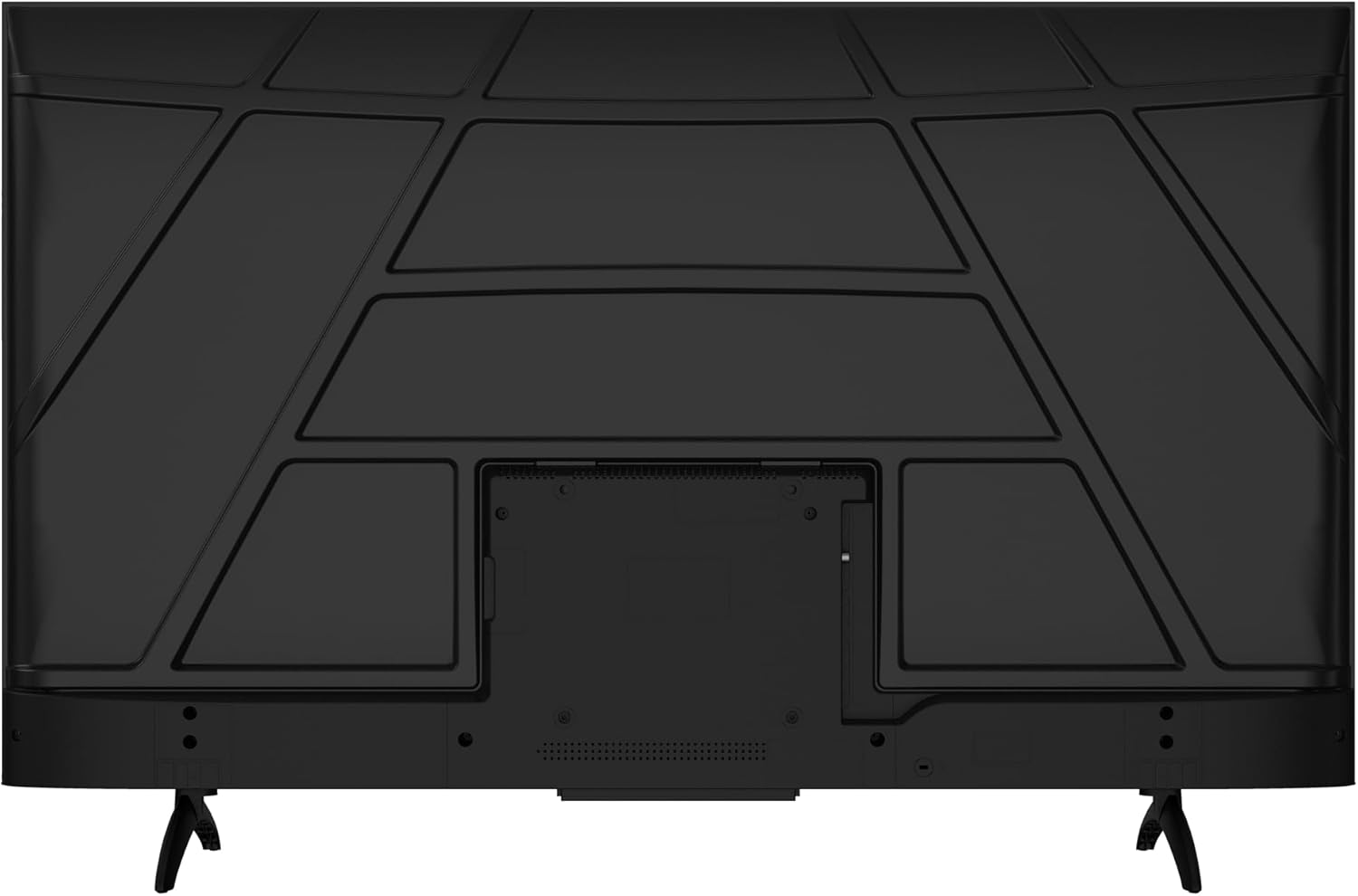
Beeld: Agter view of the television, illustrating the stand attachment points and various input/output ports.
3.3 Aansluitkrag
Connect the power cable to the TV's power input port, then plug the other end into a standard electrical outlet (100-240 VAC, 50-60 Hz).
3.4 Eksterne Toestelle Koppel
Jou TV is toegerus met verskeie poorte vir die koppeling van eksterne toestelle:
- HDMI-poorte (x3): For high-definition audio and video devices like Blu-ray players, gaming consoles, or set-top boxes.
- USB-poorte (x2): Vir die koppeling van USB-bergingstoestelle om media te speel files of vir sagteware-opdaterings.
- Composite-Video Input (x1): For older devices using RCA cables (yellow for video, red/white for audio).
- Audio Out (x1): Vir die koppeling van eksterne klankstelsels.
- Antenne-/kabelinvoer: Vir die koppeling van 'n antenna- of kabeltelevisiesein.

Beeld: Syprofile of the television, highlighting the accessible side-mounted input ports.
3.5 Aanvanklike Opstellingsassistent
Upon first power-on, the TV will guide you through an initial setup process. This includes selecting your language, connecting to a Wi-Fi network, and setting up your Google account for Google TV features.
4. Bedryfsinstruksies
4.1 afstandbeheer
The included remote control allows you to navigate the TV's interface, adjust settings, and access smart features. Insert the two AA batteries into the remote control, observing polarity.
- Kragknoppie: Skakel die TV aan of af.
- Navigasie-knoppies: Up, Down, Left, Right arrows to move through menus.
- OK knoppie: Bevestig keuses.
- Terug-knoppie: Keer terug na die vorige skerm.
- Tuisknoppie: Kry toegang tot die Google TV-tuisskerm.
- Volume knoppies: Verstel klankvolume.
- Kanaalknoppies: Verander TV-kanale.
- Toepassing-kortpadknoppies: Direct access to popular streaming services like Netflix and YouTube.
- Google Assistent-knoppie: Aktiveer stembeheer.
4.2 Google TV-koppelvlak
Your SKYWORTH TV runs on Google TV, providing a personalized home screen with content recommendations from your subscriptions. You can access thousands of apps from the Google Play Store, including Netflix, YouTube, and Prime Video. Use the navigation buttons on your remote to browse content and settings.

Image: A visual representation of the Google TV interface, highlighting features like Daily Security, Daily Email, and Daily Channel.
4.3 Beeldinstellings
Access the picture settings menu to optimize your viewondervinding:
- Prentmodus: Select from various presets (e.g., Standard, Vivid, Movie, Game) or customize settings like brightness, contrast, color, and sharpness.
- QLED+ Skerm: The QLED+ panel delivers vibrant colors and deep blacks with 90% DCI-P3 color gamut and 1200:1 contrast.
- HDR10+/Dolby Vision: Automatically enhances compatible content for improved brightness, contrast, and color accuracy.
- MEMC (Bewegingsberaming, Bewegingskompensasie): Reduces motion blur in fast-moving scenes.
- Eye Care 5.0: Minimizes blue light and screen flicker to reduce eye strain during extended viewing.

Image: A detailed image showcasing the vibrant color performance and clarity of the QLED+ display technology.
4.4 Klankinstellings
Adjust audio settings for an immersive sound experience:
- Klankmodus: Kies uit voorafinstellings soos Standaard, Musiek, Fliek, of pasmaak gelykmakerinstellings.
- Dolby Atmos: Provides multi-dimensional audio for compatible content, creating an immersive soundstage.
- DBX-TV Audio: Enhances sound quality with features like Total Sonics, Total Surround, and Total Volume for clear and balanced audio.

Image: A graphic illustrating the collaboration between Skyworth and dbx-tv for enhanced audio quality, with sound wave patterns.
4.5 Speletjie-kenmerke
The TV is optimized for gaming with features designed to reduce lag and enhance visuals:
- 120Hz HSR (High Refresh Rate): Provides ultra-smooth motion for fast-paced games, reducing motion blur and ghosting.
- Spelmodus: Automatically optimizes picture settings and minimizes input lag for a more responsive gaming experience.
- HDMI 2.1: Supports advanced gaming features when connected to compatible devices.

Image: A dynamic image demonstrating the smoothness of 120Hz refresh rate compared to 60Hz, ideal for gaming and fast-action content.
4.6 Konnektiwiteit
- Wi-Fi: Dual-band Wi-Fi (2.4GHz/5GHz) for stable internet connection.
- Bluetooth 5.1: Vir die koppeling van draadlose oorfone, klankbalke of ander Bluetooth-toestelle.
- Chromecast ingeboude: Allows you to cast content from your smartphone or tablet directly to the TV.
4.7 S AI Engine
The S AI Engine enhances image quality by analyzing and refining each frame in real-time. It leverages SKYWORTH's extensive picture quality database to deliver vibrant colors and fine details, including AI Skin Detection and AI Motion Clarity.

Image: A visual representation of the S AI Engine microchip, symbolizing the TV's artificial intelligence for image processing.
5. Onderhoud
5.1 Skoonmaak van die skerm
Om die skerm skoon te maak, vee dit liggies af met 'n sagte, pluisvrye lap. Vir hardnekkige merke, vee dit liggies af.ampen the cloth with water or a specialized screen cleaner. Do not use harsh chemicals, abrasive cleaners, or spray liquids directly onto the screen.
5.2 Die skoonmaak van die kabinet
Wipe the TV cabinet with a soft, dry cloth. Avoid using any liquid cleaners or polishes that could damage the finish.
5.3 Ventilasie
Ensure adequate ventilation around the TV. Do not block ventilation openings. Maintain a minimum distance from walls or other objects to allow for proper airflow.
6. Probleemoplossing
As jy probleme met jou TV ondervind, raadpleeg die volgende algemene probleme en oplossings:
6.1 Geen krag
- Ensure the power cable is securely plugged into both the TV and the electrical outlet.
- Kontroleer of die kragaansluiting werk deur 'n ander toestel in te prop.
- Druk die aan/af-knoppie op die TV self, nie net die afstandbeheerder nie.
6.2 Geen beeld of swak beeldkwaliteit
- Verifieer dat die korrekte invoerbron gekies is (bv. HDMI 1, AV).
- Kontroleer alle kabelverbindings tussen die TV en eksterne toestelle.
- Pas beeldinstellings (helderheid, kontras, skerpte) in die TV-kieslys aan.
- If using an antenna, check antenna connection and signal strength.
6.3 Geen klank of swak klankgehalte
- Maak seker dat die volume nie gedemp is nie en dat dit harder gedraai is.
- Kontroleer die klankkabelverbindings na eksterne klankstelsels.
- Indien eksterne luidsprekers gebruik word, maak seker dat hulle aangeskakel en korrek gekonfigureer is.
- Pas klankinstellings in die TV-kieslys aan.
6.4 Afstandbeheerder werk nie
- Vervang die batterye met nuwe AA-batterye en maak seker dat die polariteit korrek is.
- Maak seker dat daar geen obstruksies tussen die afstandbeheerder en die TV se IR-sensor is nie.
- Rig die afstandbeheerder direk na die TV.
6.5 Probleme met netwerkverbinding
- Maak seker dat jou Wi-Fi-router aangeskakel is en korrek funksioneer.
- Probeer om jou router en die TV te herbegin.
- Voer jou Wi-Fi-wagwoord weer in die TV se netwerkinstellings in.
- If possible, try connecting to a different Wi-Fi network or use a wired Ethernet connection.
7. Spesifikasies
| Kenmerk | Spesifikasie |
|---|---|
| Modelnommer | 60Q6700H |
| Skerm grootte | 60 duim |
| Vertoon tegnologie | QLED |
| Resolusie | 3840x2160 (4K Ultra HD) |
| Herlaaitempo | 120 Hz (HSR) |
| Kontrasverhouding | 1200:1 |
| Maximum Display Brightness | 300 Nit |
| Reaksie Tyd | 9.5 millisekondes |
| Bedryfstelsel | Google TV |
| Geheue berging kapasiteit | 32 GB |
| Oudio-enkodering | Dolby Atmos, DBX-TV |
| Total Number of HDMI Ports | 3 |
| Totale USB-poorte | 2 2.0 (USB XNUMX) |
| Verbindingstegnologie | HDMI, Wi-Fi (Dual-band), Bluetooth 5.1, Chromecast built-in |
| Kragverbruik | 160 Watt |
| Produk Afmetings (D x B x H) | 29.9D x 134.5W x 85.8H sentimeter |
| Item gewig | 12.1 kilogram |
8. Waarborg en Ondersteuning
8.1 Vervaardiger se waarborg
Your SKYWORTH 60Q6700H TV is covered by a 3-jaar vervaardiger se waarborg. This warranty covers defects in materials and workmanship under normal use. Please retain your proof of purchase for warranty claims. The warranty does not cover damage caused by misuse, accidents, unauthorized modifications, or acts of nature.
8.2 Kliëntediens
For technical assistance, warranty inquiries, or service requests, please contact Skyworth customer support. Refer to the official Skyworth website or your purchase documentation for the most current contact information (phone numbers, email addresses, or online support portals).
When contacting support, please have your TV model number (60Q6700H) and serial number ready, along with a detailed description of the issue.
Ask a question about this manual
Ask about setup, troubleshooting, compatibility, parts, safety, or missing instructions. Manuals+ will review the question and use this page’s manual context to help answer it.