
Inleiding
Thank you for choosing the GOBOULT Y1 v2.0 Wireless Earbuds. This manual provides essential information for setting up, operating, and maintaining your earbuds to ensure optimal performance and longevity. Please read it carefully before use.
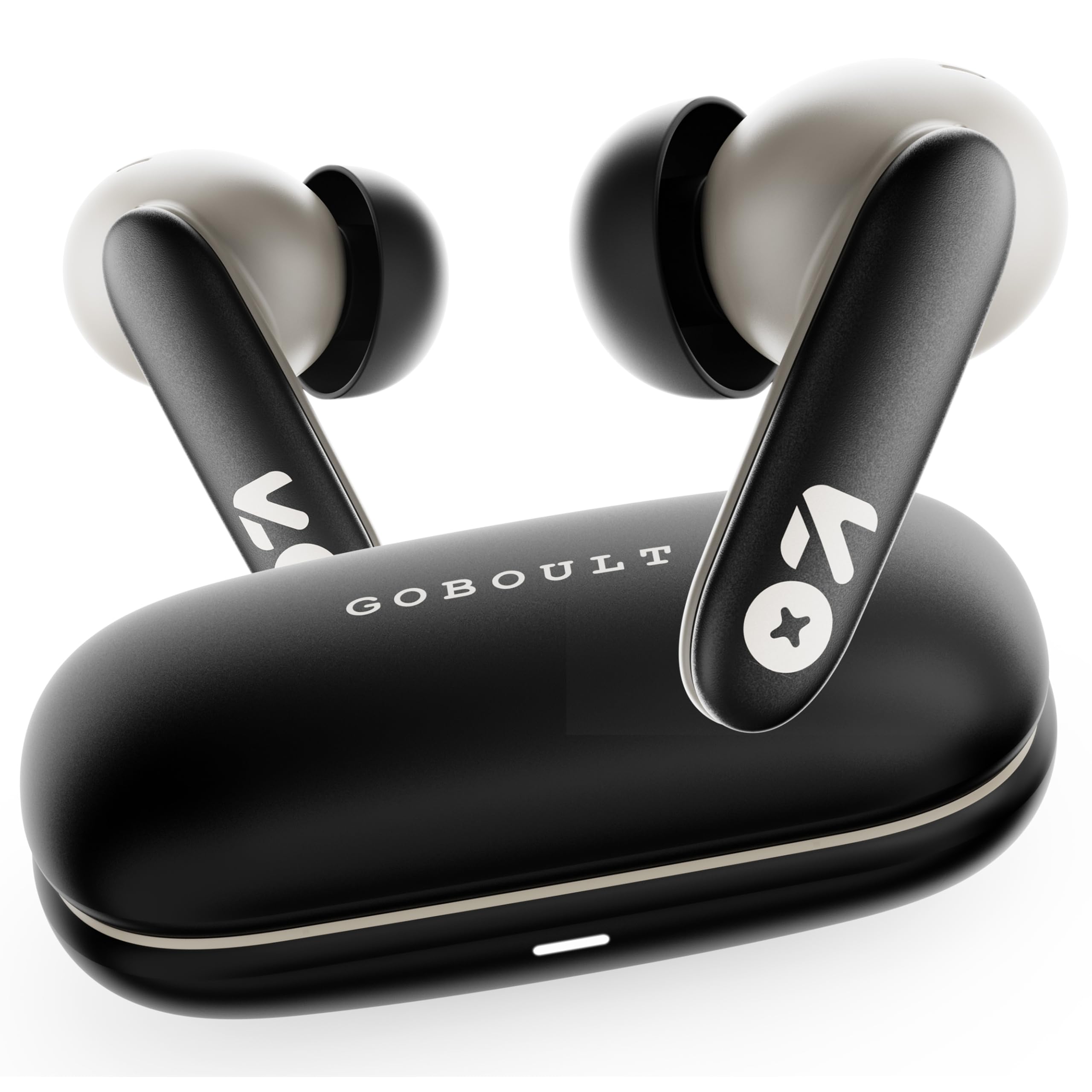
Image: GOBOULT Y1 v2.0 Wireless Earbuds and their charging case, showcasing die slanke ontwerp.
Wat is in die boks
- GOBOULT Y1 v2.0 Wireless Earbuds
- Laaikas
- USB Type-C laaikabel
- Oorkussings (verskeie groottes)
- Gebruikershandleiding
- Waarborgkaart
Produk Kenmerke
The GOBOULT Y1 v2.0 earbuds are designed with advanced features for an enhanced audio experience:
- Verlengde speeltyd: Tot 60 uur se totale speeltyd met die laaikas.
- Bluetooth 6.0: Ensures fast, stable, and efficient wireless connectivity.
- Zen Quad Mic ENC: Environmental Noise Cancellation with four microphones for clear calls.
- Lae vertraging: 45ms ultra-low latency for gaming and video synchronization.
- Raakbeheer: Intuitive touch sensors for managing music, calls, and voice assistant.
- Dubbele toestelparing: Koppel en skakel naatloos tussen twee toestelle.
- 13mm Bass Driver: Delivers powerful bass and clear audio.
- AMP App -ondersteuning: Customize audio settings and controls via the dedicated application.
- IPX5 Waterweerstand: Protection against sweat and light splashes.
- Vinnige laai: Type-C port for quick charging of the case.

Beeld: Oorview of GOBOULT Y1 v2.0 features including sleek design, AMP App support, Bluetooth 6.0, 60 hours battery life, and dual device pairing.
Opstelgids
1. Laai die oordopjes en houer
Laai die oordopjes en laaikassie volledig voor die eerste gebruik.
- Plaas die oorfone in die laaikas. Maak seker dat hulle korrek geplaas is.
- Koppel die USB Tipe-C-laaikabel aan die laaipoort op die kas en aan 'n kragbron.
- The LED indicator on the case will show charging status. A full charge typically takes approximately 1.5-2 hours.

Image: The GOBOULT Y1 v2.0 earbuds and charging case, highlighting the 60-hour battery life and Type-C fast charging capability.
2. Initial Pairing (Single Device)
- Maak die laaikas oop. Die oorfone sal outomaties in paringsmodus gaan.
- Aktiveer Bluetooth op jou toestel (slimfoon, tablet, ens.).
- Soek vir available Bluetooth devices and select "GOBOULT Y1 v2.0".
- Sodra jy verbind is, sal jy 'n bevestigingstoon hoor.
3. Dual Device Pairing
The Y1 v2.0 supports connecting to two devices simultaneously.
- Pair the earbuds with your first device as described in "Initial Pairing".
- Disable Bluetooth on the first device. The earbuds will re-enter pairing mode.
- Koppel die oorfone met jou tweede toestel.
- Re-enable Bluetooth on the first device. The earbuds should automatically connect to both devices.
- To switch between devices, simply play audio on the desired device.

Image: The GOBOULT Y1 v2.0 earbuds connected to both a laptop and a smartphone, illustrating the dual device pairing feature.
Bedryfsinstruksies
1. Raak Kontroles
Die oordopjes het intuïtiewe aanraakkontroles op hul stingels:
| Aksie | Funksie |
|---|---|
| Enkele tik (links/regs) | Speel/Pauseer Musiek, Beantwoord/Beëindig Oproep |
| Dubbeltik (Regs) | Volgende Snit |
| Dubbeltik (links) | Vorige Snit |
| Drievoudige tik (links/regs) | Aktiveer stemassistent |
| Langdruk (Links/Regs) | Verwerp oproep |
| Langdruk (Regs) | Volume op |
| Langdruk (Links) | Volume af |

Image: Visual representation of touch controls for music playback and call management, along with the IPX5 water resistance rating.
2. Stemassistent
Activate your device's voice assistant (Siri, Google Assistant) by triple-tapping either earbud. You can then issue commands like making calls or playing music.

Image: The GOBOULT Y1 v2.0 earbuds highlighting Bluetooth 6.0 for stable connection and integration with AI voice assistants like Siri and Google Assistant.
3. Spelmodus (Lae Latensie)
For an optimized gaming experience, activate the 45ms ultra-low latency gaming mode. Refer to the AMP App or specific touch control gestures (if available) for activation.

Image: The GOBOULT Y1 v2.0 earbuds illustrating the 45ms ultra-low latency Gaming Mode.
4. AMP App Ondersteuning
Download the GOBOULT AMP App to unlock advanced customization options:
- Adjust Equalizer (EQ) settings for personalized sound.
- Pasmaak aanraakkontroles.
- Access additional features like Water Ejection mode.

Image: Screenshot of the GOBOULT AMP App interface, demonstrating equalizer adjustments and other customization features.
Onderhoud
1. Skoonmaak
Gereelde skoonmaak help om klankgehalte en higiëne te handhaaf.
- Gebruik 'n sagte, droë, pluisvrye lap om die oorfone en laaikas af te vee.
- Gently remove any earwax or debris from the ear tips and speaker mesh using a small brush or cotton swab.
- Moenie skuurmiddels, alkohol of chemiese oplosmiddels gebruik nie.
2. Waterbestandheid (IPX5)
The GOBOULT Y1 v2.0 earbuds are rated IPX5 water resistant, meaning they are protected against low-pressure water jets from any direction. This makes them suitable for workouts and light rain.
- Moenie die oorfone in water dompel nie.
- Die laaibak is nie waterbestand nie.
- Maak seker dat die oorfone droog is voordat jy dit terug in die laaikas sit om skade te voorkom.
Probleemoplossing
| Probleem | Oplossing |
|---|---|
| Oorknoppies koppel nie | Maak seker dat die oorfone gelaai is. Skakel Bluetooth op jou toestel af en aan. Vergeet die toestel in Bluetooth-instellings en koppel weer. |
| Slegs een koptelefoon werk | Place both earbuds back in the case, close it, then open again. Ensure both are charged. Reset earbuds if issue persists. |
| Lae volume of swak klankgehalte | Clean earbud speaker mesh. Adjust volume on both earbuds and connected device. Try different ear tip sizes for a better seal. |
| Laaikas laai nie | Check USB Type-C cable and power adapter. Ensure connections are secure. |
Spesifikasies
| Kenmerk | Detail |
|---|---|
| Handelsmerk | GOBOULT |
| Model Naam | Y1 v2.0 (Airbass) |
| Oorplasing | In Oor |
| Geraasbeheer | Omgewingsgeruisonderdrukking (ENC) |
| Bluetooth weergawe | 6.0 |
| Bluetooth-reeks | 10 meter |
| Batterylewe (Totaal) | Tot 60 ure |
| Oudiobestuurdergrootte | 13 millimeter |
| Oudio-latensie | 45 Millisekondes (Spelmodus) |
| Frekwensierespons | 20 Hz - 20 000 Hz |
| Waterweerstandvlak | IPX5 |
| Beheer metode | Aanraakbeheer, toepassing |
| Versoenbare toestelle | Android, iOS, Desktops, Laptops, Tablets |
| Item gewig | 50 gram |

Image: A detailed comparison table showing the specifications of GOBOULT Y1 v2.0 versus the previous Y1 model, highlighting improvements.
Waarborg en Ondersteuning
The GOBOULT Y1 v2.0 Wireless Earbuds come with a 1-jaar vervaardiger se waarborg vanaf die aankoopdatum. Hierdie waarborg dek vervaardigingsfoute.
For warranty claims, technical support, or any product-related inquiries, please refer to the contact information provided on your warranty card or visit the official GOBOULT support webwebwerf.