
1. Inleiding
This manual provides essential information for the safe and efficient operation of your Lifelong ROAR Projector. Please read it thoroughly before using the device and retain it for future reference.
2. Pakketinhoud
Verifieer dat al die items wat hieronder gelys word, in jou pakket ingesluit is:
- Lifelong ROAR Projector (LLPJEJ42)
- Afstandbeheer
- Kragkoord
- Gebruikershandleiding (hierdie dokument)
Video 1: Unboxing the Lifelong ROAR Projector. This video demonstrates the contents of the package and the initial unboxing process for the projector.
3. Veiligheidsinligting
- Moenie ventilasie-openinge blokkeer nie. Verseker voldoende lugvloei rondom die projektor.
- Do not expose the projector to rain or moisture to prevent electric shock or fire.
- Vermy om direk in die projektorlens te kyk wanneer die lamp aan is, aangesien dit oogskade kan veroorsaak.
- Gebruik slegs die kragkabel wat by die toestel voorsien is.
- Hou die projektor weg van hittebronne en direkte sonlig.
- Moenie probeer om die projektor uitmekaar te haal of te wysig nie. Verwys alle diens na gekwalifiseerde personeel.
4. Produk verbyview
Familiarize yourself with the components and ports of your Lifelong ROAR Projector.

Beeld 1: Voorkant View. Shows the projector lens and front speaker grille.

Beeld 2: Sykant View. Displays various input/output ports such as HDMI and USB.

Beeld 3: Agterkant View. Shows the power input and additional ventilation.
5. Opstelling
- Plasing: Place the projector on a stable, flat surface. Ensure there is enough distance from the projection surface (wall or screen) to achieve your desired image size (30 to 150 inches). The optimal throw distance ranges from 2.29 feet to 11.1 feet.
- Kragverbinding: Connect the provided power cord to the projector's power input and then to a suitable AC 220V power outlet.
- Krag aan: Druk die kragknoppie op die projektor of die afstandbeheerder om die toestel aan te skakel.
- Pas fokus aan: Rotate the front ring around the lens to achieve a sharp image.
- Keystone-korreksie: The projector features automatic keystone correction. For fine adjustments, use the remote control to manually correct the image angle if needed.
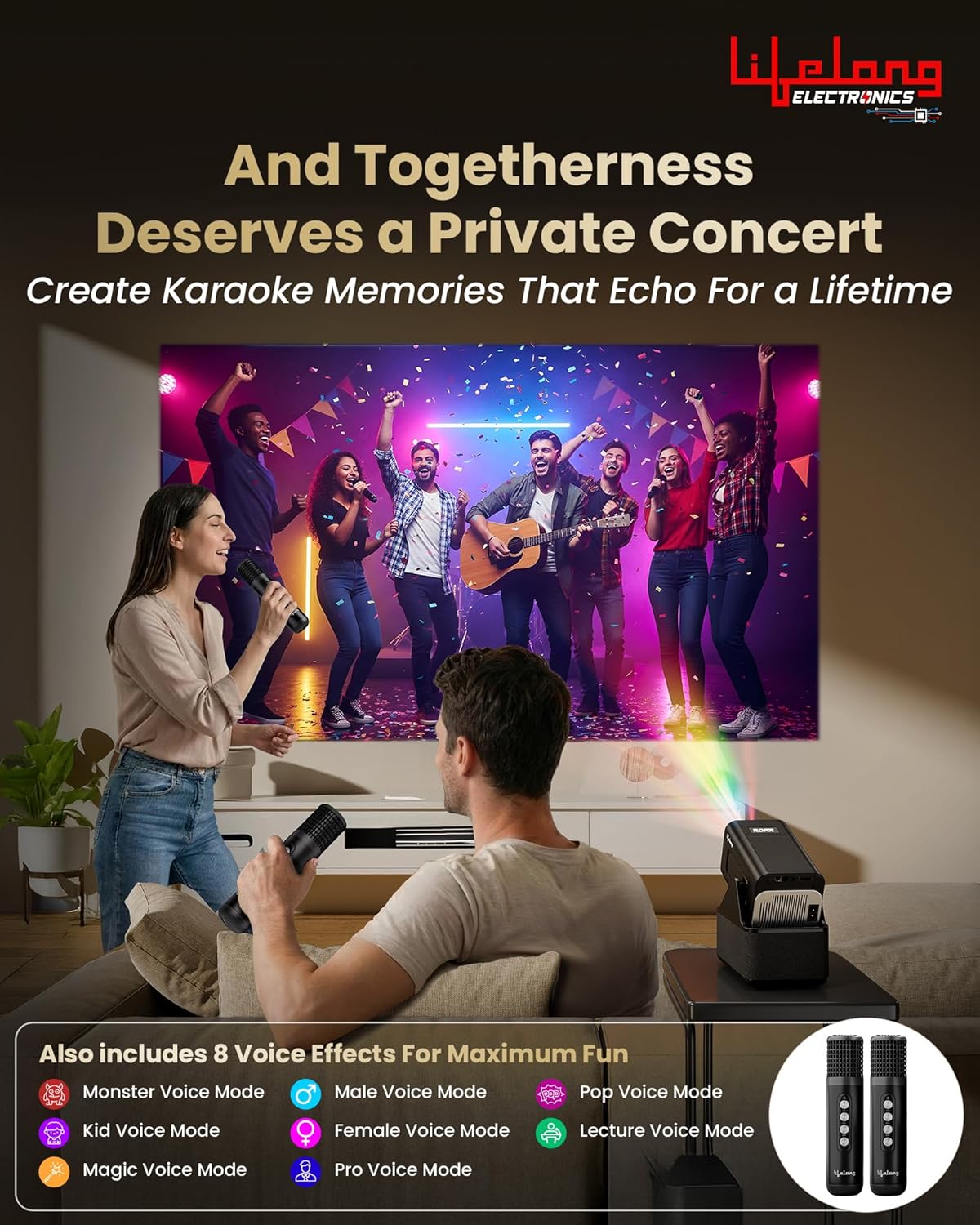
Image 4: Scalable Screen Size. Illustrates the projector's ability to display images from 50 to 150 inches, depending on throw distance.

Image 5: Powerful 20W Speakers. Highlights the integrated 20W stereo surround sound system.
6. Bedryfsinstruksies
6.1. Navigation and Android OS
The projector runs on Android OS, providing direct access to various applications. Use the remote control to navigate the interface, select apps, and adjust settings.
Image 6: Smart Features Overview. Shows the Android OS with built-in OTT apps, Wi-Fi 6 connectivity, Miracast functionality, and standalone Bluetooth speaker mode.
6.2. Built-in OTT Apps
Access popular streaming platforms directly from the projector without needing additional devices. Ensure the projector is connected to Wi-Fi (Wi-Fi 6 supported) for optimal streaming performance.
6.3. Verbinding van eksterne toestelle
Use the HDMI and USB ports to connect laptops, smartphones, tablets, or other compatible devices. Select the appropriate input source from the projector's menu.
6.4. Bluetooth-luidsprekermodus
The projector can function as a standalone Bluetooth speaker. Pair your smartphone or tablet with the projector via Bluetooth to play audio through its 20W speakers.
6.5. Miracast Functionality
Mirror the screen of your compatible smartphone or tablet to the projector using Miracast for a larger viewondervinding.
6.6. Using Dual Microphones for Karaoke & Commentary
The projector comes with two microphones and 8 voice effects, ideal for karaoke parties or live commentary during sports events.

Image 7: Live Commentary. Demonstrates using the dual microphones for live commentary during a cricket match.

Image 8: Karaoke Party. Shows the projector being used for a karaoke session with the included microphones and various voice effects.
Video 2: Produkkenmerke oorview. This video highlights key features of the Lifelong ROAR Projector, including its audio, display, and smart capabilities.
Video 3: Projection Quality Demonstration. This video showcases the visual clarity and brightness of the projector's display in a typical home environment.
7. Onderhoud
- Lens skoonmaak: Use a soft, lint-free cloth specifically designed for optical lenses to gently wipe the projector lens. Do not use abrasive cleaners or solvents.
- Stofverwydering: Regularly clean the projector's exterior with a soft, dry cloth. Ensure ventilation openings are free from dust and debris.
- Berging: Wanneer dit nie vir lang tye gebruik word nie, bêre die projektor op 'n koel, droë plek, beskerm teen stof en uiterste temperature.
8. Probleemoplossing
| Kwessie | Moontlike oorsaak | Oplossing |
|---|---|---|
| Geen krag | Kragkabel nie gekoppel nie; kragaansluiting foutief | Maak seker dat die kragkabel stewig gekoppel is; Probeer 'n ander kragpunt. |
| Geen beeld nie | Incorrect input source; Device not connected | Select correct input source (HDMI/USB); Check cable connections. |
| Wasige beeld | Focus not adjusted; Keystone incorrect | Adjust the focus ring; Use keystone correction. |
| Geen klank nie | Volume too low; Audio output settings | Increase volume; Check audio settings on projector and source device. |
| Afstandsbediening werk nie | Dead batteries; Obstruction | Replace batteries; Ensure no obstruction between remote and projector. |
9. Spesifikasies
| Kenmerk | Detail |
|---|---|
| Handelsmerk | Lewenslank |
| Modelnommer | LLPJEJ42 |
| Inheemse resolusie | 1280 x 720 (720p HD) |
| Maksimum skermresolusie | 3840 x 2160 (4K Support) |
| Tipe vertoon | LED |
| Lumens | 4500 Lumen |
| Ligbron bedryfslewe | 50000 ure |
| Maksimum beeldgrootte | 150 duim |
| Minimum beeldgrootte | 30 duim |
| Maksimum gooi afstand | 11.1 Voet |
| Minimum gooi afstand | 2.29 Voet |
| Spreker Wattage | 20 Watt |
| Verbindingstegnologie | Bluetooth, HDMI, USB, Wi-Fi (Wi-Fi 6) |
| Bedryfstelsel | Android OS |
| Spesiale kenmerke | Built-In Speaker, Digital Keystone Correction, Lightweight, Dual Microphones |
| Krag Invoer | 220 Volt (AC) |
| Item gewig | 1000 gram |
| Itemafmetings (L x B x H) | 14.8L x 16.8B x 10.5H Sentimeter |
10. Waarborg en ondersteuning
Your Lifelong ROAR Projector (LLPJEJ42) comes with a 12 maande waarborg vanaf die aankoopdatum. Hierdie waarborg dek vervaardigingsdefekte onder normale gebruik.
For warranty claims, technical support, or service inquiries, please contact Lifelong customer service. Refer to the contact information provided on the product packaging or the official Lifelong webwebwerf.
Vervaardiger kontakinligting: Lifelong Online Retail Limited, 5th Floor, Unit No. 508, DLF, South Court, Saket District Center, Saket, New Delhi, India-110017