
1. Inleiding
Thank you for choosing Auxmir Smart A19 RGB+CCT LED Light Bulbs. These smart bulbs offer a wide range of colors and tunable white light, controllable via Wi-Fi, Bluetooth, remote, or voice commands through Amazon Alexa and Google Assistant. This manual provides essential information for safe installation, operation, and maintenance of your smart light bulbs.
2. Veiligheidsinligting
- Slegs binnenshuise gebruik: These bulbs are designed for indoor use. Do not install in wet or humid locations.
- Skakel af voor installasie: Skakel altyd die krag na die toebehore af voordat u die gloeilamp installeer of verwyder.
- Behoorlike Voltage: Maak seker dat die toebehore se volumetage is compatible with the bulb (AC100-130V).
- Dimmer-versoenbaarheid: Do not use with standard dimmer switches. Dimming is controlled via the app or voice commands.
- Vermy ingeslote toebehore: Do not install in fully enclosed fixtures, as this can trap heat and shorten the bulb's lifespan.
- Hou weg van water: Vermy blootstelling aan water of ander vloeistowwe.
3. Pakketinhoud
- Auxmir Smart A19 RGB+CCT LED Light Bulb (2-Pack)
- Afstandbeheer (1)
- Gebruikershandleiding (Hierdie dokument)
4. Produkkenmerke
- RGB+CCT Color Changing: 16 million RGB colors and tunable white light (2700K warm white to 6500K cool daylight).
- Dubbele verbinding: Supports both Wi-Fi (2.4GHz only) and Bluetooth for flexible control.
- Veelvuldige beheermetodes: Control via Briturn App, included remote, or voice commands with Alexa and Google Home.
- Geen hub benodig nie: Koppel direk aan jou 2.4GHz Wi-Fi-netwerk.
- Musieksinkronisering: Lights change color and brightness in rhythm with music.
- Toneelmodusse: Pre-set scenes and customizable DIY effects (fading, flashing, breathing).
- Skedulering en tydteller: Set schedules for automatic on/off and brightness adjustments.
- Energiedoeltreffend: 9W power consumption, equivalent to a 60W incandescent bulb, delivering 800 lumens.
- Lang lewensduur: Tot 20,000 uur se werking.
5. Opstelling
5.1 Fisiese installasie
- Ensure the power to the light fixture is turned off at the switch before installation.
- Carefully screw the Auxmir Smart Light Bulb into a standard E26 base socket.
- Turn on the power to the light fixture. The bulb should flash, indicating it is in pairing mode.
5.2 App Download and Pairing (Briturn App)
The Briturn App is required for full smart functionality. Ensure your mobile device is connected to a 2.4GHz Wi-Fi network.
- Laai die toepassing af: Soek vir "Briturn" in the Apple App Store or Google Play Store, or scan the QR code provided in the product packaging.
- Registreer/Teken Aan: Open the Briturn App and create a new account or log in if you already have one.
- Voeg toestel by: Tap the "+" icon or "Add Device" button in the app.
- Kies toesteltipe: Choose "Lighting" or "Light Source (Wi-Fi)" from the device list.
- Bevestig Paringsmodus: Ensure your bulb is flashing rapidly. If not, turn the bulb off and on 3 times (on-off-on-off-on) until it flashes.
- Koppel aan Wi-Fi: Voer jou 2.4GHz Wi-Fi-netwerknaam en wagwoord in die toepassing in.
- Saambinding: The app will begin searching for the bulb. Once found, the bulb will stop flashing and remain steadily lit.
- Hernoem toestel: You can rename the bulb for easier control (e.g., "Living Room Light").
Bluetooth beheer: If your Wi-Fi is unavailable, you can still control the bulb directly via Bluetooth within a 40-meter (130 feet) range using the Briturn App. Ensure Bluetooth is enabled on your phone.
5.3 Voice Assistant Integration (Alexa & Google Home)
To enable voice control, link your Briturn account to Amazon Alexa or Google Assistant.
- Maak Stemassistent-app oop: Open the Amazon Alexa app or Google Home app on your mobile device.
- Add Device/Skill: Navigate to the "Skills & Games" section (Alexa) or "Works with Google" section (Google Home).
- Soek vir Briturn: Soek vir the "Briturn" skill/service.
- Enable Skill/Link Account: Enable the Briturn skill and link it to your Briturn account using your Briturn login credentials.
- Ontdek toestelle: Sodra dit gekoppel is, vra jou stemassistent om "Toestelle te ontdek" of begin toestelontdekking handmatig in die toepassing.
- Stembevele: Jy kan nou stemopdragte soos die volgende gebruik:
- "Alexa, skakel die sitkamerlig aan."
- "Hey Google, dim Bedroom Light to 50%."
- "Alexa, change Kitchen Light to blue."
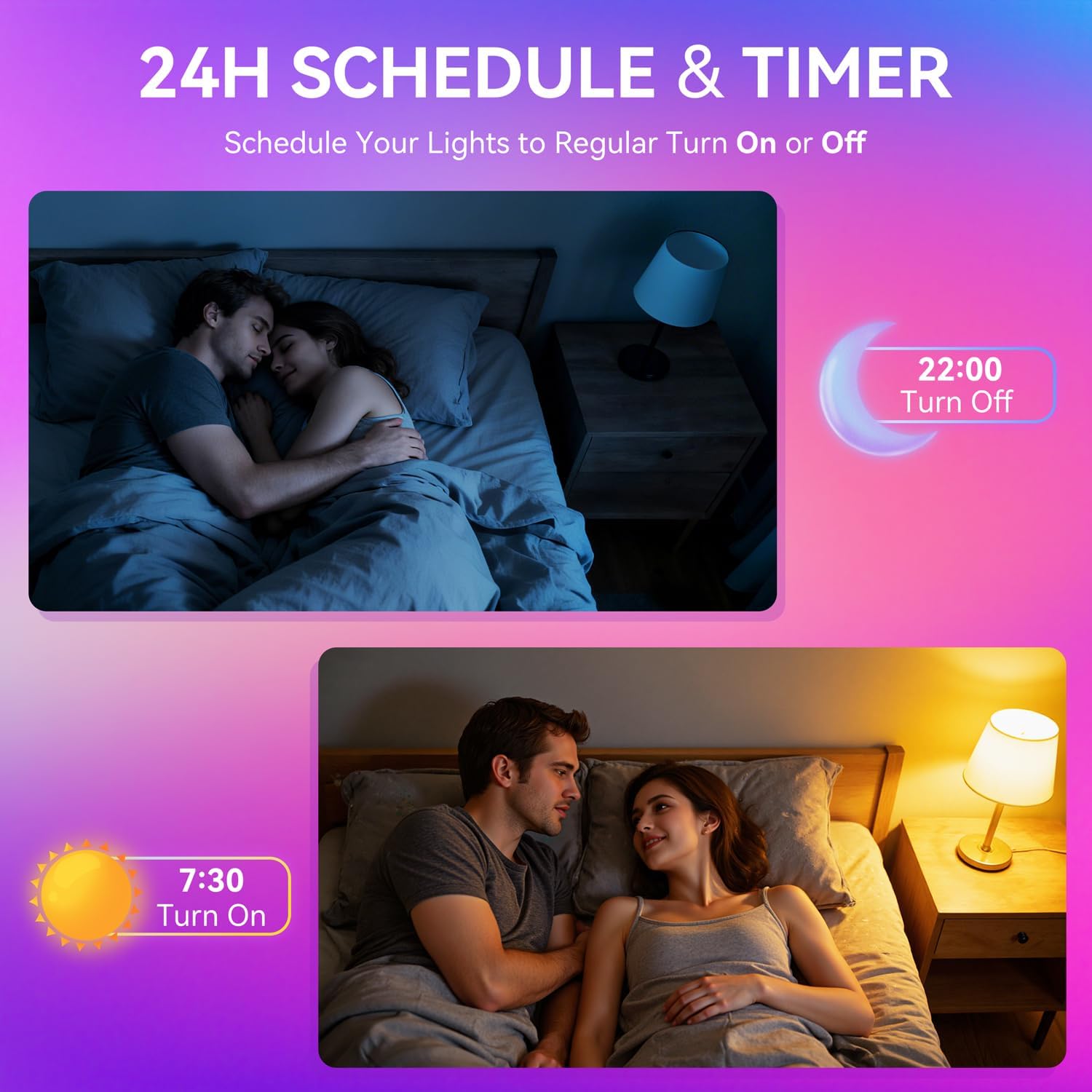
Image: A woman interacting with a smart speaker to control her Auxmir smart light bulb, demonstrating voice control functionality.
6. Bedryfsinstruksies
6.1 Color and Brightness Control
- Kleurkeuse: In the Briturn App, select your bulb and choose from 16 million RGB colors using the color wheel.
- Instelbare wit: Adjust the white light temperature from 2700K (warm white) to 6500K (cool daylight) to suit your preference.
- verduistering: Use the brightness slider in the app or voice commands to adjust brightness from 1% to 100%.

Image: Three Auxmir smart bulbs showcasing their ability to display a wide range of RGB colors and tunable white light, from warm to cool.
6.2 toneelmodusse
The Briturn App offers various pre-set scenes and allows you to create custom lighting effects.
- Pre-set Scenes: Select from modes like Movie, Sleep, Festival, and more to instantly change the ambiance of your room.
- DIY Scenes: Create your own custom lighting effects by adjusting colors, brightness, and transition styles (fading, flashing, breathing). Save these as personal scenes for quick access.

Beeld: 'n Eksample of a living space transformed by Auxmir smart lighting, demonstrating various scene modes and their impact on room ambiance.
6.3 Musieksinchronisasie
Synchronize your lights with music playing on your phone or through the phone's microphone.
- In the Briturn App, select the Music Sync feature.
- Choose from modes like Party, Dynamic, Calm, or Auto Rhythm.
- The bulbs will change colors and brightness according to the rhythm and beat of the music detected by your phone's microphone.

Image: A visual representation of the music sync feature, where Auxmir smart bulbs change colors and patterns in response to music, creating a dynamic atmosphere.
6.4 Scheduling and Timer
Automate your lighting with schedules and timers.
- In the Briturn App, navigate to the "Schedule" or "Timer" section for your bulb.
- Set specific times for the bulb to turn on or off.
- Customize brightness and color for scheduled events (e.g., a warm light to wake up, a dim light for bedtime).
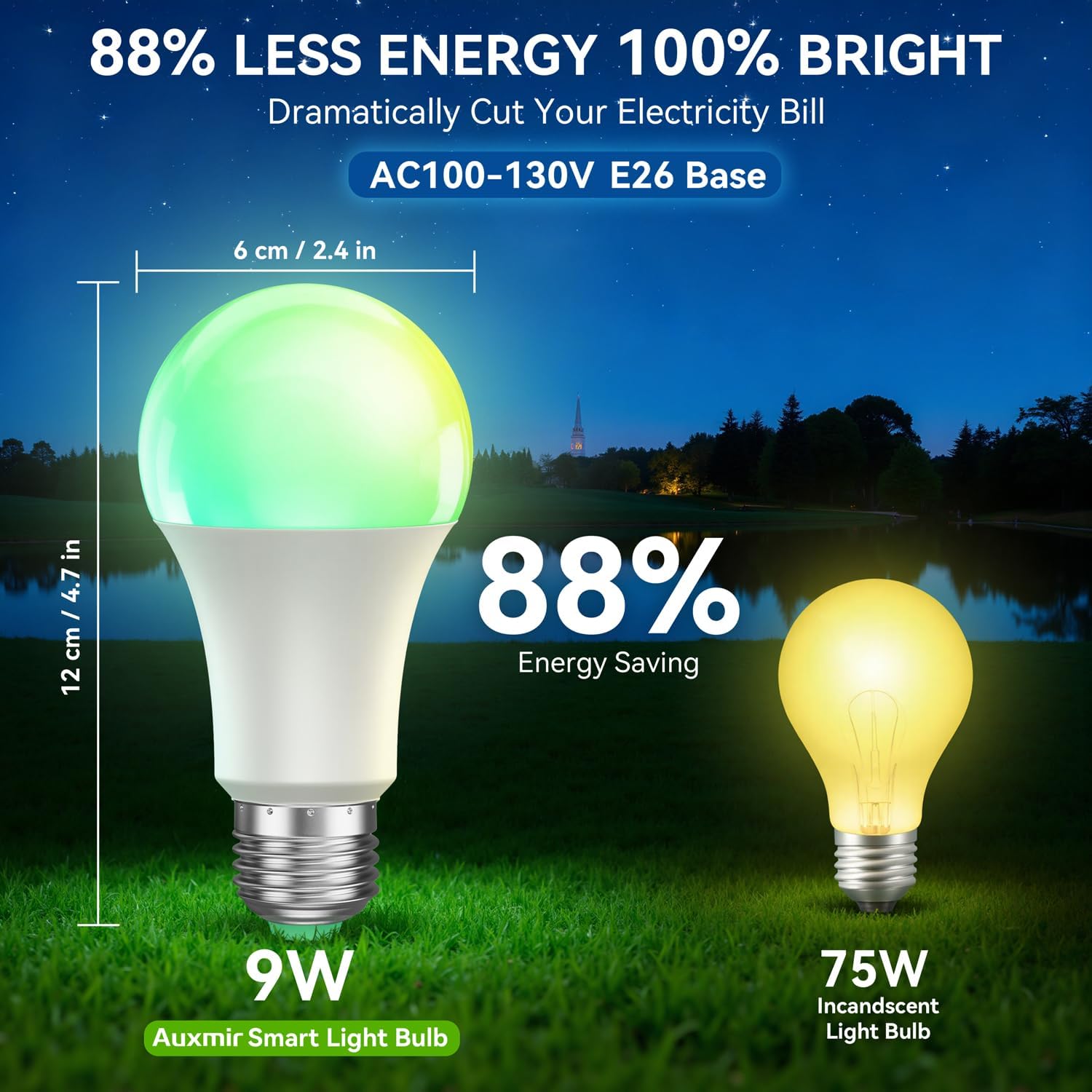
Image: Illustrations depicting the scheduling feature, where Auxmir smart bulbs can be programmed to turn on and off at specific times, such as for waking up or going to bed.
6.5 Groepbeheer
Control multiple Auxmir smart bulbs simultaneously.
- In the Briturn App, go to the device list.
- Select the option to create a "Group."
- Add the desired bulbs to the group (e.g., "Living Room Lights").
- You can now control all bulbs in the group with a single command or tap, adjusting their color, brightness, and scenes together.

Image: A diagram illustrating how Auxmir smart bulbs can be grouped and controlled across different rooms in a home, enabling synchronized lighting for various activities.
7. Onderhoud
- Skoonmaak: Ensure the bulb is off and cool before cleaning. Wipe with a soft, dry cloth. Do not use liquid cleaners.
- Vervanging: When the bulb reaches the end of its lifespan, replace it with another Auxmir Smart A19 LED Light Bulb or a compatible E26 LED bulb.
- Berging: As jy die gloeilamp bêre, hou dit op 'n koel, droë plek weg van direkte sonlig en uiterste temperature.
8. Probleemoplossing
| Probleem | Moontlike oorsaak | Oplossing |
|---|---|---|
| Gloeilamp skakel nie aan nie | Geen krag na die toebehore nie; Gloeilamp nie behoorlik ingeskroef nie; Gloeilamp is foutief. | Check power switch and circuit breaker. Ensure bulb is securely screwed in. Test bulb in another fixture. |
| Gloeilamp koppel nie aan Wi-Fi nie | Incorrect Wi-Fi password; Not a 2.4GHz network; Bulb not in pairing mode; Router too far. | Verify Wi-Fi password. Ensure you are on a 2.4GHz network. Reset bulb to pairing mode (on-off-on-off-on). Move bulb closer to router. |
| Stembeheer werk nie | Briturn skill not enabled/linked; Incorrect device name; Voice assistant not connected to internet. | Ensure Briturn skill is enabled and linked in Alexa/Google Home app. Use the exact device name. Check internet connection of your voice assistant device. |
| Afstandbeheer werk nie | Battery depleted; Obstruction between remote and bulb; Remote not paired. | Replace remote battery. Ensure clear line of sight. Refer to remote pairing instructions (if applicable, usually automatic). |
| Bulb flickering or unstable light | Loose connection; Electrical interference; Faulty bulb. | Check bulb connection. Ensure no other devices are causing interference. If problem persists, contact support. |
9. Spesifikasies
| Kenmerk | Spesifikasie |
|---|---|
| Modelnommer | ZJ-BWBL1L-RGBWW-2PP-BT |
| Gloeilampvorm Grootte | A19 |
| Gloeilamp basis | E26 |
| Wattage | 9 Watt |
| Gloeilamp ekwivalent | 60 Watt |
| Helderheid | 800 Lumen |
| Ligte Kleur | Multicolor (RGB) + Tunable White (2700K-6500K) |
| Dimbaar | 1% - 100% via App/Voice |
| Konnektiwiteit | Wi-Fi 2.4GHz, Bluetooth |
| Beheer metode | App, Remote, Voice (Alexa, Google Assistant) |
| Invoer Voltage | AC100-130V |
| Lewensduur | 20,000 ure |
| Binne/buiteluggebruik | Slegs binnenshuis |
| Afmetings (B x H) | 2.4" x 4.7" (6 cm x 12 cm) |
| Materiaal | Glas |
10. Waarborg en Ondersteuning
10.1 Waarborginligting
Auxmir Smart Light Bulbs come with a 3 jaar waarborg vanaf die aankoopdatum. Hierdie waarborg dek vervaardigingsdefekte en wanfunksies onder normale gebruik. Dit dek nie skade wat veroorsaak word deur misbruik, ongelukke, ongemagtigde wysigings of onbehoorlike installasie nie.
10.2 Kliëntediens
If you encounter any issues or have questions regarding your Auxmir Smart Light Bulbs, please contact our customer support team:
- E-pos: [Voeg kliëntediens-e-pos hier in]
- Telefoon: [Voeg kliëntediens se telefoonnommer hier in]
- Webwebwerf: Visit the official Auxmir webwebwerf vir algemene vrae en bykomende hulpbronne.
Please have your model number (ZJ-BWBL1L-RGBWW-2PP-BT) and purchase details ready when contacting support.