
1. Produk verbyview
The Edifier W280NB Pro are neckband wireless headphones designed for immersive audio experiences with advanced features. They offer hybrid active noise cancellation, Hi-Res Audio support with LDAC, and a durable, comfortable design suitable for various activities.

Image: Edifier W280NB Pro headphones with key features highlighted.
Sleutel kenmerke:
- Deep Hybrid Active Noise Cancellation: Up to -45dB noise reduction with 4 selectable modes (High ANC, Medium ANC, Ambient Aware, Wind Reduction).
- Studio-Quality Hi-Res Audio: 10mm dynamic drivers with titanium-coated composite diaphragms, supporting LDAC codec and Hi-Res Audio Wireless certification (20Hz-40KHz frequency response).
- Long-Lasting Battery & Fast Charging: Up to 23 hours of playback (ANC off), 14 hours (ANC on). 15 minutes of charging provides 5 hours of playtime. Full charge in 1.5 hours.
- Stabiele Bluetooth 5.4-verbinding: Ensures stable transmission, low power consumption, and multipoint connection for seamless device switching.
- All-Day Comfort & Secure Fit: Lightweight, flexible neckband with skin-friendly material and multiple sizes of ear wings for a secure fit. Magnetic earbuds for tangle-free storage.
- Durable & Clear Calls: IP55 dust and water resistance. Built-in AI noise-canceling microphones for clear communication in noisy environments.
2. Opstelgids
2.1 Pakketinhoud
Maak asseblief seker dat alle items in die verpakking teenwoordig is voor gebruik:
- Edifier W280NB Pro Neckband Wireless Headphones
- USB-C-laaikabel
- Multiple sizes of ear tips and ear wings
- Gebruikershandleiding (hierdie dokument)
2.2 Laai die oorfone
Charge the headphones fully before first use to ensure optimal battery performance.
- Connect the provided USB-C charging cable to the charging port on the neckband.
- Koppel die ander kant van die kabel aan 'n USB-kragadapter (nie ingesluit nie) of 'n rekenaar se USB-poort.
- The indicator light will show charging status (refer to the LED indicator section for details).
- A full charge takes approximately 1.5 hours. A 15-minute quick charge provides approximately 5 hours of playback.

Image: Visual representation of battery life (23 hours ANC off, 14 hours ANC on) and fast charging (15 mins = 5 hours).
2.3 Fitting the Headphones
Proper fit is crucial for comfort, sound quality, and effective noise cancellation.
- Select the ear tips and ear wings that best fit your ears. Experiment with different sizes for the most secure and comfortable seal.
- Place the neckband around your neck.
- Insert the earbuds into your ear canals and adjust the ear wings to sit snugly in your outer ear for stability.

Image: Diagram showing various ear tip and ear wing sizes for a secure and comfortable fit.
2.4 Bluetooth -koppeling
Pair your Edifier W280NB Pro headphones with your device via Bluetooth.
- Maak seker dat die oorfone gelaai en afgeskakel is.
- Press and hold the multi-function button (usually the power button) until the indicator light flashes rapidly (e.g., blue and red alternately), indicating pairing mode.
- Aktiveer Bluetooth op jou toestel (slimfoon, tablet, skootrekenaar) en soek vir beskikbare toestelle.
- Select "Edifier W280NB Pro" from the list of found devices.
- Once connected, the indicator light will typically show a steady blue light or flash slowly.
Meerpuntverbinding:
The W280NB Pro supports multipoint connection, allowing you to connect to two Bluetooth devices simultaneously.
- Koppel die oorfone met die eerste toestel soos hierbo beskryf.
- Deaktiveer Bluetooth op die eerste toestel.
- Plaas die oorfone terug in paringsmodus en koppel met die tweede toestel.
- Re-enable Bluetooth on the first device. The headphones should now be connected to both devices, allowing seamless switching.

Image: Illustration of Bluetooth 5.4 technology for stable transmission and multipoint connection.
3. Bedryfsinstruksies
3.1 Krag aan/af
- Krag aan: Press and hold the multi-function button for approximately 3 seconds until the indicator light illuminates.
- Skakel af: Press and hold the multi-function button for approximately 5 seconds until the indicator light turns off.
3.2 Knoppiekontroles
The Edifier W280NB Pro features intuitive button controls on the neckband for easy management of music, calls, and noise cancellation modes.

Image: Diagram illustrating the functions of each button on the neckband for calls, music playback, and mode switching.
| Aksie | Funksie |
|---|---|
| Multi-function Button (Power) | Press and hold 3s: Power On Press and hold 5s: Power Off Press and hold (pairing mode): Enter Bluetooth pairing Single press (during call): Answer/End Call Double press (during call): Reject Call |
| Volume op (+) | Enkele druk: Verhoog volume Druk en hou: Volgende snit |
| Volume af (-) | Enkele druk: Verlaag volume Druk en hou: Vorige snit |
| Speel/Pause-knoppie | Single press: Play/Pause Music |
| ANC -knoppie | Single press: Cycle through ANC modes (High ANC, Medium ANC, Ambient Aware, Wind Reduction, ANC Off) |
3.3 Aktiewe Geraaskansellasie (ANC) Modusse
The W280NB Pro offers four distinct noise cancellation modes to adapt to your environment.

Image: Visual guide to the four ANC modes and their typical use cases.
- Hoë ANC: Provides maximum noise reduction, ideal for very noisy environments like airplanes or subways.
- Medium ANC: Offers a balanced level of noise cancellation, suitable for offices or cafes.
- Omgewingsbewus: Allows you to hear your surroundings while still enjoying your audio, useful for urban environments or when needing to be aware of announcements.
- Windvermindering: Spesifiek ontwerp om windgeraas tydens buitelugaktiwiteite te verminder.
3.4 Maak en ontvang oproepe
The headphones feature AI noise-canceling microphones for clear call quality.
- Beantwoord oproep: Druk die multifunksieknoppie een keer.
- Beëindig oproep: Druk die multifunksieknoppie een keer.
- Verwerp oproep: Dubbeldruk die multifunksieknoppie.

Image: A person using the headphones for a call, highlighting the AI-enhanced clear call feature.
3.5 Edifier Connect App
For advanced settings and customization, download the Edifier Connect app from your device's app store. The app allows you to:
- Hernoem jou toestel.
- Personalize ANC levels.
- Fine-tune audio with preset EQs or custom EQs.
- Vind verlore oorfone.
4. Onderhoud
4.1 Skoonmaak
The W280NB Pro headphones are IP55 rated for dust and water resistance, but proper cleaning helps maintain their condition.
- Wipe the neckband and earbuds with a soft, dry, lint-free cloth.
- For ear tips, gently remove them and clean with a damp lap en sagte seep indien nodig. Maak seker dat hulle heeltemal droog is voordat hulle weer vasgemaak word.
- Avoid using harsh chemicals, abrasive materials, or submerging the headphones in water.
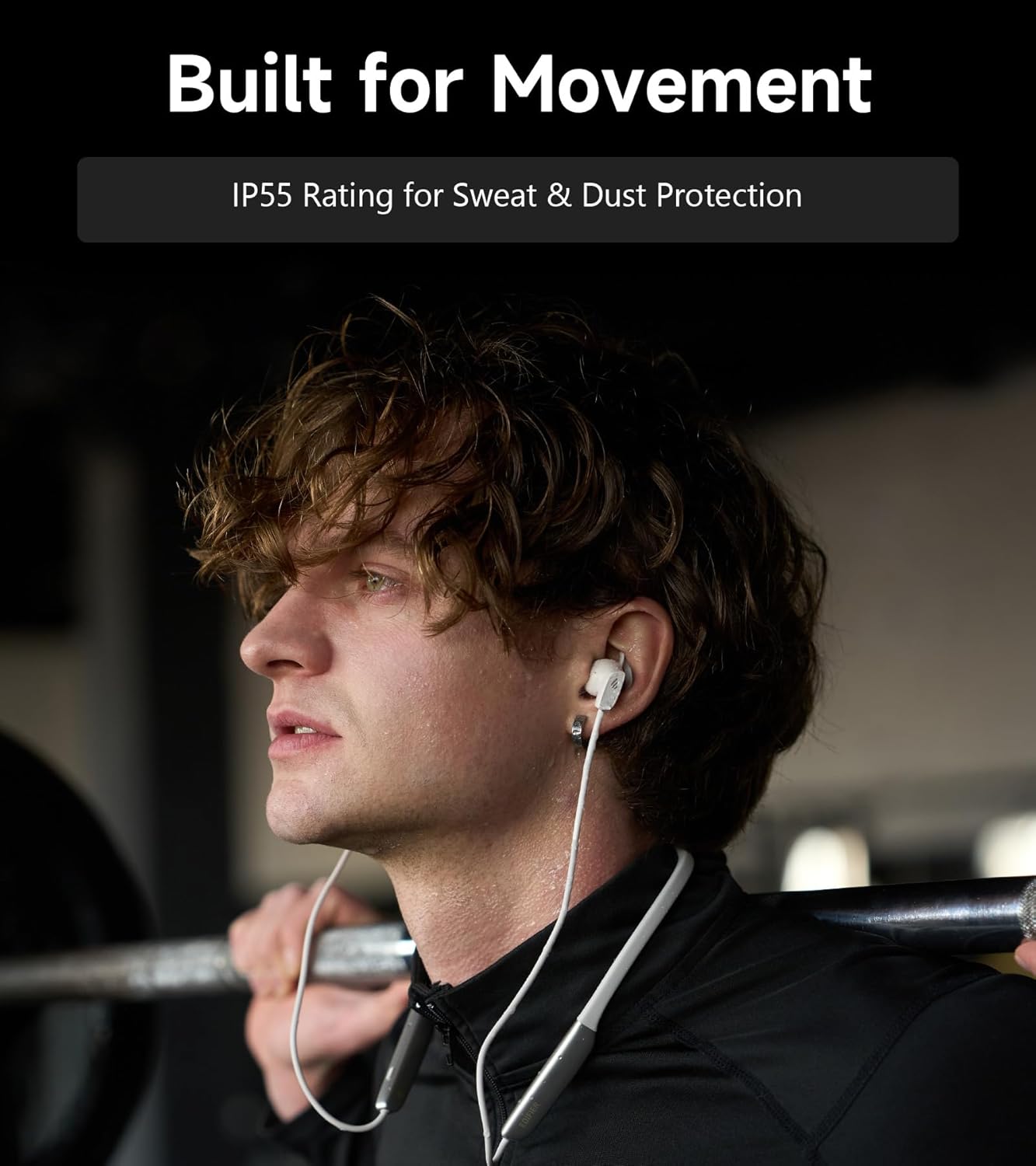
Image: A person wearing the headphones during a workout, illustrating the IP55 sweat and dust protection.
4.2 Berging
When not in use, store your headphones properly to prevent damage.
- The earbuds are magnetic, allowing them to snap together for tangle-free storage around your neck or in a bag.
- Berg in 'n koel, droë plek weg van direkte sonlig en uiterste temperature.
4.3 Batterysorg
- Vermy om die battery gereeld heeltemal te ontlaai.
- Charge the headphones regularly, even if not used for extended periods, to maintain battery health.
5. Probleemoplossing
If you encounter issues with your Edifier W280NB Pro headphones, refer to the following common problems and solutions.
| Probleem | Moontlike oorsaak | Oplossing |
|---|---|---|
| Oorfone skakel nie aan nie. | Lae battery. | Laai die oorfone ten volle. |
| Kan nie met toestel koppel nie. | Headphones not in pairing mode. Bluetooth disabled on device. Device too far from headphones. | Ensure headphones are in pairing mode (flashing indicator). Aktiveer Bluetooth op jou toestel. Move device closer to headphones (within 10 meters). Try resetting the headphones (refer to manual for specific reset procedure if available, or power cycle). |
| Geen geluid of lae volume nie. | Volume too low on headphones or device. Headphones not connected. Verkeerde oudio-uitvoer op toestel gekies. | Increase volume on both headphones and device. Ensure headphones are successfully paired and connected. Check your device's audio settings to ensure output is set to Edifier W280NB Pro. |
| Swak klankgehalte. | Swak Bluetooth-verbinding. Improper ear tip fit. Oudiobronkwaliteit. | Beweeg nader aan die gekoppelde toestel. Maak seker dat oordoppe 'n veilige seël bied. Probeer 'n ander klankbron of file. |
| Aktiewe geraasonderdrukking nie effektief nie. | Improper ear tip fit. Incorrect ANC mode selected. Extreme noise conditions. | Maak seker dat oordoppe 'n veilige seël bied. Cycle through ANC modes to select the most appropriate one. ANC works best for low-frequency, constant noise. |
| Mikrofoon werk nie tydens oproepe nie. | Headphones not selected as input device. Mikrofoon gedemp op toestel. | Check your device's call settings to ensure Edifier W280NB Pro is selected for microphone input. Ensure microphone is not muted on your device. |
6. Spesifikasies
Detailed technical specifications for the Edifier W280NB Pro Neckband Wireless Headphones.
| Kenmerk | Detail |
|---|---|
| Handelsmerk | Opbouer |
| Model Naam | W280NB Pro |
| Kleur | Swart |
| Oorplasing | In Oor |
| Vormfaktor | Nekband |
| Impedansie | 24 ohm |
| Geraasbeheer | Aktiewe geraaskansellasie |
| Frekwensiereeks | 20Hz-40KHz |
| Tipe oudiobestuurder | Dynamic Driver (10mm with Titanium-Coated Diaphragm) |
| Verbindingstegnologie | Draadloos (Bluetooth) |
| Bluetooth weergawe | 5.4 |
| Bluetooth-reeks | 10 meter (33 voet) |
| Battery Average Life (Playback) | 23 uur (ANC af), 14 uur (ANC aan) |
| Battery Laai Tyd | 1.5 ure |
| Waterweerstandvlak | IP55 (Dust & Waterproof) |
| Versoenbare toestelle | Smartphones, Tablets, Laptops, Smart Speakers |
| Materiaal | Silicone (Enclosure) |
| UPC | 628430220005 |
7. Waarborginligting
The Edifier W280NB Pro Neckband Wireless Headphones come with a 1 Jaar Vervaardigerswaarborg.
This warranty covers defects in materials and workmanship under normal use. It does not cover damage caused by misuse, accidents, unauthorized modifications, or normal wear and tear. Please retain your proof of purchase for warranty claims.
8. Kliëntediens
For further assistance, technical support, or warranty inquiries, please contact Edifier customer service.
- Webwebwerf: Visit the official Edifier webwebwerf vir algemene vrae, ondersteuningsbronne en kontakbesonderhede.
- E-pos/Telefoon: Refer to the Edifier website or your product packaging for specific contact details in your region.