
UT60EU
Kannus IN UT60EU Digital Multimeter User Manual
Model: UT60EU
1. Inleiding
The Kannus IN UT60EU is a versatile digital multimeter designed for accurate measurement of various electrical parameters. It features True-RMS measurement, a 9999-count display, non-contact voltage (NCV) detection, and Bluetooth connectivity for enhanced functionality. This manual provides essential information for the safe and effective use of your multimeter.
2. Veiligheidsinligting
Please read and understand all safety warnings and operating instructions before using this instrument. Failure to do so may result in injury or damage to the meter or equipment under test.
- Always ensure the test leads are in good condition and properly connected.
- Moenie toepas voltage or current that exceeds the maximum rated limits of the meter.
- Wees uiters versigtig wanneer u met lewendige stroombane werk.
- Never operate the meter if it appears damaged or if the battery cover is not properly closed.
- Vervang batterye dadelik wanneer die lae battery-aanwyser verskyn.
3. Produk verbyview
The UT60EU digital multimeter is equipped with a large LCD display, a rotary function switch, input jacks for test leads, and various advanced features.
Sleutel kenmerke:
- Ware-RMS-meting: Ensures accurate readings for non-sinusoidal waveforms.
- 9999-Count Resolution: Provides precise and detailed measurement results.
- Kontakloos Voltage (NCV) Opsporing: Allows for safe detection of AC voltage sonder direkte kontak.
- Bluetooth-verbinding: Enables wireless data transfer to compatible devices for logging and analysis.
- Duty Cycle Measurement: Measures duty cycles ranging from 0.1% to 99.9%.
Komponentidentifikasie:
Figuur 1: Voorkant View of the UT60EU Digital Multimeter. This image displays the front of the multimeter, showing the large digital display, the central rotary function switch, and the input jacks for connecting test leads at the bottom. The robust casing is sigbaar.
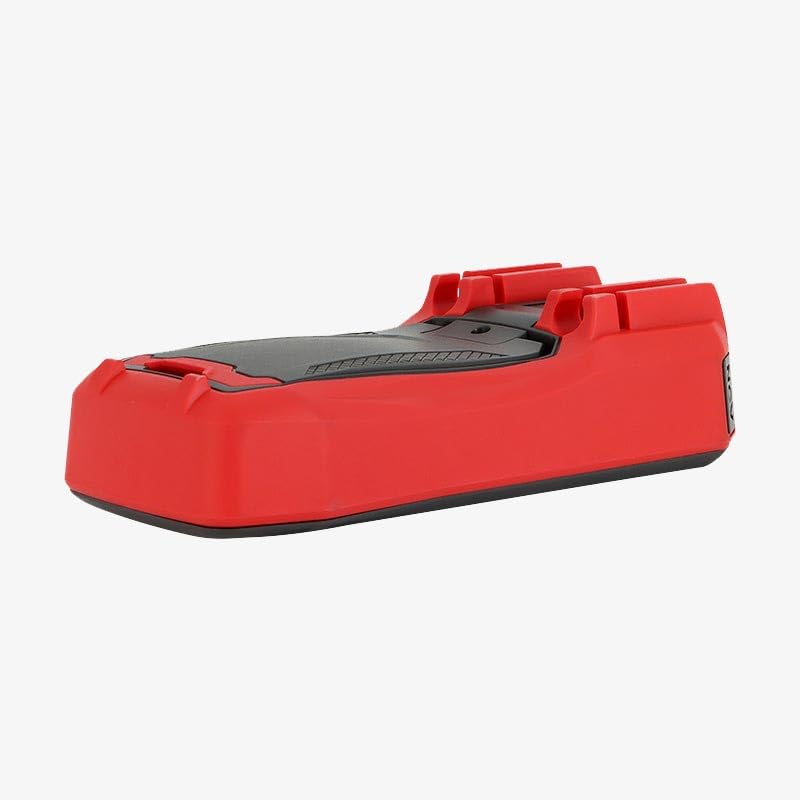
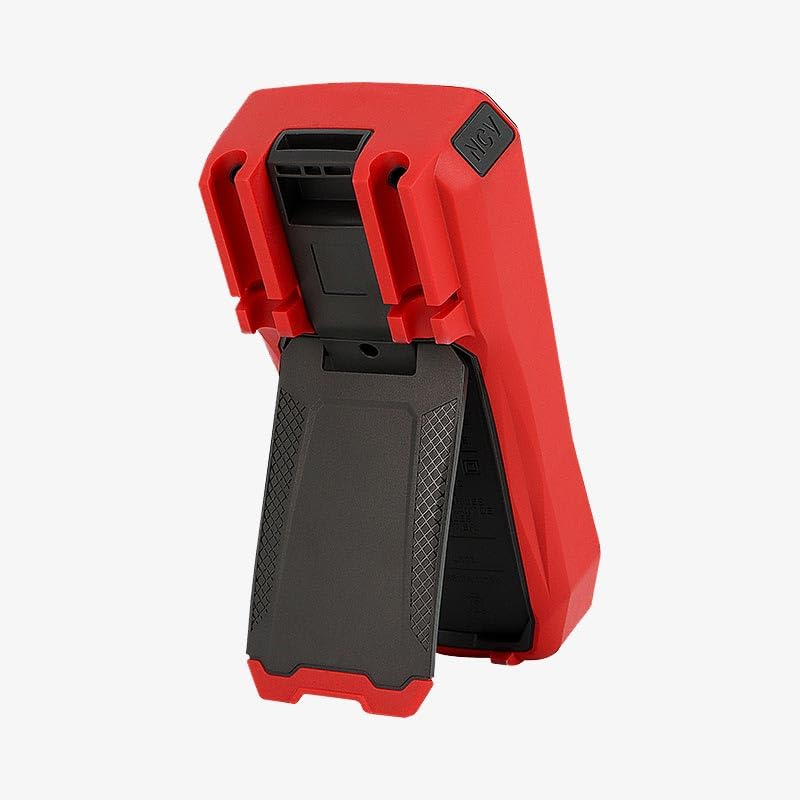
Figuur 2: Terug View of the UT60EU Digital Multimeter with Kickstand. This image shows the rear of the multimeter, featuring the integrated kickstand extended for hands-free operation. The battery compartment cover is also visible on the back.
4. Opstelling
4.1 Battery installasie
- Maak seker dat die multimeter afgeskakel is.
- Locate the battery compartment on the back of the meter (refer to Figure 2).
- Draai die bevestigingsskroef(e) los en verwyder die batterydeksel.
- Insert the required batteries, observing correct polarity (+ and -).
- Plaas die batterydeksel terug en maak dit vas met die skroef(e).
4.2 Verbinding van toetsdrade
- Steek die swart toetsdraad in die 'COM' (algemene) invoeraansluiting.
- Vir die meeste volumestage, resistance, and capacitance measurements, insert the red test lead into the 'VΩCAP' input jack.
- For current measurements (mA or A), insert the red test lead into the appropriate 'mA' or 'A' input jack.
5. Bedryfsinstruksies
To operate the UT60EU, turn the rotary switch to the desired measurement function. The display will show the reading, and units will be indicated.
5.1 Meet DC Voltage
- Set the rotary switch to the 'VDC' position.
- Verbind die rooi toetsdraad aan die positiewe (+) kant van die stroombaan en die swart toetsdraad aan die negatiewe (-) kant.
- Lees die voltage waarde op die skerm.
5.2 Meting van AC Voltage
- Set the rotary switch to the 'VAC' position.
- Verbind die toetsdrade oor die stroombaan of komponent wat gemeet moet word.
- Read the True-RMS AC voltage waarde op die skerm.
5.3 Measuring DC/AC Current
- Belangrik: Ensure the red test lead is connected to the appropriate 'mA' or 'A' input jack.
- Set the rotary switch to the 'ADC' or 'AAC' position.
- Maak die stroombaan oop waar die stroom gemeet moet word en koppel die meter in serie.
- Lees die huidige waarde op die skerm.
5.4 Meet van weerstand
- Maak seker dat die stroombaan gedeaktiveer is voordat weerstand gemeet word.
- Set the rotary switch to the 'Ω' (Ohms) position.
- Verbind die toetsdrade oor die komponent.
- Lees die weerstandswaarde op die skerm.
5.5 Meet van kapasitansie
- Maak seker dat die kondensator volledig ontlaai is voor meting.
- Set the rotary switch to the 'CAP' position.
- Verbind die toetsdrade oor die kondensatorterminale.
- Lees die kapasitansiewaarde op die skerm.
5.6 Nie-Kontak Voltage (NCV) Opsporing
- Stel die draaiskakelaar na die 'NCV'-posisie.
- Move the top end of the multimeter near an AC voltage bron.
- Die meter sal die teenwoordigheid van WS-volume aanduitage deur 'n hoorbare piep en/of visuele aanwyser.
5.7 Bluetooth-konnektiwiteit
The UT60EU supports Bluetooth for data transfer. Refer to the specific application instructions for pairing and data logging with your compatible device.
6. Onderhoud
6.1 Skoonmaak
Vee die meter met advertensie afamp lap en sagte skoonmaakmiddel. Moenie skuurmiddels of oplosmiddels gebruik nie. Maak seker dat die meter droog is voor gebruik.
6.2 Batteryvervanging
When the low battery indicator appears on the display, replace the batteries as described in Section 4.1. Use only the specified battery type.
6.3 Berging
If the meter is not used for an extended period, remove the batteries to prevent leakage and store it in a cool, dry place away from direct sunlight.
7. Probleemoplossing
- Geen skerm: Kontroleer batteryinstallasie en laai. Vervang batterye indien nodig.
- Verkeerde lesings: Ensure test leads are correctly connected to the appropriate input jacks and the rotary switch is set to the correct function. Verify the circuit is properly connected.
- Meter reageer nie: Skakel die meter af en dan weer aan. Indien die probleem voortduur, verwyder en plaas die batterye weer in.
As probleme voortduur, kontak kliëntediens.
8. Spesifikasies
| Meting | Reeks | Akkuraatheid |
|---|---|---|
| DC Voltage | 9.999mV / 99.99mV / 999.9mV / 9.999V / 99.99V / 999.9V | ±(0.5%+3) |
| AC Voltage | 9.999mV / 99.99mV / 999.9mV / 9.999V / 99.99V / 999.9V | ±(0.8%+3) |
| DC Stroom | 999.9µA / 999.9mA / 9.999A / 10A | ±(0.8%+3) |
| WS-stroom | 999.9µA / 999.9mA / 9.999A / 10A | ±(1.0%+3) |
| Weerstand | 999.9Ω / 9.999kΩ / 99.99kΩ / 999.9kΩ / 9.999MΩ / 99.99MΩ | ±(0.8%+2) |
| Kapasitor | 9.999nF / 99.99nF / 999.9nF / 9.999µF / 99.99µF / 999.9µF / 9.999mF / 9.99mF / 99.9mF | ±(4.0%+5) |
Algemene spesifikasies:
- Handelsmerk: Generies
- Model: UT60EU
- Vervaardiger: KV Retailss
- ASIN: B0GHKXCYC9
9. Waarborg en Ondersteuning
For warranty information and technical support, please refer to the documentation provided with your purchase or contact the seller/manufacturer directly. Keep your purchase receipt as proof of purchase.
Ask a question about this manual
Ask about setup, troubleshooting, compatibility, parts, safety, or missing instructions. Manuals+ will review the question and use this page’s manual context to help answer it.