
1. Inleiding
Thank you for choosing the xinwld Air3 Pro Wireless Earbuds. This manual provides detailed instructions on how to set up, operate, and maintain your new earbuds. Please read this manual carefully before use to ensure optimal performance and longevity of your device. Keep this manual for future reference.
2. Pakketinhoud
Maak seker dat alle items in die pakket teenwoordig is:
- xinwld Air3 Pro Wireless Earbuds (Left and Right)
- Laaikas
- USB Type-C laaikabel
- Verskeie oorpuntgroottes (S, M, L)
- Gebruikershandleiding
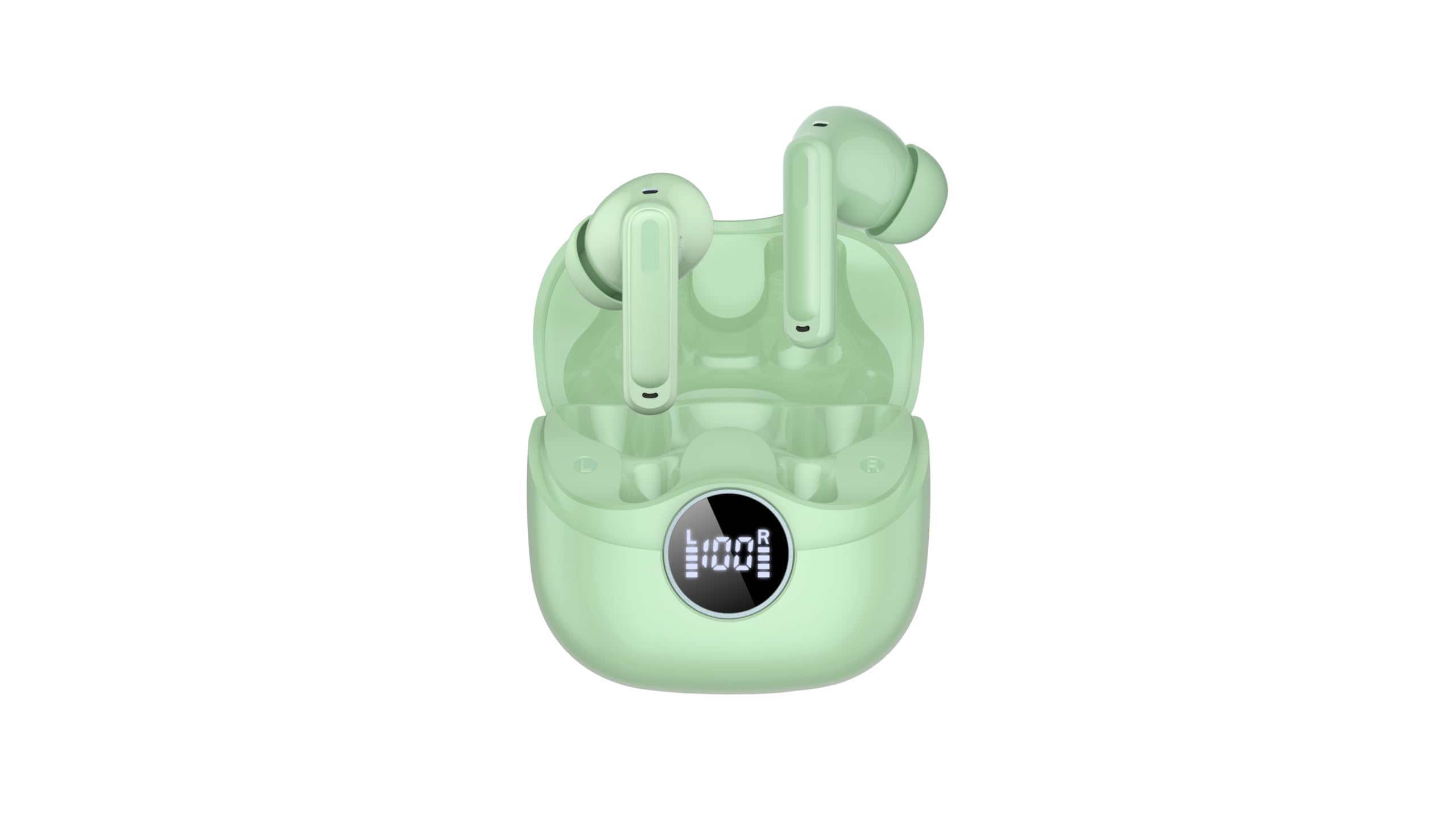
Image 2.1: xinwld Air3 Pro Wireless Earbuds and Charging Case with accessories.
3. Produk verbyview
The xinwld Air3 Pro Wireless Earbuds are designed for a superior audio experience with advanced features.
Sleutel kenmerke:
- Bluetooth 5.4: Verskaf 'n stabiele en doeltreffende draadlose verbinding.
- 4 ENC Noise Cancelling Microphones: Verbeter oproepduidelikheid deur omgewingsgeraas te verminder.
- HiFi Stereo Deep Bass: Delivers rich, immersive audio quality.
- 40 uur speeltyd: Verlengde batterylewe met die laaikas.
- IP7 Waterdig: Resistant to sweat and rain, suitable for workouts and outdoor activities.
- LED skerm: Shows battery status of the charging case and individual earbuds.
- Raakbeheer: Intuitive control for music, calls, and voice assistant.
Beeld 3.1: Nabyskoot view of the xinwld Air3 Pro Wireless Earbuds.
4. Laai
The earbuds and charging case come with a partial charge. It is recommended to fully charge them before first use.
Laai die laaikas:
- Connect the provided USB Type-C cable to the charging port on the case.
- Koppel die ander kant van die kabel aan 'n USB-kragadapter (nie ingesluit nie) of 'n rekenaar se USB-poort.
- The LED display on the case will show the charging progress. A full charge typically takes about 1 hour.
Laai die oordopjes:
- Plaas die oorfone in hul onderskeie gleuwe in die laaikas. Maak seker dat die laaikontakte in lyn is.
- Close the charging case lid. The earbuds will automatically begin charging.
- The LED display on the case will indicate the charging status of each earbud.
Let wel: The earbuds can be recharged 2-3 times by a fully charged case, providing up to 40 hours of total playtime.
5. Initial Setup and Bluetooth Pairing
Follow these steps to pair your xinwld Air3 Pro earbuds with your device:
- Laai Oordopjes: Maak seker dat beide die oorfone en die laaikas voldoende gelaai is.
- Krag aan: Open the charging case lid. The earbuds will automatically power on and enter pairing mode. You may see indicator lights flashing on the earbuds.
- Aktiveer Bluetooth: On your smartphone, tablet, or other Bluetooth-enabled device, go to the Bluetooth settings and turn on Bluetooth.
- Soek vir Toestel: In the list of available devices, select "Air3 Pro".
- Koppel: Once selected, your device should connect to the earbuds. A voice prompt or indicator light change will confirm successful pairing.
- Daaropvolgende gebruik: After the initial pairing, the earbuds will automatically connect to the last paired device when removed from the charging case, provided Bluetooth is enabled on your device.
Let wel: If pairing fails, place the earbuds back into the case, close the lid, and repeat the steps. Ensure the earbuds are close to your device during pairing.
6. Bedryfsinstruksies
Raakkontroles:
The xinwld Air3 Pro earbuds feature intuitive touch controls on each earbud. The specific functions may vary slightly depending on your device and application.
| Aksie | Linker oorknoppie | Regter Oordop |
|---|---|---|
| Speel/Pause Musiek | Enkele kraan | Enkele kraan |
| Volgende Snit | Dubbeltik | Dubbeltik |
| Vorige Snit | Drievoudige Tik | Drievoudige Tik |
| Beantwoord/beëindig oproep | Enkele kraan | Enkele kraan |
| Verwerp oproep | Lang druk (2s) | Lang druk (2s) |
| Aktiveer stemassistent | Lang druk (2s) | Lang druk (2s) |
Dra die oordopjes:
Vir optimale klankgehalte en gemak, maak seker dat die oorfone korrek gedra word.
- Kies Oorpunte: Choose the ear tips that provide the best seal and comfort for your ears.
- Plaas oordopjes in: Steek elke oordoppie versigtig in jou oorkanaal.
- Pas posisie aan: Rotate the earbud slightly until it fits snugly and securely. The microphone should be pointing towards your mouth for clear calls.
7. Onderhoud en versorging
Proper care ensures the longevity and performance of your earbuds.
- Skoonmaak: Maak die oorfone en laaikas gereeld skoon met 'n sagte, droë, pluisvrye lap. Moenie harde chemikalieë of skuurmiddels gebruik nie.
- Oorpunt skoonmaak: Verwyder die oordoppe en maak dit skoon met sagte seep en water indien nodig. Maak seker dat hulle heeltemal droog is voordat jy dit weer vasmaak.
- Berging: Wanneer dit nie gebruik word nie, bêre die oordopjes altyd in hul laaikassie om hulle teen stof en skade te beskerm.
- Batterysorg: Avoid fully discharging the battery frequently. Charge the earbuds and case regularly, even if not in use for extended periods, to maintain battery health.
- Waterweerstand: While IP7 waterproof, avoid prolonged submersion in water. Dry the earbuds completely if they get wet before placing them back in the charging case.
- Vermy uiterste temperature: Do not expose the earbuds or charging case to extreme temperatures (hot or cold) or high humidity.
8. Probleemoplossing
As jy probleme met jou oorfone ondervind, raadpleeg die volgende algemene probleme en oplossings:
- Oorfone koppel nie met toestel nie:
- Maak seker dat Bluetooth op jou toestel geaktiveer is.
- Maak seker dat die oorfone gelaai is en nie in die laaikas is nie.
- Forget "Air3 Pro" from your device's Bluetooth list and try pairing again.
- Restart your device and the earbuds (by placing them back in the case and taking them out).
- Geen geluid uit een of albei oorfone nie:
- Kontroleer die volumevlak op beide jou toestel en die oordopjes.
- Maak seker dat die oorfone behoorlik aan jou toestel gekoppel is.
- Try resetting the earbuds (refer to the manual for specific reset instructions if available, or try placing them in the case, closing, and reopening).
- Maak enige puin van die oorfone se luidsprekermaas skoon.
- Laaikas laai nie:
- Maak seker dat die USB Tipe-C-kabel stewig aan beide die kas en die kragbron gekoppel is.
- Probeer 'n ander USB-kabel of kragadapter.
- Kontroleer vir enige puin in die laaipoort van die houer.
- Swak oproepkwaliteit:
- Maak seker dat die oorfone behoorlik in jou ore sit.
- Check for strong environmental noise; the ENC feature works best within its limits.
- Ensure your device has good network reception.
9. Produkspesifikasies
Detailed technical specifications for the xinwld Air3 Pro Wireless Earbuds:
| Kenmerk | Spesifikasie |
|---|---|
| Model Naam | Air3 Pro |
| Verbindingstegnologie | Draadloos (Bluetooth) |
| Bluetooth weergawe | 5.4 |
| Geraasbeheerfunksies | Omgewingsgeruisonderdrukking (ENC) |
| Batterylewe | Tot 40 uur (met laaikas) |
| Waterweerstandvlak | IP7 Waterdig |
| Beheer metode | Raak |
| Oorstukvorm | In Oor |
| Tipe oudiobestuurder | Basbestuurder |
| Versoenbare toestelle | Slimfone, skootrekenaars, tablette, slimluidsprekers |
| Item gewig | 0.071 onse (oordopjes) |
10. Veiligheidsinligting
Lees en volg asseblief hierdie veiligheidsriglyne om beserings of skade aan u toestel te voorkom:
- Moenie die produk uitmekaar haal, herstel of wysig nie. Dit kan brand, elektriese skok of algehele skade aan die produk veroorsaak.
- Hou die oorfone en laaikas weg van uiterste temperature, direkte sonlig en hoë humiditeit.
- Avoid using the earbuds at excessively high volumes for prolonged periods to prevent hearing damage.
- Keep out of reach of children and pets to prevent accidental ingestion of small parts.
- Do not use the earbuds in situations where you need to hear your surroundings, such as driving, cycling, or walking in traffic.
- Gebruik slegs die voorsiene of gesertifiseerde laaikabels en -adapters.
11. Waarborg en Ondersteuning
xinwld products are designed and manufactured to the highest quality standards. For warranty information, technical support, or customer service inquiries, please refer to the warranty card included in your package or contact xinwld customer support through the retailer where you purchased the product. Please have your product model number (Air3 Pro) and ASIN (B0GHC3X3BP) ready when contacting support.