
Opstelling
Wat is in die boks
The ARPHA D289H Smart Lock package includes all necessary components for installation and operation:
- Exterior Assembly (Smart Lock with Keypad and Camera)
- Interior Assembly (Battery Compartment and Thumb Turn)
- Klap
- Stakplaat
- Montageplaat
- Installation Screws (various sizes)
- Sleutels (x2)
- Dingdong Machine (Doorbell Chime)
- 4x AA Batteries (not included, alkaline recommended)
Voorinstallasiestappe
Before beginning installation, ensure your door meets the required specifications. Measure the backset (distance from door edge to center of bore hole) and door thickness. The lock supports backsets of 60mm or 70mm and is suitable for 2-1/8" (54mm) door holes.

Installasie
Follow these steps to install your ARPHA D289H Smart Lock. Ensure the deadbolt is correctly oriented with the 'UP' marking facing upwards. The lock is compatible with both left and right-handed doors.


Inisialisering Opstelling
After physical installation, perform the initialization setup to ensure the lock functions correctly and calibrates to your door's orientation.
App Connection Settings
Connect your smart lock to the Tuya app for remote control, monitoring, and advanced features. Ensure your router supports a 2.4GHz Wi-Fi band as 5GHz is not compatible.

Bedryfsinstruksies
Ontsluitmetodes
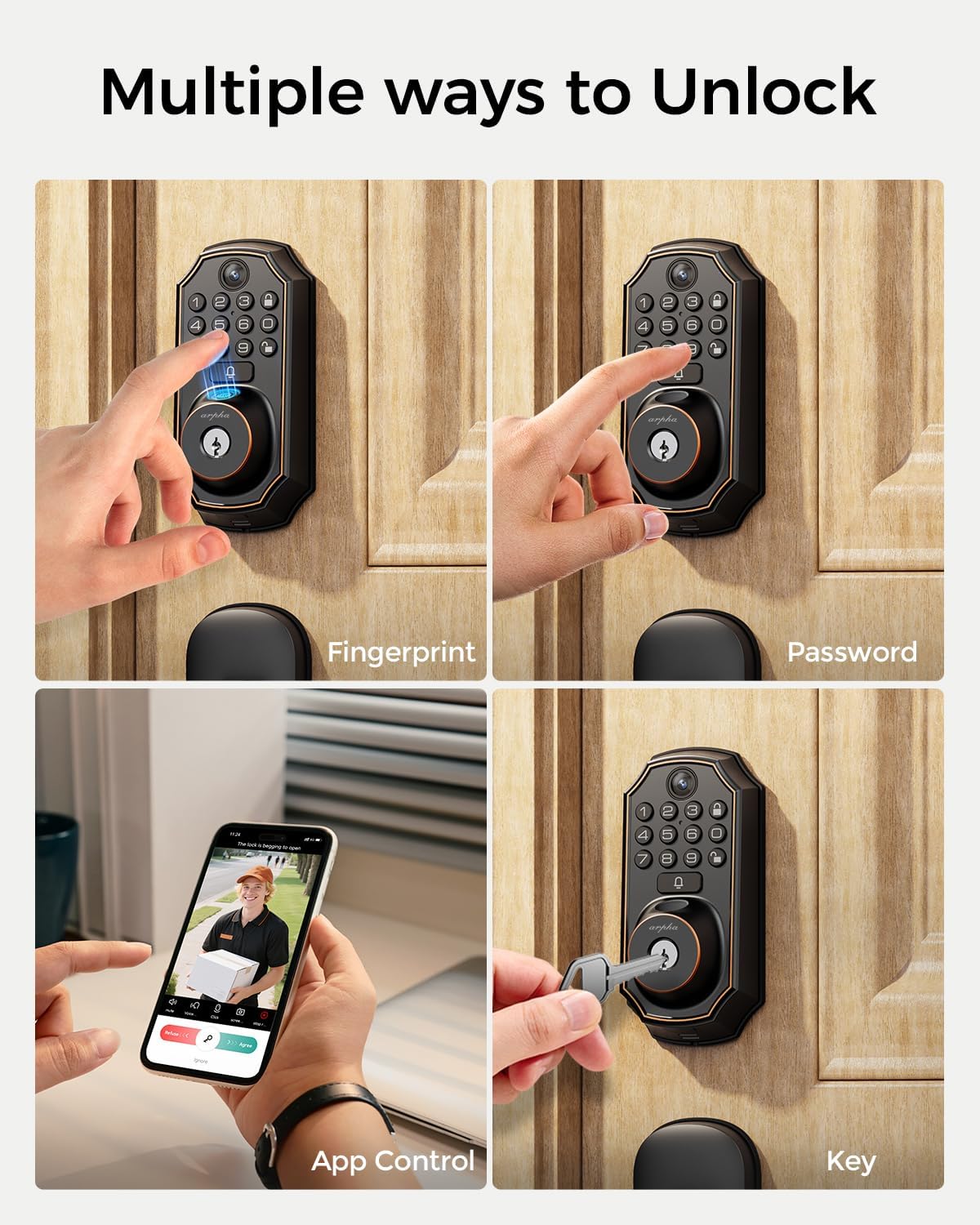
The ARPHA D289H Smart Lock offers multiple convenient ways to unlock your door:
- Vingerafdruk: Gebruik jou geregistreerde vingerafdruk vir vinnige toegang.
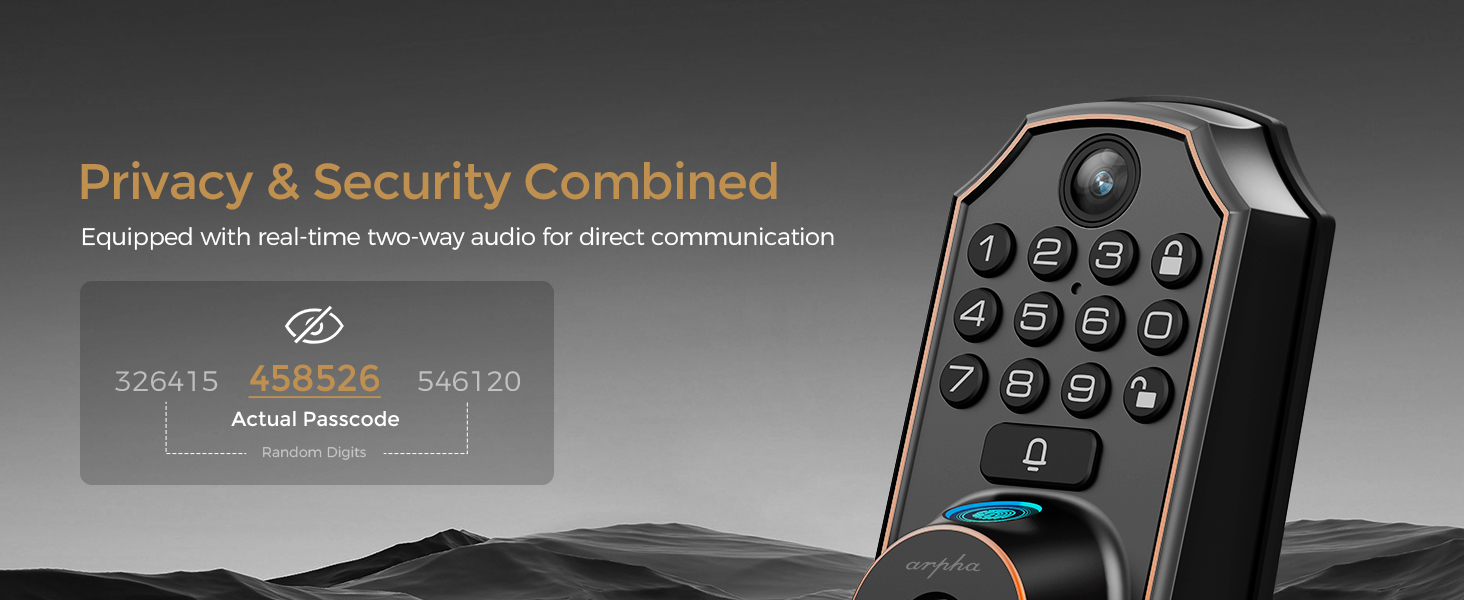
- Keypad PIN: Enter your personalized PIN code on the touchscreen keypad.
- Programbeheer: Unlock remotely via the Tuya app on your smartphone.
- Rugsteunsleutels: Use traditional physical keys as a failsafe.

Outomatiese Sluitinstelling
Configure the auto-lock feature to automatically secure your door after a set period (10 seconds to 30 minutes) for enhanced security.
Ontsluit op afstand
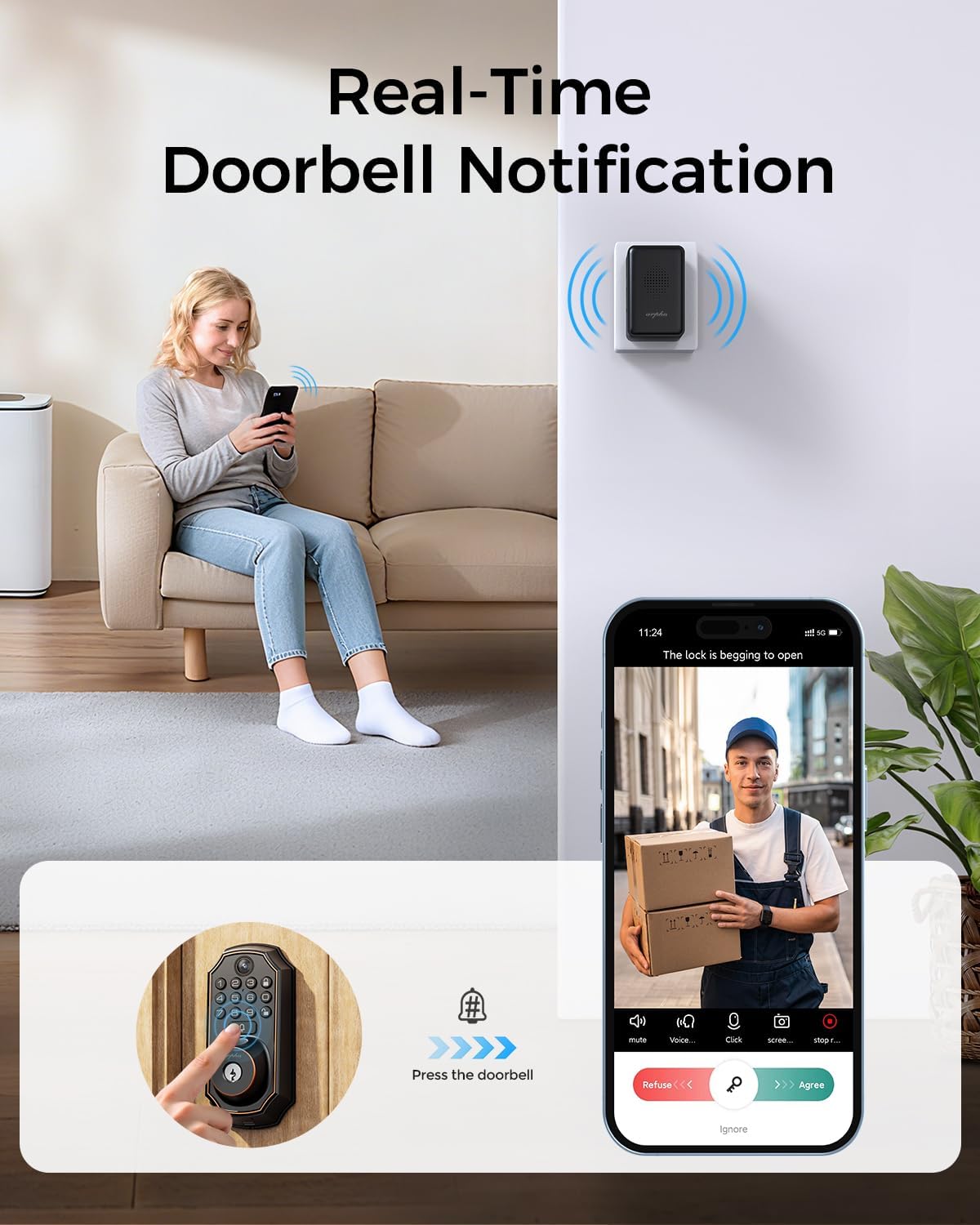
When a visitor presses the doorbell, you receive a notification on your smartphone. You can then view live video, communicate via two-way audio, and unlock the door remotely through the Tuya app.

Volume instelling
Adjust the volume of the lock's voice prompts and doorbell chime to your preferred level.
Deurklokkie-instellings
Customize your doorbell settings, including ringtones and notification preferences, through the lock's interface or the app.
Constant Open Setting
Activate the constant open mode when you need the door to remain unlocked for an extended period, such as during a party or moving furniture.
Voeg gebruikers by
Add new users with unique passwords or fingerprints to grant access to family members or trusted individuals.
Wagwoord instellings
Manage and configure various password types, including temporary and one-time passwords, for flexible access control.
Vingerafdruk instellings
Enroll and manage fingerprints for quick and secure biometric access.
Onderhoud
Lae battery waarskuwing
The smart lock will provide a low battery alert when power is running low. Replace the 4x AA alkaline batteries promptly. Note that the emergency power supply port is for temporary power only and cannot charge the batteries or transfer data.

Duursame ontwerp
The ARPHA D289H Smart Lock features a durable, weatherproof design (IP65 rated) capable of withstanding extreme temperatures from -31°F to 158°F, ensuring reliable operation in various weather conditions.
Probleemoplossing
If you encounter any issues with your ARPHA D289H Smart Lock, please refer to the troubleshooting section within the Tuya app or contact customer support for assistance. Common issues often relate to Wi-Fi connectivity (ensure 2.4GHz band) or battery levels.
Produkspesifikasies
| Kenmerk | Spesifikasie |
|---|---|
| Handelsmerk | ARPHA |
| Modelnommer | D289H |
| Tipe slot | Biometric, WIFI |
| Spesiale kenmerke | App Unlock, Camera, Fingerprint, WiFi |
| Verbindingsprotokol | BLE, Wi-Fi (2.4GHz only) |
| Beheer metode | Toep |
| Materiaal | Sink |
| Kleur | Swart |
| Itemafmetings (L x B x H) | 5.8 x 2.3 x 1.57 duim |
| Item gewig | 3 pond |
| Aanbevole gebruike | Tuis |
| Ingesluit komponente | Mounting screws, Front and rear lock mechanism, Handle set (interior/exterior), Installation guide |
Waarborg en Ondersteuning
The ARPHA D289H Smart Lock comes with an 18-month warranty. For any product inquiries, technical support, or warranty claims, please refer to the contact information provided in your product packaging or visit the official ARPHA webwebwerf.