
1. Inleiding
This manual provides detailed instructions for the LIGE FV21-F Smart Watch. Please read this guide thoroughly to ensure proper usage, optimal performance, and longevity of your device. This smartwatch is designed to enhance your daily life with health monitoring, fitness tracking, and smart communication features.
2. Wat is in die boks
Upon unboxing your LIGE FV21-F Smart Watch, verify that all the following items are included:
- Smartwatch (LIGE FV21-F)
- Laai kabel
- Watch Strap (Black Mesh)
- Additional Watch Strap (Apricot Silicone)
- Horlosie-instellingsgereedskap
- Smartwatch Manuals (this document)
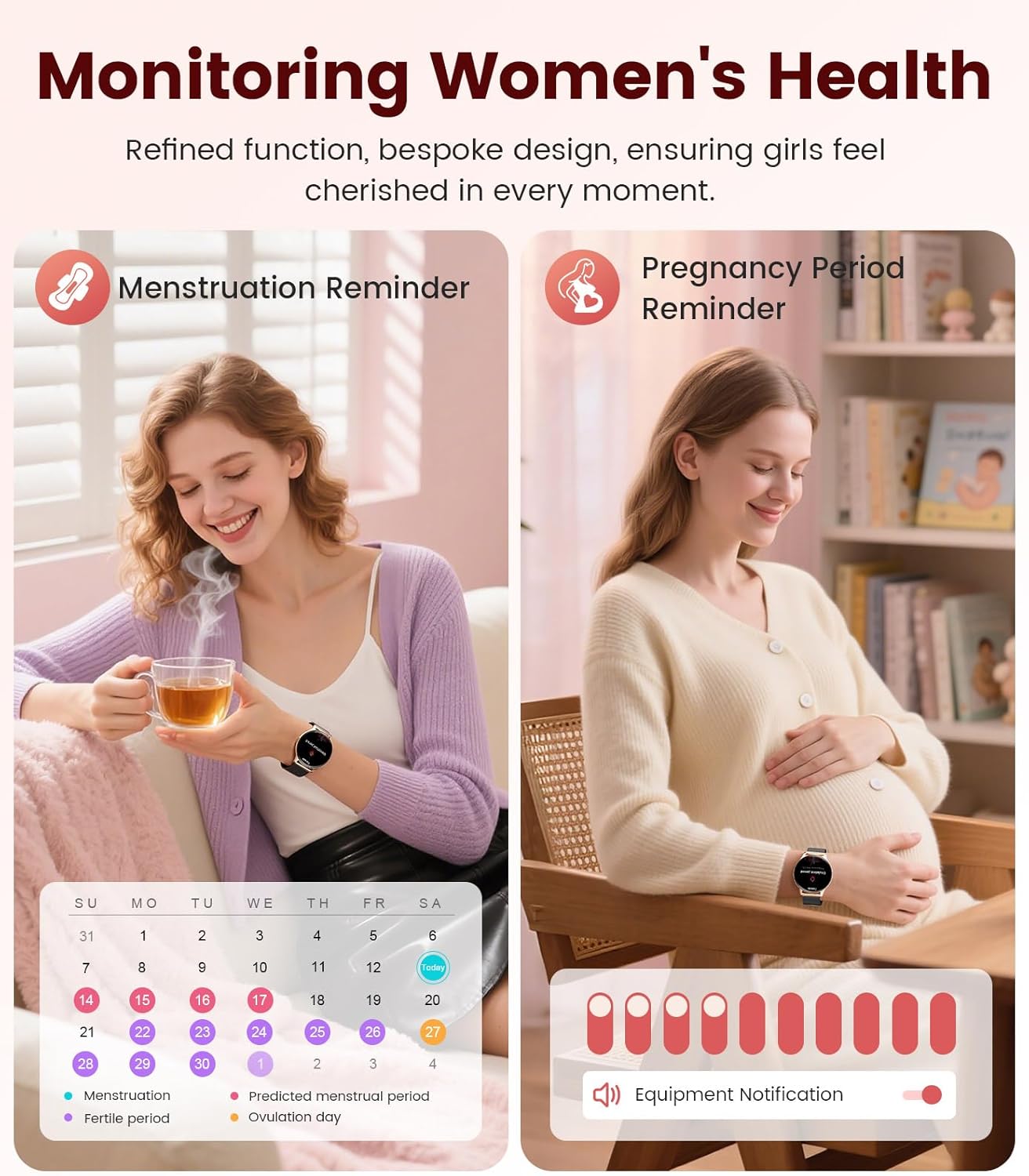
Image: Contents of the LIGE FV21-F Smart Watch package, showing the watch, charging cable, and two interchangeable bands.
3. Opstelgids
3.1 Attaching the Watch Straps
Your LIGE FV21-F Smart Watch comes with two interchangeable straps: a black mesh band and an apricot silicone band. To attach a strap:
- Locate the spring bar on the back of the watch strap.
- Align one end of the spring bar with the lug hole on the watch case.
- Push the spring bar inward and slide the strap into place between the lugs.
- Release the spring bar, ensuring both ends are securely seated in the lug holes.
- Gently pull the strap to confirm it is firmly attached.
Video: Demonstrates how to attach and change the watch straps, as well as initial setup and pairing with a smartphone.
3.2 Laai die slimhorlosie
Before first use, fully charge your smartwatch. Use the provided magnetic charging cable.
- Koppel die USB-punt van die laaikabel aan 'n kragadapter (nie ingesluit nie) of 'n rekenaar se USB-poort.
- Place the magnetic end of the charging cable onto the charging contacts on the back of the smartwatch. The magnets will align it correctly.
- The watch screen will display a charging indicator. A full charge typically takes approximately 2-3 hours.
Image: The LIGE FV21-F Smart Watch being charged using its magnetic charging cable.
3.3 App-aflaai en -koppeling
To unlock the full functionality of your smartwatch, download the companion app, "FitCloudPro," and pair it with your smartphone.
- Laai die toepassing af: Scan the QR code displayed on the watch screen (access via Settings > QR Code) or search for "FitCloudPro" in your smartphone's app store (App Store for iOS, Google Play Store for Android).
- Aktiveer Bluetooth: Maak seker dat Bluetooth op jou slimfoon geaktiveer is.
- Maak die toepassing oop en koppel: Open the FitCloudPro app, navigate to the "Device" section, and tap "Add Device" or "Search Now". Select "FV21" from the list of discovered devices.
- Bevestig saambinding: A pairing request will appear on both your phone and watch. Confirm the pairing on both devices.
- Laat kennisgewings toe: Grant necessary permissions for notifications (calls, messages, apps) when prompted by the app.

Image: The FitCloudPro app interface on a smartphone and the QR code on the smartwatch for easy app download and pairing.
4. Bedryfsinstruksies
4.1 Basiese navigasie
- Raakskerm: Swipe left/right, up/down to navigate menus and screens. Tap to select.
- Syknoppie: Druk om die skerm wakker te maak, terug te keer na die tuisskerm of toegang tot die toepassinglys te kry.
- Wakker Skerm: Raise your wrist or press the side button to activate the display.
4.2 Horlosieskerms aanpas
The LIGE FV21-F offers over 200 customizable watch faces. You can also upload your own photos.
- On the watch, long-press the home screen to access watch face options, then swipe to select.
- In the FitCloudPro app, go to "Watch Face Store" to browse and sync new faces.
- To use a custom photo, select "Watch Face DIY" in the app, choose a photo, adjust its position, and sync to your watch.

Image: The smartwatch displaying a custom watch face, demonstrating the personalization options available through the app.
4.3 Kommunikasiekenmerke
- Beantwoord/maak oproepe: Once paired via Bluetooth, you can answer incoming calls directly from your watch or dial numbers using the watch's dial pad.
- Boodskapkennisgewings: Receive notifications for SMS, emails, and various social media apps (WhatsApp, Facebook, Instagram, etc.) directly on your wrist. Ensure app permissions are granted.
- Stemassistent: Utilize the integrated voice assistant for quick commands and information.

Image: The smartwatch displaying an incoming call and message notifications, highlighting its communication capabilities.
5. Gesondheidsmonitering
The LIGE FV21-F Smart Watch provides comprehensive health tracking features to help you monitor your well-being.
- Hartslagmonitering: Hou jou hartklop deurlopend dop dwarsdeur die dag.
- Slaapmonitering: Analiseer jou slaappatrone, insluitend diep slaap, ligte slaap en wakker tye.
- Bloedsuurstof (SpO2) Monitering: Meet jou bloedsuurstofversadigingsvlakke.
- Vroue se fisiologiese siklusmonitor: Provides reminders and tracking for menstrual and pregnancy periods.
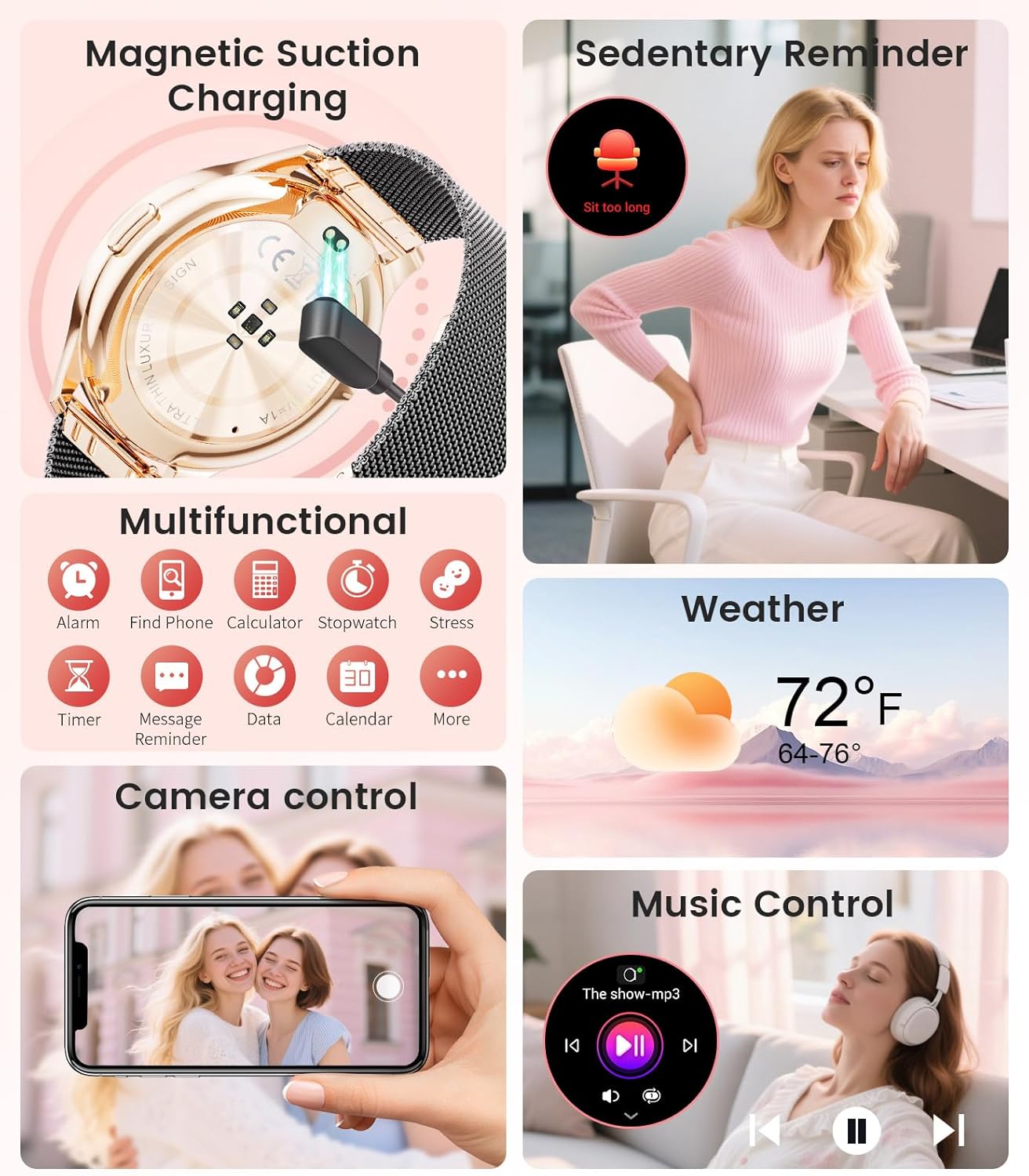
Image: The smartwatch interface showing women's health tracking features, including menstruation and pregnancy reminders.

Image: A user sleeping while wearing the smartwatch, with an inset showing the sleep tracking data on the watch face.
6. Fitness Tracking (120+ Sport Modes)
The LIGE FV21-F Smart Watch supports over 120 sport modes to track your activities, including walking, running, cycling, yoga, and more. It records steps, distance, calories burned, and heart rate during workouts.
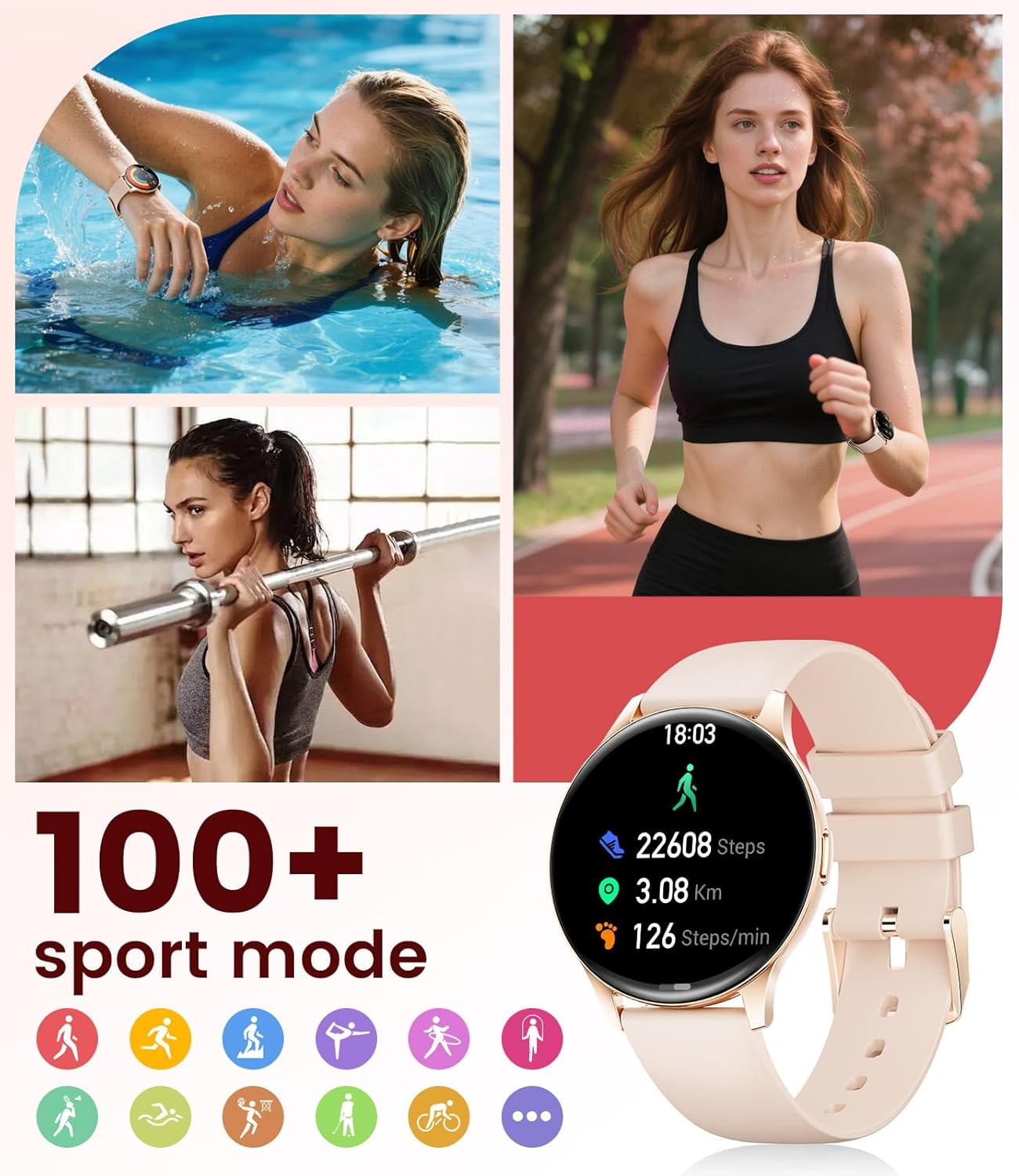
Image: The smartwatch showing different sport modes and real-time fitness data like steps, distance, and calories.
7. Ander slim funksies
Beyond health and fitness, your smartwatch offers several convenient smart features:
- Musiekbeheer: Beheer musiekweergawe op jou slimfoon direk vanaf jou horlosie.
- Kamerabeheer: Gebruik jou horlosie as 'n afstandbeheerder vir jou foon se kamera.
- Weervertoning: Kry intydse weeropdaterings.
- Alarms en onthounotas: Stel alarms, sittende herinnerings en drinkwaterherinneringe.
- Soek foon: Vind jou verlore foon deur 'n alarm vanaf jou horlosie te aktiveer.
- Calculator & Stopwatch: Basic utility tools available on your wrist.

Image: The smartwatch screen showing icons for music control, weather forecast, camera remote, and other utility features.
8. Spesifikasies
Detailed technical specifications for the LIGE FV21-F Smart Watch:
| Kenmerk | Detail |
|---|---|
| Model Naam | FV21-F |
| Vertoon | 1.43" HD Curved AMOLED (466x466) |
| Bedryfstelselversoenbaarheid | Android 4.4+ en iOS 9.0+ |
| Konnektiwiteit | Bluetooth |
| Battery kapasiteit | 1000 miljoenamp Ure (Litiumpolimeer) |
| Waterweerstand | IP68 Waterproof (up to 50 meters) |
| Geheue berging kapasiteit | 256 MB |
| Band Materiaal Tipe | Vlekvrye staal, silikoon |
| Metrieke Gemeet | Heart Rate, Sleep Duration, Blood Oxygen |
| Menslike koppelvlak-invoer | Raakskerm |
| GPS | Via slimfoon |
9. Onderhoud
To ensure the longevity and optimal performance of your LIGE FV21-F Smart Watch, follow these maintenance guidelines:
- Skoonmaak: Regularly wipe the watch screen and straps with a soft, dry cloth. For silicone straps, a mild soap and water solution can be used, ensuring to rinse thoroughly and dry completely.
- Vermy harde chemikalieë: Do not use abrasive cleaners, solvents, or strong chemicals, as these can damage the watch's finish and internal components.
- Laai: Use only the provided magnetic charging cable. Avoid exposing the charging contacts to moisture or corrosive substances.
- Berging: Wanneer dit nie vir lang tye gebruik word nie, bêre die horlosie op 'n koel, droë plek weg van direkte sonlig en uiterste temperature.
- Waterblootstelling: While IP68 waterproof, avoid prolonged submersion in hot water, steam, or high-pressure water jets. Dry the watch thoroughly after exposure to water.
Video: The smartwatch being rinsed under tap water, showcasing its IP68 water resistance. Ensure to dry the watch after such exposure.
10. Probleemoplossing
If you encounter issues with your LIGE FV21-F Smart Watch, refer to the following common solutions:
- Horlosie skakel nie aan nie: Maak seker dat die horlosie volledig gelaai is. Koppel dit vir ten minste 30 minute aan die laaier.
- Kan nie met foon koppel nie:
- Maak seker dat Bluetooth op jou foon geaktiveer is en dat die horlosie binne bereik is.
- Herbegin beide jou foon en die horlosie.
- Vee die Bluetooth-kasgeheue op jou foon uit en probeer weer koppel.
- Ensure the FitCloudPro app has all necessary permissions.
- Kennisgewings nie ontvang nie:
- Check app permissions for notifications in your phone settings and within the FitCloudPro app.
- Maak seker dat die horlosie behoorlik via Bluetooth gekoppel is.
- Disable and re-enable notifications in the FitCloudPro app.
- Onakkurate gesondheidsdata:
- Maak seker dat die horlosie styf om jou pols gedra word, nie te styf of te los nie.
- Maak die sensor aan die agterkant van die horlosie skoon.
- Note that health data is for reference and not for medical diagnosis.
- Kort batterylewe:
- Verminder die skermhelderheid en skerm-aan-tyd.
- Deaktiveer deurlopende hartklopmonitering indien nie nodig nie.
- Beperk die aantal programme wat kennisgewings na die horlosie stuur.
Indien die probleem voortduur, kontak asseblief kliëntediens.
11. Waarborg en Ondersteuning
The LIGE FV21-F Smart Watch comes with a 2 jaar waarborg vanaf die aankoopdatum, wat vervaardigingsdefekte dek. Hierdie waarborg dek nie skade wat veroorsaak word deur misbruik, ongelukke, ongemagtigde wysigings of normale slytasie nie.
For technical support, warranty claims, or any other inquiries, please contact LIGE customer service through the retailer where you purchased the product or visit the official LIGE webwebwerf vir kontakinligting.
We are committed to ensuring your satisfaction and providing a delightful experience with your LIGE Smart Watch.