
JONR H2 PRO MAX
JONR H2 PRO MAX Wet Dry Vacuum Cleaner User Manual
Model: H2 PRO MAX
Inleiding
Thank you for choosing the JONR H2 PRO MAX Wet Dry Vacuum Cleaner. This manual provides essential information for the safe and efficient operation, maintenance, and troubleshooting of your appliance. Please read this manual thoroughly before using the product and retain it for future reference.
Belangrike veiligheidsinstruksies
WAARSKUWING: Om die risiko van brand, elektriese skok of besering te verminder, lees alle instruksies voor gebruik.
- Gebruik die toestel altyd op 'n droë, gelyk oppervlak.
- Moenie die toestel in water of ander vloeistowwe dompel nie.
- Hou hare, los klere, vingers en alle dele van die liggaam weg van openinge en bewegende dele.
- Gebruik slegs soos beskryf in hierdie handleiding. Gebruik slegs die vervaardiger se aanbevole aanhegsels.
- Moenie gebruik met 'n beskadigde koord of prop nie. Indien die toestel nie werk soos dit moet nie, laat val, beskadig, buite gelaat of in water geval het, stuur dit terug na 'n dienssentrum.
- Moenie prop of toestel met nat hande hanteer nie.
- Moenie enige voorwerp in openinge sit nie. Moet nie gebruik met enige opening geblokkeer nie; hou vry van stof, pluis, hare en enigiets wat lugvloei kan verminder.
- Wees ekstra versigtig wanneer u op trappe skoonmaak.
- Moet nie gebruik om vlambare of brandbare vloeistowwe, soos petrol, op te tel of in gebiede te gebruik waar hulle teenwoordig kan wees nie.
- Moenie iets optel wat brand of rook nie, soos sigarette, vuurhoutjies of warm as.
- Voorkom onbedoelde begin. Maak seker dat die skakelaar in die af-posisie is voordat dit aan die batterypak gekoppel word, die toestel optel of dra.
- Herlaai slegs met die laaier wat deur die vervaardiger gespesifiseer word.
- Onder beledigende toestande kan vloeistof uit die battery gegooi word; kontak vermy. As kontak per ongeluk voorkom, spoel met water. As vloeistof met die oë in aanraking kom, soek ook mediese hulp.
Pakketinhoud
Verifieer dat alle komponente teenwoordig en in 'n goeie toestand is tydens uitpak.
- JONR H2 PRO MAX Main Unit
- Hanteer vergadering
- Laaidok
- Kragadapter
- Cleaning Solution (Starter Bottle)
- Skoonmaak Borsel
- Bykomstige houer
- Gebruikershandleiding
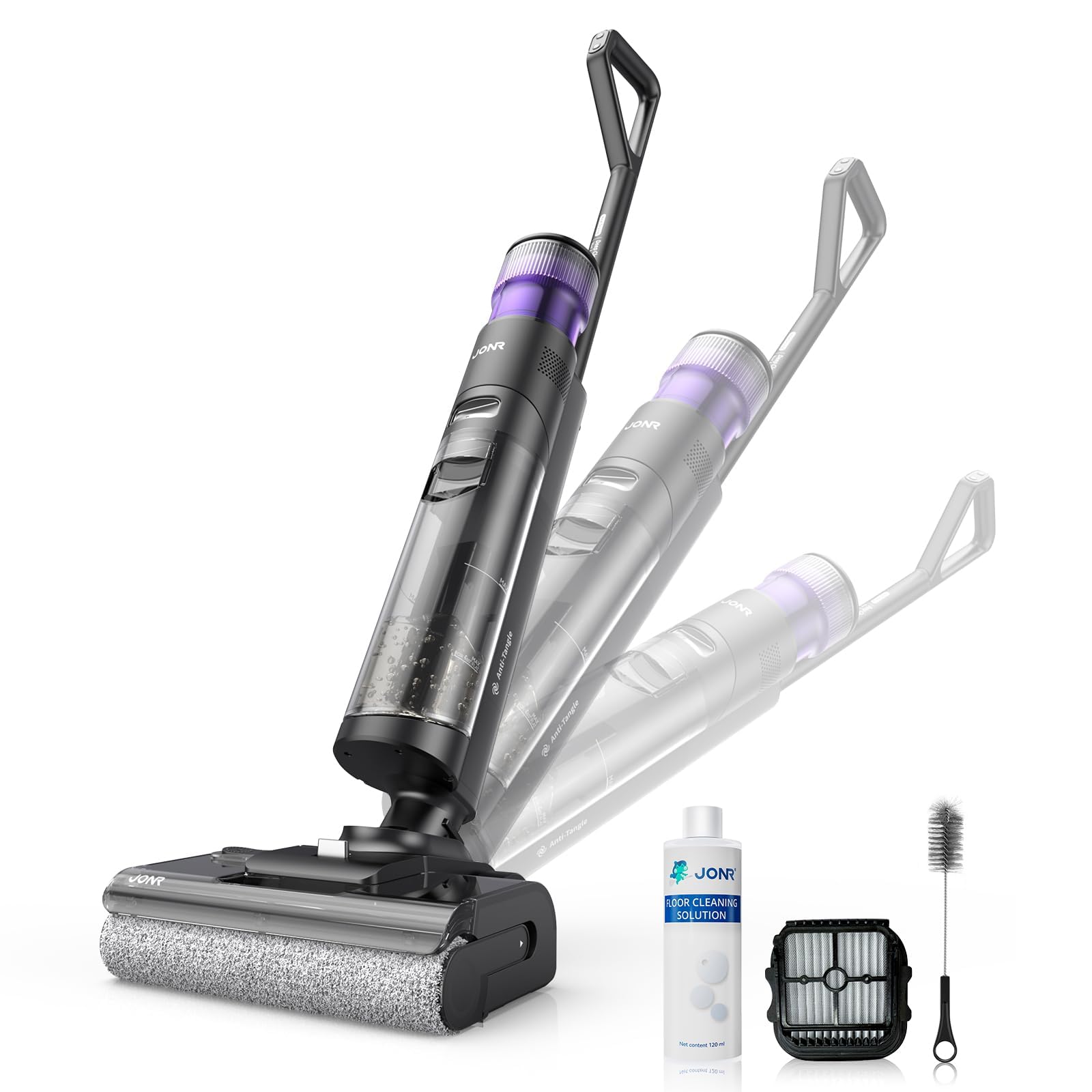
Image: JONR H2 PRO MAX Wet Dry Vacuum Cleaner and its included accessories. This image shows the main unit, handle, charging dock, and various cleaning tools.
Produk Diagram
Familiarize yourself with the parts of your JONR H2 PRO MAX.
- Skoonwatertenk (CWT)
- Vuilwatertenk (DWT)
- Handvatselvrystellingsknoppie
- Vertoon skerm
- Kragknoppie
- Moduskeuse-knoppie
- Selfreinigende knoppie
- Borselroldeksel
- Borselrol
- Laai kontakte
- Laaidok

Image: Labeled diagram illustrating the main parts of the JONR H2 PRO MAX Wet Dry Vacuum Cleaner, including tanks, buttons, and brush roll area.
Opstelling
1. Hanteersamestelling
- Insert the handle assembly into the main unit until you hear a click, ensuring it is securely locked.
- To disassemble, press the handle release button and pull the handle upwards.
2. Laai die battery
- Place the main unit onto the charging dock, ensuring the charging contacts align.
- Koppel die kragadapter aan die laaidok en steek dit in 'n muursok.
- The display screen will indicate charging status. A full charge takes approximately 4 hours.
- For optimal battery life, fully charge the unit before first use.

Image: The JONR H2 PRO MAX Wet Dry Vacuum Cleaner positioned on its charging dock, with the power adapter connected.
3. Filling the Clean Water Tank (CWT)
- Press the CWT release button and remove the tank.
- Open the tank cap and fill with clean tap water. For enhanced cleaning, add a small amount of JONR cleaning solution (do not exceed the MAX line).
- Close the cap securely and reinsert the CWT into the main unit until it clicks into place.
Bedryfsinstruksies
1. Skakel aan/af
- Press the Power Button to turn the unit on. The display screen will illuminate.
- Press the Power Button again to turn the unit off.
2. Selecting Cleaning Mode
The JONR H2 PRO MAX offers multiple cleaning modes:
- Outomatiese modus: Default mode for general cleaning. The unit automatically adjusts suction and water flow based on floor dirt detection.
- Maksimum modus: Verskaf maksimum suiging en watervloei vir erg vuil areas.
- Suigmodus: For vacuuming liquids without dispensing water.
Press the Mode Selection Button to cycle through the available cleaning modes. The selected mode will be displayed on the screen.
3. Cleaning Your Floors
- Tilt the main unit back to engage the brush roll and start cleaning.
- Move the unit slowly forward and backward over the desired area.
- The unit will dispense water and cleaning solution, scrub the floor, and vacuum up dirty water simultaneously.
- The display screen provides real-time information such as battery level, current mode, and dirty water tank status.

Image: The JONR H2 PRO MAX Wet Dry Vacuum Cleaner actively cleaning a hard floor surface, demonstrating its wet and dry cleaning capabilities.
Onderhoud
Regular maintenance ensures optimal performance and extends the lifespan of your JONR H2 PRO MAX.
1. Emptying and Cleaning the Dirty Water Tank (DWT)
- After each use, or when the DWT full indicator appears, remove the DWT.
- Open the DWT lid and carefully pour out the dirty water.
- Rinse the DWT thoroughly with clean water. Clean the filter inside the DWT if necessary.
- Allow the DWT and filter to air dry completely before reassembling.
2. Selfreinigende funksie
- Place the unit on the charging dock. Ensure the CWT has sufficient clean water.
- Press the Self-Cleaning Button. The unit will perform an automatic cleaning cycle for the brush roll and internal pipes.
- After the self-cleaning cycle, empty and clean the DWT.
- The hot air drying function will then activate to dry the brush roll, preventing odors.

Image: The JONR H2 PRO MAX Wet Dry Vacuum Cleaner on its charging dock, with indicators suggesting the self-cleaning cycle is active.
3. Skoonmaak van die Borselrol
- Turn off the unit and remove it from the charging dock.
- Open the brush roll cover.
- Remove the brush roll. Use the provided cleaning brush to remove any hair, debris, or tangled material.
- Spoel die kwasrol onder lopende water.
- Allow the brush roll to air dry completely before reinstalling. Ensure it is properly aligned.
4. Maak die filter skoon
- The filter is located within the DWT. Remove it and rinse under clean water.
- Laat die filter heeltemal lugdroog word voordat dit weer teruggeplaas word.
- Replace the filter every 3-6 months, or as needed, for optimal performance.
Probleemoplossing
Verwys na hierdie afdeling vir algemene probleme en hul oplossings.
| Probleem | Moontlike oorsaak | Oplossing |
|---|---|---|
| Eenheid skakel nie aan nie. | Battery is leeg. | Laai die eenheid volledig. |
| Eenheid skakel nie aan nie. | Aan/af-knoppie nie korrek gedruk nie. | Maak seker dat die kragknoppie stewig ingedruk word. |
| Swak suiging. | Dirty Water Tank (DWT) is full. | Empty and clean the DWT. |
| Swak suiging. | Brush roll or air path is clogged. | Clean the brush roll and check for blockages in the air path. |
| Swak suiging. | Die filter is vuil of verstop. | Maak die filter skoon of vervang dit. |
| Water word nie toegedien nie. | Clean Water Tank (CWT) is empty. | Refill the CWT. |
| Water word nie toegedien nie. | CWT not installed correctly. | Ensure the CWT is securely in place. |
| Unit leaks water. | Tanks not properly sealed or installed. | Check that both CWT and DWT are correctly installed and their caps are sealed. |
| Onaangename reuk. | Dirty Water Tank (DWT) needs cleaning. | Empty and thoroughly clean the DWT after each use. Run self-cleaning cycle. |
Spesifikasies
| Model Naam | H2 PRO MAX |
| Handelsmerk | JONR |
| Kragbron | Batteryaangedrewe (koordloos) |
| Battery Tipe | Litium-ioon |
| Laai tyd | Ongeveer 4 ure |
| Wattage | 200 watt |
| Skoonwatertenk kapasiteit | 850 milliliter |
| Geraasvlak | 80 Desibel |
| Produk afmetings | 9 cm L x 10.6 cm B x 44 cm H |
| Item gewig | 16.97 pond |
| Filter tipe | Spons |
| Spesiale kenmerk | Hot Air Drying, Tangle-Free Brush Roll, Smart Hard Floor Cleaner |
Waarborg en Ondersteuning
JONR products are manufactured to high-quality standards. For warranty information, technical support, or service inquiries, please contact JONR customer service.
Please visit the official JONR website or refer to your purchase documentation for specific warranty terms and contact details.
Let wel: Bewaar u aankoopbewys as bewys van aankoop vir waarborgeise.
Ask a question about this manual
Ask about setup, troubleshooting, compatibility, parts, safety, or missing instructions. Manuals+ will review the question and use this page’s manual context to help answer it.