
1. Inleiding
This manual provides essential information for the proper use and maintenance of your realme 16 Pro 5G Unlocked Smartphone. Please read this guide thoroughly before operating your device to ensure optimal performance and longevity. Keep this manual for future reference.
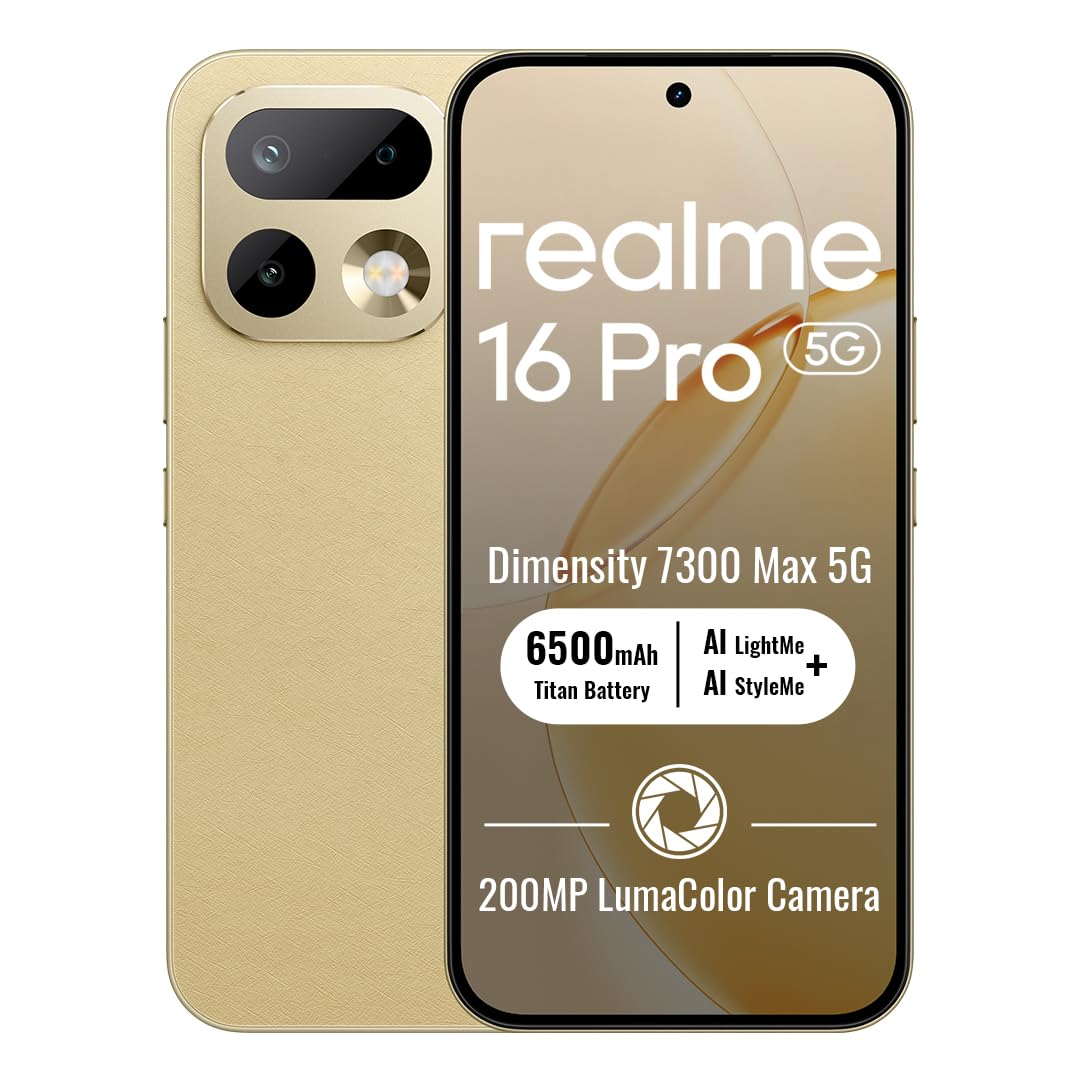
Image: The realme 16 Pro 5G smartphone, showcasing sy slanke ontwerp en kameramodule.
2. Wat is in die boks
Verifieer dat alle items in die pakket teenwoordig is:
- realme 16 Pro 5G-slimfoon
- USB kabel
- Telefoonkas
- Vinnige Begingids
- SIM Skinkbord Ejector
3. Opstelling
3.1. SIM-kaart installasie
- Vind die SIM-kaartlaai aan die kant van jou toestel.
- Plaas die SIM-laai se uitwerpgereedskap in die klein gaatjie langs die laai en druk liggies totdat die laai uitspring.
- Place your Nano-SIM card(s) and/or microSD card (if supported) into the tray with the gold contacts facing down. Ensure proper orientation.
- Plaas die skinkbord versigtig terug in die toestel totdat dit vasklik.
3.2. Skakel aan/af
- Om aan te skakel: Druk en hou die aan/af-knoppie in totdat die realme-logo verskyn.
- Om af te skakel: Druk en hou die aan/af-knoppie in, en kies dan 'Skakel af' uit die opsies op die skerm.
- Om weer te begin: Druk en hou die aan/af-knoppie in, en kies dan 'Herbegin' uit die opsies.
3.3. Aanvanklike Opstelling
Upon first power-on, follow the on-screen instructions to configure your device. This includes selecting your language, connecting to Wi-Fi, setting up your Google account, and configuring security features like face recognition.
4. Bedryfsinstruksies
4.1. Basiese navigasie
- Raak: Tik op 'n ikoon om 'n toepassing oop te maak of 'n item te kies.
- Swiep: Slide your finger across the screen to scroll, switch screens, or access quick settings.
- Knyp: Gebruik twee vingers om in of uit te zoem op foto's en web bladsye.
- Lang pers: Druk en hou 'n item vir meer opsies of om dit te skuif.
4.2. Buttons Overview
- Kragknoppie: Located on the right side. Press to turn the screen on/off, long press for power options.
- Volume knoppies: Located on the left side. Press to adjust media volume, call volume, or notification volume.
4.3. Konnektiwiteit
- Wi-Fi: Gaan na Instellings > Netwerk en internet > Wi-Fi om aan beskikbare netwerke te koppel.
- Bluetooth: Gaan na Instellings > Verbonde toestelle > Bluetooth om met Bluetooth-bykomstighede te koppel.
- Mobiele data: Maak seker dat jou SIM-kaart aktief is en mobiele data geaktiveer is in Instellings > Netwerk en internet > Mobiele netwerk.
4.4. Kamera-kenmerke
The realme 16 Pro 5G features an advanced camera system designed for high-quality photography and videography.
- 200MP Hoofkamera: Capture highly detailed photos with the primary rear sensor.
- 50MP Voorkamera: For crisp, natural selfies with HDR support.
- AI Imaging: Advanced algorithms enhance image quality, dynamic range, and low-light performance.
- 4K HDR-video: Record ultra-clear videos with enhanced dynamic range.

Beeld: Gedetailleerd view of the realme 16 Pro 5G camera system, emphasizing the 200MP main camera and 50MP selfie camera capabilities.
Image: The realme 16 Pro 5G camera system, showcasing its 200MP main camera and 50MP front camera, with details on LumaColor IMAGE processing for skin tone, light, shadow, portrait, and background optimization.
4.5. Vertoonkenmerke
Experience an immersive visual experience with the realme 16 Pro 5G's advanced display.
- 144Hz AMOLED Display: Enjoy smooth scrolling, gaming, and vibrant colors.
- Hoë helderheid: Verseker duidelike sigbaarheid selfs in direkte sonlig.
- Hoë resolusie: 2772 x 1272 pixels for sharp images and text.

Image: The realme 16 Pro 5G display, highlighting its 144Hz AMOLED technology, 6500nit peak brightness, DC Mode Dimming, 94% screen-to-body ratio, Netflix HDR, HDR 10+ certification, and 3000Hz instantaneous touch response.
4.6. Battery en Laai
The realme 16 Pro 5G is equipped with a large battery and fast charging technology.
- 7000mAh battery: Provides extended usage time for daily activities.
- 80W SuperVOOC Fast Charging: Charge from 0 to 48% in approximately 10 minutes, and fully charge in about 35 minutes.

Image: Illustration of the realme 16 Pro 5G's battery, showing 45W Fast Charge, Reverse Charge, Bypass Charge, and 6 Years Battery Health. Note: Product specifications state 80W SuperVOOC charging and 7000mAh battery capacity.
4.7. Prestasie en Duursaamheid
The device is built for powerful performance and robust durability.
- MediaTek Dimensity 7300 Max 5G Chipset: Ensures smooth multitasking, gaming, and overall efficient performance.
- IP69 Water- en stofbestandheid: Provides high-level protection against water jets and dust, ensuring durability in various environments.

Image: Close-up of the MediaTek Dimensity 7300 Max 5G chipset, highlighting its performance capabilities with an AnTuTu Benchmark score of 971755, 120FPS for mainstream games, and GT Boost for peak gaming performance.

Image: The realme 16 Pro 5G submerged in water, illustrating its IP69 Pro-level Water Resistance, capable of withstanding 8-10 MPa maximum water pressure and 80°C extreme water temperature.
5. Onderhoud
5.1. Maak die toestel skoon
- Gebruik 'n sagte, pluisvrye lap om die skerm en liggaam skoon te maak.
- Vermy die gebruik van harde chemikalieë, skuurmiddels of aërosolspuitmiddels.
- Vir hardnekkige vlekke, effens dampMaak die lap skoon met water of 'n skermreiniger wat vir elektronika ontwerp is.
5.2. Sagteware-opdaterings
Regularly check for and install software updates to ensure your device has the latest features, security patches, and performance improvements. Go to Settings > About phone > Software update.
5.3. Batteryversorging
- Vermy uiterste temperature, aangesien dit die batterylewe kan verminder.
- Gebruik slegs die oorspronklike laaier en kabel wat saam met jou toestel voorsien is.
- Do not leave the device charging for excessively long periods after it has reached 100%.
6. Probleemoplossing
6.1. Toestel skakel nie aan nie
- Maak seker dat die battery gelaai is. Koppel die laaier aan en wag 'n paar minute voordat jy probeer om dit aan te skakel.
- Druk en hou die aan/af-knoppie vir ten minste 10-15 sekondes in om 'n herbegin te forseer.
6.2. Skerm reageer nie
- Herbegin die toestel deur die aan/uit-knoppie in te hou.
- As die skerm steeds nie reageer nie, probeer 'n fabrieksterugstelling (let wel: dit sal alle data uitvee).
6.3. Network Issues
- Kontroleer of jou SIM-kaart behoorlik ingesit is.
- Skakel vliegtuigmodus aan en af.
- Herbegin jou toestel.
- Verify your network settings (Settings > Network & internet > Mobile network).
6.4. Programme wat vasval of vries
- Maak die toepassing toe en heropen.
- Maak die program se kasgeheue en data skoon (Instellings > Programme > [Programnaam] > Berging en kasgeheue).
- Dateer die toepassing op na sy nuutste weergawe vanaf die Google Play Winkel.
7. Spesifikasies
| Kenmerk | Detail |
|---|---|
| Handelsmerk | ryk |
| Model Naam | Realme 16 Pro |
| Bedryfstelsel | Android 16 |
| RAM Geheue Geïnstalleerde Grootte | 8 GB |
| Geheue berging kapasiteit | 256 GB |
| SVE Model | MediaTek Dimensity 7300 Max 5G Chipset |
| SVE-spoed | 2.5 GHz |
| Tipe vertoon | AMOLED |
| Herlaaitempo | 144 Hz |
| Resolusie | 2772 x 1272 Pixels Per Inch |
| Rear Facing Camera Photo Sensor Resolution | 200 MP |
| Front Photo Sensor Resolution | 50 MP |
| Battery kapasiteit | 7000 miljoenamp Ure |
| Laai Tegnologie | 80W SuperVOOC Vinnige Laai |
| Waterweerstandvlak | IP69 waterbestand |
| Sellulêre Tegnologie | 5G |
| Verbindingstegnologie | Bluetooth, USB Type C, Wi-Fi |
| SIM-kaartgleuftelling | Dubbele SIM |
| Item gewig | 120 gram |
8. Waarborg en Ondersteuning
8.1. Waarborginligting
Your realme 16 Pro 5G smartphone comes with a 1 Jaar Vervaardigerswaarborg. This warranty covers defects in materials and workmanship under normal use. For specific terms and conditions, please refer to the warranty card included in your product packaging or visit the official realme webwebwerf.
8.2. Kliëntediens
For further assistance, technical support, or service inquiries, please contact realme customer service or visit the official realme support channels:
- Aanlyn ondersteuning: Besoek die realme Winkel op Amazon or the official realme webwebwerf.
- Dienssentrums: Locate authorized realme service centers in your region for in-person support.