
Inleiding
This manual provides detailed instructions for the safe and efficient operation, maintenance, and troubleshooting of your Blueair Premium Smart Humidifier, Model 114857. Please read this manual thoroughly before using the appliance and retain it for future reference.
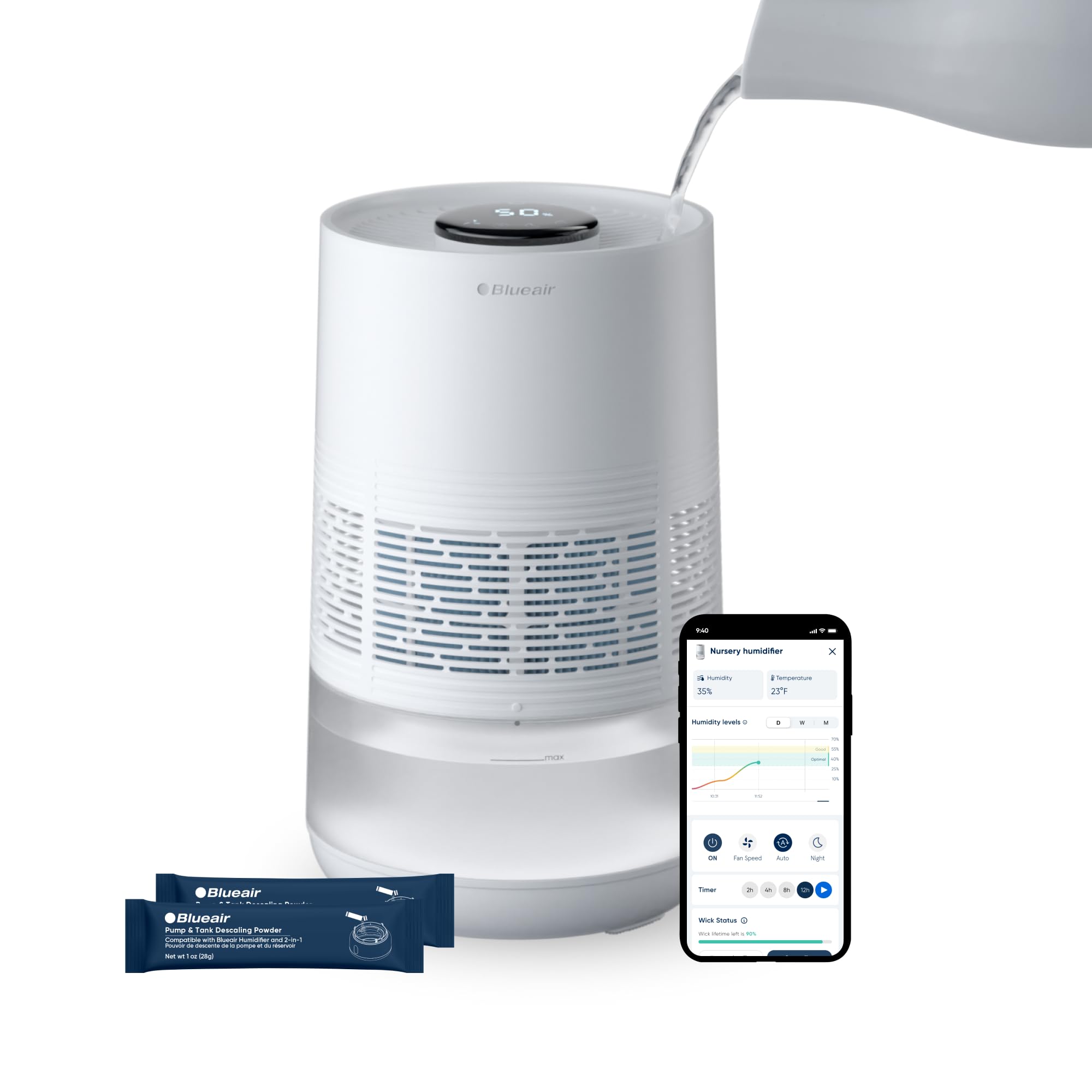
Image: The Blueair Premium Smart Humidifier, showcasing its sleek design and key features such as InvisibleMist Technology for mess-free humidification, an easily redesigned top for refills, an upgraded auto mode for peak performance, and an easy-open wick cage.
Sleutel kenmerke
- Mist-Free Evaporative Humidification: Utilizes InvisibleMist technology for clean, balanced moisture without residue or white dust.
- Effortless Top-Fill Design: Simplifies water refills for convenience.
- Slimbeheer: Manage settings and monitor humidity levels via the Blueair App, voice control, or the intuitive touchscreen.
- Outo-modusse: Features AutoHydrate to maintain ideal humidity and Auto Dry mode for customized environments.
- Gevorderde Filtrering: Includes an anti-microbial wick filter to trap minerals and pollutants.
- UV-Integrated Pump: Newly engineered pump with auto water detection and continuous recirculation to reduce bacteria growth.
- Dishwasher-Safe Tank: Vergemaklik skoonmaak en onderhoud.
Produkkomponente
Maak jouself vertroud met die hoofkomponente van jou lugbevochtiger:

Beeld: 'n Ontplofte view diagram of the Blueair Humidifier, labeling key internal components such as the touchscreen controls, top pour refill opening, evaporating fan, anti-microbial wick filter, dishwasher-safe tank, and the UV-integrated pump with auto water detection.
- Humidifier Unit: The main body of the appliance.
- Pre-installed Wick Filter: Essential for clean moisture output.
- Watertenk: 3.5-liter capacity, designed for top-fill and dishwasher-safe cleaning.
- Kragadapter: Vir die koppeling van die eenheid aan 'n elektriese aansluiting.
- Gebruikershandleiding: Hierdie dokument.
Opstelling
1. Uitpak en Plasing
- Verwyder alle komponente versigtig uit die verpakking.
- Place the humidifier on a flat, stable surface in your desired room, such as a bedroom. Ensure it is away from walls and furniture to allow for optimal air circulation. The unit is designed to humidify areas up to 500 square feet.
2. Vul die watertenk
The humidifier features a convenient top-fill design.
- Ensure the unit is powered off and unplugged before filling.
- Pour clean, cool tap water directly into the top opening of the humidifier until it reaches the 'MAX' fill line. Do not overfill. The tank has a 3.5-liter capacity, providing up to 48 hours of operation.
3. Kragverbinding
- Plug the power adapter into the humidifier's power port.
- Insert the other end of the power adapter into a standard electrical outlet.
4. App-verbinding (Opsioneel maar aanbeveel)
For smart control and advanced features, download the Blueair App.
- Download the Blueair App from your device's app store (available on iOS and Android).
- Follow the in-app instructions to connect your humidifier to your home Wi-Fi network. This enables remote control, scheduling, and monitoring of humidity levels.

Image: Multiple screenshots of the Blueair mobile application, illustrating its user-friendly interface for controlling the humidifier, monitoring humidity and temperature, adjusting fan speeds, and setting up custom schedules.
Bedryfsinstruksies
Your Blueair Humidifier can be operated via its intuitive touchscreen or the Blueair App.
Aanraakskermkontroles
The top panel features a digital display and touch-sensitive controls.

Beeld: 'n Gedetailleerde view of the humidifier's touchscreen display, highlighting icons for Wi-Fi, Auto Dry mode, fan speeds, Auto mode, Night mode, display lock, expired filter indicator, low water indicator, and the current humidity percentage.
- Kragknoppie: Tap to turn the unit on or off.
- Aanpassing van humiditeitsvlak: Use the +/- icons to set your desired humidity target. The unit will automatically work to maintain this level.
- Fan Spoed: Cycle through different fan speeds (1, 2, 3) to adjust humidification output.
- Outomatiese modus: Activates AutoHydrate, which automatically adjusts operation to maintain optimal humidity.
- Nagmodus: Dims the display lights and operates at the lowest fan speed for quiet operation during sleep.
- Outo-droogmodus: Helps prevent over-humidification by adjusting output based on room conditions.
- Vertoonslot: Voorkom toevallige veranderinge aan instellings.
Programbeheer
The Blueair App offers comprehensive control and monitoring features:
- Afstandsbediening: Turn the humidifier on/off, change modes, and adjust settings from anywhere.
- Humiditeitsmonitering: View real-time humidity levels in your room.
- Skeduleer: Create custom schedules for operation based on your daily routine.
- Filterstatus: Monitor the lifespan of your wick filter and receive replacement reminders.
Onderhoud
Gereelde onderhoud verseker optimale werkverrigting en lang lewensduur van jou lugbevochtiger.
1. Skoonmaak van die watertenk
The water tank is dishwasher-safe for easy cleaning.
- Maak seker dat die eenheid ontkoppel is.
- Verwyder die watertenk van die basis.
- Place the tank in your dishwasher for a thorough cleaning, or wash by hand with mild soap and water.
- Rinse thoroughly and allow to air dry completely before reassembling.
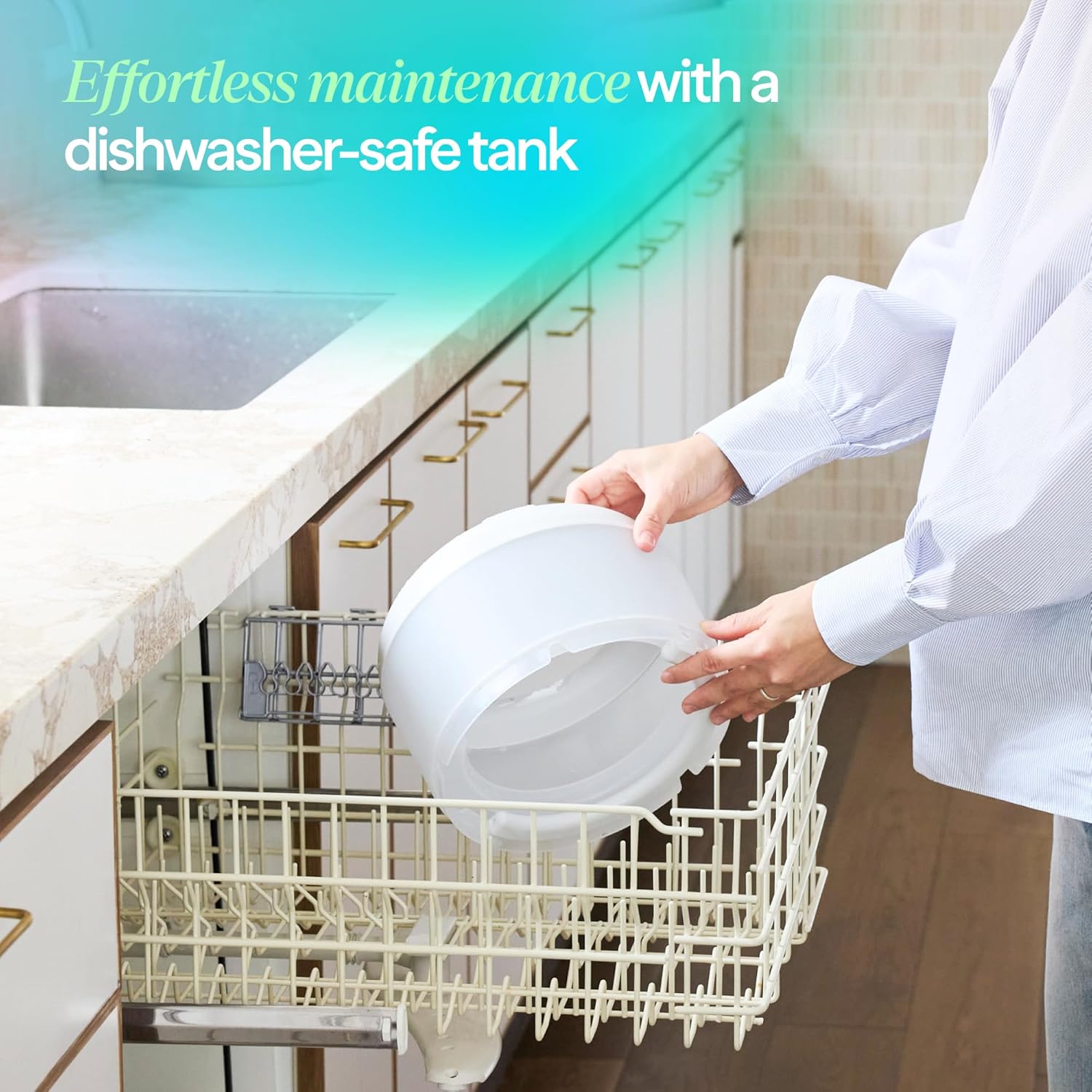
Image: A person demonstrating the ease of cleaning by placing the humidifier's water tank into a dishwasher, highlighting its dishwasher-safe design.
2. Wick Filter Replacement
The anti-microbial wick filter has an approximate lifespan of 6 months and should be replaced regularly.
- Ontkoppel die lugbevochtiger.
- Open the wick cage (refer to product diagram for location). The easy release lock button (visible on the side of the unit) secures the device for safe carrying, fast refills, and wick replacements.
- Remove the old wick filter and dispose of it.
- Insert a new Blueair wick filter, ensuring it is properly seated.
- Close the wick cage securely.
- Reset the filter indicator via the touchscreen or Blueair App.

Beeld: 'n Nabyskoot view of the easy release lock button on the side of the humidifier, designed to secure the device for safe carrying, quick refills, and convenient wick replacements.
3. Ontkalking
To prevent mineral buildup and maintain consistent performance, descale your humidifier periodically.
- Unplug the unit and empty any remaining water.
- Use the provided descaling powder packets (2 included with the unit) according to the instructions on the packet.
- Rinse all components thoroughly after descaling.

Image: A hand holding a Blueair descaling powder packet, with the powder being poured into the humidifier's water tank, illustrating the process of clearing mineral buildup for smooth operation.

Image: The Blueair Humidifier highlighting its anti-scale design, which is engineered to prevent mineral buildup and ensure consistent performance over time.
Probleemoplossing
As jy probleme met jou lugbevochtiger ondervind, verwys na die volgende algemene probleme en oplossings.
- Eenheid skakel nie aan nie:
- Maak seker dat die kragadapter stewig in beide die eenheid en 'n werkende elektriese aansluiting ingeprop is.
- Kontroleer of die aansluiting funksioneel is deur 'n ander toestel in te prop.
- No Humidification Output:
- Check the water level. If the low water indicator is on, refill the tank.
- Ensure the wick filter is properly installed and not excessively dirty. Replace if necessary.
- Verify that the unit is not in Auto Dry mode if you expect continuous humidification.
- Ongewone reuk:
- Maak die watertenk en basis deeglik skoon.
- Replace the wick filter.
- Gebruik vars, skoon water.
- Programverbindingskwessies:
- Ensure your home Wi-Fi network is active and the humidifier is within range.
- Restart the humidifier and your mobile device.
- Check for updates to the Blueair App.
- Expired Filter Indicator Remains On After Replacement:
- Ensure you have reset the filter indicator via the touchscreen or app after replacing the filter.
For further assistance, please contact Blueair customer support.
Spesifikasies
| Handelsmerk | Blueair |
| Model Naam | 114857 |
| Modelnommer | 114857 |
| Kapasiteit | 3.5 liter |
| Vloeroppervlaktedekking | 500 vierkante voet |
| Bedryfsmodus | verdamping |
| Produk Afmetings (D x B x H) | 23.9D x 23.9W x 37.1H sentimeter |
| Materiaal | Plastiek |
| Kleur | Wit |
| Spesiale kenmerke | Corded, Digital Display, Dishwasher Safe, Quiet, Removable Tank |
| Beheer metode | Toepassing, raakskerm |
| Ingesluit komponente | Humidifier, Pre installed filter, User Manual |
| UPC | 689122002231 |
| ASIN | B0G83VQCWN |
Waarborg en Ondersteuning
For warranty information, please refer to the documentation included with your product or visit the official Blueair website. If you require technical support, have questions about your humidifier, or need to order replacement parts, please contact Blueair customer service through their official webwebwerf of die kontakinligting wat in u produkverpakking verskaf word.