
1. Inleiding
This manual provides essential information for setting up, operating, and maintaining your ECOPAD T5 Android 15 Tablet. Please read it thoroughly to ensure proper use and to maximize your device's potential. Keep this manual for future reference.
2. Pakketinhoud
Verifieer dat al die items wat hieronder gelys word, in jou pakket ingesluit is:
- ECOPAD T5 Android 15 Tablet
- Beskermende saak
- Bluetooth-sleutelbord
- Draadlose muis
- Stylus Pen
- Laaier (Kragadapter)
- USB-C-kabel
- Gebruikershandleiding (hierdie dokument)

Figure 2.1: Included Package Contents. The image displays the tablet, protective case, keyboard, mouse, stylus, user manual, charger, and USB-C cable, each numbered for identification.
3. Toestel oorview
Familiarize yourself with the physical components of your ECOPAD T5 tablet:

Figure 3.1: Tablet Component Diagram. This diagram illustrates the tablet's layout, including the 3.5mm Audio Jack, Volume buttons, Power button, Front Camera, TF Card Slot, USB-C Port, Microphone, Rear Camera, and Loudspeaker.
4. Opstelgids
4.1 Aanvanklike laai
Before first use, fully charge your tablet. Connect the USB-C cable to the tablet's USB-C port and the charger to a power outlet. The battery indicator on the screen will show charging status.
4.2 Krag aan/af
- Om aan te skakel: Press and hold the Power button until the ECOPAD logo appears.
- Om af te skakel: Druk en hou die aan/af-knoppie in, en kies dan "Skakel af" uit die opsies op die skerm.
- Om weer te begin: Druk en hou die aan/af-knoppie ingedruk en kies dan "Herbegin" uit die opsies.
4.3 Aanvanklike Opstellingsassistent
Wanneer die tablet vir die eerste keer aangeskakel word, sal dit jou deur 'n aanvanklike opstellingsproses lei. Volg die aanwysings op die skerm om:
- Kies jou taal.
- Koppel aan 'n Wi-Fi-netwerk.
- Meld aan met jou Google-rekening of skep 'n nuwe een.
- Stel skermslot op (PIN, patroon, wagwoord of Gesigontsluiting).
4.4 Koppeling van bykomstighede (sleutelbord en muis)
Your ECOPAD T5 tablet comes with a Bluetooth keyboard and a wireless mouse for enhanced productivity.
4.4.1 Bluetooth Keyboard Pairing
- Ensure the keyboard is charged and powered on. Look for a small switch or button on the keyboard to turn it on.
- Gaan op jou tablet na Instellings > Gekoppelde toestelle > Bluetooth.
- Skakel Bluetooth aan. Die tablet sal soek na beskikbare toestelle.
- On the keyboard, press the "Connect" button (often labeled "Fn+C" or a dedicated Bluetooth button) to make it discoverable.
- Select the keyboard from the list of available devices on your tablet.
- Follow any on-screen prompts to complete the pairing process (e.g., entering a code).
4.4.2 Wireless Mouse Connection
The wireless mouse typically connects via a USB dongle. Insert the USB dongle into the tablet's USB-C port using an appropriate adapter if necessary (adapter not included). The tablet should automatically detect and configure the mouse.

Figure 4.1: Tablet in 2-in-1 Laptop Mode. The image shows the ECOPAD T5 tablet with its Bluetooth keyboard and wireless mouse, demonstrating its versatility for efficient work and typing.
5. Basiese werking
5.1 Touchscreen Gestures
- Tik: Kies 'n item of maak 'n toepassing oop.
- Tik en hou: Kry toegang tot kontekstuele spyskaarte of skuif items.
- Swiep: Scroll through lists, switch screens, or dismiss notifications.
- Pinch In/Out: Zoom in or out on photos, maps, or web bladsye.
5.2 Navigasiebalk
The navigation bar at the bottom of the screen typically includes:
- Agter: Keer terug na die vorige skerm.
- Tuis: Keer terug na die tuisskerm.
- Onlangse toepassings: Shows recently used applications for quick switching.
5.3 Kennisgewings en Vinnige Instellings
Swipe down from the top of the screen to access the notification panel and quick settings toggles (Wi-Fi, Bluetooth, brightness, etc.).
6. Sleutel kenmerke
6.1 Vertoon
- Grootte: 11-duim IPS-aanraakskerm
- Resolusie: 1280x800 piksels
- Aspekverhouding: 16:9
- Kenmerke: Eye Protection Screen, Multi-touch support, Widevine L1 Certified for Full HD streaming.

Figure 6.1: 11-inch HD Display. The image showcases the tablet's expansive 11-inch screen, ideal for immersive visuals with 1280x800 resolution and eye protection features.

Figure 6.2: Widevine L1 Certification. This image highlights the tablet's Widevine L1 certification, enabling Full HD playback on major streaming platforms like YouTube, Netflix, Prime Video, Hulu, and HBO GO.
6.2 Werkverrigting en berging
- Verwerker: Octa-Core Unisoc T606 (1.6 GHz)
- RAM: 20GB (6GB Physical + 14GB Virtual Memory)
- Interne berging: 128GB ROM
- Uitbreidbare berging: Up to 2TB via Micro SD card (TF card slot)

Figure 6.3: Massive RAM and ROM. This image emphasizes the tablet's 20GB RAM and 128GB ROM, powered by Android 15 and an Octa-Core processor for smooth multitasking.

Figure 6.4: Unisoc T606 Octa-core Processor. This image highlights the Unisoc T606 Octa-core Processor, providing reliable power for daily tasks and responsive split-screen performance.

Figure 6.5: Expandable Storage. This image illustrates the tablet's capability to boost speed with 20GB RAM and store thousands of photos in 128GB ROM, with expansion up to 2TB via TF card.
6.3 Battery
- Kapasiteit: 8000 mAh litium polimeer
- Laai: 18W Fast Charging (USB-C)
- Gemiddelde lewe: Up to 8 hours of general use, 6 hours of video playback.
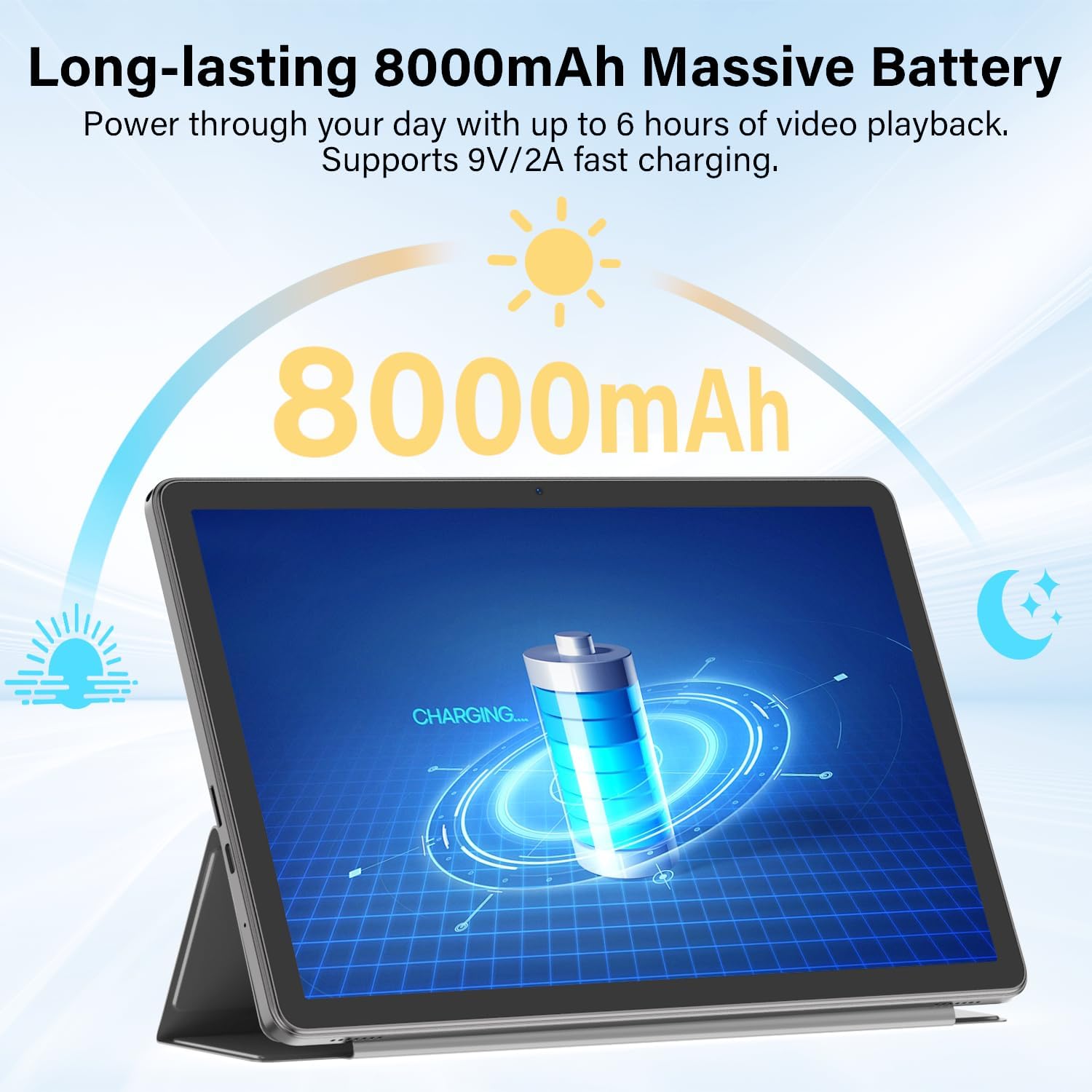
Figure 6.6: Long-lasting Battery. This image highlights the tablet's 8000mAh battery, providing power for up to 6 hours of video playback and supporting 9V/2A fast charging.
6.4 Bedryfstelsel
- OS: Android 15
- Kenmerke: Enhanced privacy, fluid multitasking, smarter notifications, optimized performance, adaptive security.

Figure 6.7: Android 15 OS. The image displays the tablet running Android 15, showcasing its modern interface and capabilities.

Figure 6.8: Latest Android 15 OS Features. This image outlines key benefits of Android 15, including enhanced privacy, fluid multitasking, smarter notifications, optimized performance, and adaptive security.

Figure 6.9: AI Capable. This image highlights the tablet's compatibility with leading AI apps like Gemini, ChatGPT, and Grok, enabling complex tasks and accelerating creativity.
6.5 Konnektiwiteit
- Wi-Fi: Dual-Band WiFi 6 (2.4G/5Ghz, 802.11ac, 802.11ax)
- Bluetooth: Bluetooth 5.0
- Navigasie: GPS
- Poorte: 3.5mm Audio Jack, USB Type-C
- Oudio: Dual Stereo Speakers, Microphone Inside

Figure 6.10: Connectivity Features. This image displays the tablet's connectivity options, including Dual Stereo Speakers, 3.5mm Audio Jack, Bluetooth 5.0, GPS Navigation, 2.4/5Ghz WiFi 6, and an internal Microphone.
6.6 Kameras
- Agterste kamera: 8.0 MP
- Voorste kamera: 5.0 MP
- Video-opname: FHD 1080p

Figure 6.11: Dual Cameras. This image highlights the tablet's 8MP rear and 5MP front cameras, suitable for clear video calls, quick photos, and document scanning.
6.7 Sekuriteit
- Gesigslot: Secure and instant facial recognition for unlocking the device.

Figure 6.12: Instant Face Unlock. This image illustrates the tablet's secure, hands-free facial recognition feature for instant unlocking.
7. Onderhoud
7.1 Maak jou tablet skoon
Use a soft, lint-free cloth to clean the screen and body of the tablet. Avoid abrasive materials or harsh chemicals. For stubborn smudges, slightly dampMaak die lap skoon met water of 'n skermreiniger wat vir elektronika ontwerp is.
7.2 Sagteware-opdaterings
Kontroleer gereeld vir sagteware-opdaterings en installeer dit om optimale werkverrigting, sekuriteit en toegang tot nuwe funksies te verseker. Gaan na Instellings > Stelsel > Stelselopdatering om te kyk vir opdaterings.
7.3 Batterysorg
- Vermy die blootstelling van die tablet aan uiterste temperature.
- Moenie die battery gereeld heeltemal laat leegloop nie.
- Gebruik die meegeleverde laaier en kabel vir optimale laai.
7.4 Bergingbestuur
Periodiek herview en verwyder onnodige files, apps, and media to free up storage space and maintain performance. Utilize the expandable storage option with a Micro SD card for large files.
8. Probleemoplossing
If you encounter issues with your tablet, refer to the following common problems and solutions:
| Probleem | Oplossing |
|---|---|
| Tablet skakel nie aan nie | Maak seker dat die battery gelaai is. Koppel die laaier aan en wag 'n paar minute voordat jy dit weer probeer aanskakel. Indien nie reageer nie, druk en hou die aan/af-knoppie vir 10-15 sekondes in om 'n herbegin te forseer. |
| Kan nie aan Wi-Fi koppel nie | Check if Wi-Fi is enabled in Quick Settings or Instellings > Netwerk en internet > Internet. Ensure the Wi-Fi password is correct. Restart your router and the tablet. |
| Bluetooth keyboard/mouse not pairing | Ensure the accessory is charged and in pairing mode. On the tablet, go to Instellings > Gekoppelde toestelle > Bluetooth and ensure Bluetooth is on. Forget and re-pair the device if it was previously connected. |
| Programme is stadig of stort vas | Close unnecessary background apps. Clear app cache (Instellings > Toepassings > [Programnaam] > Berging en kasgeheue > Vee kas uit). Maak seker dat voldoende stoorplek beskikbaar is. Herbegin die tablet. |
| Skerm reageer nie | Restart the tablet by holding the Power button. If the issue persists, perform a factory reset (data will be lost, back up important files). |
9. Spesifikasies
| Kenmerk | Spesifikasie |
|---|---|
| Handelsmerk | EKOPAD |
| Model Naam | T5 Android-tablet |
| Bedryfstelsel | Android 15 |
| Verwerker | Octa-Core Unisoc T606, 1.6 GHz |
| RAM geheue | 20 GB (6GB Physical + 14GB Virtual) |
| Berging kapasiteit | 128 GB ROM |
| Uitbreidbare berging | Up to 2 TB (Micro SD/TF Card) |
| Skerm grootte | 11 duim |
| Vertoon resolusie | 1280x800 piksels |
| Aspekverhouding | 16:9 |
| Battery kapasiteit | 8000 mAh litiumpolimeer |
| Battery Gemiddelde Lewe | 8 ure |
| Laai | 18W Fast Charging (USB-C) |
| Draadlose Tegnologie | Wi-Fi 6 (802.11ac, 802.11ax), Bluetooth 5.0 |
| Verbindingstegnologie | Bluetooth, WiFi |
| Hardeware-koppelvlak | 3.5mm Audio Jack, USB Type-C |
| Voorste kamera | 5.0 MP |
| Agterste kamera | 8.0 MP |
| Video-opname-resolusie | FHD 1080p |
| Mens-koppelvlak-invoer | Aanraakskerm met stylusondersteuning |
| Itemafmetings (L x B x Dikte) | 9.6"L x 5.4"B x 0.25"D |
10. Waarborg en Ondersteuning
10.1 Produkwaarborg
Your ECOPAD T5 Android 15 Tablet comes with a 2 jaar waarborg vanaf die aankoopdatum. Hierdie waarborg dek vervaardigingsdefekte en wanfunksies onder normale gebruik. Bewaar asseblief u bewys van aankoop vir waarborgeise.
10.2 Kliëntediens
For technical assistance, warranty claims, or any questions regarding your ECOPAD T5 tablet, please contact ECOPAD customer support. Refer to the contact information provided with your product packaging or visit the official ECOPAD webwebwerf vir ondersteuningsbesonderhede.


