
Inleiding
The Beelink ME Mini PC is a compact and powerful network-attached storage (NAS) solution designed for home and small office environments. It features an Intel N150 processor, 16GB LPDDR5 memory, and a 1TB M.2 PCIe 3.0x1 SSD, providing robust performance for various tasks. With support for up to 6 M.2 SSDs, it offers significant storage expansion capabilities, making it ideal for file serving, private cloud hosting, and media streaming.
This manual provides detailed instructions for setting up, operating, and maintaining your Beelink ME Mini PC to ensure optimal performance and longevity.

Beeld: Oorview of the Beelink ME Mini PC, highlighting its design and storage features.
Pakketinhoud
Voordat jy begin, maak asseblief seker dat alle items in die pakket teenwoordig is:
- Beelink ME Mini PC
- Kragadapter
- Gebruikershandleiding (hierdie dokument)
- Necessary cables and accessories
Fisiese verbyview en Hawens
Familiarize yourself with the ports and indicators on your Beelink ME Mini PC.

Beeld: Gedetailleerd view of the front and rear ports of the Beelink ME Mini PC.
- Voorpoorte:
- Type-C (10Gbps)
- Power Indicator Light (White ON)
- Kragknoppie
- Sleep Indicator Light (Orange ON)
- USB 3.2 (10 Gbps)
- Agterpoorte:
- WS-kragpoort
- USB 2.0 (Always-On Support)
- LAN 2.5G (Intel i226-v) x 2
- HDMI (Maks. 4K 60Hz)
Opstelling
Follow these steps to set up your Beelink ME Mini PC:
- Koppel krag: Plug the AC power cable into the AC Power Port on the rear of the device, then connect it to a power outlet.
- Verbind skerm: Connect your monitor or TV to the HDMI port using an HDMI cable.
- Koppel randapparatuur: Connect your keyboard and mouse to the available USB ports (USB 3.2 on the front, USB 2.0 on the rear).
- Netwerk konneksie: For wired network access, connect an Ethernet cable to one of the 2.5G LAN ports. For wireless access, the device supports WiFi 6.
- Krag aan: Press the Power Button on the front of the device. The Power Indicator Light will turn white.
If you need to install additional M.2 SSDs, follow these steps:

Image: Instructions for opening the Beelink ME Mini PC to install additional M.2 SSDs.
- Stap 1: Remove the four screws on the bottom of the mini PC and take off the cover.
- Stap 2: Carefully remove the internal assembly from the casing.
- Stap 3: Install your M.2 SSDs into the available slots. The device supports 6 M.2 NVMe SSD slots (2230/2242/2280), each up to 4TB. The pre-installed 1TB SSD is in the fourth slot (M.2 PCIe 3.0x2, compatible with SATA3), while the other five are M.2 PCIe 3.0 x1.
- Stap 4: Put the internal assembly back into the case, secure it with the four screws at the bottom, and finish by inserting the silicone plugs.
Bedryfsinstruksies
The Beelink ME Mini PC is pre-installed with a Windows/Linux compatible operating system. Upon first boot, follow the on-screen instructions to complete the initial setup.
Using as a NAS/File Bediener:
Leverage the multiple M.2 SSD slots for high-capacity storage. You can configure the device as a file server or network-attached storage (NAS) to centralize your data. It supports home media center systems like JellyFin, KODI, or Plex for streaming media to your TV or other devices.

Image: The Beelink ME Mini PC facilitating photo sharing and media streaming.
Netwerkverbinding:
The device features dual 2.5G LAN ports (Intel i226v) for high-speed wired connections and supports soft routing functionality for network optimization. Built-in WiFi 6 and Bluetooth 5.2 enable wireless connections to various devices and high-speed data transmission.
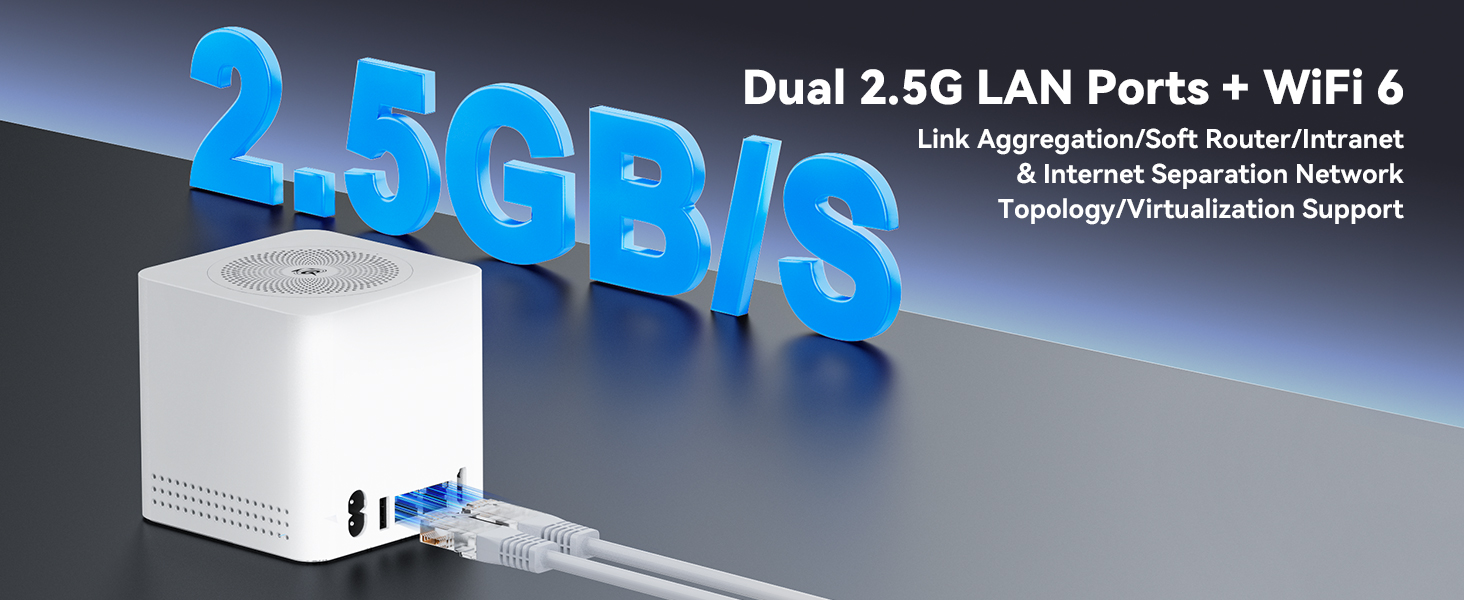
Image: Illustration of the dual 2.5G LAN ports and WiFi 6 capabilities.
Kragbestuur:
The ME Mini PC supports Wake On LAN, RTC Wake, and Auto Power On features, allowing for flexible power management and remote access.
Onderhoud
To ensure the longevity and optimal performance of your Beelink ME Mini PC, consider the following maintenance tips:
- Hou dit skoon: Regularly clean the exterior of the device with a soft, dry cloth. Ensure ventilation holes are free from dust and obstructions to maintain efficient cooling.
- Behoorlike ventilasie: Place the Mini PC in a well-ventilated area. Avoid placing it in enclosed spaces or on soft surfaces that might block airflow. The vertical airflow cooling design relies on unobstructed air circulation.
- Sagteware-opdaterings: Hou jou bedryfstelsel en drywers opgedateer om sekuriteit en werkverrigting te verseker.
- Data-rugsteun: Regularly back up important data stored on the device to an external drive or cloud service.
Probleemoplossing
If you encounter issues with your Beelink ME Mini PC, refer to the following common troubleshooting steps:
- Geen krag:
- Maak seker dat die kragkabel stewig aan beide die toestel en die kragaansluiting gekoppel is.
- Verifieer dat die kragaansluiting funksioneel is.
- Probeer 'n ander kragkabel indien beskikbaar.
- Geen skerm:
- Check the HDMI cable connection to both the Mini PC and the monitor/TV.
- Ensure the monitor/TV is set to the correct input source (HDMI).
- Probeer 'n ander HDMI-kabel of monitor indien moontlik.
- Netwerkverbindingsprobleme:
- Vir bedrade verbindings, maak seker dat die Ethernet-kabel behoorlik gekoppel is en dat die router funksioneer.
- For Wi-Fi, check if the Wi-Fi adapter is enabled in the operating system and if you are connected to the correct network with the right password.
- Herbegin jou router en die Mini-rekenaar.
- Toestel reageer nie:
- Druk en hou die aan/af-knoppie vir 5-10 sekondes in om 'n afskakeling te forseer, en herbegin dan die toestel.
- Disconnect all peripherals and restart. Reconnect them one by one to identify a faulty peripheral.
If problems persist, please contact Beelink customer support for further assistance.
Spesifikasies
Below are the technical specifications for the Beelink ME Mini PC (Model: ME mini 16G/1T/N150):
| Kenmerk | Detail |
|---|---|
| Handelsmerk | Beelink |
| Model Naam | Beelink |
| SVE Model | Intel N150 (4C/4T, tot 3.6GHz) |
| RAM Geheue Geïnstalleerde Grootte | 16 GB LPDDR5 |
| Hardeskyf beskrywing | 1TB M.2 PCIe 3.0x1 SSD (pre-installed) |
| M.2 SSD-gleuwe | 6 x M.2 NVMe SSD slots (2230/2242/2280), up to 4TB each (total 24TB) |
| Grafiese kaart beskrywing | Geïntegreerde Intel-grafika |
| Verbindingstegnologie | Dual 2.5G LAN (Intel i226v), WiFi 6, Bluetooth 5.2 |
| Video-uitset | HDMI (Maks. 4K 60Hz) |
| Bedryfstelsel | Supports Windows/Linux systems |
| Kragtoevoer | Built-in 45W Power Supply Unit (AC Input: 100-240V~, 50/60Hz, 1.5A; DC Output: 12V==3.75A) |
| Spesiale kenmerke | Vertical Airflow Cooling, Wake On LAN, RTC Wake, Auto Power On, Soft Routing |
| Afmetings | Approx. 99mm x 99mm (Compact Design) |
| Gewig | Ongeveer. 750g |
Waarborg en Ondersteuning
Beelink is committed to providing high-quality products and excellent customer service.
- Waarborg: Your Beelink ME Mini PC comes with a 3-year warranty.
- Tegniese ondersteuning: We offer lifetime technical support for our products.
- Na-verkope diens: 24/7 after-sales service is available to assist you with any questions or issues.
- Kontak: If you have any questions or require assistance, please do not hesitate to contact Beelink customer support. Refer to the product packaging or the official Beelink webwebwerf vir kontakbesonderhede.