
Inleiding
The MINIX 100W USB C Charger (NEO P3 Pro) is a versatile 3-port GaN charger designed for rapid charging of various devices, including laptops, tablets, and smartphones. It features a smart display for real-time charging information and a compact, travel-friendly design. This manual provides essential information for the safe and efficient use of your charger.

Image: The MINIX 100W USB C Charger (NEO P3 Pro) connected to a laptop, illustrating its fast charging capability.
What's in the Box (Setup)
Your MINIX 100W USB C Charger package includes the following items:
- 1x MINIX P3 PRO 100W Charger
- 1x EU Plug Adapter
- 1x VK-propadapter
- 1x Gebruikershandleiding
- 1x stoor sak

Image: The MINIX P3 Pro charger, EU plug, UK plug, and storage bag, as included in the package.
Attaching the Correct Plug Adapter
The MINIX P3 Pro charger comes with interchangeable plug adapters (US, EU, UK) to ensure compatibility in various regions. To attach an adapter:
- Align the desired plug adapter with the charger's prongs.
- Gently push the adapter onto the charger until it clicks securely into place.
- To remove, press the release button (if present) and slide the adapter off.

Image: The MINIX charger with its switchable US, EU, and UK plug adapters.
Bedryfsinstruksies
Verbind toestelle
The MINIX P3 Pro features two USB-C ports and one USB-A port. Connect your devices using appropriate charging cables. For optimal 100W charging, use a 100W 5A cable connected to a single USB-C port.
- USB-C1: Up to 100W Max output.
- USB-C2: Up to 100W Max output.
- USB-A1: Up to 30W Max output.

Image: The MINIX P3 Pro charging three devices concurrently: a laptop via USB-C1, a tablet via USB-C2, and a smartphone via USB-A1.
Smart Display and Touch Control
The integrated smart display provides real-time information about your charging status. You can interact with the display using the touch control button.
- Laaistatus: View the current wattage uitset.
- Port-Specific Details: Tap the touch button to cycle through individual port outputs.
- Temperature Reminder: The display may show temperature-related information for safety.
- Totale tyd: Displays the total charging duration.
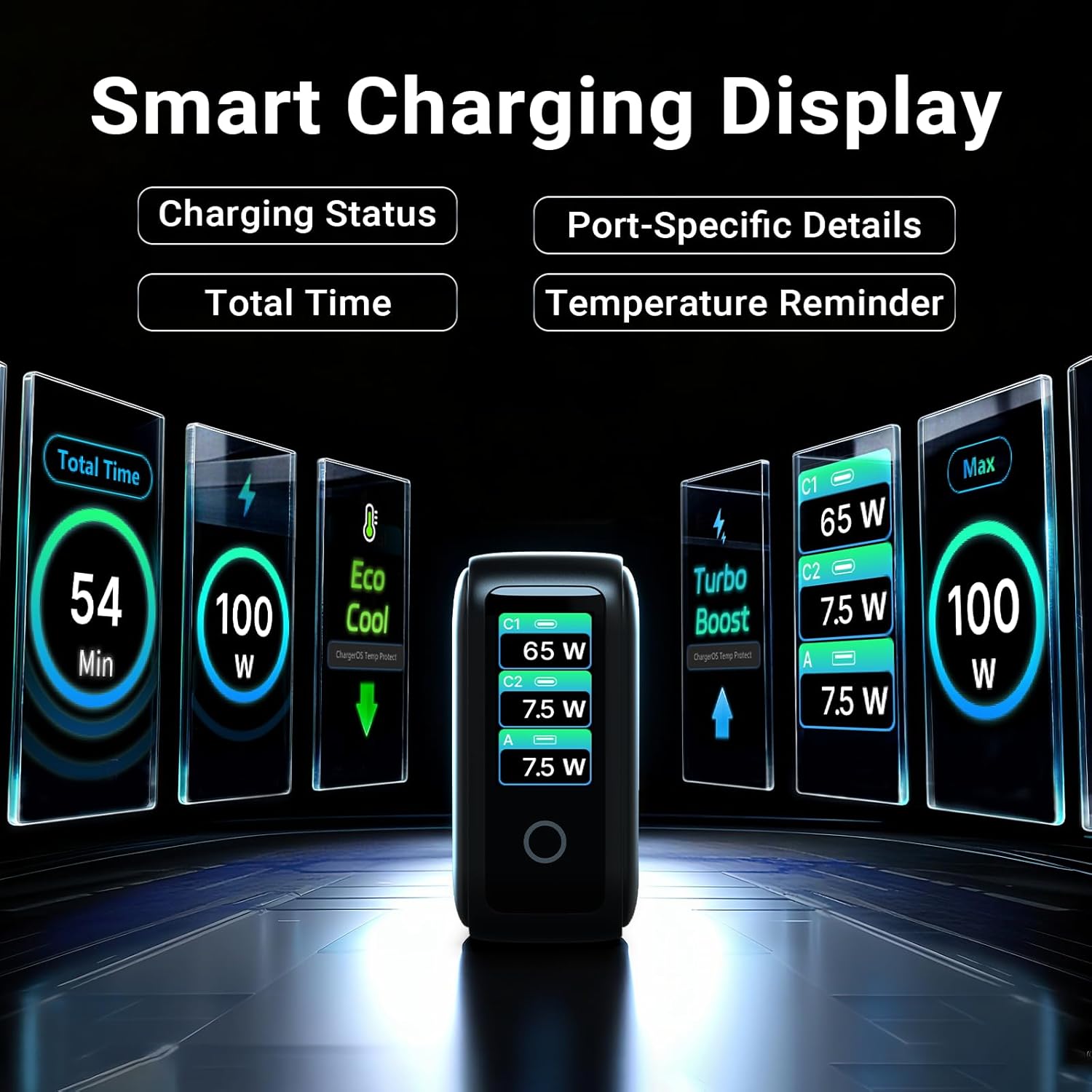
Image: The smart display of the MINIX P3 Pro, showcasing real-time charging status and port-specific details.
Skermrotasie
To adapt the display orientation to your wall outlet, press and hold the touch control button for 3 seconds. The screen will rotate 180°.
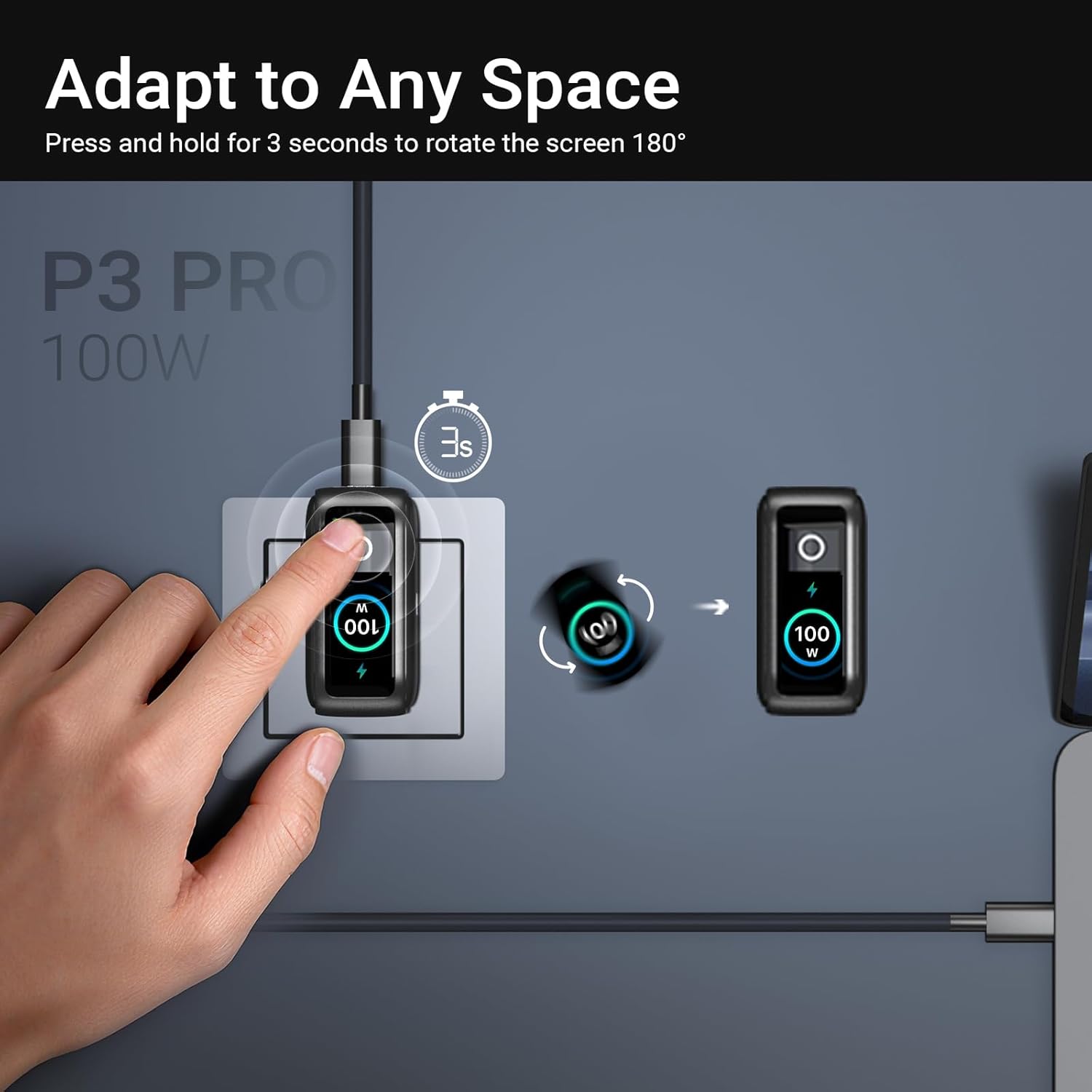
Image: The MINIX P3 Pro charger plugged into a wall socket, illustrating how to rotate the smart display by 180 degrees for better viewing.
Kragverspreiding
The charger intelligently redistributes power based on the number of connected devices and their power requirements. Below is a general guide to power output configurations:
- 1 Poort Uitvoer:
- USB-C1: 100W
- USB-C2: 100W
- USB-A1: 30W
- 2 Poorten Uitvoer:
- USB-C1 + USB-C2: 65W + 30W
- USB-C1 + USB-A1: 65W + 7.5W
- USB-C2 + USB-A1: 7.5W + 7.5W
- 3 Poorten Uitvoer:
- USB-C1 + USB-C2 + USB-A1: 65W + 7.5W + 7.5W
Video: An official product introduction video for the MINIX P3 Pro, demonstrating its features and functionality, including power distribution across multiple ports.
Onderhoud
To ensure the longevity and optimal performance of your MINIX P3 Pro charger, follow these maintenance guidelines:
- Hou die laaier skoon en vry van stof en puin. Gebruik 'n sagte, droë lap vir skoonmaak.
- Vermy die blootstelling van die laaier aan uiterste temperature, humiditeit of direkte sonlig.
- Do not drop or subject the charger to strong impacts.
- Store the charger in the provided storage bag when not in use, especially during travel, to protect it from scratches and damage.
- Verseker behoorlike ventilasie rondom die laaier tydens werking om oorverhitting te voorkom.
Spesifikasies
| Kenmerk | Detail |
|---|---|
| Handelsmerk | Minix |
| Modelnommer | P5010 |
| Totale USB-poorte | 3 (2x USB Type-C, 1x USB Type-A) |
| Wattage | 100 W (maksimum) |
| Invoer Voltage | 240 Volt |
| Uitsetstroom | 5 Amps |
| Uitset Voltage | 120 Volt |
| Connector Tipe | USB Tipe A, USB Tipe C |
| Versoenbare toestelle | Laptops, Tablets, Samsung Galaxy S21-S24 Series, iPhone 17/16/15/14/13/12 Series, iPhone SE (3rd Gen) |
| Spesiale kenmerke | Fast Charging, Lightweight Design, Multi-Device Charging, Travel-Friendly, Smart Display, Touch Control |
| Kleur | Swart |
| Item gewig | 200 gram |
| Materiaal | Termoplastiese elastomeer (TPE) |
| Sertifiserings | CE, FCC, WEEE |
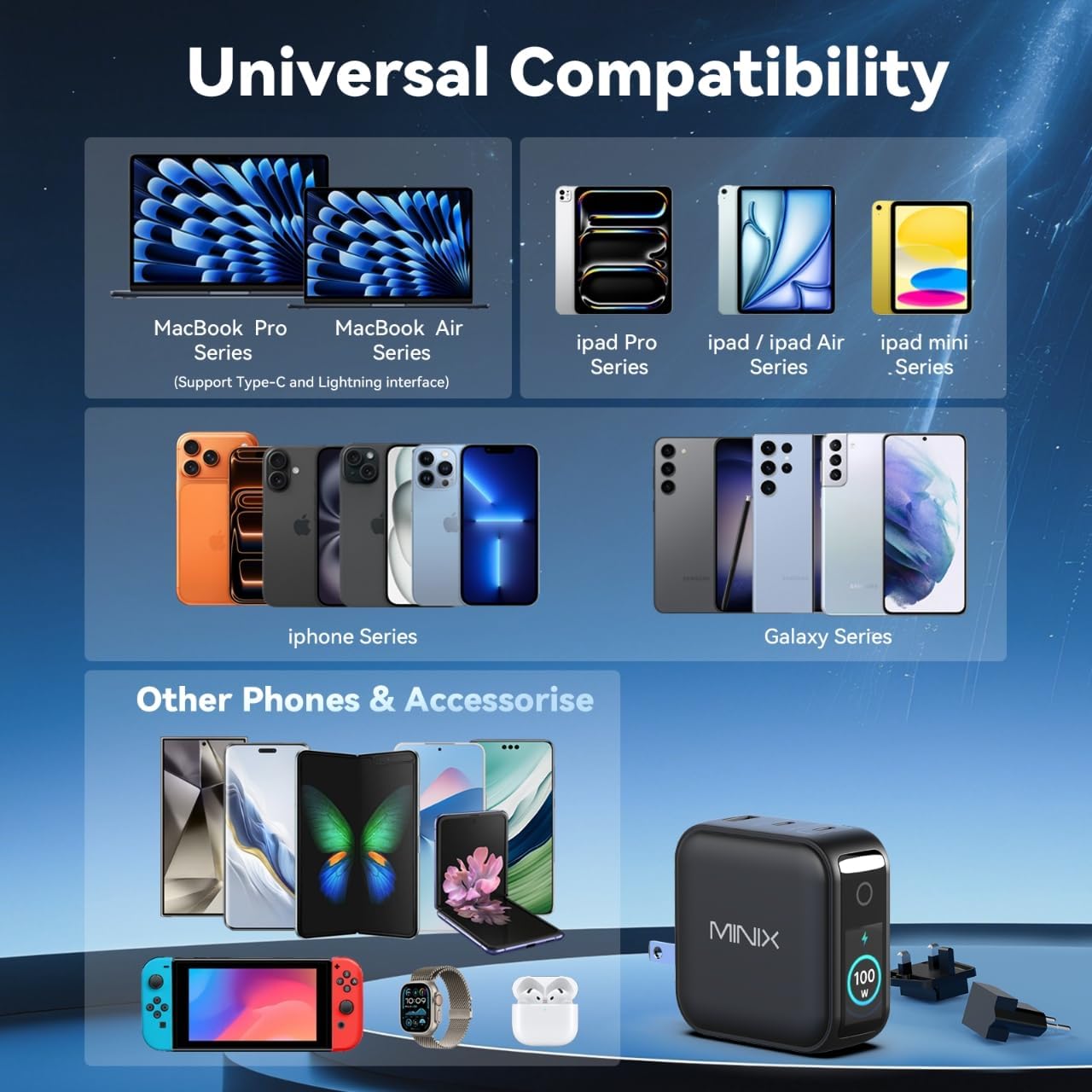
Image: A visual representation of the MINIX P3 Pro's universal compatibility with various devices.
Probleemoplossing
If you encounter issues with your MINIX P3 Pro charger, please refer to the following common troubleshooting steps:
- Laaier word nie aangeskakel nie:
- Maak seker dat die laaier stewig in 'n werkende muursok ingeprop is.
- Verify that the correct regional plug adapter is firmly attached.
- Toestel laai nie of laai stadig:
- Check that the charging cable is securely connected to both the charger and your device.
- Ensure the charging cable is not damaged and supports the required power delivery (e.g., 100W for high-power devices).
- Try a different port on the charger.
- If charging multiple devices, note that power is distributed, which may reduce individual port output. Refer to the "Power Distribution" section.
- Ensure your device supports the charging protocols (PPS, PD3.0, QC3.0) supported by the charger.
- Smart display not working or showing incorrect information:
- Ensure the charger is powered on and a device is connected.
- Tap the touch button to cycle through display modes.
- If the display is unresponsive, unplug the charger from the wall for a few seconds and then plug it back in.
- Laaier voel warm tydens gebruik:
- Dit is normaal dat die laaier warm word tydens werking, veral tydens hoë-krag laai.
- Ensure there is adequate ventilation around the charger. If it becomes excessively hot, disconnect it immediately and contact support.
Veiligheidsinligting
Please read and follow these safety precautions to prevent damage to the product or injury to yourself:
- Moenie die laaier aan water, vog of hoë humiditeit blootstel nie.
- Avoid using the charger in environments with extreme temperatures.
- Do not disassemble, modify, or attempt to repair the charger yourself. This will void the warranty.
- Hou die laaier buite bereik van kinders en troeteldiere.
- Gebruik slegs versoenbare kabels en toestelle saam met die laaier.
- Ontkoppel die laaier tydens weerligstorms of wanneer dit vir lang tye nie gebruik word nie.
- The charger includes built-in safety features such as over-current, over-voltage, oortemperatuur- en kortsluitingbeskerming.
Waarborg en Ondersteuning
The MINIX 100W USB C Charger (NEO P3 Pro) comes with a 1 jaar vervaardiger se waarborg.
Kliënte ondersteuning
For any questions, technical assistance, or warranty claims, please contact MINIX customer service:
- Aanlyn ondersteuning: Besoek die MINIX Winkel op Amazon and use the "Ask Product Question" feature.
- Offline Maintenance Service: Besoek gerus ons amptenaar webwebwerf vir meer inligting.
Please have your product model number (P5010) and purchase details ready when contacting support.