
1. Inleiding
Welcome to the user manual for your LAXASFIT T900 Ultra2 Smartwatch. This guide provides essential information on setting up, operating, and maintaining your device. The T900 Ultra2 is designed to be a comprehensive fitness companion and personal assistant, featuring a 2.19-inch HD IPS display and various health monitoring capabilities.
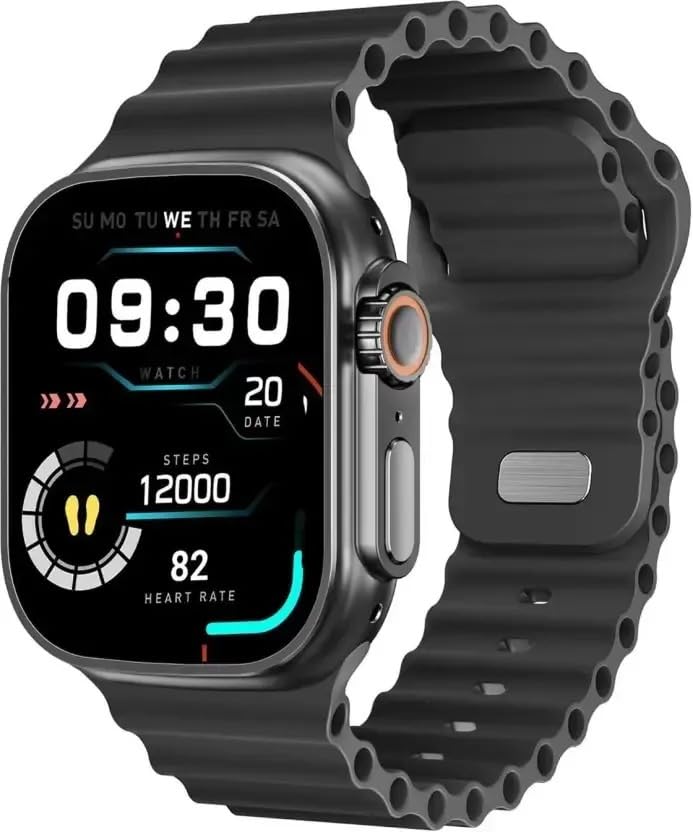
Figure 1: LAXASFIT T900 Ultra2 Smartwatch with main display showing time, steps, and heart rate.
2. Veiligheidsinligting
- Do not attempt to disassemble or modify the smartwatch.
- Hou die toestel weg van uiterste temperature en direkte sonlig.
- Avoid exposing the smartwatch to strong impacts or drops.
- Raadpleeg 'n mediese beroepspersoon voordat u enige nuwe oefenroetine begin, veral as u reeds bestaande gesondheidstoestande het.
- Hierdie toestel is nie 'n mediese instrument nie en moet nie vir diagnostiese doeleindes gebruik word nie.
- Ensure the charging cable is used correctly to prevent damage to the device or charger.
3. Wat is in die boks
Upon opening your LAXASFIT T900 Ultra2 Smartwatch package, you should find the following items:
- LAXASFIT T900 Ultra2 Smartwatch
- Laai kabel
- Gebruikershandleiding (hierdie dokument)
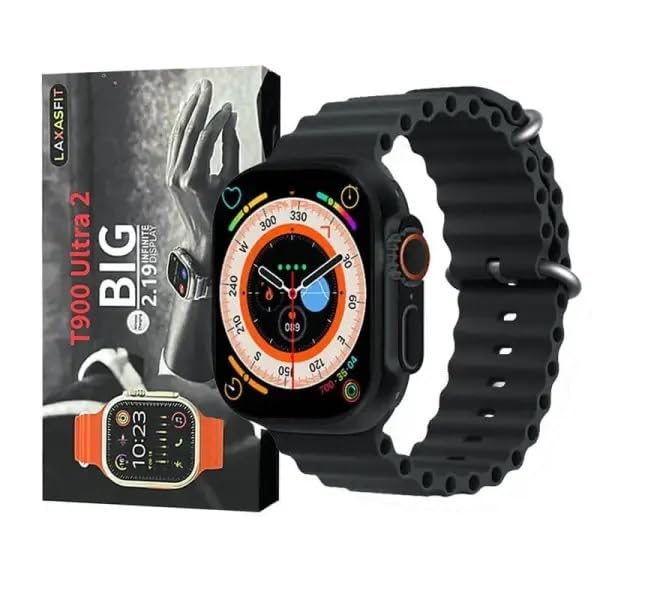
Figure 2: Contents of the LAXASFIT T900 Ultra2 Smartwatch package, including the smartwatch and its box.
4. Opstelling
4.1 Laai die slimhorlosie
- Connect the charging cable to a compatible USB power adapter (not included).
- Attach the magnetic end of the charging cable to the charging contacts on the back of the smartwatch. Ensure a secure connection.
- The smartwatch display will indicate charging status. A full charge typically takes approximately 2 hours.
4.2 Aan-/afskakel
- Om aan te skakel: Press and hold the side button until the LAXASFIT logo appears on the screen.
- Om af te skakel: Druk en hou die syknoppie in, en kies dan die "Skakel af"-opsie op die skerm.
4.3 Pairing with Your Mobile Device
To unlock the full functionality of your T900 Ultra2 Smartwatch, pair it with your smartphone via Bluetooth.
- Maak seker dat jou slimhorlosie gelaai en aangeskakel is.
- Aktiveer Bluetooth op u selfoon.
- Download and install the companion application (refer to the smartwatch display or packaging for app name, typically found by scanning a QR code).
- Open the companion app and follow the on-screen instructions to search for and connect to your LAXASFIT T900 Ultra2.
- Bevestig die paringsversoek op beide jou foon en slimhorlosie.
5. Bedryfsinstruksies
5.1 Navigasie deur die koppelvlak
- Raakskerm: Veeg links, regs, op of af om deur spyskaarte en skerms te navigeer. Tik om items te kies.
- Syknoppie: Press to return to the home screen or wake the device. Press and hold for power options.
- Digitale kroon: Rotate to scroll through lists or zoom in/out (functionality may vary by app). Press to access the app menu.
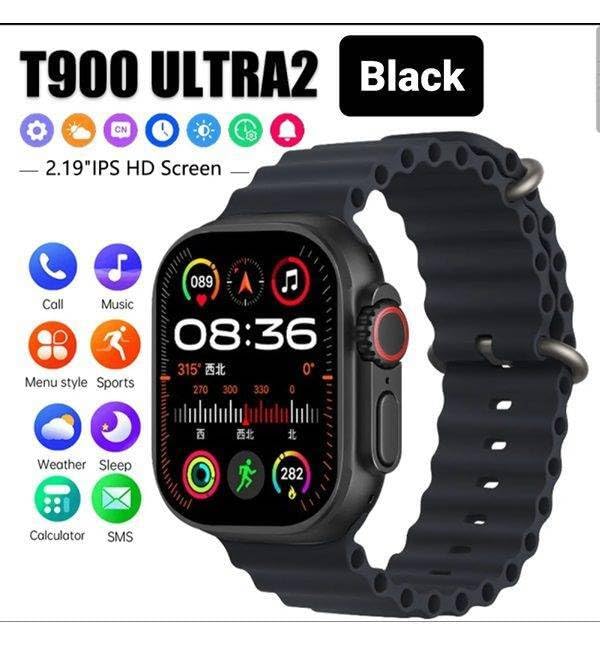
Figure 3: Smartwatch display illustrating various functions such as call, music, sports, weather, sleep, and calculator.
5.2 Sleutelkenmerke
The LAXASFIT T900 Ultra2 Smartwatch offers a range of features to enhance your daily life and fitness routine:
- Hartklopmonitor: Continuously tracks your heart rate. Access historical data through the companion app.
- Aktiwiteitspoorder: Records steps, distance, and calories burned. Supports various sports modes (e.g., running, cycling, swimming).
- Slaap dop: Monitor slaappatrone en -kwaliteit.
- Musiekbeheer: Control music playback on your paired smartphone directly from your smartwatch.
- Weervertoning: Verskaf huidige weerstoestande en voorspellings.
- Kennisgewings: Receive call, SMS, and app notifications from your paired smartphone.
- sakrekenaar: Basic arithmetic functions available on your wrist.
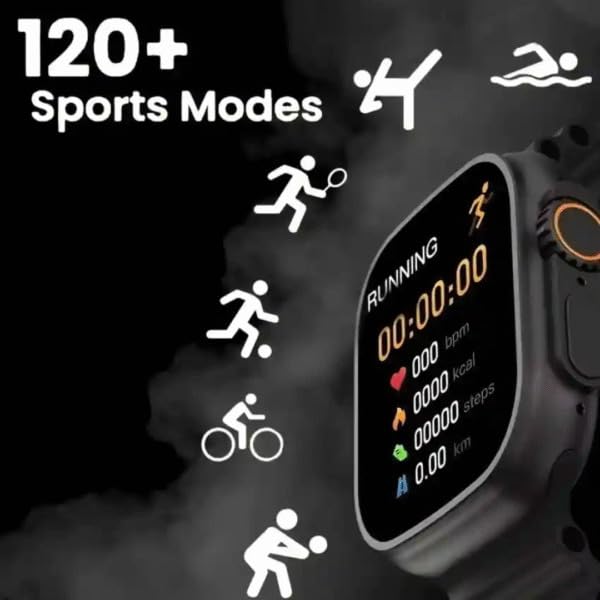
Figure 4: Smartwatch screen showing active sports tracking for running, including duration, heart rate, calories, steps, and distance.
6. Onderhoud
6.1 Maak jou slimhorlosie skoon
- Wipe the screen and body of the smartwatch with a soft, lint-free cloth.
- Vir hardnekkige merke, effens dampMaak die lap met water skoon. Vermy die gebruik van harde chemikalieë of skuurmiddels.
- Maak seker dat die laaikontakte skoon en droog is voor laai.
6.2 Band Care
- Clean the sport band regularly with a damp lap om sweet en vuil te verwyder.
- Allow the band to air dry completely before wearing.
7. Probleemoplossing
| Probleem | Moontlike Oplossing |
|---|---|
| Smartwatch does not power on. | Ensure the device is fully charged. Press and hold the side button for at least 10 seconds. |
| Kan nie met foon koppel nie. |
|
| Heart rate readings are inaccurate. | Ensure the smartwatch is worn snugly on your wrist, not too tight or too loose. Clean the sensor on the back of the device. |
| Kennisgewings word nie ontvang nie. |
|
8. Spesifikasies
| Kenmerk | Detail |
|---|---|
| Model | T900 Ultra2 |
| Vertoon | 2.19 duim IPS HD |
| Bedryfstelsel | Eiendomsbedryfstelsel |
| Geheue berging kapasiteit | 256 MB |
| Konnektiwiteit | Bluetooth, GPS |
| Battery kapasiteit | 1200 miljoenamp Ure |
| Laai tyd | Ongeveer 2 ure |
| Battery Gemiddelde Lewe | Up to 8 Hours (usage dependent) |
| Spesiale kenmerke | Activity Tracker, Heart Rate Monitor, Music Player, Sleep Tracking, Weather Display |
| Versoenbare toestelle | Mobile Phones, Smartphones |
| Materiaal | Metaal, silikoon |
| Item gewig | 100 g |
| Land van oorsprong | China |
9. Waarborg en Ondersteuning
Vir waarborginligting en kliëntediens, verwys asseblief na die dokumentasie wat saam met u aankoop verskaf is of kontak die kleinhandelaar. Bewaar u bewys van aankoop vir waarborgeise.
Manufacturer: Retailix Solution
Importer: Retailix Solution Basti Uttar Pradesh 272170