
1. Produk verbyview
The HumsiENK 48V 100Ah LiFePO4 battery is a high-performance, wall-mounted energy storage solution designed for various applications including home backup, solar systems, and off-grid setups. It features advanced LiFePO4 cell technology, a robust Battery Management System (BMS), an intuitive LCD touchscreen, and Bluetooth connectivity for real-time monitoring.
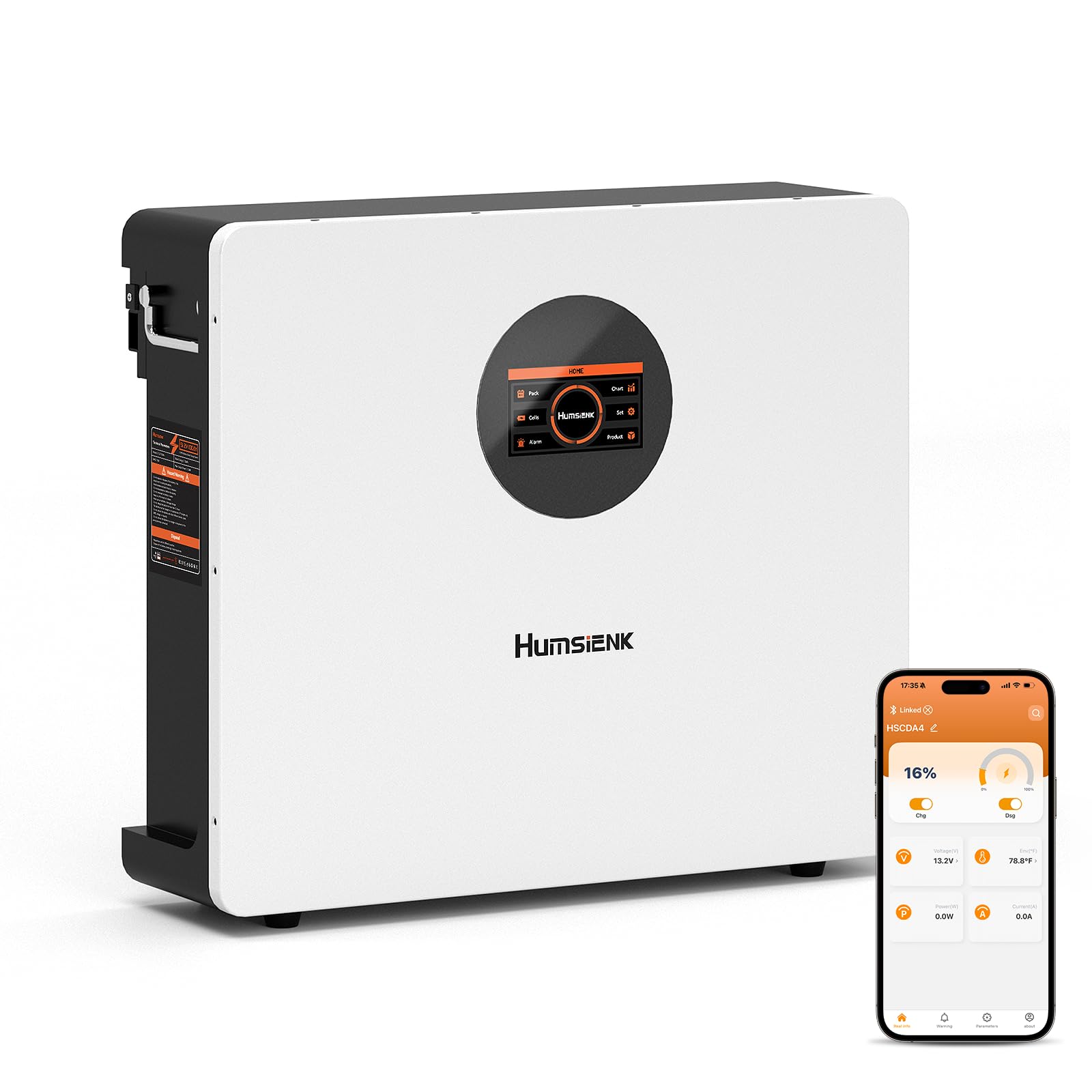
Figure 1: HumsiENK 48V 100Ah LiFePO4 Wall-Mounted Battery.
Sleutel kenmerke:
- Advanced LiFePO4 Cells: Utilizes automotive-grade BYD A+ cells for superior stability, high energy density, and safety. Offers over 6000 deep cycles at 80% Depth of Discharge (DOD), providing a lifespan significantly longer than traditional lead-acid batteries.
- Hoë kapasiteit: Each 48V 100Ah battery provides 5120Wh (5.12 kWh) of energy.
- Flexible Parallel Operation: Supports 1S16P expansion, allowing for a total system capacity of up to 81.9 kWh.
- Slim monitering: Equipped with a Bluetooth application for remote monitoring of battery voltage, current, and capacity. A dedicated LCD touchscreen provides real-time status and control.
- Omvattende beskerming: Features a 100A BMS with an integrated circuit breaker, offering protection against overcharge, over-discharge, overcurrent, and short circuits.
- Wye verenigbaarheid: Compatible with major inverter brands via CAN/RS485/RS232 communication protocols.
- Compact and Wall-Mounted Design: Dimensions of 55.5 x 48.2 x 18.5 cm and a weight of 50.1 kg. Designed for easy wall installation, saving space.
2. Veiligheidsinligting
Read all safety instructions before installation and operation. Failure to follow these instructions may result in electric shock, fire, or serious injury.
Algemene veiligheidsmaatreëls:
- Do not disassemble, modify, or attempt to repair the battery.
- Ensure proper ventilation around the battery to prevent overheating.
- Vermy kortsluiting van die batteryklemme.
- Keep the battery away from open flames, heat sources, and flammable materials.
- Use only approved chargers and connection cables.
- Wear appropriate personal protective equipment (PPE) such as insulated gloves and eye protection during installation and maintenance.
- Do not expose the battery to extreme temperatures outside its operating range (-4°F to 140°F / -20°C to 60°C).
Battery Management System (BMS) Protection:
The integrated 100A BMS provides critical protection features to ensure safe operation and extend battery life. These include:
- Oorlaai beskerming
- Oorontladingsbeskerming
- Oorstroombeskerming
- Kortsluitingbeskerming
- High/Low-temperature Protection
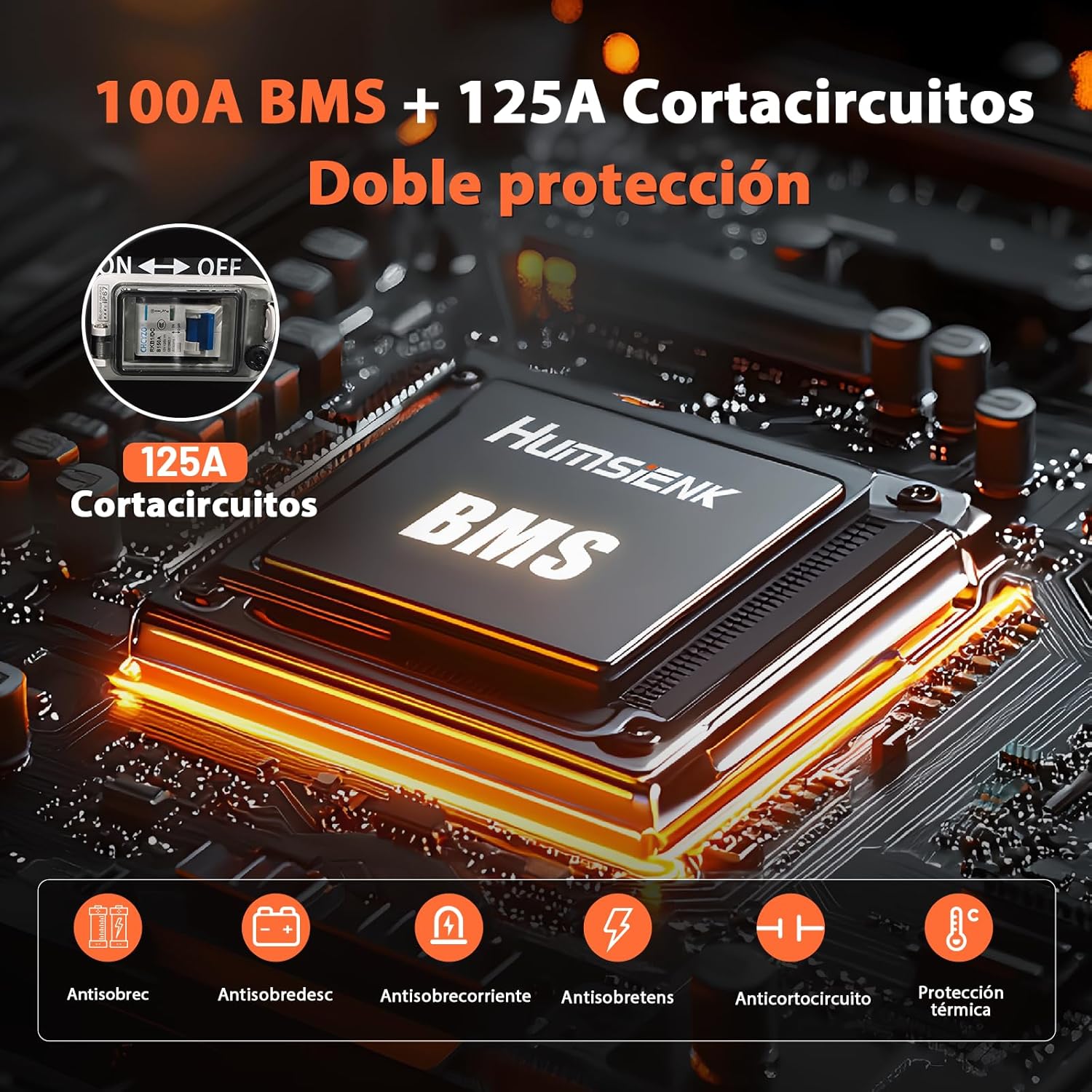
Figure 2: The 100A BMS with 125A circuit breaker provides dual protection for the battery.
3. Opstelling en installering
The HumsiENK 48V 100Ah battery is designed for straightforward wall-mounted installation. Ensure the installation location is dry, well-ventilated, and within the specified operating temperature range.
Pakketinhoud:
- HumsiENK 48V 100Ah LiFePO4 Battery
- Muurhakies
- Bevestigingsskroewe
- Krag kabels
Installasie stappe:
- Kies ligging: Select a suitable wall location that can support the battery's weight (50.1 kg) and allows for proper air circulation.
- Monteer hakies: Securely attach the wall mounting brackets to the chosen location using the provided fixing screws. Ensure the brackets are level and firmly anchored.
- Monteer battery: Carefully lift and hang the battery onto the installed wall brackets. Ensure it is seated correctly and securely.
- Koppel kragkabels: Connect the positive and negative power cables to the corresponding terminals on the battery. Ensure connections are tight and secure.
- Connect Communication Cables (Optional): If integrating with an inverter or other system, connect the CAN/RS485/RS232 communication cables as required by your system's specifications.
- Aktiveer Battery: Follow the specific activation procedure for your system, which may involve turning on the integrated circuit breaker or pressing a power button.
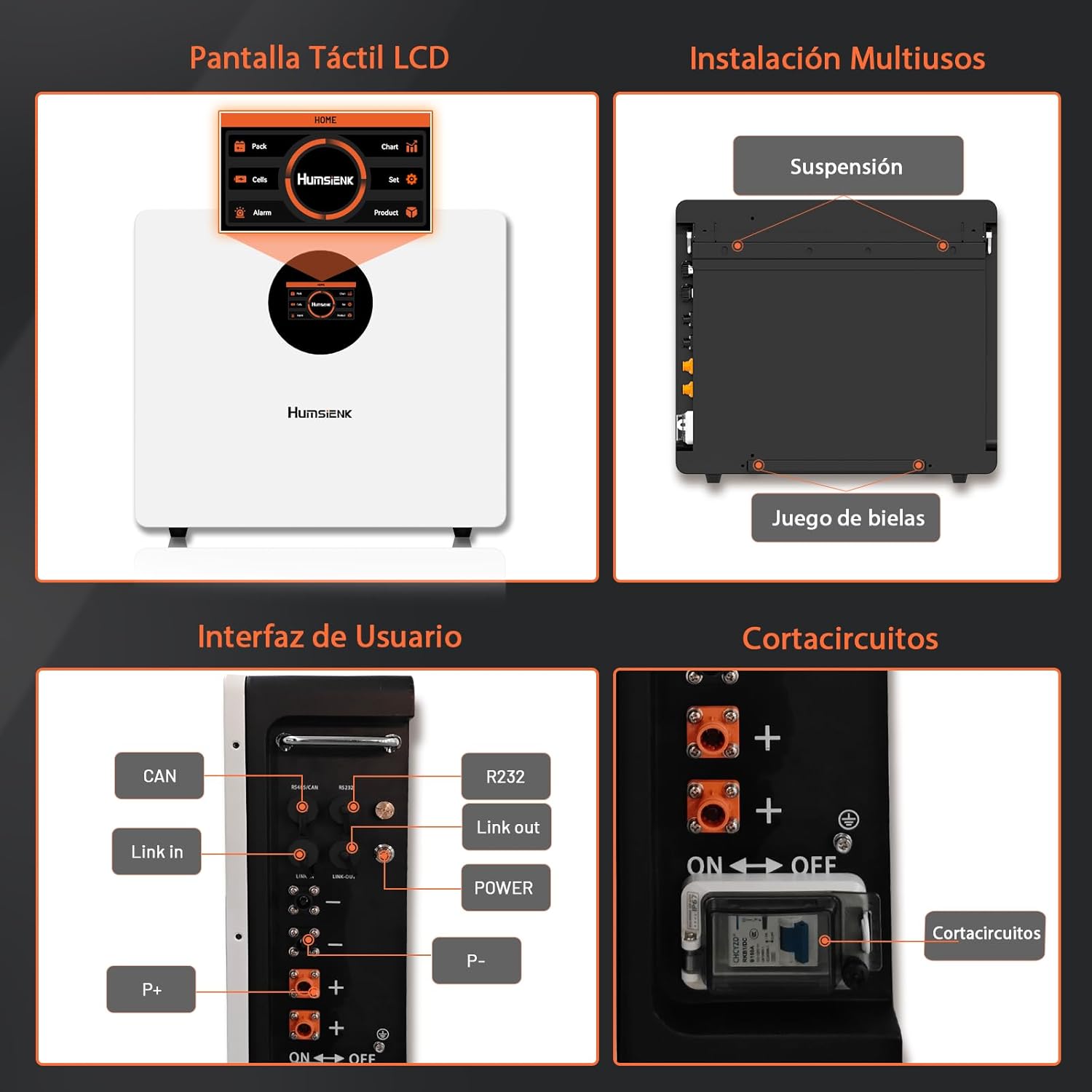
Figure 3: Details of the LCD touchscreen, multi-user installation options, user interface ports (CAN, Link In, Link Out, R232, Power), and circuit breaker.

Figure 4: Comparison illustrating the space-saving and simplified installation of a single 48V 100Ah unit compared to four 12V 100Ah batteries.
4. Operasie
The HumsiENK battery offers multiple ways to monitor and control its status.
LCD raakskerm:
The integrated LCD touchscreen provides real-time information about the battery's state of charge, voltage, current, temperature, and other parameters. Navigate through the menus by touching the screen to view detailed data and adjust settings if applicable.
Bluetooth App Monitoring:
Download the HumsiENK Bluetooth application on your smartphone to remotely monitor the battery. The app allows you to view critical battery data, including:
- Staat van aanklag (SOC)
- Voltage
- Stroom (Laai/Ontlaai)
- Temperatuur
- Individuele sel voltages
Om via Bluetooth te koppel:
- Maak seker dat Bluetooth op jou slimfoon geaktiveer is.
- Open the HumsiENK app.
- The app will scan for available batteries. Select your battery from the list and tap 'Connect'.
- Sodra jy gekoppel is, kan jy view real-time data and historical records.
Parallelle Operasie:
For increased capacity, up to 16 HumsiENK 48V 100Ah batteries can be connected in parallel (1S16P configuration). This allows for a maximum system capacity of 81.9 kWh. Ensure all batteries are of the same model and state of charge before connecting in parallel. Refer to the wiring diagram in the full manual for correct parallel connection procedures.
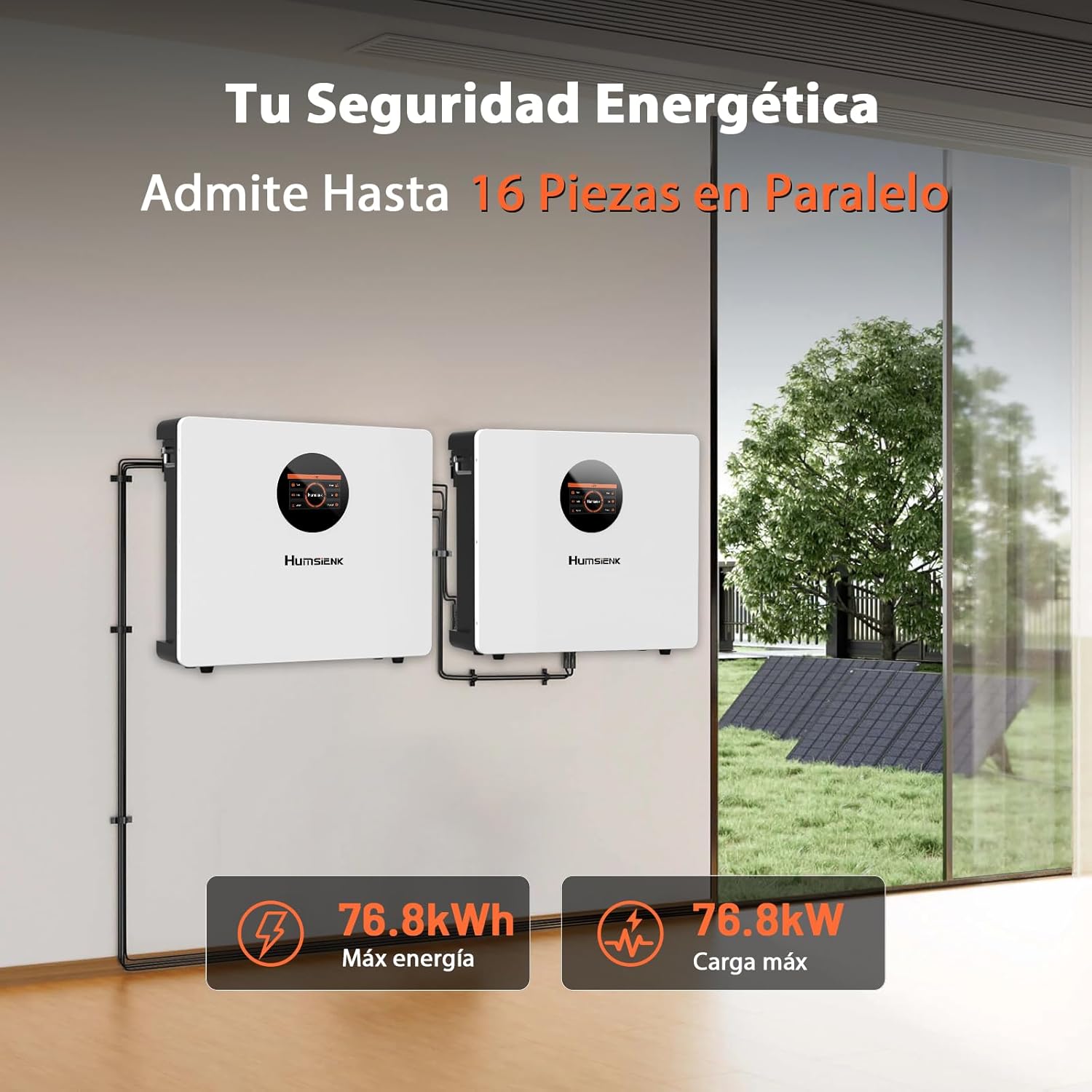
Figuur 5: Example of two HumsiENK 48V batteries connected in parallel to achieve higher energy and load capacity.
5. Onderhoud
Proper maintenance ensures the longevity and optimal performance of your HumsiENK LiFePO4 battery.
Laai:
- Use a LiFePO4 compatible charger with the correct voltage en huidige instellings.
- Avoid overcharging or undercharging the battery. The BMS will provide protection, but using appropriate charging parameters is recommended.
- Charge the battery within its recommended temperature range.
Berging:
- If storing the battery for an extended period, ensure it is charged to approximately 50-70% State of Charge (SOC).
- Bêre die battery op 'n koel, droë plek, weg van direkte sonlig en uiterste temperature.
- Periodically check the battery's SOC during long-term storage and recharge if necessary.
Skoonmaak:
- Hou die batteryterminale skoon en vry van korrosie.
- Wipe the battery casing with a dry, soft cloth. Do not use harsh chemicals or abrasive cleaners.
6. Probleemoplossing
This section addresses common issues you might encounter with your HumsiENK LiFePO4 battery. For more complex problems, contact customer support.
Algemene kwessies en oplossings:
- Battery laai nie:
- Check all cable connections for tightness and proper polarity.
- Verifieer dat die laaier korrek funksioneer en versoenbaar is met LiFePO4-batterye.
- Ensure the battery's circuit breaker is in the 'ON' position.
- Check the battery's temperature; charging may be inhibited if too cold or hot.
- Battery Not Discharging (No Power Output):
- Check all load connections.
- Verify the battery's circuit breaker is 'ON'.
- Check the battery's State of Charge (SOC) via the LCD or Bluetooth app; it may be in low-voltage beskermingsmodus.
- The BMS may have activated a protection feature (e.g., overcurrent, short-circuit). Disconnect the load, wait a few minutes, and try again.
- Bluetooth-verbindingsprobleme:
- Maak seker dat die battery aangeskakel is.
- Verify Bluetooth is enabled on your smartphone and the app has necessary permissions.
- Move closer to the battery to improve signal strength.
- Herbegin die toepassing en probeer weer koppel.
- LCD Screen Not Responding:
- Maak seker dat die battery aangeskakel is.
- If the screen is frozen, try cycling the battery's power (if safe to do so) or contact support.
7. Spesifikasies
Detailed technical specifications for the HumsiENK 48V 100Ah LiFePO4 battery.
| Spesifikasie | Waarde |
|---|---|
| Handelsmerk | HumsiENK |
| Model | 48V100AH-Bluetooth-NEW |
| Battery Tipe | LiFePO4 (litium-ysterfosfaat) |
| Nominale Voltage | 48 Volt |
| Kapasiteit | 100 Ampere-uur (Ah) |
| Energie | 5120 Watt-hour (Wh) |
| BMS Current | 100 Amperes (A) |
| Siklus lewe | Up to 6000+ deep cycles (80% DOD) |
| Bedryfstemperatuurreeks | -4°F tot 140°F (-20°C tot 60°C) |
| Afmetings (L x B x H) | 55 x 18.5 x 48.5 cm (21.65 x 7.28 x 19.09 duim) |
| Gewig | 50.1 kg (110.45 lbs) |
| Kommunikasie-koppelvlakke | CAN, RS485, RS232, Bluetooth |
| Aanbevole gebruik | Energy Storage, Home Backup, Off-Grid Systems, Solar Systems |
| Vervaardiger Verwysing | HS48V100AH100NEW-ES-001 |
8. Waarborg en Ondersteuning
HumsiENK provides a 5 jaar waarborg for this LiFePO4 battery, covering defects in materials and workmanship under normal use and service conditions.
For technical assistance, troubleshooting, or warranty claims, please contact HumsiENK customer support. Our professional technical support team is available to assist you with any product-related questions or issues.
Bewaar asseblief u aankoopbewys vir waarborgvalidering.