
Produk verbyview
The LEICKE DAB+ Radio Tube (Model EP19035) is a versatile portable audio device combining a DAB+/FM radio with a powerful Bluetooth speaker. It features a robust 4500 mAh battery for extended playtime, dynamic RGB LED lighting, and multiple connectivity options including Micro SD and AUX-In. This manual provides essential information for setup, operation, and maintenance.
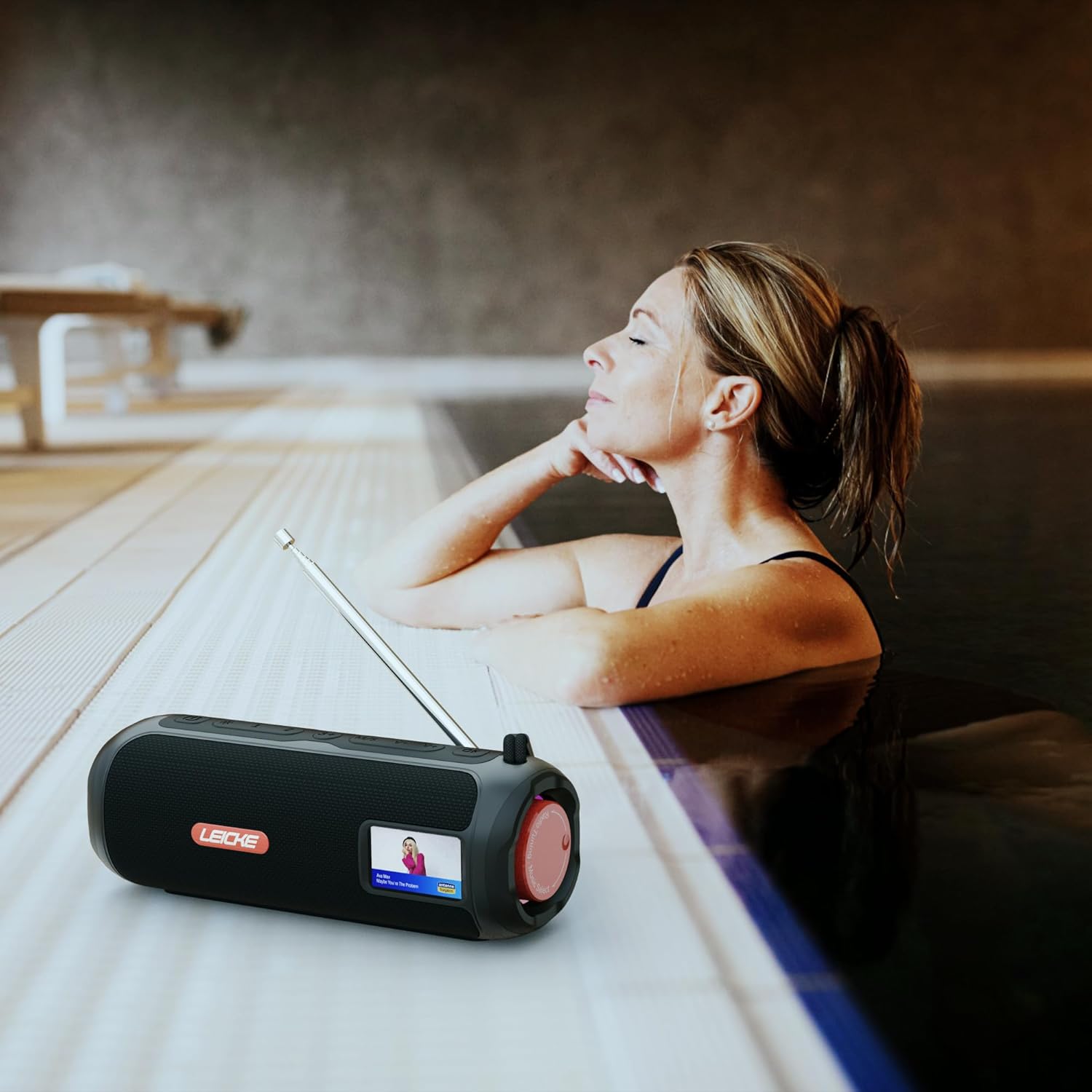
Image: The LEICKE DAB+ Radio Tube, showcasing its portable design, suitable for various environments like a poolside.
Sleutel kenmerke:
- Kragtige stereoklank: Two 5W speakers deliver rich, clear audio with dynamic effects and powerful bass.
- Verlengde batterylewe: Integrated 4500 mAh rechargeable battery provides up to 12 hours of playtime.
- DAB+ & FM Radio: Enjoy noise-free digital DAB+ and traditional FM radio with 30 station presets.
- Atmospheric RGB Lighting: Features cool color-changing LED lights for enhanced ambiance.
- Veelsydige verbindings: Bluetooth 5.3 for wireless streaming, Micro SD card slot, and 3.5 mm AUX-In.
- Gerieflike laai: USB-C port for quick and easy charging.
- Bykomende funksies: Includes an integrated alarm clock, sleep timer, and equalizer settings.
Pakketinhoud
Kontroleer asseblief die pakket vir die volgende items:
- LEICKE DAB+ Radio Tube (Model EP19035)
- USB-C-laaikabel
- Eienaarshandleiding
- (Note: Specific accessories like AUX cable may vary by region or package. Please refer to your product packaging.)
Kontroles en verbindings
Familiarize yourself with the various buttons, ports, and indicators on your LEICKE DAB+ Radio Tube.

Beeld: Voorkant view of the LEICKE DAB+ Radio Tube, highlighting the display, SD card slot, AUX input, and USB-C port.

Beeld: Agter view of the LEICKE DAB+ Radio Tube, showing the extendable antenna, AUX port, USB-C port, and Micro SD slot.
Poortbeskrywings:
- Micro SD-gleuf: Insert a Micro SD card for playing stored audio files.
- AUX-in (3.5mm): Koppel eksterne oudiotoestelle met 'n 3.5 mm-oudiokabel.
- USB-C-poort: Word gebruik om die toestel te laai.
- Antenna: Extend for optimal DAB+ and FM radio reception.
(Note: Specific button functions will be detailed in the 'Operating' section.)
Opstelling
1. Aanvanklike laai
- Laai die toestel volledig voor die eerste gebruik.
- Connect the provided USB-C cable to the USB-C port on the speaker and the other end to a compatible USB power adapter (not included) or a computer's USB port.
- The charging indicator on the display will show the charging status. Once fully charged, the indicator will change.
2. Skakel aan/af
- Om aan te skakel: Press and hold the Power button (usually marked with ⏻ or KRAG) vir 'n paar sekondes totdat die skerm aanskakel.
- Om af te skakel: Druk en hou die aan/af-knoppie weer vir 'n paar sekondes in totdat die skerm afskakel.
Bedryfsinstruksies
Mode seleksie
Druk die MODUS button to cycle through available modes: DAB+ Radio, FM Radio, Bluetooth, Micro SD, and AUX-In.
1. DAB+ Radio Operation
- Trek die antenna heeltemal uit vir die beste ontvangs.
- Kies DAB+ modus met behulp van die MODUS knoppie.
- The radio will automatically scan for available DAB+ stations on first use or if no stations are found.
- Gebruik die VORIGE/VOLGENDE knoppies om deur die lys van beskikbare stasies te navigeer.
- Druk die ENTER/PLAY knoppie om 'n stasie te kies.
- Stoor voorafinstellings: While listening to a station, press and hold the VOORINSTEL knoppie. Gebruik VORIGE/VOLGENDE om 'n voorafbepaalde nommer (1-30) te kies, druk dan ENTER/PLAY te red.
- Herroeping van voorinstellings: Druk kortliks die VOORINSTEL knoppie, gebruik dan VORIGE/VOLGENDE om 'n gestoorde stasie te kies en druk ENTER/PLAY.
2. FM Radio Bedryf
- Trek die antenna heeltemal uit vir die beste ontvangs.
- Kies FM-modus met behulp van die MODUS knoppie.
- Outo -skandering: Druk en hou die SPEEL/POUSEER knoppie om outomaties beskikbare FM-stasies te skandeer en te stoor.
- Handmatige instelling: Druk kortliks VORIGE/VOLGENDE to fine-tune the frequency.
- Stoor voorafinstellings: Similar to DAB+ mode, press and hold VOORINSTEL to save, and briefly press to recall.
3. Bluetooth-koppeling
- Kies Bluetooth-modus met behulp van die MODUS button. The display will show "Bluetooth" and an icon will flash, indicating it's in pairing mode.
- On your smartphone, tablet, or laptop, enable Bluetooth and search for new devices.
- Select "LEICKE DAB+ Tube" from the list of available devices.
- Sodra dit gekoppel is, sal die luidspreker 'n bevestigingsklank uitstraal, en die Bluetooth-ikoon op die skerm sal ophou flikker.
- Jy kan nou klank vanaf jou gekoppelde toestel deur die luidspreker speel.
4. Micro SD Playback
- Insert a Micro SD card (with supported audio files) in die Micro SD-gleuf.
- Select Micro SD mode using the MODUS button. The device will automatically start playing music from the card.
- Gebruik SPEEL/POUSEER to control playback, and VORIGE/VOLGENDE om snitte oor te slaan.
5. AUX-In Connection
- Connect one end of a 3.5mm audio cable (not included) to the AUX-In port on the speaker.
- Koppel die ander kant aan die koptelefoonaansluiting of klankuitset van jou eksterne toestel.
- Kies AUX-In-modus met behulp van die MODUS knoppie.
- Beheer terugspeel en volume vanaf jou eksterne toestel.
6. Volumebeheer
Use the dedicated Volume Up (+) en Volume Verlaag (-) buttons to adjust the audio level.
7. Equalizer-instellings
Druk die EQ button (if available) to cycle through preset equalizer modes such as Pop, Rock, Classic, Jazz, etc. There is no manual equalizer adjustment.
8. RGB LED-ligte
The RGB LED lights will automatically activate when the device is powered on. There may be a dedicated button to change light modes or turn them off (refer to device specific button layout if available).
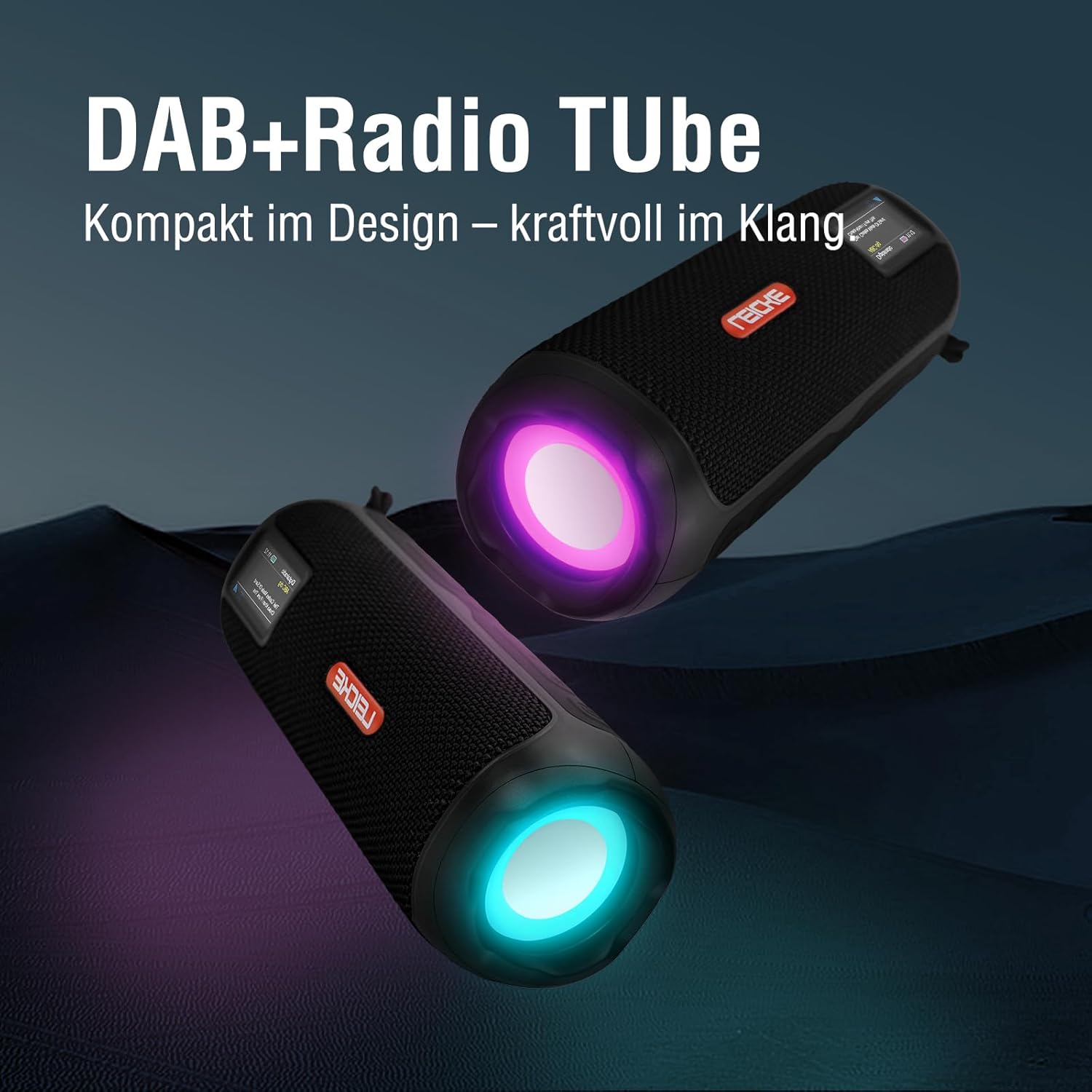
Image: Two LEICKE DAB+ Radio Tubes displaying their vibrant RGB LED lighting feature.
9. Wekker en Slaaptimer
Access the menu settings (usually by pressing a SPYSKAART or STEL button) to configure the alarm clock and sleep timer functions. Follow the on-screen prompts to set times and preferences.
Onderhoud
Skoonmaak
- Ensure the device is powered off and disconnected from any power source before cleaning.
- Gebruik 'n sagte, droë, pluisvrye lap om die buite-oppervlaktes af te vee.
- Moenie skuurmiddels, wasse of oplosmiddels gebruik nie, aangesien dit die afwerking kan beskadig.
- Vermy dat vog in enige openinge kom.
Battery sorg
- Om die batterylewe te verleng, vermy om die battery gereeld heeltemal te ontlaai.
- Laai die toestel gereeld, selfs al word dit nie gebruik nie, om die battery se gesondheid te handhaaf.
- Bêre die toestel op 'n koel, droë plek wanneer dit nie vir lang tye gebruik word nie.
Berging
- When storing the device for a long time, ensure it is charged to about 50-70% to prevent deep discharge.
- Hou die toestel weg van uiterste temperature, direkte sonlig en hoë humiditeit.
Probleemoplossing
| Probleem | Moontlike oorsaak | Oplossing |
|---|---|---|
| Toestel skakel nie aan nie. | Lae battery; Aan/af-knoppie nie korrek gedruk nie. | Charge the device fully. Press and hold the Power button for a few seconds. |
| Geen klank nie. | Volume too low; Incorrect mode selected; Device not paired (Bluetooth). | Increase volume. Ensure correct mode (DAB+, FM, BT, SD, AUX) is selected. Re-pair Bluetooth device. |
| Swak radio-ontvangs. | Antenna nie uitgestrek nie; Swak seinarea. | Fully extend the antenna. Try moving the device to a different location. |
| Bluetooth-toestel wil nie koppel nie. | Speaker not in pairing mode; Device too far; Already connected to another device. | Ensure speaker is in Bluetooth pairing mode. Move devices closer. Disconnect from other devices. |
| Mikro SD-kaart word nie herken nie. | Card inserted incorrectly; Unsupported file formaat; Beskadigde kaart. | Reinsert the card correctly. Ensure files are in a supported format. Try a different Micro SD card. |
Spesifikasies
| Kenmerk | Detail |
|---|---|
| Handelsmerk | LEICKE |
| Modelnommer | EP19035 |
| Tuner Tegnologie | DAB Plus, FM |
| Konnektiwiteit | Bluetooth 5.3, Micro SD, 3.5mm AUX-In, USB-C (charging) |
| Oudio-uitset | 10W Stereo Sound (2 x 5W speakers) |
| Battery kapasiteit | 4500 XNUMX mAh litiumioon |
| Speeltyd | Tot 12 uur (wissel met gebruik) |
| Spesiale kenmerke | RGB LED Lights, Equalizer, Alarm Clock, Sleep Timer, 30 DAB+/FM Presets |
| Kragbron | Battery Operated, Wired (USB-C) |
| Produk afmetings | 3.2 x 3.2 x 12 cm; 660 g |
Waarborg inligting
LEICKE products are designed and manufactured to the highest quality standards. This product is covered by a standard manufacturer's warranty. Please refer to the warranty card included in your package or visit the official LEICKE webwebwerf vir gedetailleerde waarborgbepalings en -voorwaardes spesifiek vir u streek.
Bewaar u aankoopbewys as bewys van aankoop vir enige waarborgeise.
Kliënte ondersteuning
If you encounter any issues or have questions regarding your LEICKE DAB+ Radio Tube that are not covered in this manual, please contact LEICKE customer support.
- Aanlyn ondersteuning: Visit the official LEICKE webwebwerf vir algemene vrae, ondersteuningsbronne en kontakvorms.
- E-pos ondersteuning: Refer to your product packaging or the LEICKE webwebwerf vir die toepaslike ondersteunings-e-posadres.
Please have your product model number (EP19035) and purchase details ready when contacting support.