
Inleiding
This manual provides detailed instructions for the installation, operation, and maintenance of your GNCC GT1ProB-2P Outdoor Security Camera. Designed for reliable home surveillance, this 2K camera features motion detection, color night vision, two-way audio, and 24/7 recording capabilities. Please read this manual thoroughly before use to ensure proper setup and optimal performance.
Pakketinhoud
- GNCC GT1ProB-2P Outdoor Security Camera (2 units)
- Kragadapter
- Monteer staander
- Monteer skroewe
- Instruksie Handleiding
Opstelling
1. Fisiese installasie
The GNCC GT1ProB-2P camera is designed for outdoor use and is IP65 waterproof. Select a suitable location that provides the desired viewing angle and is within range of a power outlet and your 2.4 GHz Wi-Fi network.
- Merk boorposisies: Place the mounting stand against the wall or surface where you intend to install the camera. Use a pencil to mark the positions for the mounting screws.
- Boorgate: Drill pilot holes at the marked positions. Insert wall anchors if necessary for your mounting surface.
- Beveilig die staander: Attach the mounting stand to the wall using the provided mounting screws.
- Heg kamera aan: Securely attach the camera to the mounting stand. Adjust the camera angle as needed.
- Koppel krag: Connect the power adapter to the camera and plug it into a power outlet. The camera will power on.

Image: The GNCC GT1ProB-2P camera, demonstrating its IP65 waterproof design, suitable for outdoor installation.
2. App-installasie en -paring
The GNCC GT1ProB-2P camera uses the Osaio app for control and monitoring.
- Laai die app af: Soek vir "Osaio" in your smartphone's app store (App Store for iOS or Google Play Store for Android) and download the application.
- Skep rekening: Open the Osaio app and follow the on-screen instructions to create a new user account or log in if you already have one.
- Voeg toestel by: Tap the "+" icon or "Add Device" option within the app. Select your camera model (GT1ProB-2P) from the list.
- Koppel aan Wi-Fi: Follow the app's prompts to connect the camera to your 2.4 GHz Wi-Fi network. Ensure your phone is also connected to the same 2.4 GHz Wi-Fi network during the pairing process.
- Skandeer QR -kode: The app may display a QR code. Hold your camera up to your phone screen to scan the QR code. A voice prompt from the camera will confirm successful connection.
- Voltooi opstelling: Once connected, name your camera and complete the setup process within the app.
Bedryfsinstruksies
Leef View en Opname
Access the Osaio app to view leef footage from your camera. The camera supports 24/7 continuous recording.
- Plaaslike berging: Insert a MicroSD card (up to 128GB, not included) into the camera's MicroSD card slot for local storage of recordings.
- Wolkberging: An optional cloud storage service is available, offering a 14-day free trial. This provides remote backup of your recordings.

Image: A smartphone interface showing 24/7 recording playback from the GNCC camera, with a timeline of events.
Bewegingsopsporing en kennisgewings
The camera features advanced motion detection. When motion is detected, the camera can send instant notifications to your smartphone via the Osaio app.
- Aktiveer/Deaktiveer: You can enable or disable motion detection and adjust sensitivity settings within the Osaio app.
- Waarskuwings: Receive push notifications on your phone when motion or sound is detected.
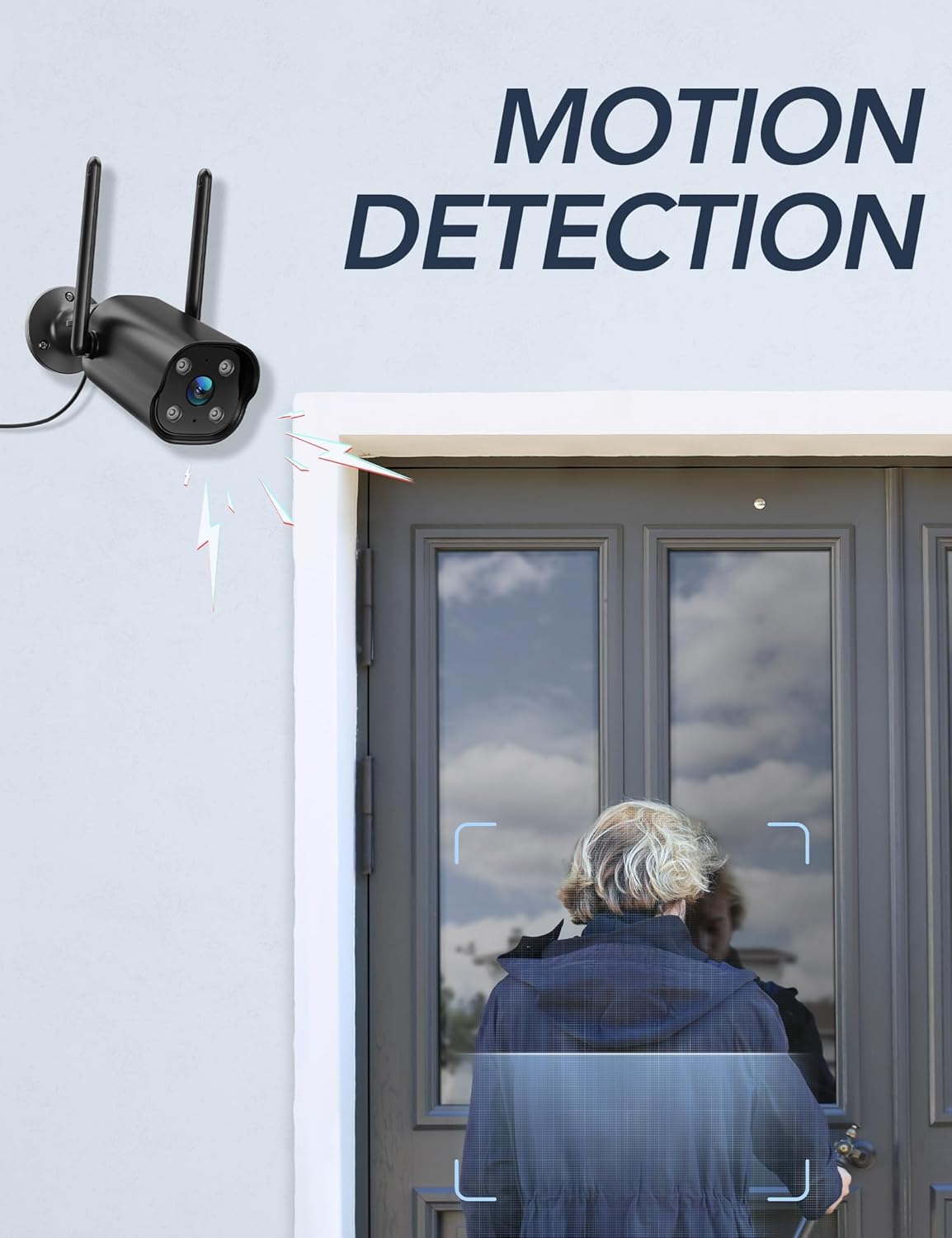
Image: The GNCC camera illustrating its motion detection capability, highlighting a person entering the detection zone.

Image: A smartphone displaying push notifications from the Osaio app, indicating detected motion and sound events.
Tweerigting-klank
The integrated microphone and speaker allow for two-way communication through the camera. This feature enables you to speak to visitors or deter intruders remotely.
- Aktiveer: In die lewendige view interface of the Osaio app, locate and tap the microphone icon to speak through the camera.
- Luister: The camera's microphone will pick up audio from its surroundings, which you can hear through your phone.

Image: The GNCC camera demonstrating its two-way audio function, allowing communication between the user and the monitored area.
Nagvisie
The camera is equipped with enhanced night vision, providing clear visibility up to 50 feet (15 meters) in low-light conditions. It also supports color night vision for improved detail.
Slim huis-integrasie
The GNCC GT1ProB-2P camera is compatible with Amazon Alexa and Google Home. Refer to the Osaio app settings or your smart home assistant's documentation for instructions on linking your camera.
Onderhoud
Skoonmaak
To ensure optimal image quality, periodically clean the camera lens. Use a soft, damp cloth to gently wipe away dust and dirt. Avoid using harsh chemicals or abrasive materials that could scratch the lens.
Firmware-opdaterings
GNCC regularly releases firmware updates to improve camera performance and add new features. Check for available updates through the Osaio app settings. It is recommended to keep your camera's firmware up to date.
Probleemoplossing
Algemene kwessies en oplossings
- Kamera vanlyn:
- Ensure the camera is powered on and the power adapter is securely connected.
- Kontroleer jou Wi-Fi-router en internetverbinding.
- Verify the camera is within range of your 2.4 GHz Wi-Fi network.
- Herbegin die kamera deur die kragadapter uit te skakel en weer in te prop.
- Geen opname:
- If using local storage, ensure a MicroSD card is properly inserted and formatted within the Osaio app.
- Check recording settings in the Osaio app to ensure 24/7 recording or motion-triggered recording is enabled.
- If using cloud storage, verify your subscription status.
- Swak beeldkwaliteit:
- Maak die kameralens skoon met 'n sagte lap.
- Ensure the camera is receiving sufficient power.
- Check your Wi-Fi signal strength; a weak signal can affect video streaming quality.
- Bewegingsopsporing werk nie:
- Verify motion detection is enabled in the Osaio app settings.
- Adjust motion sensitivity settings.
- Maak seker dat daar geen obstruksies is wat die kamera se view.
Spesifikasies
| Model Naam | GT1ProB-2P |
| Handelsmerk | GNCC |
| Verbindingstegnologie | Wired (Power), Wi-Fi (2.4 GHz), Bluetooth |
| Video-opname-resolusie | 2K |
| Fotosensorresolusie | 3 MP |
| Nagsigreeks | Tot 50 voet (15 meter) |
| Spesiale kenmerke | 2-Way Audio, HD Resolution, Motion Sensor, Night Vision, Weatherproof (IP65) |
| Binne/buiteluggebruik | Buitelug |
| Versoenbare toestelle | Smartphone (via Osaio App), Amazon Alexa, Google Home |
| Kragbron | Elektries met koord |
| Plaaslike berging | MicroSD card up to 128GB (not included) |
| Wolkberging | Optional, 14-day free trial available |
| Itemafmetings (L x B x H) | 11 x 7.6 x 5 sentimeter |
| Kleur | Swart |
| Vervaardiger | Kalado |

Image: The GNCC camera highlighting its dual storage options: optional cloud storage and local MicroSD card storage (up to 128GB).
Waarborg inligting
GNCC products are covered by a limited warranty from the date of purchase. This warranty typically covers defects in materials and workmanship under normal use. Please refer to the warranty card included in your product packaging or visit the official GNCC website for specific warranty terms and conditions, including duration and coverage details.
The warranty does not cover damage caused by improper installation, accident, misuse, abuse, natural disaster, or unauthorized modification or repair.
Kliënte ondersteuning
If you encounter any issues or have questions regarding your GNCC GT1ProB-2P Outdoor Security Camera, please contact our customer support team. Before contacting support, please ensure you have reviewed the troubleshooting section of this manual.
- Aanlyn ondersteuning: Visit the official GNCC webwebwerf vir algemene vrae, ondersteuningsartikels en kontakvorms.
- E-pos ondersteuning: Refer to your product packaging or the GNCC webwebwerf vir die toegewyde kliëntediens-e-posadres.
- Osaio App: The Osaio app may also offer in-app support options or a help section.
When contacting support, please have your product model (GT1ProB-2P) and purchase information readily available.