
1. Inleiding
Thank you for choosing the voijump Mini Karaoke Machine K304. This portable Bluetooth karaoke system is designed to provide an enjoyable audio experience with its compact speaker and two wireless microphones. This manual provides essential information for safe and effective use of your device.
2. Wat is in die boks
- Draadlose mikrofoon *2
- Karaoke Machine *1
- Laaikabel *1
- Gebruikershandleiding *1
3. Produk verbyview
The voijump Mini Karaoke Machine K304 consists of a main speaker unit and two wireless microphones. The speaker features integrated LED lights and a compact design for portability. The microphones offer voice modulation and echo effects.

Image: The voijump Mini Karaoke Machine, including the main speaker unit and two wireless microphones.
3.1 Main Speaker Unit
The main speaker unit provides audio output and features control buttons for various functions. It includes a handle for easy carrying and a front panel with LED lights that react to music.

Image: Dimensions of the speaker (3.26 inches wide, 2.53 inches deep, 2.89 inches high) and microphone (5.3 inches long).
3.2 Draadlose mikrofone
Two wireless microphones are included, allowing for duets or shared singing. Each microphone has independent controls for volume, echo, and voice effects.

Image: Close-up of the two wireless microphones, highlighting their design and controls.
3.3 Sound Technology
The karaoke machine features a DSP chip, 3D surround sound, and HiFi sound quality for clear audio output.
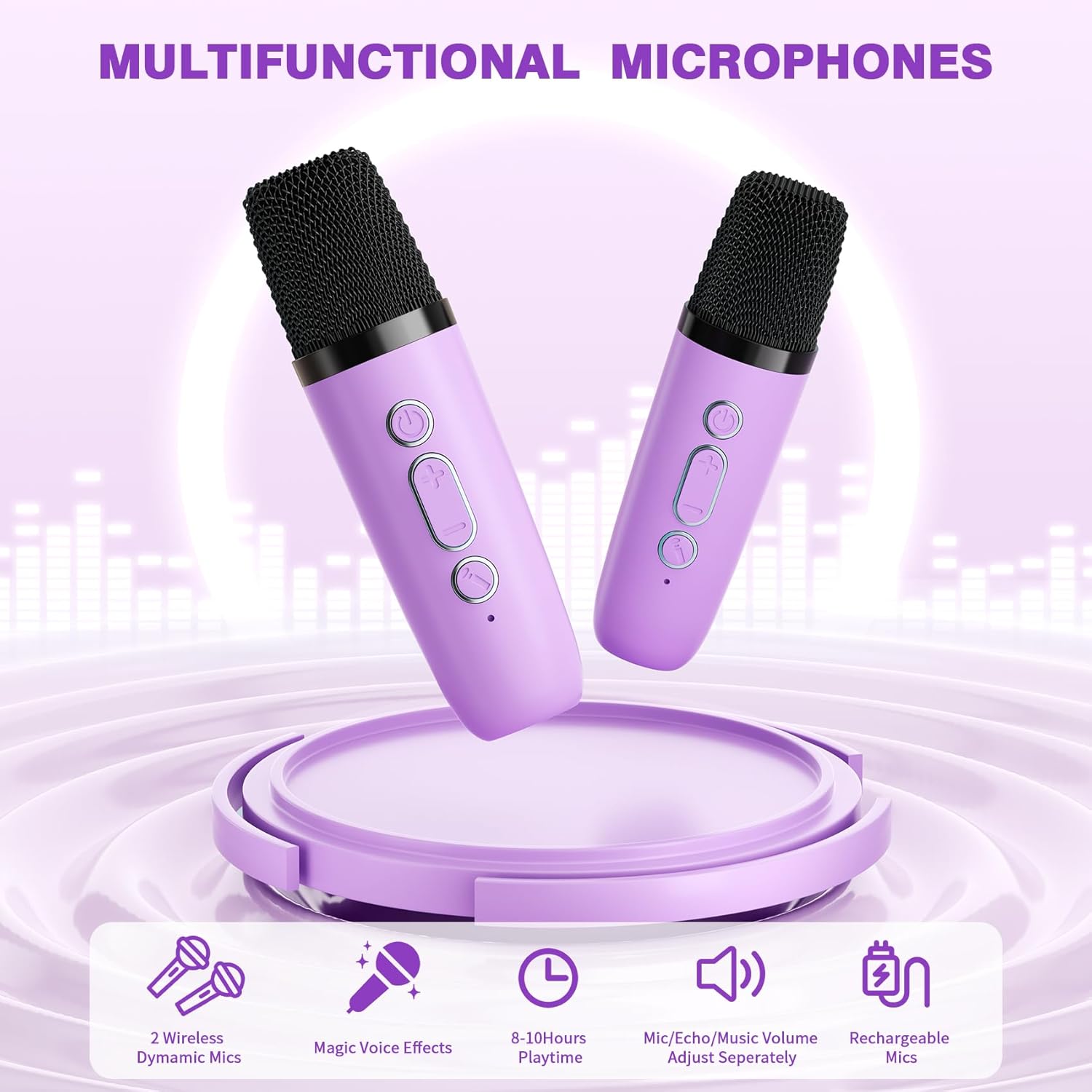
Image: Internal components of the speaker, illustrating the DSP chip and sound drivers.
4. Opstelling
4.1 Laai die toestel
Before first use, fully charge the karaoke machine and both microphones using the provided USB Type-C charging cable. The built-in rechargeable battery provides 8-10 hours of playtime on a full charge.

Image: The speaker's side panel, indicating the 3.5mm port, TF card slot, and Type-C charging port.
4.2 Aan-/afskakel
- Spreker: Long press the power button on the speaker unit to turn it on or off.
- Mikrofone: Long press the power button on each microphone to turn it on or off.
4.3 Bluetooth-verbinding
The speaker and microphones automatically connect to each other when powered on. To connect the karaoke machine to an external device (smartphone, tablet, laptop) via Bluetooth 5.4:
- Ensure the karaoke machine speaker is powered on.
- Aktiveer Bluetooth op jou eksterne toestel en soek vir beskikbare toestelle.
- Select the 'voijump K304' (or similar) from the list to pair.
- 'n Bevestigingsklank sal 'n suksesvolle verbinding aandui.
The Bluetooth connection has an unobstructed range of up to 50 feet.

Image: Visual representation of the Bluetooth 5.3 connection process, showing the karaoke machine connecting to a smartphone, tablet, and laptop.
5. Bedryfsinstruksies
5.1 Speaker Controls

Image: Detailed diagram of the speaker's top panel controls and their functions.
- Volume op (+): Short press to increase speaker volume. Long press for next song.
- Volume af (-): Short press to decrease speaker volume. Long press for previous song.
- Play/Pause (►▮): Short press to play or pause music. Long press to power on/off.
- Modus (M): Short press to switch between TF Card and Bluetooth modes. Long press to turn LED lights on/off.
5.2 Mikrofoonkontroles

Image: Detailed diagram of the microphone controls and their functions.
- Mikrofoon volume op: Short press to increase microphone volume (5 levels). Long press (2s) to increase echo volume (5 levels).
- Mikrofoonvolume verlaag: Short press to decrease microphone volume (5 levels). Long press (2s) to decrease echo volume (5 levels).
- Stemverandering: Short press to switch between 5 magic voice effects. Long press to remove/restore music vocals.
5.3 Stemeffekte
The microphones offer 5 distinct voice effects:
- Oorspronklike stem
- Baba Stem
- Monster Stem
- Vroulike Stem
- Manlike Stem
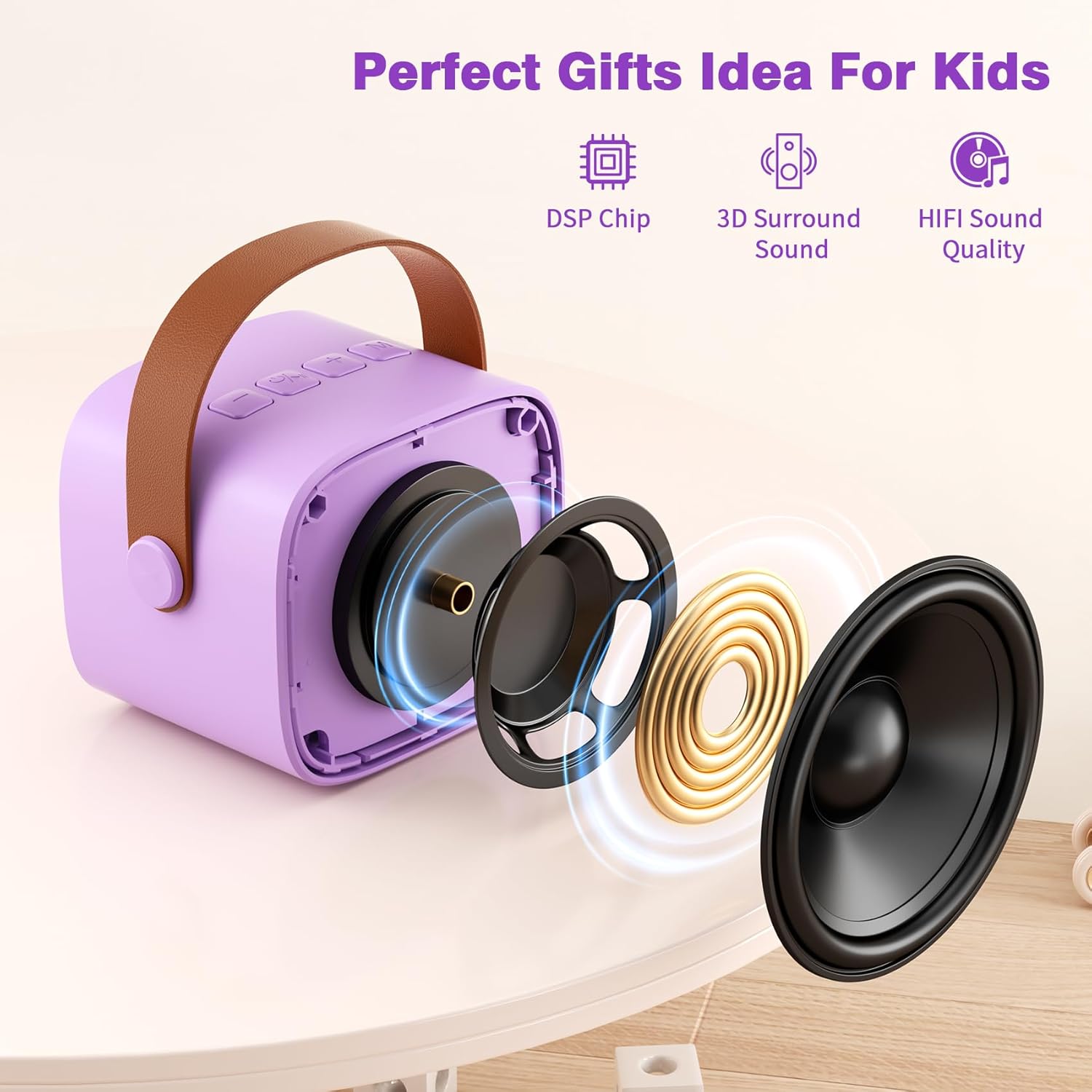
Image: Visual representation of the five available voice effects.
5.4 LED ligte
The speaker unit features colorful LED lights that beat with the rhythm of the music. These lights can be turned on or off by long-pressing the 'M' (Mode) button on the speaker.
5.5 Produkvideo oorview
Video: 'n Oorview demonstrating the features and usage of the voijump Mini Karaoke Machine, including its compact size, dual wireless microphones, LED lights, and voice-changing functions.
6. Onderhoud
6.1 Skoonmaak
Wipe the device with a soft, dry cloth. Do not use abrasive cleaners or solvents. Avoid exposing the device to excessive moisture.
6.2 Berging
Store the karaoke machine and microphones in a cool, dry place away from direct sunlight and extreme temperatures when not in use.
6.3 Batterysorg
To prolong battery life, fully charge the device before long periods of storage and recharge it at least once every three months.
7. Probleemoplossing
| Probleem | Moontlike oorsaak | Oplossing |
|---|---|---|
| Geen klank van luidspreker nie | Speaker is off; Volume is too low; Not connected via Bluetooth. | Ensure speaker is on; Increase speaker volume; Re-pair Bluetooth device. |
| Mikrofoon werk nie | Microphone is off; Microphone volume is too low; Not paired with speaker. | Ensure microphone is on; Increase microphone volume; Microphones should auto-pair with speaker when both are on. |
| Bluetooth-verbinding onstabiel | Toestel is buite bereik; Interferensie; Lae battery. | Move device closer to speaker (within 50ft); Avoid obstacles; Charge the device. |
| LED ligte werk nie | Ligte word afgeskakel. | Long press the 'M' button on the speaker to toggle LED lights. |
8. Spesifikasies
| Kenmerk | Detail |
|---|---|
| Handelsmerk | voijump |
| Modelnommer | K304 |
| Produk afmetings | 12.6 x 5.1 x 9.8 duim |
| Item gewig | 1.17 pond |
| Kragbron | Battery aangedrewe |
| Verbindingstegnologie | Bluetooth 5.4 |
| Connector Tipe | TF Card/Headphone, USB Type C |
| Sprekertelling | 1 |
| Versoenbare toestelle | Headphone, Laptop, Smartphone, Tablet |
| UPC | 797465845870 |
9. Waarborg en ondersteuning
voijump is committed to providing quality products and customer satisfaction.
- Waarborg: Hierdie produk kom met 'n 365-dae waarborg.
- Vervanging: Free replacement is available for eligible issues.
- Tegniese ondersteuning: Lewenslange tegniese ondersteuning word verskaf.
For any questions, concerns, or technical assistance, please contact voijump customer support through the retailer's platform or the official voijump webwebwerf.