
artfone CS181
artfone CS181 Senior Mobile Phone User Manual
Model: CS181 | Brand: artfone
Inleiding
This manual provides detailed instructions for the safe and efficient use of your artfone CS181 senior mobile phone. Please read this manual carefully before using the device and keep it for future reference. The artfone CS181 is designed for ease of use, featuring large buttons, clear display, and essential functions for reliable communication.
Pakketinhoud
- artfone CS181 Mobile Phone
- Battery (800mAh)
- USB-C-laaikabel
- Gebruikershandleiding
- Lanyard (kan per pakket verskil)
Toestel verbyview
Familiarize yourself with the main components and design of your artfone CS181 phone.
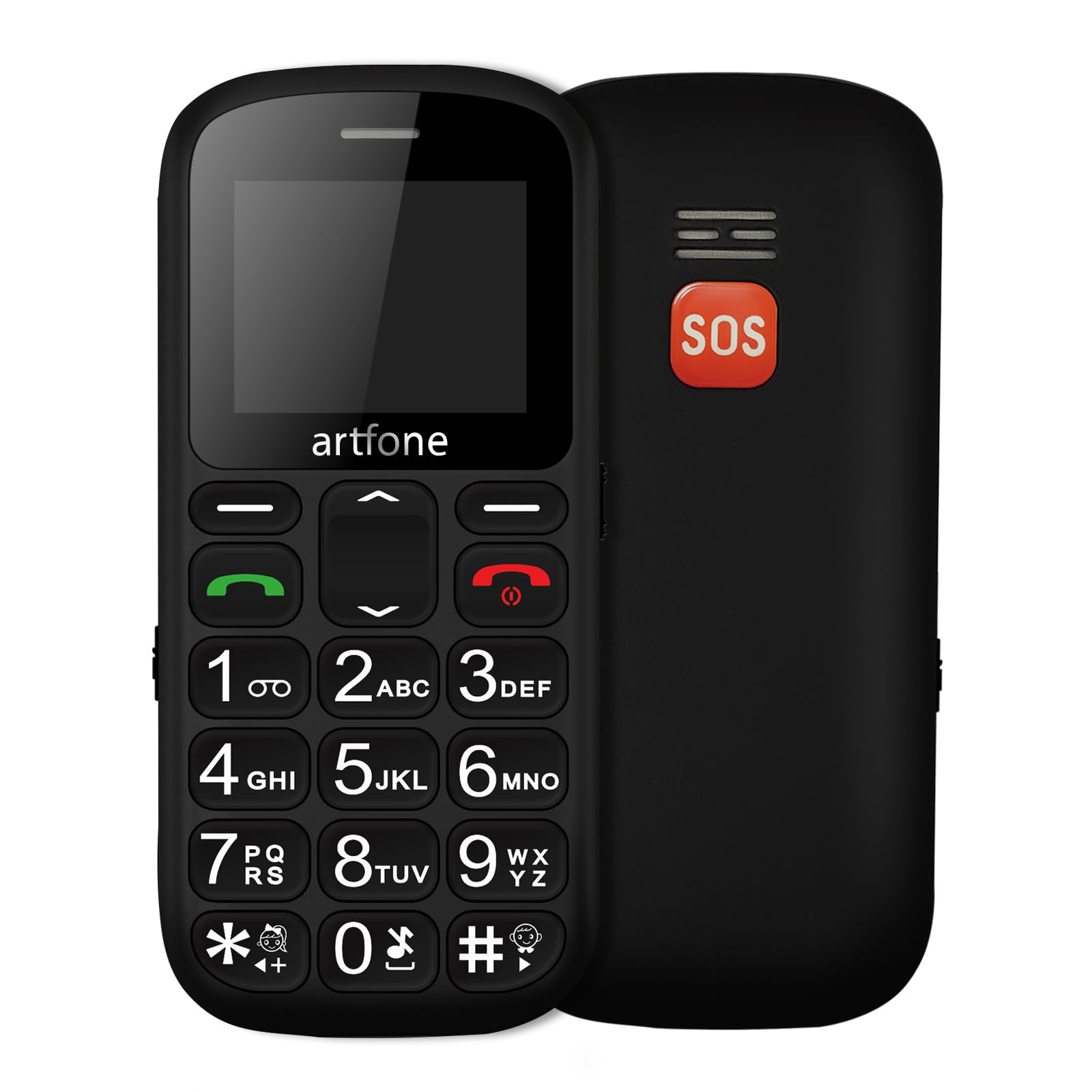
Prent: Voor en agter view of the artfone CS181 mobile phone, showcasing its large keypad and the SOS button on the rear.

Prent: Diagram illustrating the dimensions of the artfone CS181 phone from various angles.
Opstelling
1. Installing the Battery and SIM Cards
The artfone CS181 supports dual SIM cards (2G GSM network). Ensure the phone is powered off before installation.
- Verwyder die agterblad van die foon deur dit versigtig van die kerf oop te wrik.
- Insert the 800mAh Lithium-ion battery into its compartment, ensuring the contacts align correctly.
- Locate the SIM card slots. Insert your 2G GSM SIM card(s) into the designated slots, ensuring the gold contacts face downwards and the cut corner aligns correctly.
- (Optional) If using a memory card, insert it into the memory card slot.
- Plaas die agterste deksel terug totdat dit stewig in plek klik.

Prent: Intern view of the artfone CS181 showing the battery compartment, dual SIM card slots, and memory card slot.
2. Laai die foon
Laai die foonbattery volledig voor die eerste gebruik.
- Connect the USB-C charging cable to the charging port on the phone.
- Connect the other end of the cable to a compatible USB power adapter (not always included) or a computer's USB port.
- The charging indicator on the phone's screen will show the charging status. Disconnect the charger once the battery is full.
3. Skakel aan/af
- Om aan te skakel: Druk en hou die Skakel/Beëindig Oproep knoppie (rooi knoppie) totdat die skerm aanskakel.
- Om af te skakel: Druk en hou die Skakel/Beëindig Oproep button until the power-off options appear, then select "Power off".
4. Aanvanklike instellings
Upon first power-on, you may be prompted to set the language, date, and time. Follow the on-screen instructions.
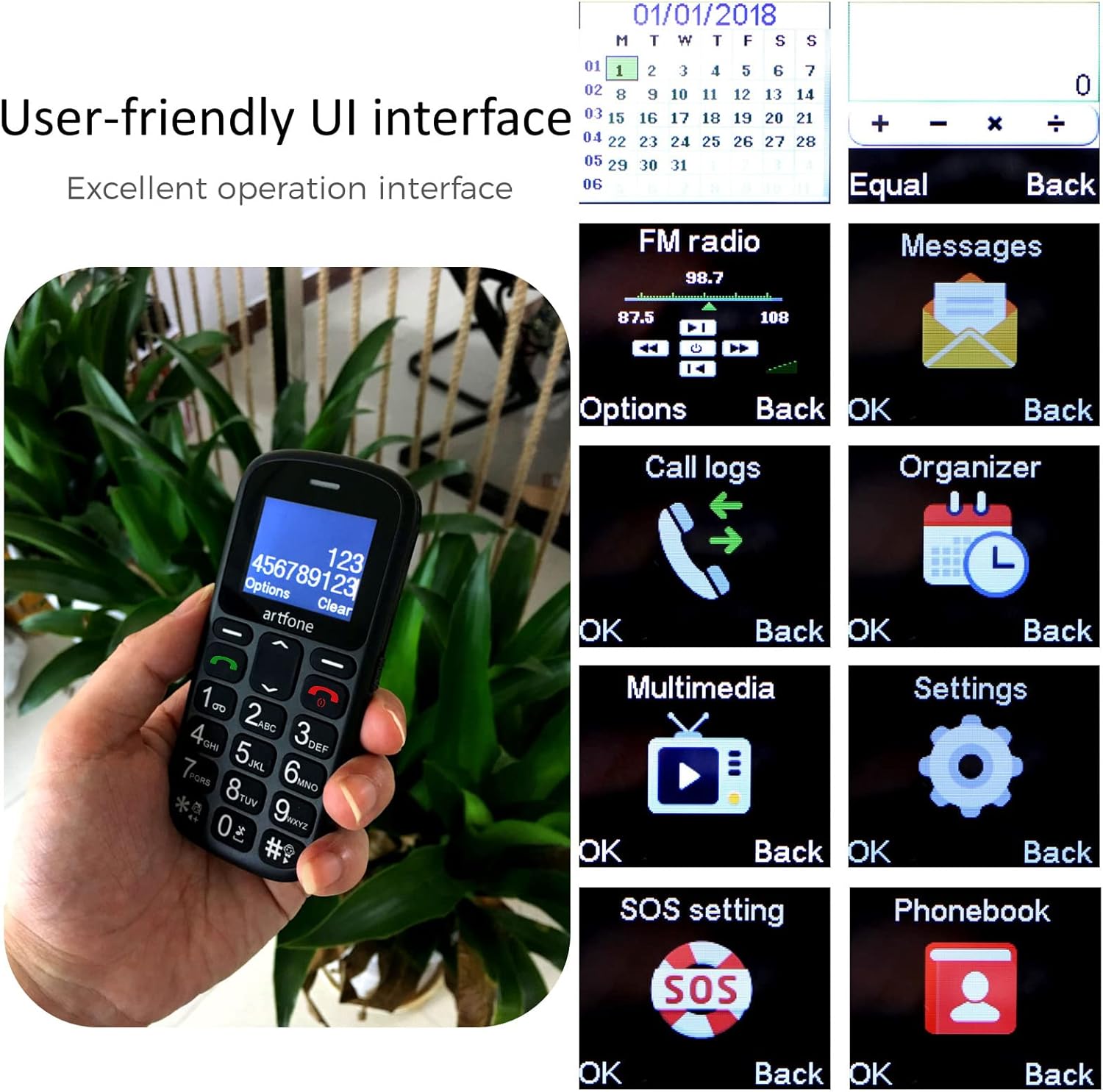
Prent: The artfone CS181's user-friendly interface with large, clear menu icons for functions like FM radio, messages, call logs, and settings.
Bedryfsinstruksies
1. Maak en Ontvang Oproepe
- Om 'n oproep te maak: Voer die telefoonnommer in met behulp van die sleutelbord en druk die Bel knoppie (groen knoppie).
- Om 'n oproep te beantwoord: Druk die Bel button (green button) when the phone rings.
- Om 'n oproep te beëindig: Druk die Beëindig oproep button (red button).
- Stemaankondiging: The phone can announce dialed numbers in English, German, French, Spanish, and Italian. This feature can be enabled or disabled in the settings menu.
2. Stuur en ontvang van SMS-boodskappe
- Navigeer na die "Boodskappe"-kieslys.
- Select "Write message" to compose a new SMS.
- Voer die ontvanger se nommer in of kies uit kontakte, en tik dan jou boodskap.
- Druk "Stuur" om die boodskap te stuur.
3. SOS Emergency Call Function
The SOS button is located on the back of the phone and is designed for quick access to emergency contacts.
- Setting up SOS numbers: Gaan na Menu > Settings > SOS Settings. You can pre-program up to five emergency numbers and an emergency SMS message.
- Aktivering van SOS: In 'n noodgeval, druk en hou die SOS-knoppie for 3 seconds. The phone will automatically dial the pre-programmed numbers in sequence and send the emergency SMS.
- Canceling SOS: If activated by mistake, you can cancel the SOS call within 3 seconds by pressing any key.

Prent: A finger pressing the prominent orange SOS button located on the back of the artfone CS181 phone.
4. Flitslig
The phone includes a bright flashlight for convenience.
- To turn on/off: Press the dedicated flashlight button on the left side of the phone.

Prent: The artfone CS181 phone with its flashlight illuminated, showing the light beam and the location of the flashlight LED.
5. FM Radio
Luister na jou gunsteling FM-radiostasies.
- Navigate to the "FM Radio" menu.
- Gebruik die navigasiesleutels om vir stasies te soek of stel handmatig in.
6.Bluetooth
Connect your phone to Bluetooth headsets or other devices.
- Gaan na Kieslys > Instellings > Bluetooth.
- Skakel Bluetooth aan en soek vir beskikbare toestelle.
- Select the desired device to pair.
7. Keypad Lock/Unlock
Prevent accidental key presses by locking the keypad.
- To lock: Press the dedicated keypad lock button on the right side of the phone.
- To unlock: Press the dedicated keypad lock button again.
8. Speed Dial Setup
Assign frequently called numbers to speed dial keys (1-9, *, #).
- Gaan na Menu > Settings > Speed Dial.
- Select a key (e.g., "1") and assign a contact from your phonebook.
- To use: Press and hold the assigned speed dial key to call the contact.
Onderhoud
1. Batteryversorging
- Use only the original or approved charger and battery.
- Vermy om die battery aan uiterste temperature bloot te stel.
- Moenie die battery deursteek, uitmekaar haal of kortsluit nie.
- If the phone will not be used for an extended period, charge it partially and store it in a cool, dry place.
2. Skoonmaak en berging
- Clean the phone with a soft, dry cloth. Do not use liquid cleaners.
- Keep the phone away from dust, moisture, and direct sunlight.
- Vermy om die foon te laat val of dit aan harde impakte bloot te stel.
Probleemoplossing
| Probleem | Moontlike oorsaak | Oplossing |
|---|---|---|
| Foon skakel nie aan nie. | Die battery is leeg of nie korrek geïnstalleer nie. | Laai die battery. Maak seker dat die battery korrek geplaas is. |
| Kan nie oproepe maak of ontvang nie. | Geen netwerksein, SIM-kaart nie ingesit nie, of SIM-kaartprobleem. | Check network coverage. Reinsert SIM card. Contact your service provider. |
| SOS button activated by mistake. | Accidental press. | Press any key within 3 seconds of activation to cancel. |
| Swak oproepkwaliteit. | Weak signal or environmental interference. | Beweeg na 'n area met beter sein. Vermy obstruksies. |
| Die sleutelbord reageer nie. | Sleutelbord is gesluit. | Unlock the keypad using the dedicated side button. |
Spesifikasies
| Kenmerk | Detail |
|---|---|
| Handelsmerk | artfone |
| Model Naam | CS181 |
| Bedryfstelsel | artfone OS |
| Skerm grootte | 2.4 duim |
| Konnektiwiteit | 2G, GSM (850/900/1800/1900 MHz) |
| SIM-kaart ondersteuning | Dubbele SIM |
| Battery kapasiteit | 800 mAh litium-ioon |
| Bystandtyd | Tot 7 dae |
| Praat Tyd | Tot 5 uur |
| Interne geheue | 32MB + 24MB (RAM + ROM) |
| Laaipoort | USB Tipe-C |
| Spesiale kenmerke | SOS Button, Large Keys, FM Radio, Bluetooth, Flashlight, Voice Announcement |
| Afmetings (L x B x H) | 121.6 mm x 55.4 mm x 14.3 mm (4.78 duim x 2.18 duim x 0.56 duim) |
Waarborg en Ondersteuning
Your artfone CS181 mobile phone comes with a standard manufacturer's warranty. Please refer to the warranty card included in your package for specific terms and conditions. For technical support, troubleshooting assistance, or warranty claims, please contact artfone customer service through their official webwebwerf of die kleinhandelaar waar jy die produk gekoop het.
Vir meer inligting, besoek die artfone Brand Store.
Ask a question about this manual
Ask about setup, troubleshooting, compatibility, parts, safety, or missing instructions. Manuals+ will review the question and use this page’s manual context to help answer it.