
Inleiding
Thank you for choosing the vretti PB821 Portable Thermal Printer. This compact and versatile device is designed for convenient, inkless printing from various devices, including smartphones, tablets, and laptops. Its portability makes it ideal for business, office, home, and travel use. This manual provides essential information on setting up, operating, maintaining, and troubleshooting your printer to ensure optimal performance.
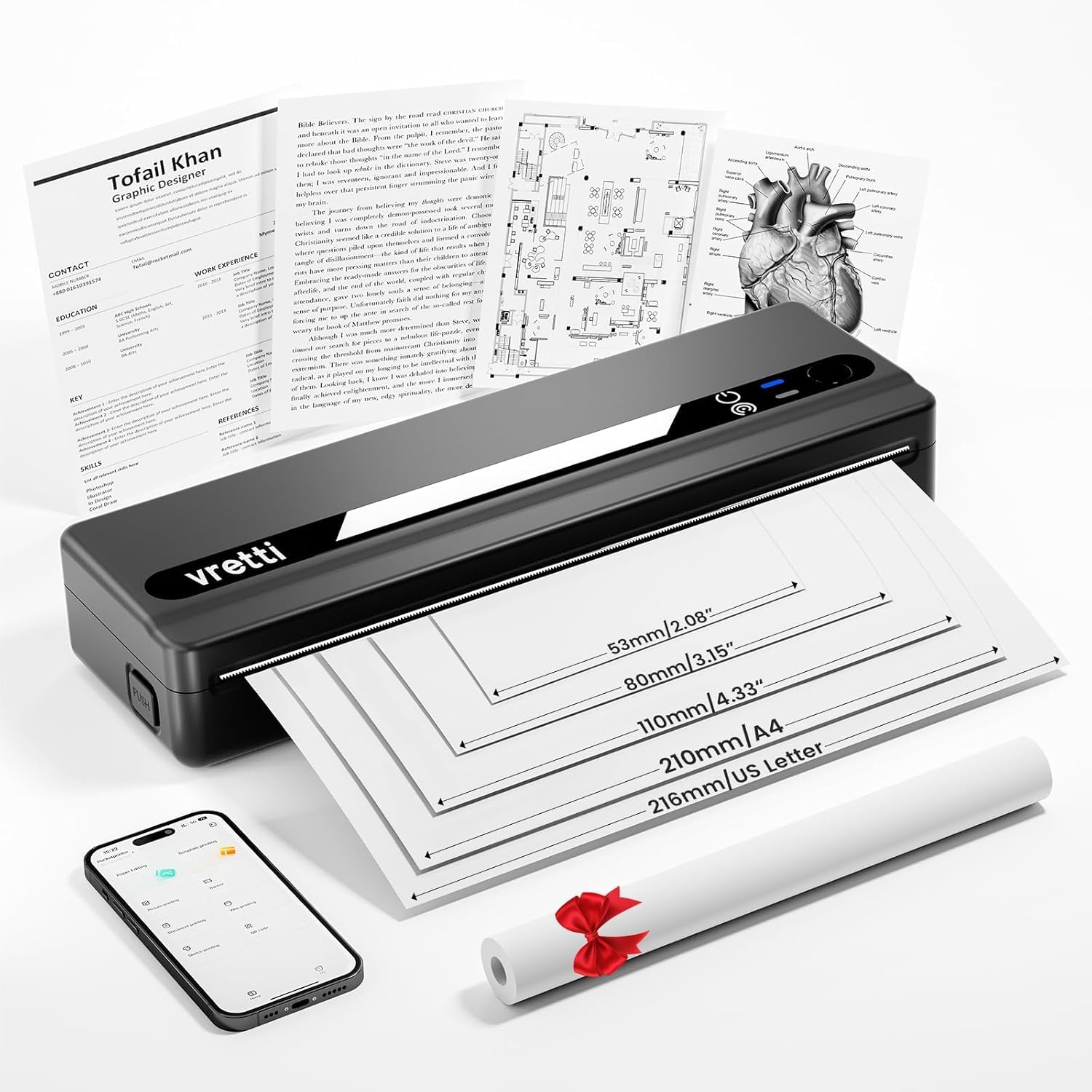
Image: The vretti PB821 Portable Thermal Printer, a sleek black device, ready for use.
Pakketinhoud
Kontroleer asseblief die inhoud van die pakket na uitpak om seker te maak dat alle items teenwoordig is:
- vretti PB821 Portable Thermal Printer
- 1 Roll of Thermal Paper
- USB-C-laaikabel
- Gebruikershandleiding
Produk verbyview
Sleutel kenmerke
- Draadlose Bluetooth-drukwerk: Connects wirelessly to phones and tablets via the "XLifePro" app.
- Draagbaar en kompak: Klein en liggewig ontwerp vir maklike vervoer.
- Cost-effective Inkless Printing: Utilizes advanced thermal printing technology, eliminating the need for ink, toner, or ribbons.
- High-quality Printing: Delivers clear prints with a 203 DPI resolution.
- Langdurige battery: Built-in 1500mAh rechargeable battery supports printing up to 223 A4 sheets on a full charge.
- Multi-size Paper Support: Compatible with A5, A4, Letter, and 2-4 inch labels.
Verbindingsopsies

Image: The vretti PB821 printer supports both Bluetooth and USB connections for versatile use with Android, iOS, iPad, Windows, Mac OS, Linux, and Chromebook devices.
The vretti PB821 printer offers flexible connectivity, allowing you to print wirelessly via Bluetooth from mobile devices or directly via USB from computers. This ensures compatibility across various operating systems and devices.
Draagbare ontwerp

Image: A visual comparison highlighting the compact and portable design of the vretti PB821 printer against a larger, traditional printer, emphasizing its convenience.
The PB821 is designed for maximum portability, making it easy to carry in a backpack or bag. Its compact form factor does not compromise on functionality, offering easy setup and smooth, inkless printing.
Opstelling
1. Aanvanklike laai
Before first use, fully charge the printer using the provided USB-C cable. Connect the cable to the printer's USB-C port and a compatible power adapter (not included) or computer USB port. The charging indicator light will show the charging status.

Image: Visual representation of the printer's 1500mAh battery capacity, USB-C charging, and its ability to print up to 223 A4 sheets on a single charge.
2. Laai van termiese papier
The vretti PB821 supports various thermal paper types. To load paper:
- Open the printer's paper cover.
- Insert the thermal paper with the printable side facing up. Ensure the paper is aligned correctly within the guides.
- Maak die papierdeksel stewig toe.

Image: The vretti PB821 printer showcasing its compatibility with different thermal paper types, including folding thermal paper and roll paper, along with various paper sizes.
3. Verbinding via Bluetooth (Mobiele Toestelle)
To print wirelessly from your smartphone or tablet:
- Download the "XLifePro" app from the App Store (iOS) or Google Play Store (Android).
- Turn on the vretti PB821 printer. The Bluetooth indicator light will blink.
- Open the XLifePro app, navigate to the device connection settings, and select the PB821 printer from the list of available Bluetooth devices.
- Sodra dit gekoppel is, sal die Bluetooth-aanwyserliggie aanhou brand.

Image: Step-by-step guide on connecting the vretti PB821 printer via Bluetooth, including downloading the XLifePro app and pairing the device.
4. Verbinding via USB (rekenaars)
To print from your Windows, Mac OS, or Linux computer:
- Download the appropriate printer driver from the official vretti webwebwerf: vrettitech.com/pages/p83-support.
- Install the driver on your computer following the on-screen instructions.
- Connect the vretti PB821 printer to your computer using the provided USB-C cable.
- The computer should recognize the printer, and you can now select it as your printing device.

Image: Instructions for USB connection, detailing driver download from the vretti website and connecting the PB821 printer to a laptop.
Bedryfsinstruksies
Printing from Mobile Devices
Sodra dit via Bluetooth gekoppel is:
- Maak die dokument, beeld of file you wish to print within the XLifePro app. The app supports various formats including TXT, PDF, Excel, and Word documents.
- Select the print option within the app.
- Confirm print settings such as paper size and quantity.
- Initiate printing.
Printing from Computers
Once connected via USB and drivers are installed:
- Maak die dokument oop of file you wish to print on your computer.
- Kies die drukopsie vanaf jou toepassing (bv. File > Druk).
- Choose "vretti PB821" from the list of available printers.
- Pas drukinstellings aan soos nodig (bv. papiergrootte, oriëntasie).
- Klik "Druk".
Supported Paper Types and Sizes
The PB821 printer is compatible with various thermal paper types and sizes, including:
- A4 (210 mm)
- Letter (8.5" x 11" / 216mm)
- A5 (148 mm)
- B5 (175mm)
- 2-inch (53mm) labels
- 3-inch (80mm) labels
- 4-inch (110mm) labels

Image: The vretti PB821 printer demonstrating its support for multiple paper sizes, including standard document sizes and various label sizes.
Using the XLifePro App
The XLifePro app provides additional functionalities beyond basic printing, including:
- Access to multiple templates for creative printing.
- Options for document printing, picture printing, and more.
- Customization features for various printing needs.

Image: Screenshots of the XLifePro app interface, illustrating its diverse range of templates and printing options.
Onderhoud
Maak die drukker skoon
To maintain print quality and prolong the printer's lifespan:
- Ensure the printer is turned off and disconnected from power before cleaning.
- Gebruik 'n sagte, pluisvrye lap effens dampened with water or isopropyl alcohol to gently wipe the print head and paper path.
- Moenie skuur skoonmaakmiddels of oplosmiddels gebruik nie.
- Allow the printer to dry completely before turning it on.
Battery sorg
Om batterylewe te optimaliseer:
- Vermy om die battery gereeld heeltemal te ontlaai.
- Bêre die drukker op 'n koel, droë plek wanneer dit nie vir lang tye gebruik word nie.
- Charge the printer regularly, even if not in frequent use, to prevent deep discharge.
Probleemoplossing
| Kwessie | Moontlike oorsaak | Oplossing |
|---|---|---|
| Drukker skakel nie aan nie | Lae battery; Aan/af-knoppie nie korrek gedruk nie | Charge the printer; Press and hold the power button for a few seconds |
| Kan nie via Bluetooth koppel nie | Bluetooth af op toestel; Drukker nie in paringsmodus nie; Toepassingsprobleem | Ensure Bluetooth is enabled; Restart printer; Reinstall XLifePro app |
| Swak drukkwaliteit | Low battery; Dirty print head; Incorrect paper type | Charge printer; Clean print head; Use recommended thermal paper |
| Papier konfyt | Onbehoorlike papierlaai; Beskadigde papier | Turn off printer, carefully remove jammed paper, reload correctly; Use undamaged paper |
| Drukker word nie deur rekenaar herken nie | Missing/incorrect drivers; Faulty USB cable/port | Install/reinstall drivers from vretti website; Try a different USB cable/port |
Spesifikasies
| Kenmerk | Detail |
|---|---|
| Model | PB821 |
| Handelsmerk | vretti |
| Druk tegnologie | Termies |
| Verbindingstegnologie | Bluetooth, USB |
| Maksimum drukresolusie | 203 DPI (Black and White) |
| Druk Media | Thermal Paper (plain) |
| Ondersteunde bladgroottes | 2'', 3'', 4'', A4, 8.5''x 11'' US Letter |
| Maksimum invoerbladkapasiteit | 30 velle |
| Battery kapasiteit | 1500mAh (litiumioon) |
| Produk afmetings | 25.7 x 7 x 4.7 cm |
| Item gewig | 900 g |
| Dubbelsydige drukwerk | Nee |
| Ink Kleur | Swart |
Waarborg en Ondersteuning
The vretti PB821 Portable Thermal Printer comes with a standard manufacturer's warranty. For specific warranty details, technical support, or service inquiries, please refer to the warranty card included in your package or visit the official vretti webwebwerf. Bewaar u aankoopbewys as bewys van aankoop vir waarborgeise.
Produk video
Video: An official product video demonstrating the features and usage of the vretti PB821 Portable Thermal Printer, including its compact design, wireless connectivity, and printing capabilities.