
1. oorview
The XIAOMI 15T PRO Ai 5G is a high-performance smartphone designed for global use, featuring advanced camera technology co-engineered with Leica, a powerful MediaTek Dimensity 9400+ processor, and a vibrant 144Hz AMOLED display. This manual provides essential information for setting up, operating, and maintaining your device.

Figuur 1: Voor en agter view van die XIAOMI 15T PRO Ai 5G-slimfoon.
2. Wat is in die boks
Verifieer dat alle items in u produkverpakking teenwoordig is:
- XIAOMI 15T PRO Ai 5G Slimfoon
- USB-kabel (tipe-C)
- SIM Skinkbord Ejector
- Telefoonkas
- Handleiding
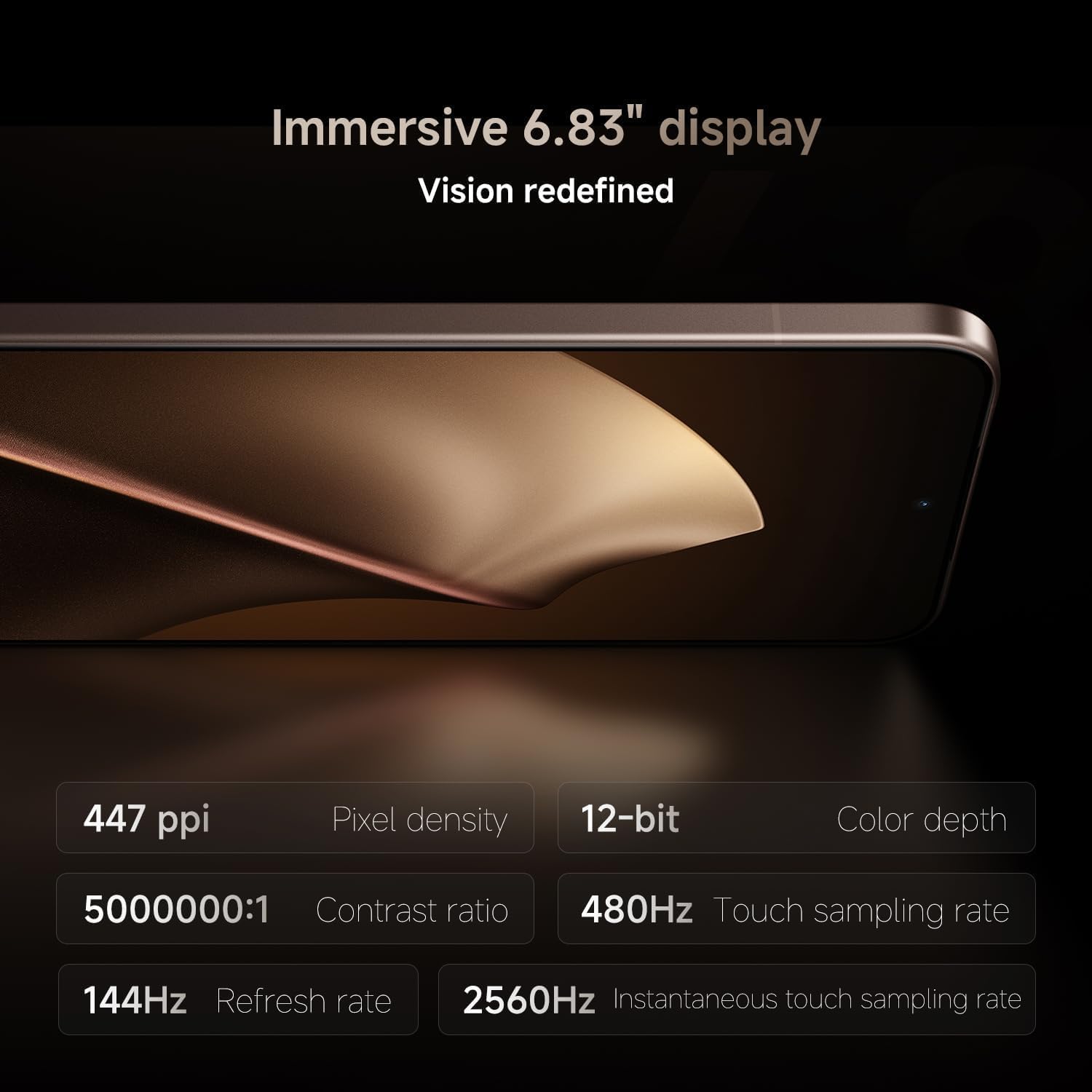
Figure 2: Items included in the product packaging.
3. Toesteluitleg
Familiarize yourself with the physical components of your smartphone:
- Voor: 6.83" 144Hz eye-care AMOLED display, 32MP in-display selfie camera.
- Agter: Leica 5x Pro telephoto, Leica Summilux optical lens system (50MP main, 50MP super telephoto, 12MP ultra-wide cameras).
- Kante: Power button, volume rocker, USB-C charging port, SIM tray.
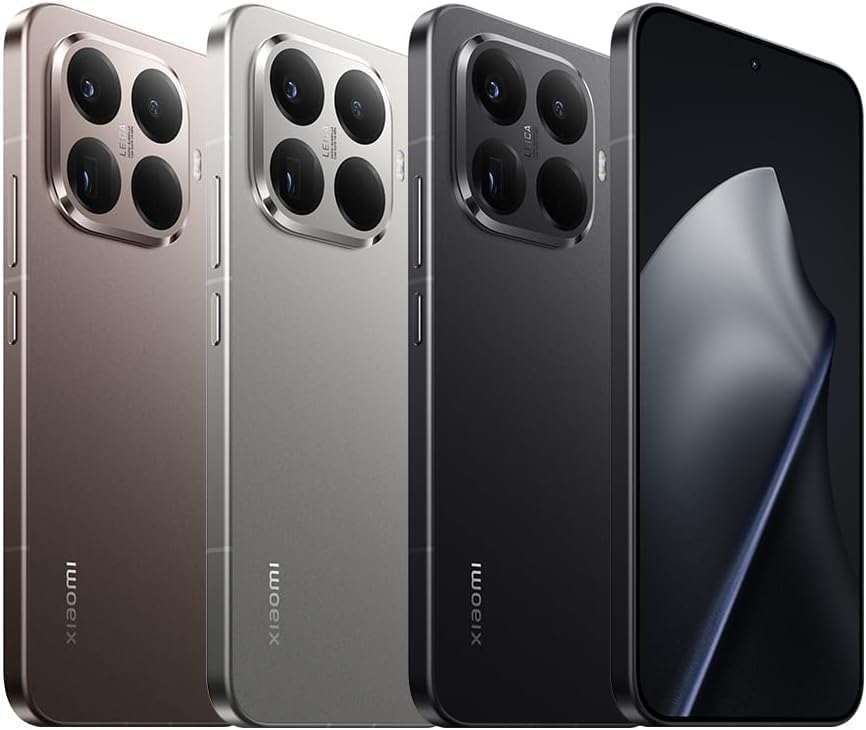
Figuur 3: Voorkant view van die toestel.

Figuur 4: Kant view showing buttons and ports.

Figuur 5: Terug view highlighting the camera module.
4. Aanvanklike Opstelling
4.1. SIM Card / eSIM Installation
- Insert the SIM tray ejector tool into the small hole on the side of the device.
- Gently push until the SIM tray pops out.
- Plaas jou Nano-SIM-kaart(e) in die laai met die goue kontakte na onder.
- For eSIM, follow the on-screen instructions during initial setup or navigate to Settings > Network & Internet > SIMs.
- Plaas die SIM-kaartlaai versigtig terug in die toestel.
4.2. Powering On & Initial Configuration
- Druk en hou die aan/af-knoppie in totdat die Xiaomi-logo verskyn.
- Volg die aanwysings op die skerm om jou taal te kies, aan Wi-Fi te koppel en jou Google-rekening op te stel.
- Konfigureer sekuriteitskenmerke soos vingerafdrukontsluiting en KI-gesigontsluiting.
5. Basiese werking
5.1. Navigation & Gestures
The device operates on Hyper OS, offering intuitive gesture navigation. Swipe up from the bottom to go home, swipe up and hold for recent apps, and swipe from the left or right edge to go back.
5.2. Sekuriteitskenmerke
- In-screen fingerprint sensor: Registreer jou vingerafdrukke vir vinnige en veilige ontsluiting.
- AI face unlock: Use facial recognition for convenient access.
6. Kamerastelsel
The XIAOMI 15T PRO features a powerful Leica co-engineered triple camera system:
- Leica 23mm Hoofkamera: 50MP with Light Fusion 900 image sensor, f/1.62, OIS.
- Leica 115mm Super Telefoto Kamera: 50MP, f/3.0, OIS, 5x optical zoom, 10x optical-level zoom, 20x and above Ultra Zoom.
- Leica 15mm ultrawye kamera: 12MP, f/2.2, 120° FOV.
- Voorste kamera: 32MP in-display selfie camera, f/2.2.
6.1. Photography Features
- HDR, Portrait mode, Palm shutter, Voice shutter, Timed burst, Selfie timer, Screen fill light.
- Master Portrait algorithm for lifelike portraits across multiple focal lengths and lighting scenarios.
6.2. Video-opname
- Agterste kamera: 8K (7680x4320) at 30fps; 4K (3840x2160) at 30/60/120fps; 1080p at 30/60fps; 720p at 30fps.
- Slow motion video: 720p/1080p at 120/240/960fps.
- Voorste kamera: 4K (3840x2160) at 30fps; 1080p at 30/60fps; 720p at 30fps.
- HDR10+ video recording, Video teleprompter, Slow motion selfie, Time-lapse selfie.

Figure 6: Key camera and processor features.
7. Performance & Display
7.1. Processor & Memory
The device is powered by the MediaTek Dimensity 9400+ (3nm manufacturing process) with a CPU clocking up to 3.73GHz and an Immortalis-G925 MC12 GPU, ensuring smooth performance for demanding applications and gaming. It comes with 12GB RAM and 512GB of UFS 4.0 storage.

Figure 7: Xiaomi Surge T1S Tuner for enhanced connectivity.
7.2. Vertoon
Experience visuals on a 6.83" 144Hz eye-care AMOLED flat display with Corning Gorilla Glass 7i. It boasts a resolution of 2772 x 1280 (447ppi), a peak brightness of 3200nits (25% APL), and supports HDR10+ and DCI-P3 color gamut. The touch sampling rate is 480Hz, with an instantaneous touch sampling rate of 2560Hz in Game Turbo mode.
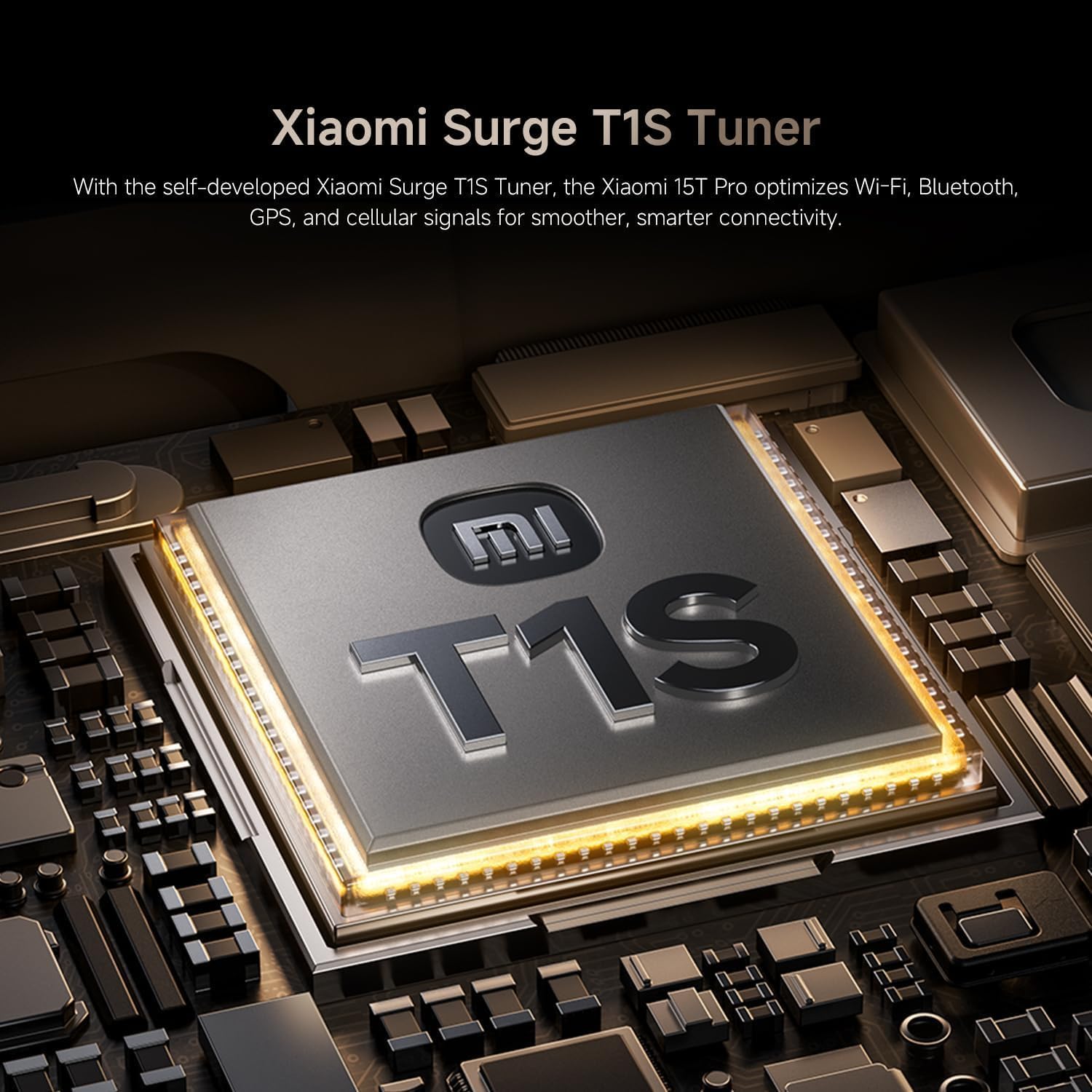
Figure 8: Detailed specifications of the immersive display.

Figure 9: Ultra-slim bezels for an enhanced visual experience.
8. Battery & Laai
The device is equipped with a long-lasting 5500mAh (typ) Xiaomi Surge battery. It supports 90W HyperCharge (PD3.0 / PD2.0) via USB-C and 50W wireless HyperCharge. Note that a power adapter is not included in the box; a 67W or above Xiaomi power adapter is recommended for optimal charging speeds.
9. Konnektiwiteit
- Netwerk: Dual Nano SIM 5G + eSIM support. Compatible with T-Mobile, Mint, Tello & Global networks. Not compatible with Verizon, Sprint, Boost, Metro PCS, AT&T, Cricket in the USA.
- Ligging: GPS (L1+L5), Galileo (E1+E5a), GLONASS (G1), Beidou, QZSS (L1+L5), NavIC (L5), A-GPS supplementary positioning.
- Draadloos: Wi-Fi, Bluetooth.
- Ander: NFC, IR blaster, Proximity sensor, Ambient light sensor, Accelerometer, Gyroscope, Electronic compass, Flicker sensor, X-axis linear vibration motor, Color temperature sensor.
10. KI-kenmerke
The XIAOMI 15T PRO integrates advanced AI capabilities for enhanced user experience:
- Circle to Search with Google, Google Gemini
- AI Interpreter, AI Notes, AI Recorder, AI Subtitles, AI Film, AI image editing, AI Portrait
- AI Writing, AI Speech Recognition, AI Search, AI Dynamic Wallpapers, AI Creativity Assistant
11. Spesifikasies
| Kenmerk | Detail |
|---|---|
| Modelnommer | Xiaomi 15T Pro |
| Bedryfstelsel | Hiper-bedryfstelsel |
| Verwerker | MediaTek Dimensity 9400+ |
| RAM | 12 GB |
| Berging | 512 GB |
| Vertoon grootte | 6.83 duim |
| Vertoon resolusie | 2772 x 1280 |
| Herlaaitempo | 144 Hz |
| Battery kapasiteit | 5500 miljoenamp Ure |
| Bedrade laai | 90W Hiperlaai |
| Draadlose laai | 50W Hiperlaai |
| Agterste kamera | 50MP Hoofkamera, 50MP Telefotokamera, 12MP Ultrawydhoekkamera |
| Voorste kamera | 32MP |
| Konnektiwiteit | 5G, Wi-Fi, Bluetooth, NFC, GPS |
| Water/Stof weerstand | IP68 |
| Afmetings | 3.94 x 59.06 x 5.91 duim |
| Item gewig | 15.8 onse |
12. Onderhoud & Sorg
- Keep your device away from extreme temperatures and direct sunlight.
- Vermy om die toestel te laat val of om dit aan sterk impakte te onderwerp.
- Maak die skerm en liggaam skoon met 'n sagte, pluisvrye lap. Vermy harde chemikalieë.
- Maak seker dat alle poorte vry van stof en puin is.
- The device has IP68 water and dust resistance, but avoid intentional submersion or exposure to high-pressure water.
13. Probleemoplossing
- Toestel word nie aangeskakel nie: Maak seker dat die battery gelaai is. Koppel aan 'n laaier en probeer weer.
- Skerm reageer nie: Force restart the device by holding the Power button for approximately 10 seconds.
- Netwerkprobleme: Check SIM card insertion, ensure mobile data is enabled, or try restarting the device.
- App-ineenstortings: Vee die program se kasgeheue en data uit in Instellings > Programme, of herinstalleer die program.
14. Waarborg en ondersteuning
This is an International Model and does not carry a warranty in the US. For warranty claims or technical support, please refer to the documentation provided with your device or contact your point of purchase. Ensure to keep your proof of purchase for any service inquiries.

Figure 10: Additional benefits and support information.