
1. Produk verbyview
The PGYTECH Camera Wrist Strap Slim Vintage Style is designed to provide a secure and comfortable way to carry your camera or smartphone. Crafted from premium ECCO leather with a soft TORAY lining, this lightweight strap offers both durability and a classic aesthetic. It features an adjustable quick-release mechanism and an auto-locking safety function to protect your device during use.

Image: The PGYTECH Camera Wrist Strap Slim Vintage Style attached to a camera, worn on a user's wrist.
2. Opstelling en Aanhegsel
Follow these steps to properly attach the wrist strap to your device:
- Identifiseer Aanhegtingspunt: Locate the strap eyelet or attachment point on your camera or smartphone case.
- Insert Quick-Mount Bead: Thread the small loop of the Quick-Mount Bead connector through the device's eyelet. If your device has a small eyelet, use the provided metal adapter ring for secure attachment.
- Beveilig die lus: Pass the main quick-release buckle through the loop of the Quick-Mount Bead, then pull to tighten. Ensure the connection is firm.
- Connect to Strap: Align the Quick-Mount Bead with the receiver on the leather wrist strap. The 360° blind connection allows for easy attachment from any angle. Push the bead into the receiver until you hear a click, indicating it is securely locked.
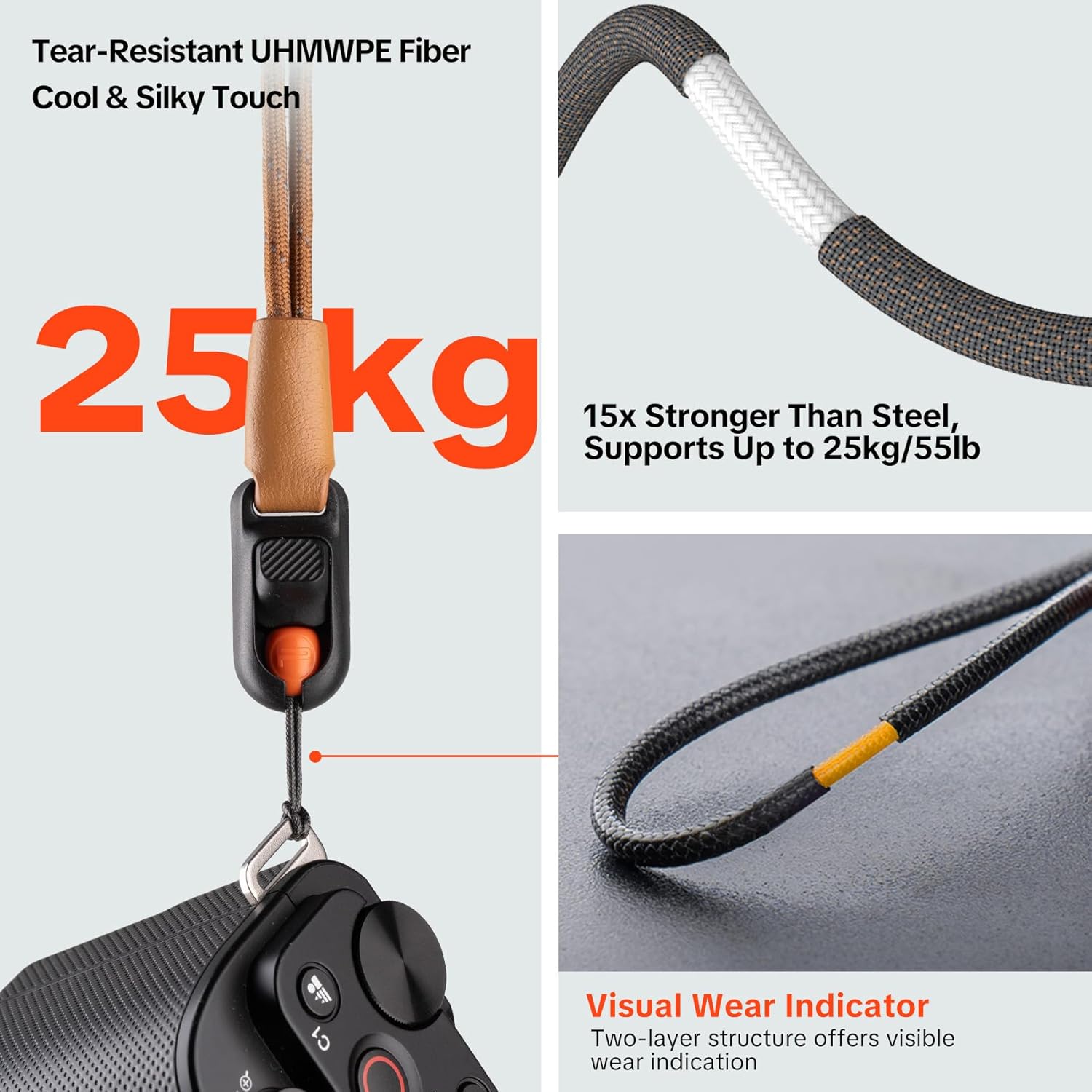
Beeld: Gedetailleerd view of the quick-release buckle and Quick-Mount Bead, demonstrating the 360° blind connection for effortless attachment.
The strap is compatible with compact cameras, mirrorless cameras, instant cameras, and smartphones, supporting a wide range of devices.

Beeld: Bvamples of the wrist strap attached to various devices, including compact cameras, mirrorless cameras, instant cameras, and smartphones.
3. Bedryfsinstruksies
The PGYTECH Camera Wrist Strap is designed for ease of use and security:
- Wearing the Strap: Slide your hand through the leather loop. The strap supports wrist circumferences up to 320mm (12.6 inches).
- One-Hand Adjustment: Use the aluminum adjustment buckle to easily tighten or loosen the strap around your wrist with one hand. This allows for quick transitions between carrying and shooting.
- Outo-sluitveiligheid: The strap is designed to automatically conform and tighten around your wrist under gravity if the camera slips, providing an additional layer of security against accidental drops.
- Vinnige vrystelling: To detach your device, simply press the quick-release button on the buckle and pull the Quick-Mount Bead out of the receiver. This allows for rapid attachment and detachment as needed.

Image: The strap automatically tightening around the wrist when the camera is held, illustrating the auto-locking safety.
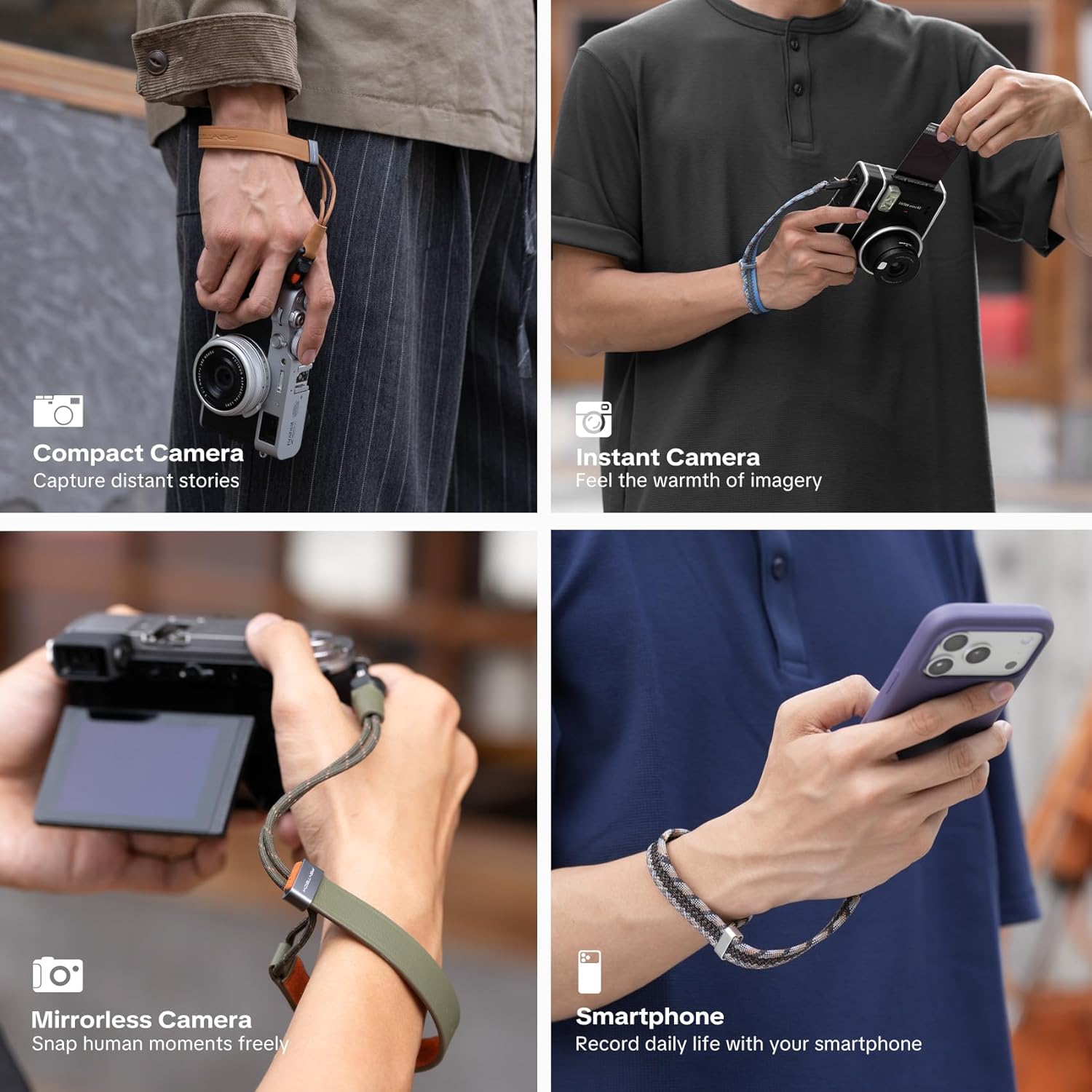
Image: A user demonstrating the one-hand adjustment feature of the wrist strap.
Video: This video demonstrates the PGYTECH Camera Wrist Strap Slim Vintage Style, showcasing its features and how it functions with a camera. It highlights the quick-release and auto-locking mechanisms.
4. Onderhoud
To ensure the longevity and safety of your PGYTECH Camera Wrist Strap, observe the following maintenance guidelines:
- Visual Wear Indicator: The quick-release adjustment cord features a two-layer structure. Regularly inspect the cord for wear. If the inner yellow layer becomes visible, it indicates significant wear, and the cord should be replaced immediately to maintain camera safety.
- Skoonmaak: Wipe the leather strap with a soft, dry cloth. For minor stains, a slightly damp 'n Lap kan gebruik word, gevolg deur onmiddellike droogmaak. Vermy harde chemikalieë of skuurmiddels.
- Berging: Store the strap in a dry place away from direct sunlight and extreme temperatures to prevent material degradation.
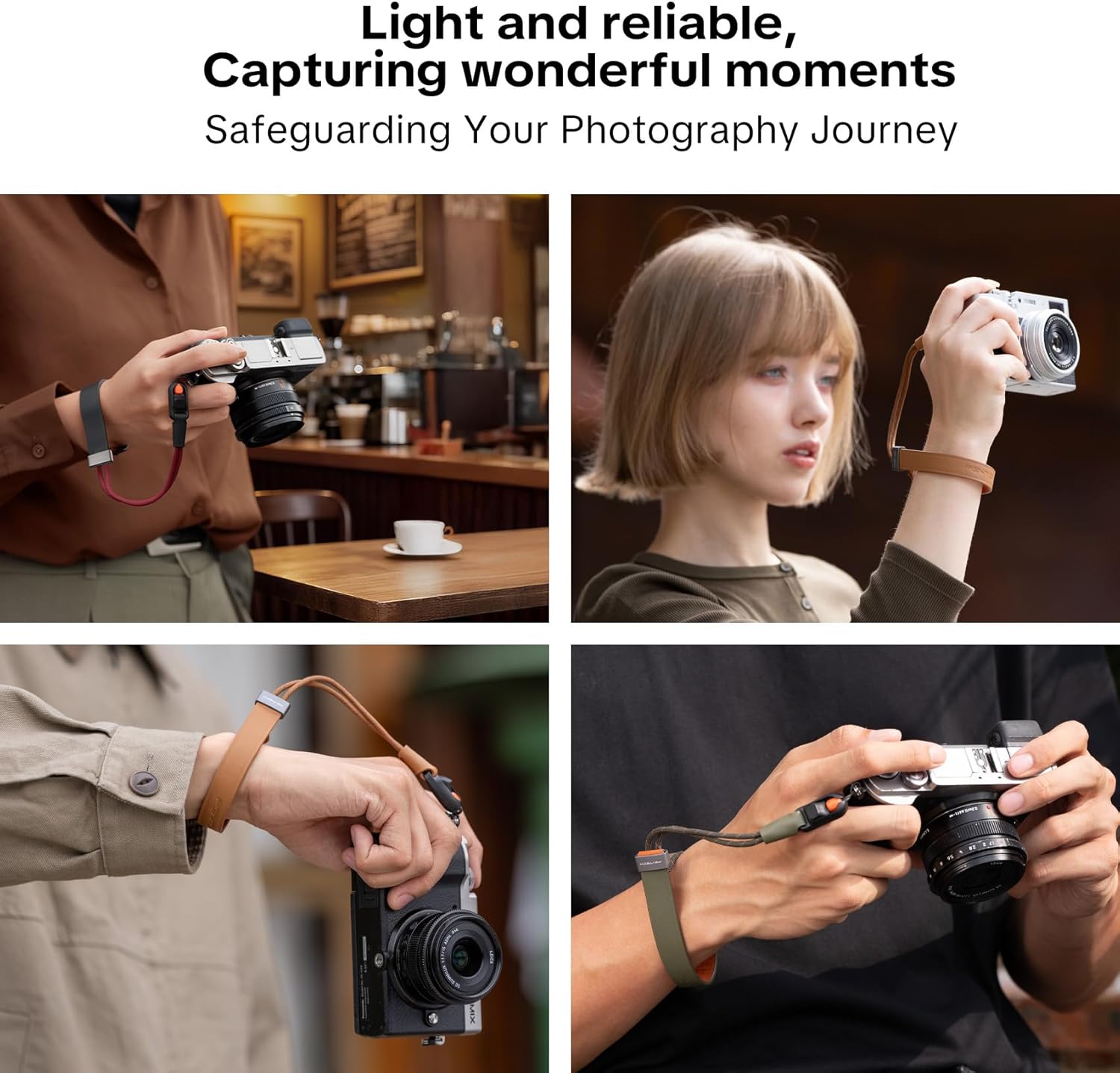
Image: A close-up of the strap's cord, highlighting the two-layer structure and the yellow inner layer which serves as a visual wear indicator.
5. Probleemoplossing
If you encounter issues with your wrist strap, consider the following:
- Strap feels too tight or difficult to remove: Ensure you are using the one-hand adjustment buckle to loosen the strap before attempting to remove your hand. The auto-locking feature is designed to tighten under gravity, so manually loosening it is necessary for comfortable removal.
- Quick-release buckle not engaging/disengaging smoothly: Check for any debris or obstruction in the buckle mechanism. Ensure the Quick-Mount Bead is fully inserted and aligned correctly for engagement. If disengaging, ensure the release button is fully depressed.
- Strap appears worn: Refer to the Visual Wear Indicator in the Maintenance section. If the yellow inner layer of the cord is visible, replace the cord immediately.
6. Spesifikasies
| Kenmerk | Detail |
|---|---|
| Modelnommer | P-CB-592 |
| Materiaal | ECCO Leather, TORAY Microfiber Lining, UHMWPE Cord, Aluminum Buckle |
| Gewig | Ongeveer 14g |
| Maksimum vragkapasiteit | 25 kg (55.1 lbs) |
| Polsomtrek | Tot 320 mm (12.6 duim) |
| Verenigbaarheid | Compact cameras, mirrorless cameras, instant cameras, smartphones |
| Kleur | Midnight Black (other colors available separately) |
7. Waarborg en Ondersteuning
PGYTECH products are manufactured to high-quality standards. For warranty information, product support, or to inquire about replacement parts, please refer to the official PGYTECH webwebwerf of kontak hul kliëntediens direk. Bewaar u aankoopbewys as bewys van aankoop vir waarborgeise.