
Wooask A8
Wooask A8 Translation Earbuds User Manual
Model: A8
1. Inleiding
The Wooask A8 Translation Earbuds are an advanced AI-powered device designed to facilitate real-time communication across language barriers. This device integrates seamless online and offline translation capabilities, high-definition audio for calls and music, a ChatGPT assistant, and meeting recording functions. It operates independently without requiring a smartphone application or Bluetooth pairing, offering a streamlined user experience.
Sleutel kenmerke sluit in:
- Real-time online translation in 144 languages and accents.
- Offline translation support for 16 languages, ideal for travel without internet access.
- Integrated ChatGPT assistant for information retrieval and conversational AI.
- Dual-microphone noise cancellation for clear audio in various environments.
- Multiple translation modes: In-ear, Speaker, and Earbud-to-Screen.
- Langdurige batterylewe vir langdurige gebruik.
- Compact and portable design with a 2.5-inch HD touchscreen.
2. Produk verbyview
The Wooask A8 system consists of a main translator device with a built-in screen and a pair of wireless earbuds. The device is designed for intuitive operation directly from its touchscreen interface.

Figure 2.1: Wooask A8 Translator Device with Earbuds
2.1. Wat is in die boks
- A8 Translator Device (x1)
- USB-A to Type-C Charging Cable (x1)
- Gebruikershandleiding (x1)
3. Opstelling
3.1. Aanvanklike laai
Before first use, fully charge the Wooask A8 device using the provided USB-A to Type-C charging cable. Connect the Type-C end to the device and the USB-A end to a compatible power adapter (not included). A full charge typically takes 1-2 hours.
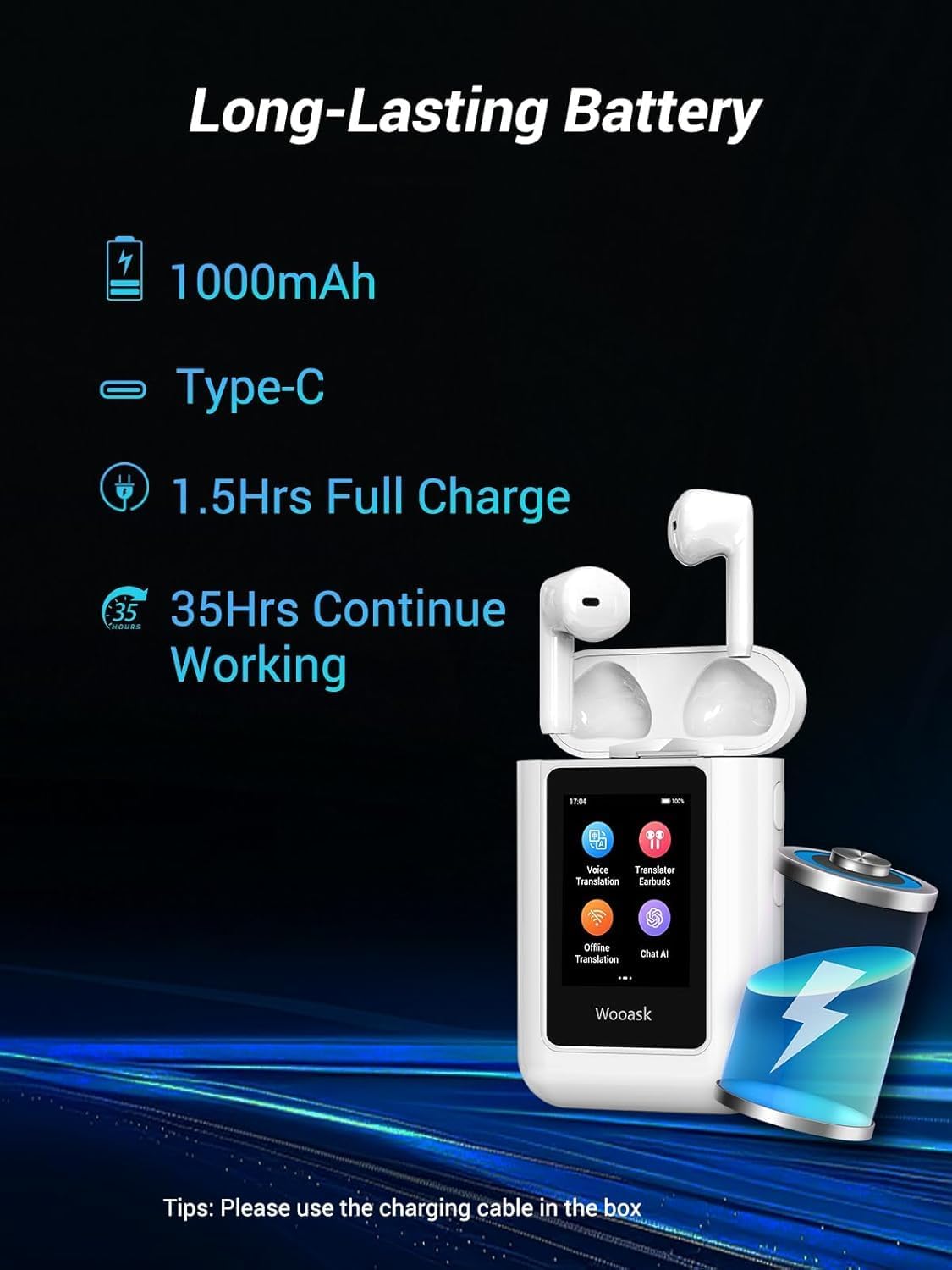
Figure 3.1: Battery Information and Charging Port
3.2. Skakel aan/af
To power on the device, press and hold the power button located on the side until the screen illuminates. To power off, press and hold the power button and select 'Power Off' from the on-screen options.
3.3. Oordopparing
The earbuds are designed for instant pairing with the Wooask A8 device. Simply place the earbuds into the charging case, ensure the device is powered on, and they will automatically connect. No manual Bluetooth pairing is required.

Figure 3.2: Instant Earbud Pairing
4. Operating the Wooask A8
The Wooask A8 offers various modes to suit different communication needs. Navigate through the main menu on the 2.5-inch HD touchscreen to select your desired function.

Figure 4.1: Independent Operation of Wooask A8
4.1. Vertalingsmodusse
The device supports multiple translation modes for flexible communication:
- In-ear Mode: For private, one-on-one conversations. Each participant wears an earbud, and translations are delivered directly to their ear.
- Luidsprekermodus: For group discussions or when earbuds are not preferred. The device's built-in speaker broadcasts translations.
- Earbud-to-Screen Translation: Allows one person to speak into an earbud while the translation appears on the device's screen for another person to read.

Figure 4.2: In-ear and Speaker Translation Modes

Figure 4.3: In-Ear Mode in Use

Figure 4.4: Speaker Mode in Use
4.2. Taalkeuse
The Wooask A8 supports a wide range of languages for both online and offline translation. Select your desired source and target languages from the device's menu.
4.2.1. Online Translation
The device supports 144 languages and accents for online real-time translation. An internet connection (Wi-Fi or mobile hotspot) is required for online translation.

Figure 4.5: Online Translation in Action

Figure 4.6: Online Languages for In-ear Mode

Figure 4.7: Online Languages for Speaker Mode
4.2.2. Offline Translation
The Wooask A8 supports offline translation for 16 languages, allowing communication without an internet connection. These languages include English, Spanish, Simplified Chinese, Traditional Chinese, Japanese, Arabic, Portuguese, Russian, French, German, Korean, Thai, Hindi, Vietnamese, Italian, and Indonesian.
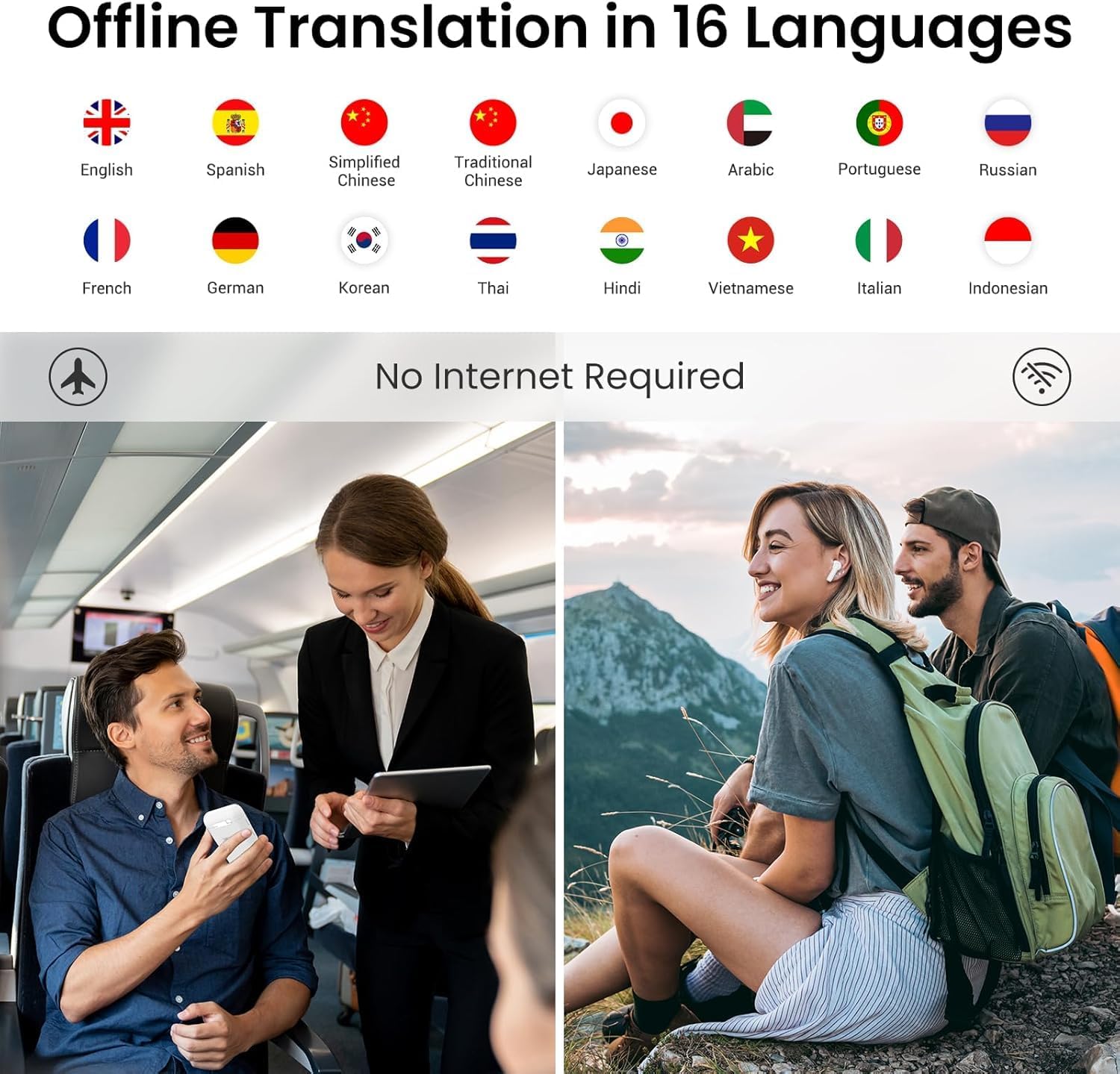
Figure 4.8: Offline Translation Languages and Scenarios

Figure 4.9: Offline Languages for Speaker Mode
4.3. ChatGPT Assistant
Access the integrated ChatGPT assistant for various queries, information, and conversational interactions. The ChatGPT feature supports 43 languages.

Figure 4.10: ChatGPT Assistant Interface

Figure 4.11: ChatGPT Supported Languages
4.4. Bykomende kenmerke
- Vergaderingopname: The device can record conversations, which can be useful for business meetings or language learning.
- Musiek speel: Enjoy immersive music playback through the earbuds or device speaker.
- Stemwisseling: The device supports switching between male and female voices for translations.
- Record Forwarding: Easily forward recorded translations via email or other compatible methods.

Figure 4.12: Entertainment On-the-Go

Figure 4.13: Male and Female Voice Switching

Figure 4.14: Easy Record Forwarding
5. Onderhoud
5.1. Skoonmaak
Wipe the device and earbuds with a soft, dry cloth. Do not use liquid cleaners or abrasive materials. Ensure no moisture enters the charging port or speaker grilles.
5.2. Berging
Store the Wooask A8 in a cool, dry place away from direct sunlight and extreme temperatures. When not in use for extended periods, ensure the device is fully charged before storage and recharge it periodically to maintain battery health.
5.3. Batteryversorging
Use only the original charging cable provided. Avoid exposing the device to temperatures below 0°C (32°F) or above 45°C (113°F) as this can affect battery performance and lifespan.
6. Probleemoplossing
This section addresses common issues you might encounter with your Wooask A8 Translation Earbuds.
| Probleem | Moontlike oorsaak | Oplossing |
|---|---|---|
| Toestel skakel nie aan nie | Lae battery; toestel gevries | Charge the device for at least 30 minutes. If still unresponsive, perform a soft reset by holding the power button for 10-15 seconds. |
| No translation output | Incorrect language selection; no internet connection (for online mode); microphone blocked | Verify source and target languages. Ensure a stable internet connection for online translation. Check if the microphone is clear. |
| Oortelefoon koppel nie | Earbuds not properly seated in case; low earbud battery | Ensure earbuds are correctly placed in the charging case. Charge the device and earbuds. |
| Translation accuracy issues | Unclear speech; noisy environment; complex sentence structure | Speak clearly and at a moderate pace. Reduce background noise. Simplify sentences if possible. |
7. Spesifikasies
| Kenmerk | Detail |
|---|---|
| Model | A8 |
| Pakket afmetings | 4.8 x 4.1 x 1.7 duim |
| Item gewig | 9 onse |
| Batterye | 3 Litium-ioonbatterye benodig |
| Battery kapasiteit | 1000mAh (device) |
| Laai tyd | Ongeveer. 1.5 uur vir volle lading |
| Continuous Translation Time | Tot 35 uur |
| Bystandtyd | Tot 10 dae |
| Online Languages | 144 languages & accents |
| Offline Languages | 16 tale |
| ChatGPT Languages | 43 tale |
| Vervaardiger | Woask |
| ASIN | B0FSZ42F9Z |

Figure 7.1: Advanced Technology Overview
8. Waarborg en Ondersteuning
For warranty information and technical support, please refer to the official Wooask webwebwerf of kontak hul kliëntediens direk. Besonderhede kan tipies op die produkverpakking of die vervaardiger se amptelike aanlynbronne gevind word.
Vir verdere hulp, besoek asseblief die Wooask Store on Amazon.
Ask a question about this manual
Ask about setup, troubleshooting, compatibility, parts, safety, or missing instructions. Manuals+ will review the question and use this page’s manual context to help answer it.