
1. Inleiding
This manual provides essential information for the safe and efficient use of your IKON 65-inch 4K QLED Smart TV, Model IK-VWQ65. Please read these instructions thoroughly before operating the television and retain them for future reference.
The IKON 65-inch 4K QLED Smart TV delivers an immersive entertainment experience with its stunning 3840 x 2160 UHD resolution and vibrant QLED display technology. It features smart capabilities with Ethernet and Wi-Fi connectivity, allowing seamless access to popular streaming services. Enjoy enhanced audio with integrated Dolby sound support and connect multiple devices via its two HDMI ports and two USB ports. The slim design and included stand ensure stable placement, while the 60Hz refresh rate provides smooth motion for all your content.
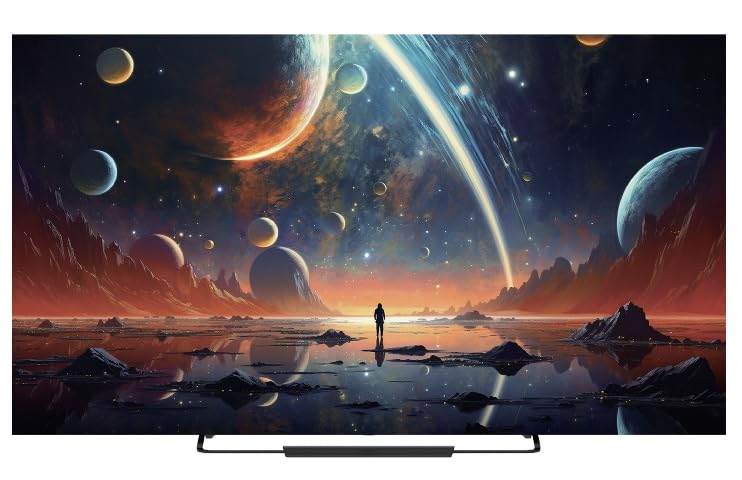
Voorkant view of the IKON 65-inch 4K QLED Smart TV, Model IK-VWQ65, showcasing sy groot skerm en slanke ontwerp.
2. Veiligheidsinligting
Neem altyd die volgende veiligheidsmaatreëls in ag om elektriese skok, brand of skade aan die televisie te voorkom.
- Moenie die TV aan reën of vog blootstel nie.
- Moenie die TV oopmaak nieasing; verwys alle diens na gekwalifiseerde personeel.
- Verseker behoorlike ventilasie rondom die TV. Moenie ventilasie-openinge blokkeer nie.
- Gebruik slegs die kragkabel wat saam met die TV voorsien word.
- Ontkoppel die TV tydens weerligstorms of wanneer dit vir lang tye nie gebruik word nie.
- Hou die TV weg van direkte sonlig, hittebronne en sterk magnetiese velde.
- Moenie swaar voorwerpe op die TV of kragkabel plaas nie.
- Parental control features are available (Pin-based Content Lock) to manage content access for children.
3. Wat is ingesluit
Verifieer dat alle komponente in die verpakking teenwoordig is:
- IKON 65-inch 4K QLED Smart TV (Model IK-VWQ65)
- Remote Control (requires AAA batteries)
- TV-staanplek
- Kragkoord
- Gebruikershandleiding (hierdie dokument)
4. Opstelling
4.1 Uitpak
Carefully remove the TV and all accessories from the packaging. It is recommended to keep the original packaging for potential future transport or servicing.
4.2 Bevestiging van die staander
Place the TV screen-down on a soft, flat surface. Align the included stand with the mounting holes on the bottom of the TV. Secure the stand using the provided screws. Ensure the stand is firmly attached before placing the TV upright.
4.3 Muurmontering
If you choose to wall mount your TV, ensure you use a VESA-compatible wall mount (400 x 400 mm). Follow the instructions provided with your wall mount kit. Professional installation is recommended for wall mounting.
4.4 Aansluitkrag
Connect the power cord to the TV's power input, then plug the other end into a 220V AC power outlet. The TV consumes 150 Watts of power.
4.5 Eksterne Toestelle Koppel
Jou TV bied verskeie konnektiwiteitsopsies:
- HDMI-poorte (x2): Connect Blu-ray players, game consoles, streaming boxes, or sound systems.
- USB-poorte (x2): Connect USB drives for media playback. (Includes 2x USB 2.0 ports)
- Ethernet-poort: Vir bedrade internetverbinding.
- Digitale optiese oudio-uitset: Vir die koppeling aan eksterne klankstelsels.
- Analog Audio Outputs (x2): For connecting to older audio systems.
5. Bediening van die TV
5.1 Krag aan/af
Druk die aan/af-knoppie op die afstandbeheerder of op die TV self om die TV aan of af te skakel.
5.2 afstandbeheer
The TV comes with an infrared remote control that supports both button and voice control. Insert AAA batteries into the remote control before use.
5.3 Slim-TV-funksies
Running on the Android operating system with 8GB of memory storage, your TV provides access to a wide range of smart features and applications. Connect to the internet via Ethernet or Wi-Fi to enjoy services like Prime Video, Netflix, and YouTube.
5.4 Skermspieëling
The TV supports screen mirroring technologies such as Chromecast and Miracast, allowing you to cast content from your mobile device to the TV and vice-versa. Bluetooth 5.0 is also available for wireless connections.
5.5 Oudio-instellings
The integrated Dolby audio system provides immersive sound. You can adjust audio settings through the TV's menu to optimize your listening experience. The TV features 20 Watts of stereo audio output.
6. Onderhoud
6.1 Skoonmaak van die skerm
Vee die skerm liggies af met 'n sagte, pluisvrye lap. Vir hardnekkige merke, vee liggiesampMaak die lap skoon met water of 'n gespesialiseerde skermreiniger. Moet nooit vloeistof direk op die skerm spuit nie.
6.2 Skoonmaak van die Casing
Vee die TV afasinmet 'n sagte, droë lap. Vermy die gebruik van skuurmiddels of oplosmiddels.
6.3 Ventilasie
Ensure that the ventilation openings on the TV are not blocked to prevent overheating. Regularly dust the vents to maintain proper airflow.
7. Probleemoplossing
As jy probleme met jou TV ondervind, raadpleeg die volgende algemene probleme en oplossings:
| Probleem | Moontlike Oplossing |
|---|---|
| Geen krag | Kontroleer of die kragkabel stewig in die TV en die muursok ingeprop is. Maak seker dat die sok funksioneel is. |
| Geen Beeld, Maar Klank Is Teenwoordig | Verify the correct input source is selected. Check external device connections (HDMI, etc.). |
| Geen klank nie, maar beeld is teenwoordig | Check the volume level and ensure the TV is not muted. Verify audio cable connections to external devices. |
| Afstandbeheer werk nie | Replace the AAA batteries. Ensure there are no obstructions between the remote and the TV's IR sensor. |
| Cannot Connect to Wi-Fi/Internet | Kontroleer jou router en modem. Maak seker dat die Wi-Fi-wagwoord korrek is. Probeer om die TV en jou netwerktoerusting te herbegin. |
8. Spesifikasies
| Kenmerk | Detail |
|---|---|
| Modelnommer | IK-VWQ65 |
| Vervaardigingsjaar | 2024 |
| Skerm grootte | 65 duim |
| Vertoon tegnologie | QLED |
| Resolusie | 4K Ultra HD (3840 2160 x XNUMX XNUMX) |
| Herlaaitempo | 60 Hz |
| Aspekverhouding | 16:9 |
| Beeldkontrasverhouding | 1,000,000:1 |
| Reaksie Tyd | 8 ms |
| HDR Ondersteuning | HDR10, HLG |
| Bedryfstelsel | Android |
| Geheue berging kapasiteit | 8 GB |
| Oudio-uitsetkrag | 20 Watt (Stereo) |
| Surround Sound Format | Dolby Digital |
| HDMI-poorte | 2 |
| USB-poorte | 2 2.0 (USB XNUMX) |
| Ethernet-poort | 1 |
| Draadlose konneksie | Wi-Fi, Bluetooth 5.0 |
| Skermspieëling | Chromecast, Miracast |
| Montage tipe | Wall Mount (VESA 400 x 400 mm) |
| Kragtoevoer | 220V AC |
| Kragverbruik | 150 Watt |
| Item gewig | 18.5 kg |
| Standbreedte | 45 cm |
9. Waarborginligting
This IKON TV comes with a limited manufacturer warranty. Please refer to the warranty card included in your product packaging for specific terms, conditions, and duration of coverage. Keep your purchase receipt as proof of purchase for warranty claims.
10. Kliëntediens
For technical assistance, troubleshooting beyond this manual, or warranty inquiries, please contact IKON customer support. Contact details can typically be found on the manufacturer's webwebwerf of op die waarborgkaart.
- Aanlyn ondersteuning: Visit the official IKON webwebwerf vir algemene vrae en ondersteuningsbronne.
- E-pos ondersteuning: Refer to your warranty documentation for the support email address.
- Telefoonondersteuning: Refer to your warranty documentation for the customer service phone number.