
1. Inleiding
The NICGIGA 24 Port 2.5Gb Ethernet Switch (Model S25-2400) is an unmanaged network switch designed to provide high-speed connectivity for your home or office network. Featuring 24 2.5 Gigabit Ethernet ports, this switch offers a robust solution for expanding your network capacity and enhancing data transfer rates. Its plug-and-play design ensures easy installation without complex configuration, making it suitable for various environments, including desktop and 19-inch rack mount setups. The fanless metal design ensures quiet operation and efficient heat dissipation, contributing to device stability and longevity.
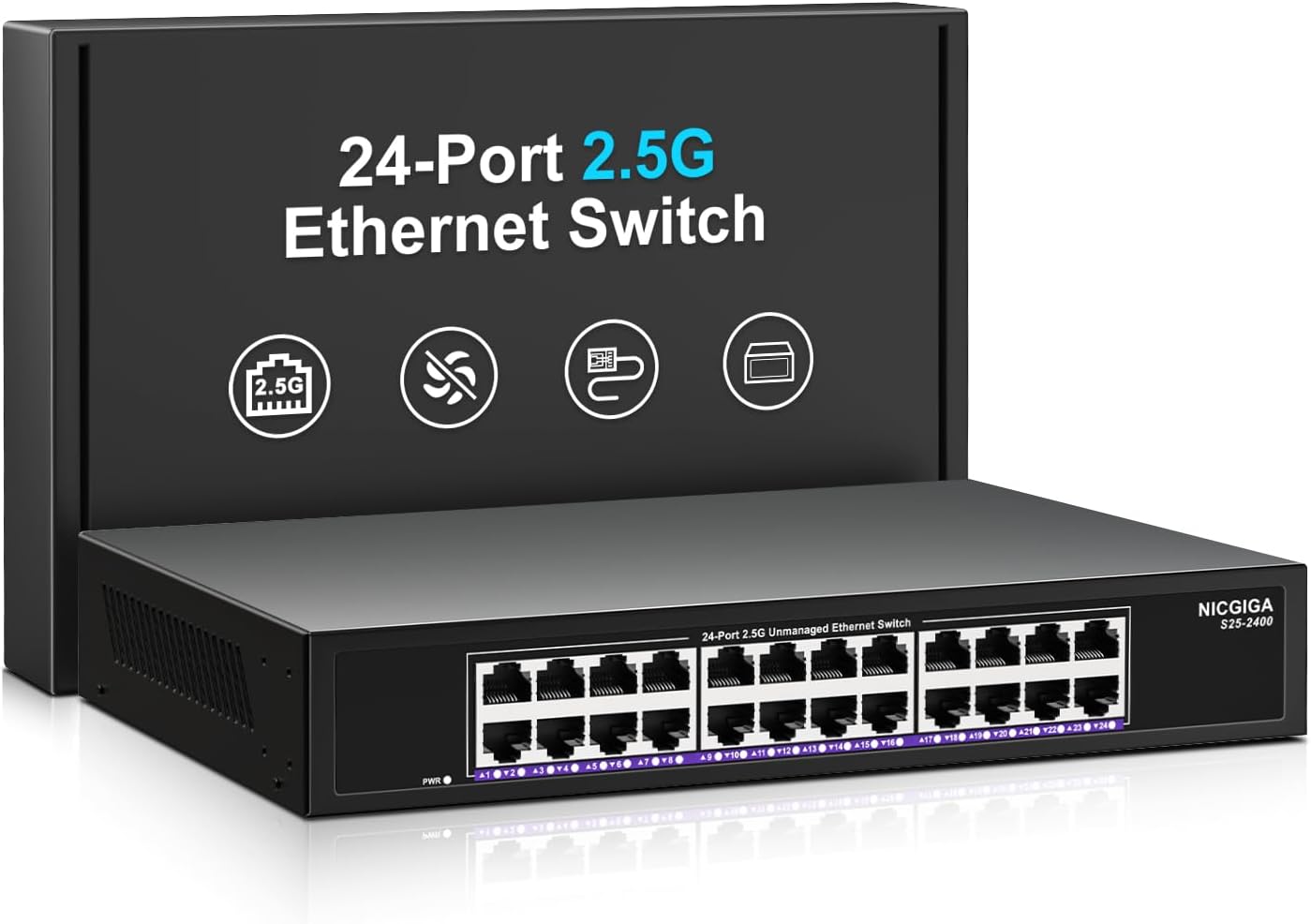
Beeld 1.1: Voorkant view of the NICGIGA 24 Port 2.5Gb Ethernet Switch, showcasing its 24 RJ45 ports and LED indicators.
2. Pakketinhoud
Verifieer dat die volgende items in jou pakket ingesluit is:
- NICGIGA 24 Port 2.5Gb Ethernet Switch (Model S25-2400)
- Kragadapter
- Rack Mount Kit (for 19-inch rack installation)
- Gebruikershandleiding (hierdie dokument)
3. Produk verbyview
3.1 Voorpaneel
The front panel of the NICGIGA 24 Port 2.5Gb Ethernet Switch features 24 RJ45 ports and LED indicators for monitoring network activity.
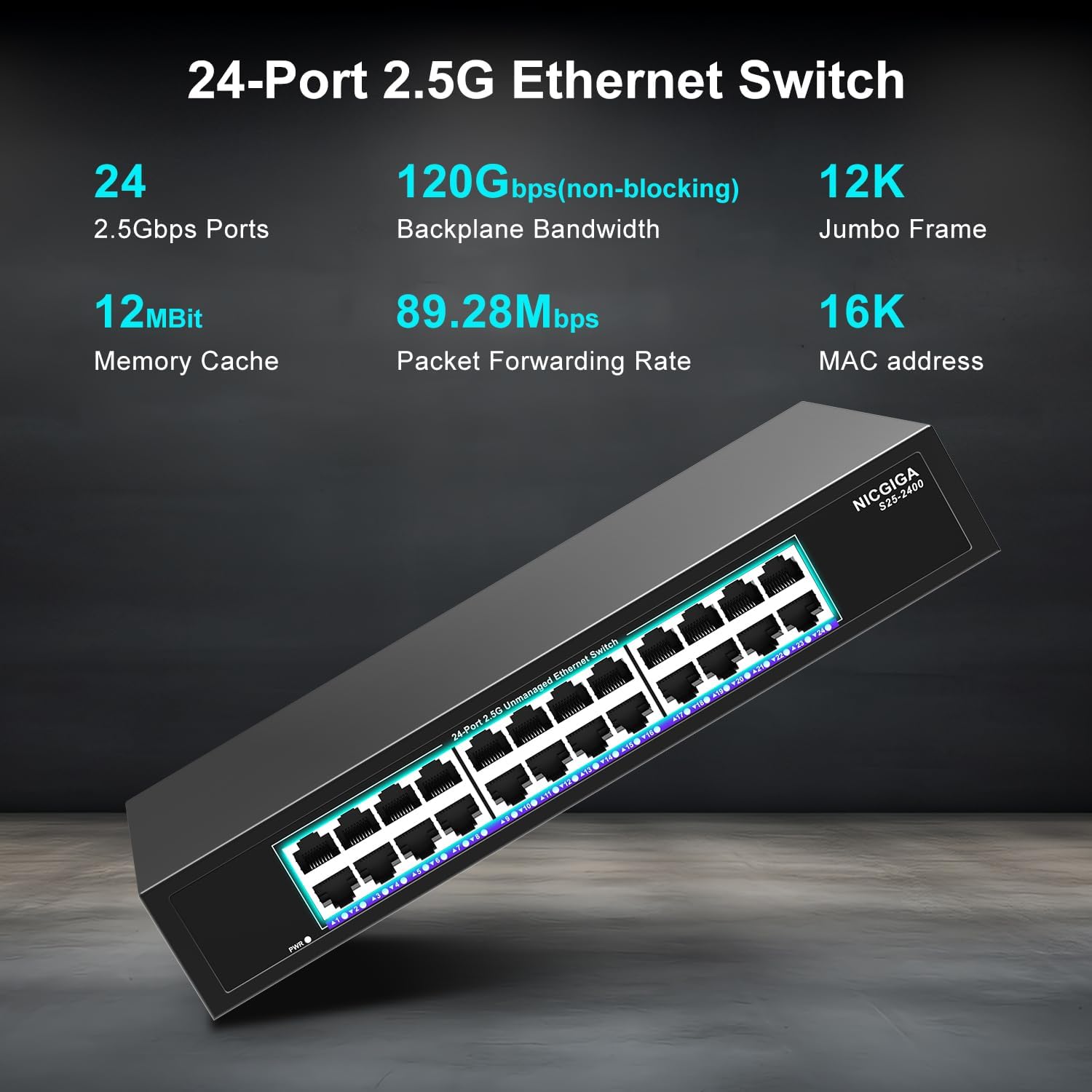
Beeld 3.1: Gedetailleerd view of the switch's front panel, highlighting the 24 RJ45 ports and power input.
- RJ45-poorte (1-24): These ports support 100/1000/2500Mbps Ethernet connections. They automatically detect and adjust to the speed of the connected device.
- LED-aanwysers: Each port has an associated LED that indicates link status and activity.
- Vaste groen: A stable link is established at 2.5Gbps.
- Vaste geel: A stable link is established at 1Gbps.
- Vaste oranje: A stable link is established at 100Mbps.
- Flitsend: Data-aktiwiteit vind plaas op die poort.
- Af: No link is established or the device is not connected.
- Krag LED: Dui die kragstatus van die skakelaar aan.
- Vaste groen: Die skakelaar is aangeskakel.
- Af: Die skakelaar is afgeskakel.
3.2 Agterpaneel
The rear panel typically contains the power input and ventilation openings.
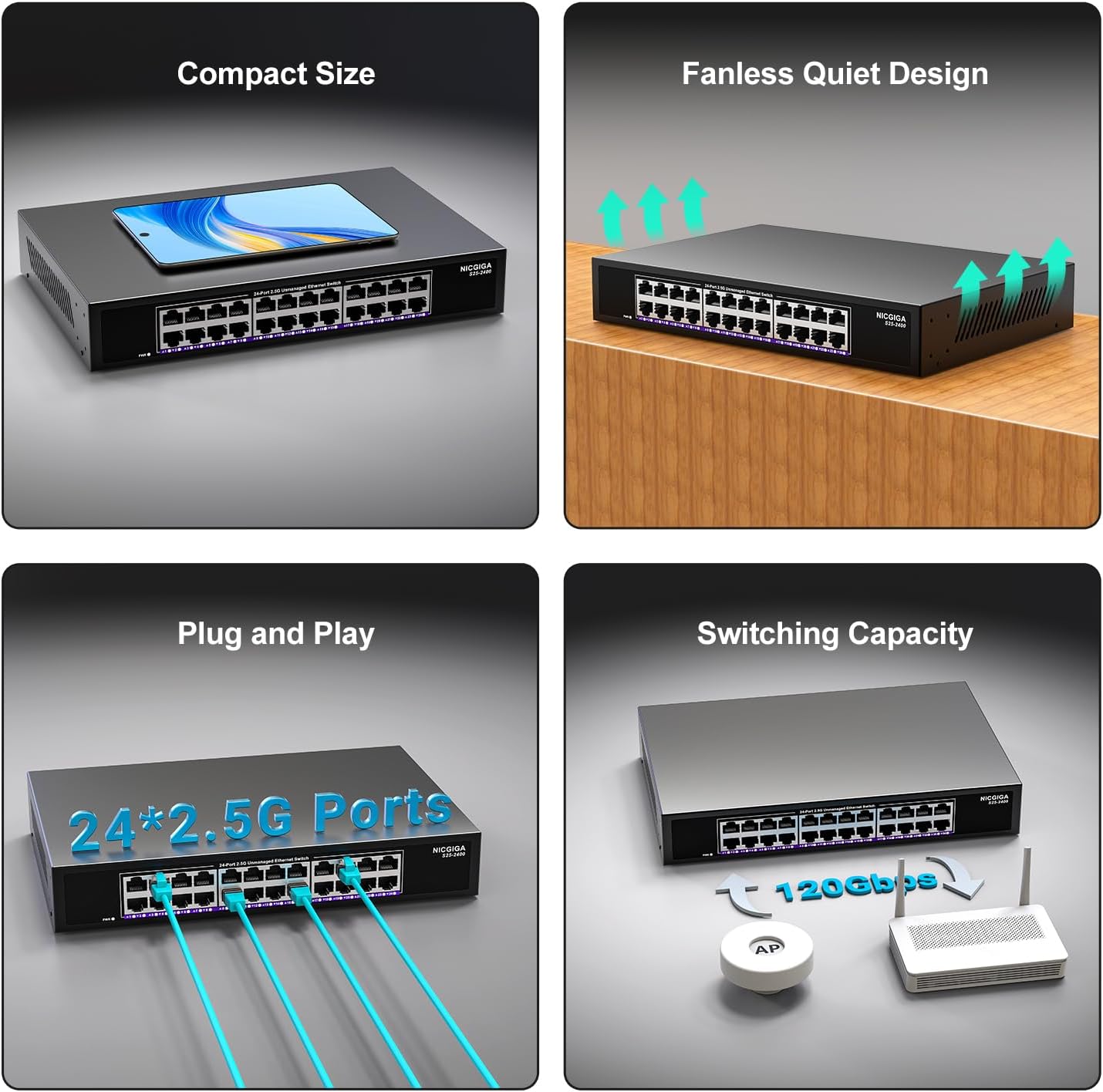
Prent 3.2: Agter view of the switch, showing the power input and fanless design.
4. Opstelling
The NICGIGA 24 Port 2.5Gb Ethernet Switch is designed for simple plug-and-play operation, requiring no software installation or complex configuration.
4.1 Werkskerminstallasie
- Place the switch on a stable, flat surface, ensuring adequate ventilation around the device.
- Connect the power adapter to the switch's power input and then to a power outlet.
- Connect your network devices (e.g., computers, NAS, Wi-Fi 6 APs, routers) to any of the 24 RJ45 ports using standard Ethernet cables. The switch will automatically detect the link speed.

Beeld 4.1: Voorbeeldample of desktop setup, showing the switch connected to a laptop and a Wi-Fi router.
4.2 19-inch Rack Mount Installation
The switch can be installed in a standard 19-inch equipment rack using the included rack mount kit.
- Attach the two rack-mount brackets to the sides of the switch using the provided screws.
- Secure the switch into an available slot in your 19-inch rack using appropriate rack screws (not included).
- Connect the power adapter and network cables as described in the desktop installation.

Image 4.2: Diagram illustrating the dimensions for rack mounting and an example of the switch installed in a 19-inch rack.
5. Bedryfsinstruksies
Once the switch is powered on and devices are connected, it operates automatically.
- Outo-onderhandeling: Each port automatically detects the speed (100Mbps, 1Gbps, or 2.5Gbps) and duplex mode (half/full) of the connected device and adjusts accordingly. This ensures optimal performance and compatibility across various network devices.
- Non-Blocking Architecture: The switch provides full wire-speed forwarding on all ports simultaneously, ensuring maximum throughput for all connected devices without bottlenecks.
- Onbeheerde Operasie: No configuration or software is required. Simply connect your devices, and the switch will manage data traffic efficiently.

Image 5.1: Illustration of the auto-negotiation feature, showing how the switch adapts to different link speeds.
6. Onderhoud
The NICGIGA 24 Port 2.5Gb Ethernet Switch is designed for minimal maintenance.
- Skoonmaak: Gebruik 'n sagte, droë lap om die buitekant van die skakelaar skoon te maak. Moenie vloeibare of aërosol skoonmaakmiddels gebruik nie.
- Ventilasie: Ensure that the ventilation openings are not blocked to allow for proper airflow and heat dissipation. The fanless design relies on natural convection.
- Omgewing: Operate the switch within its specified environmental conditions (temperature, humidity) to ensure optimal performance and longevity.
7. Probleemoplossing
If you encounter issues with your NICGIGA 24 Port 2.5Gb Ethernet Switch, refer to the following common troubleshooting steps:
- Geen krag:
- Maak seker dat die kragadapter stewig aan beide die skakelaar en 'n werkende kragpunt gekoppel is.
- Verifieer dat die kragaansluiting funksioneel is deur 'n ander toestel in te prop.
- Check the Power LED on the switch; it should be solid green when powered on.
- Geen skakel/aktiwiteit op 'n poort nie:
- Verify that the Ethernet cable is securely connected to both the switch port and the connected device.
- Maak seker dat die gekoppelde toestel aangeskakel is en dat die netwerkadapter korrek funksioneer.
- Try a different Ethernet cable to rule out cable issues.
- Toets met 'n ander poort op die skakelaar.
- Check the LED indicator for the specific port; if it's off, there's no link.
- Stadige netwerkspoed:
- Ensure all connected devices and network adapters support 2.5Gbps speeds for optimal performance. The switch will auto-negotiate to the highest common speed.
- Use Cat5e or higher-rated Ethernet cables for 2.5Gbps connections.
- Kontroleer vir oormatige netwerkverkeer of knelpunte op ander netwerktoestelle.
- Intermitterende verbinding:
- Inspect Ethernet cables for damage.
- Ensure the switch is placed in a well-ventilated area to prevent overheating, although it has a fanless design.
- Kontroleer vir potensiële elektromagnetiese interferensie van ander elektroniese toestelle.
8. Spesifikasies
| Kenmerk | Spesifikasie |
|---|---|
| Model | S25-2400 |
| Aantal poorte | 24 x 2.5Gbps RJ45 Ports |
| Tipe koppelvlak | RJ45 |
| Data-oordragtempo | 100/1000/2500Mbps (Auto-Negotiation) |
| Skakelkapasiteit | 160 Gbps |
| Jumbo-raam | 12K |
| MAC adres tabel grootte | 16K |
| Geheuekas | 12Mbit |
| Pakkie-aanstuurkoers | 89.28Mpps |
| Ontwerp | Fanless Metal Design |
| Weerligbeskerming | 4KV |
| Installasie | Desktop or 19-inch Rack Mount |
| Afmetings (L x B x H) | 270.5 x 181 x 44.5 mm (10.6 x 7.1 x 1.7 duim) |
| Item gewig | 1.9 kilogram (4.18 pond) |
| Versoenbare toestelle | Desktop, Gaming Console, Laptop |
| UPC | 790885830235 |
Opmerking: Spesifikasies kan sonder kennisgewing verander word.
9. Waarborg en Ondersteuning
NICGIGA provides a one-year warranty for this product, ensuring reliability, quality, and performance. Additionally, lifetime technical support is available for the entire product lifecycle.
For technical assistance or warranty claims, please contact NICGIGA customer support through the official webwebwerf of jou aankoopplatform.