
1. Inleiding
Thank you for choosing the Baseus Mini Power Bank E0028P. This compact and powerful portable charger is designed to provide fast and efficient charging for a wide range of devices, including smartphones, tablets, and even laptops. With its 10000mAh capacity, 67W fast charging capability, built-in dual USB-C cables, and digital display, it is an ideal companion for travel and daily use.
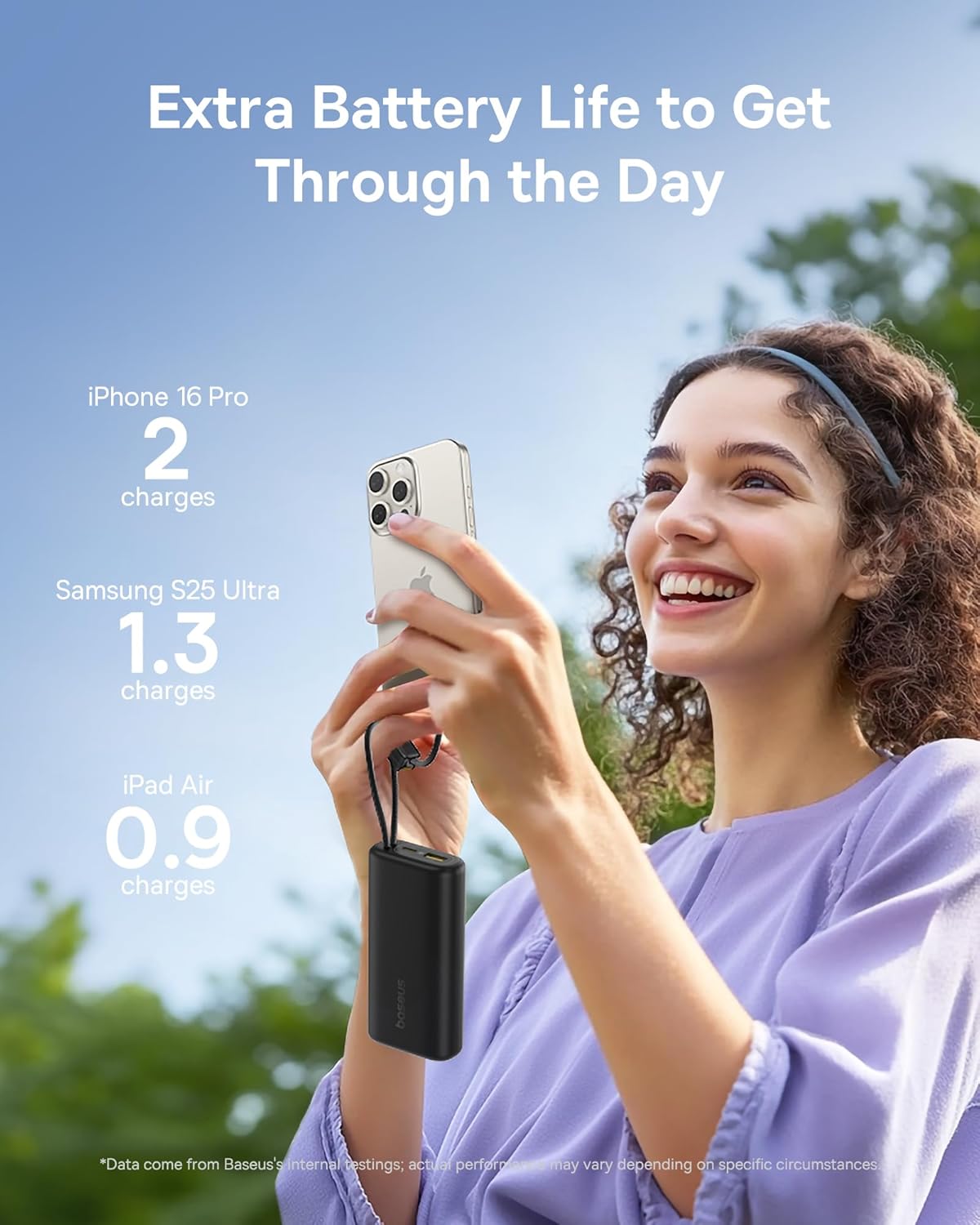
Image 1: The Baseus Mini Power Bank E0028P, a compact and portable charging solution.
2. Produkkenmerke
- 67W vinnige laai: Delivers up to 67W power output, capable of fast charging compatible smartphones and laptops.
- 20 000 mAh hoë kapasiteit: Provides sufficient power for multiple charges of most smartphones and partial charges for tablets or small laptops.
- Built-in Dual USB-C Cables: Features two integrated USB-C braided cables for convenient charging without needing to carry extra cables. These cables also serve as a carrying strap.
- Digitale skerm: An intelligent digital display provides real-time battery level information, allowing you to monitor the power bank's status at a glance.
- Laai veelvuldige toestelle: Equipped with two built-in USB-C cables, one additional USB-C port, and one USB-A port, allowing simultaneous charging of up to four devices.
- Kompakte en draagbare ontwerp: Designed to be small and lightweight, easily fitting into pockets or small bags, making it ideal for travel.
- Deurlaai laai: Supports charging devices while the power bank itself is being recharged.
- Lugdiens goedgekeur: Complies with airline regulations for portable power banks, suitable for carry-on luggage.

Image 2: The power bank's 10000mAh capacity can provide multiple charges for your devices.

Image 3: Experience 67W rapid charging for quick power delivery to your devices.
3. Opstelling
3.1 Aanvanklike laai van die kragbank
Before first use, it is recommended to fully charge your Baseus Mini Power Bank. This ensures optimal performance and battery longevity.
- Connect one of the built-in USB-C cables or an external USB-C cable to the power bank's input port.
- Koppel die ander kant van die kabel aan 'n versoenbare USB-muurlaaier (nie ingesluit nie).
- Die digitale skerm sal die laaivordering wys. Die kragbank is volledig gelaai wanneer die skerm 100% wys.
3.2 Koppel toestelle vir laai
The power bank offers multiple ways to connect your devices:
- Using Built-in USB-C Cables: Extend the built-in USB-C cables from their storage slots. Plug one end into your device's USB-C port.
- Gebruik van eksterne kabels: For devices requiring USB-A or an additional USB-C connection, plug your own charging cable into the available USB-A or USB-C output ports on the power bank.
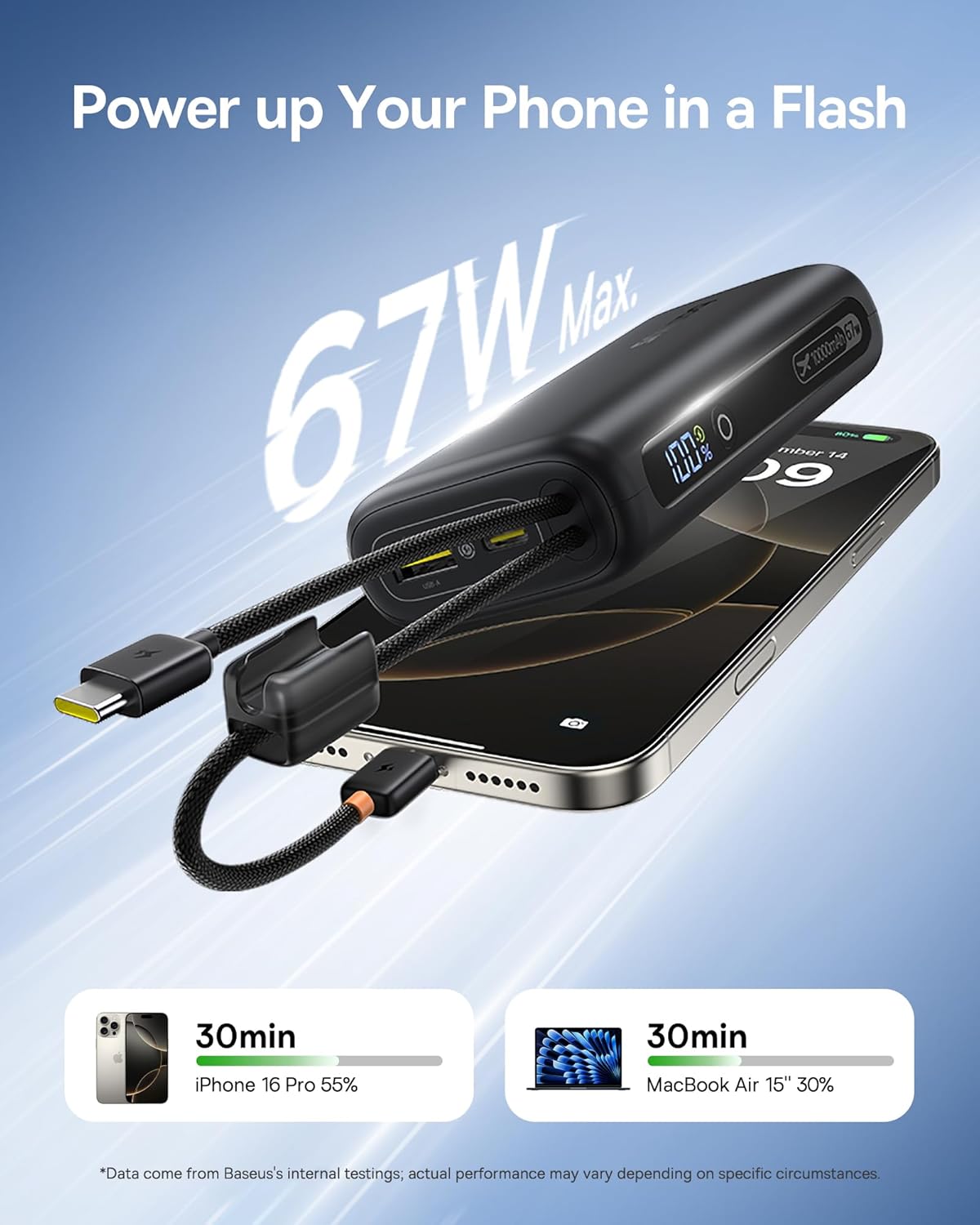
Image 4: The power bank features two convenient built-in USB-C cables.
4. Bedryfsinstruksies
4.1 Laai jou toestelle
- Connect your device(s) to the power bank using either the built-in USB-C cables or external cables plugged into the USB-A/USB-C output ports.
- Press the power button on the side of the power bank to initiate charging. The digital display will illuminate, showing the remaining battery percentage.
- Jou toestel behoort outomaties te begin laai.
4.2 Kontroleer batteryvlak
The integrated digital display provides an accurate percentage of the power bank's remaining charge. Simply press the power button once to activate the display.

Image 5: The digital display provides real-time battery status.
4.3 Herlaai van die kragbank
When the power bank's battery level is low, recharge it using a USB wall adapter and a USB-C cable (either built-in or external). The digital display will indicate charging status.
4.4 Deurlaatlaai
The Baseus Mini Power Bank supports pass-through charging, meaning you can charge your devices while the power bank itself is connected to a power source and recharging. This allows for continuous power delivery.

Image 6: Illustrates the pass-through charging capability, allowing simultaneous charging of the power bank and connected devices.
4.5 Laai van verskeie toestelle
Utilize the built-in USB-C cables, the additional USB-C port, and the USB-A port to charge up to four devices simultaneously. The power bank intelligently distributes power to connected devices.

Image 7: The power bank can charge up to four devices concurrently.
5. Onderhoud
5.1 Skoonmaak
To clean the power bank, gently wipe its surface with a soft, dry cloth. Avoid using harsh chemicals, abrasive cleaners, or getting moisture into the ports.
5.2 Berging
Store the power bank in a cool, dry place away from direct sunlight, extreme temperatures, and humidity. For long-term storage, ensure the power bank is charged to approximately 50-75% to preserve battery health.
5.3 Batterysorg
To maximize the lifespan of your power bank's battery:
- Vermy om die battery gereeld heeltemal te ontlaai.
- Moenie die kragbank aan uiterste hitte of koue blootstel nie.
- Recharge the power bank at least once every three months if not in regular use.
6. Probleemoplossing
| Probleem | Moontlike oorsaak | Oplossing |
|---|---|---|
| Toestel laai nie | Power bank battery is empty; Cable is faulty or not properly connected; Device is incompatible. | Recharge the power bank; Check cable connections and try a different cable; Verify device compatibility. |
| Stadige laai | Device not supporting fast charging; Multiple devices connected; Cable quality. | Ensure your device supports 67W fast charging; Disconnect other devices; Use high-quality cables. |
| Digitale skerm werk nie | Kragbank is af; Wanfunksie. | Press the power button to activate the display; If issue persists, contact customer support. |
| Kragbank laai nie weer nie | Charging adapter is faulty; Cable is faulty; Power bank is already full. | Try a different wall adapter; Check cable connections and try a different cable; Check digital display for 100%. |
7. Spesifikasies
| Modelnommer | E0028P |
| Battery kapasiteit | 10000 mAh |
| Maksimum kraguitset | 67 W |
| Produk afmetings | 4.33 x 0.98 x 2.16 duim |
| Item gewig | 7.4 onse |
| Connector Tipes | 2x Built-in USB-C, 1x USB-C Port, 1x USB-A Port |
| Spesiale kenmerke | Mini Design, 67W Laptop-Grade Fast Charging, Built-in Dual USB-C Cables, Digital Display, Pass-through Charging |
| Vervaardiger | Shenzhen Baseus Technology Co., Ltd. |
8. Veiligheidsinligting
Lees asseblief hierdie veiligheidsriglyne en volg dit om skade aan die produk of besering aan uself te voorkom:
- Moenie die toestel uitmekaar haal, verander of herstel nie.
- Do not expose to fire, water, or extreme temperatures.
- Vermy om die kragbank te laat val of aan sterk impakte te onderwerp.
- Hou buite bereik van kinders.
- Gebruik slegs versoenbare laaikabels en adapters.
- If the power bank swells, overheats, or emits an unusual odor, discontinue use immediately.
9. Produkvideo
Video 1: Amptelike produkvideovertoningasing the built-in cables and pocket-size power of the Baseus Mini Power Bank.
10. Waarborg en Ondersteuning
Baseus products are manufactured by Shenzhen Baseus Technology Co., Ltd. For warranty information, technical support, or customer service inquiries, please refer to the official Baseus webwebwerf of kontak hul kliëntedienskanale. Bewaar u aankoopbewys vir waarborgeise.