
Inleiding
This manual provides detailed instructions for the safe and efficient operation of your KBS 20-in-1 Bread Maker, Model MBF-014A. Please read all instructions carefully before first use and retain this manual for future reference.
Belangrike veiligheidsinstruksies
- Always ensure the bread maker is placed on a stable, heat-resistant surface.
- Moenie die toestel, koord of prop in water of ander vloeistowwe dompel nie.
- Hou kinders noukeurig toesig wanneer die toestel in gebruik is.
- Vermy kontak met bewegende dele tydens werking.
- Do not touch hot surfaces. Use oven mitts or the provided hook tool when handling the hot bread pan or bread.
- Unplug the appliance from the outlet when not in use and before cleaning. Allow to cool before adding or removing parts.
- Moenie enige toestel gebruik met 'n beskadigde koord of prop, of nadat die toestel wanfunksioneer of op enige manier beskadig is nie.
- Moenie aanhegsels gebruik wat nie deur die vervaardiger aanbeveel word nie.
- Moenie buite gebruik nie.
- Moenie dat die koord oor die rand van 'n tafel of toonbank hang, of aan warm oppervlaktes raak nie.
- Moenie op of naby 'n warm gas- of elektriese brander, of in 'n verhitte oond plaas nie.
- Wees uiters versigtig wanneer 'n toestel wat warm olie of ander warm vloeistowwe bevat, verskuif word.
- To disconnect, turn any control to "off," then remove the plug from the wall outlet.
- Moenie die toestel vir ander gebruik as die bedoeling gebruik nie.
Produk verbyview
The KBS 20-in-1 Bread Maker is designed for versatile bread making with 20 pre-programmed menus and a customizable mode. It features a nonstick ceramic pan, a durable stainless steel paddle, and a user-friendly touch panel.

Figure 1: KBS 20-in-1 Bread Maker
Opstelling
Uitpak en Aanvanklike Skoonmaak
- Verwyder die broodmasjien en alle bykomstighede versigtig uit die verpakking.
- Wash the bread pan, kneading paddle, measuring cup, and measuring spoon with warm, soapy water. Rinse thoroughly and dry completely.
- Vee die buitekant van die broodmasjien af met advertensiemateriaalamp lap. Moenie skuur skoonmaakmiddels gebruik nie.
- Maak seker dat alle dele droog is voor montering en gebruik.
Bykomstighede ingesluit
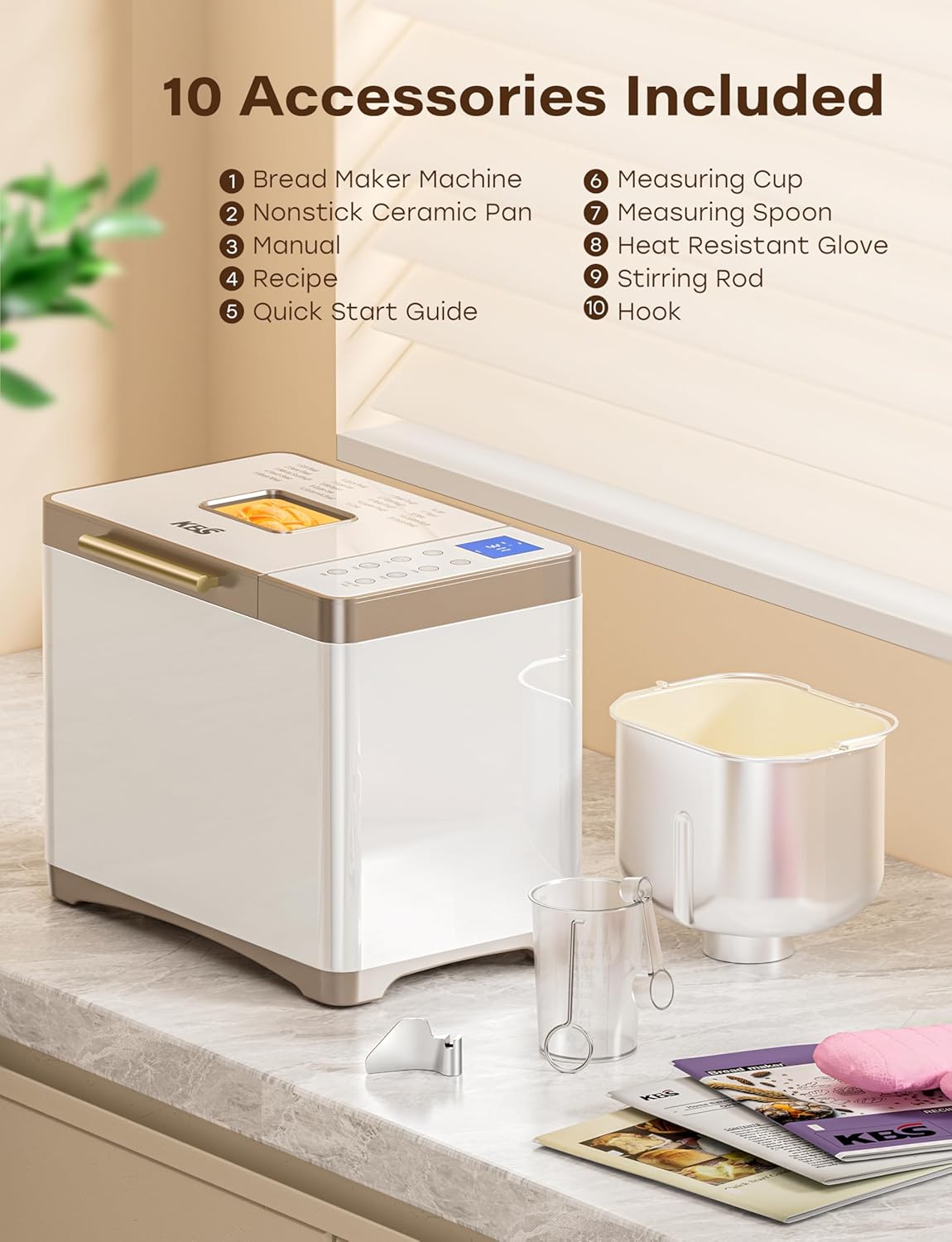
Figuur 2: Ingesluite Toebehore
Your KBS Bread Maker comes with the following accessories:
- 1 Nonstick Ceramic Pan
- 1 Stainless Steel Kneading Paddle
- 1 Hittebestande handskoen
- 1 maatbeker
- 1 Maatlepel
- 1 Hook (for removing the kneading paddle)
- 1 Instruksiehandleiding (hierdie dokument)
- 1 Recipe Book
- 1 Vinnige Begingids
Installing the Bread Pan and Kneading Paddle
- Place the bread pan into the baking chamber, ensuring it is securely seated. Twist gently if needed to lock it into place.
- Attach the kneading paddle onto the shaft at the bottom of the bread pan. Ensure it clicks into place.
Bedryfsinstruksies
Beheerpaneel oorview

Figure 3: Control Panel and Menu Options
The bread maker features a seamless glass digital touch panel for easy operation and cleaning.
- SPYSKAART: Press to cycle through the 20 pre-programmed settings.
- BROOD: Select desired loaf size (1 LB, 1.5 LB, 2 LB).
- KLEUR: Choose crust color (Light, Medium, Dark).
- KNIE: Dedicated button for kneading functions.
- DIY: Access the custom mode (Menu 19) for personalized settings.
- BROOD: Dedicated button for bread making functions.
- +/-: Adjust time for delayed start or custom mode settings.
- BEGIN/STOP/POUSIE: Initiate, pause, or cancel a program.
Bestanddele byvoeg
Always add ingredients in the order specified by your recipe, typically liquids first, followed by dry ingredients, and yeast last. Ensure the kneading paddle is correctly installed before adding ingredients.
Die keuse van 'n program
The bread maker offers 20 programs, including:
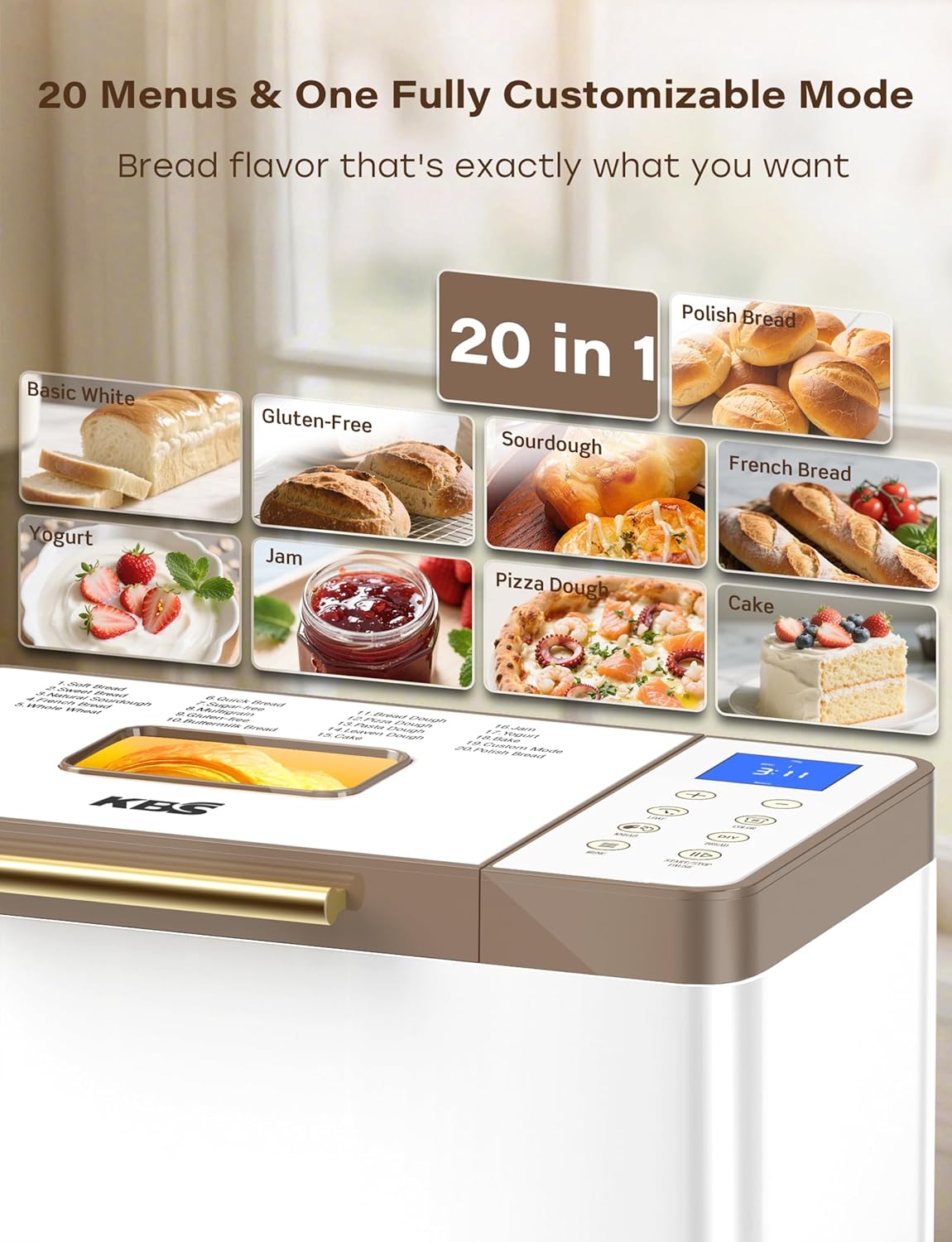
Figure 4: 20 Menu Options
- Soft Bread, Sweet Bread, Natural Sourdough, French Bread, Whole Wheat
- Quick Bread, Sugar-free, Multigrain, Gluten-free, Buttermilk Bread
- Bread Dough, Pizza Dough, Pasta Dough, Leaven Dough, Cake
- Jam, Yogurt, Bake, Custom Mode, Polish Bread
Druk die SPYSKAART button repeatedly until the desired program number appears on the display.
Loaf Size and Crust Color
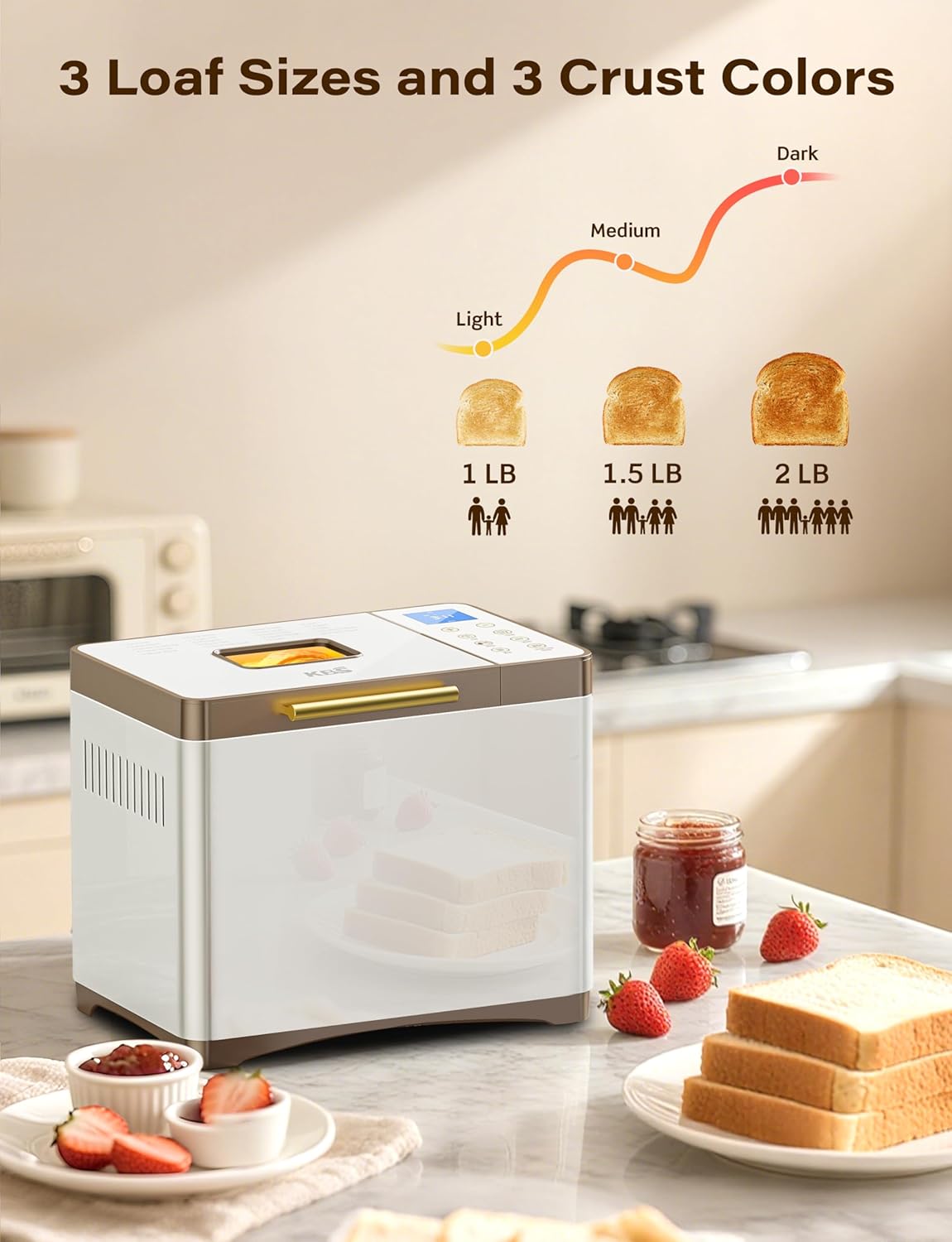
Figure 5: Loaf Size and Crust Color Selection
Nadat u 'n program gekies het, gebruik die BROOD button to choose between 1 LB, 1.5 LB, or 2 LB loaf sizes. Use the KLEUR button to select your preferred crust darkness: Light, Medium, or Dark.
Custom Mode (Menu 19)
Menu 19 allows for full customization of each baking stage: autolysing, basic rise, degassing, re-rise, reshape, last rise, and bake. Use the +/- buttons to adjust the time for each step. Settings can be saved for future use.
Delayed Start, Keep Warm, and Power Outage Backup
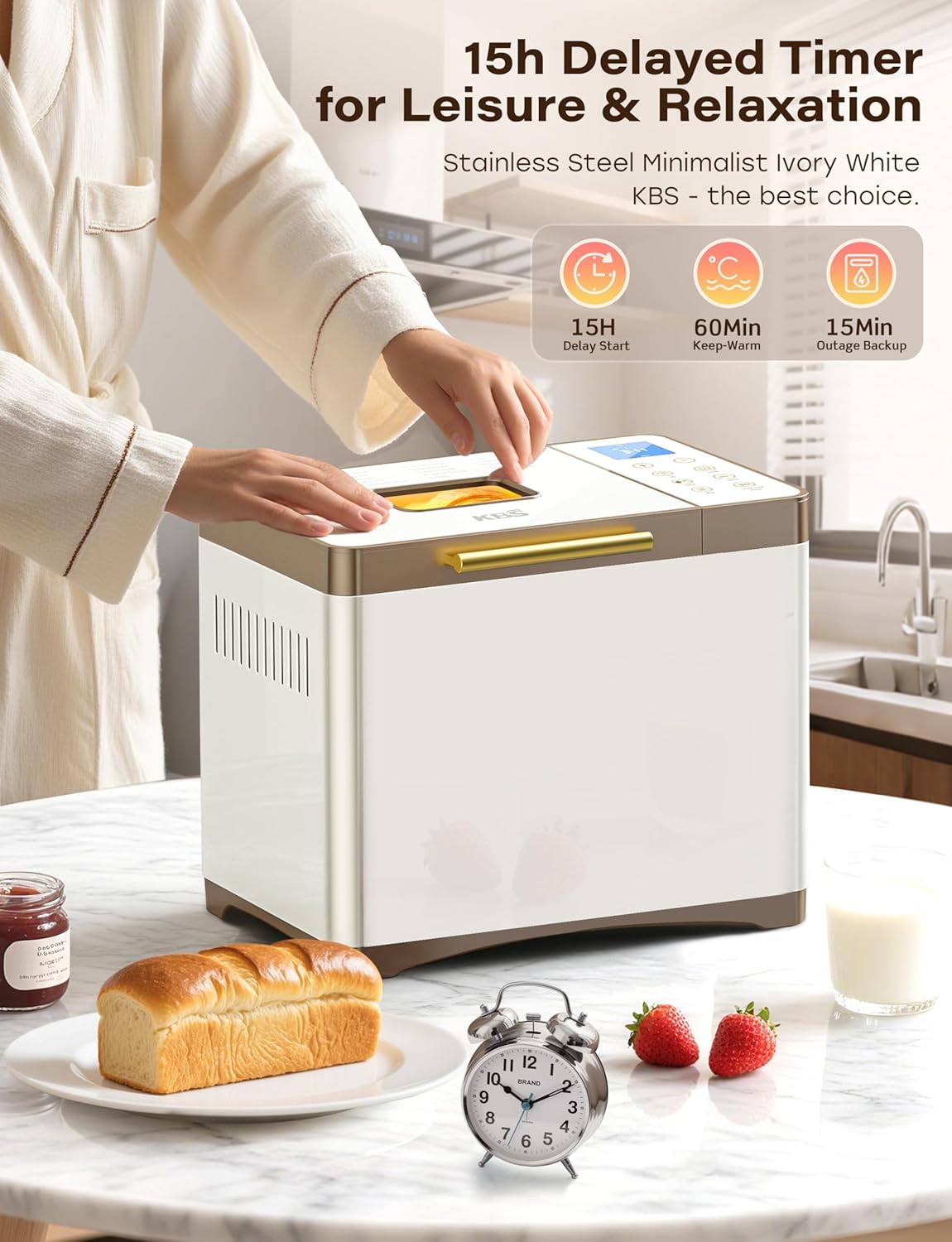
Figure 6: Timer and Power Features
- 15-Hour Delayed Start: Program the bread maker to finish baking at a later time. Use the +/- buttons to set the delay.
- 60-Minute Keep Warm: After baking, the bread maker automatically enters a 60-minute keep warm cycle to maintain optimal bread temperature.
- 15-Minute Power Outage Rugsteun: In case of a power interruption, the bread maker can resume its program if power is restored within 15 minutes.
Begin die program
Once ingredients are added and settings are selected, press the START/STOP/PAUSE button to begin the baking cycle.
Sorg en Onderhoud
Skoonmaak van die broodpan en kniepaddel

Figure 7: Nonstick Ceramic Pan and Stainless Steel Paddle
- After use, allow the bread pan and kneading paddle to cool completely.
- Remove the kneading paddle from the pan using the provided hook tool.
- Wash the ceramic pan and stainless steel paddle with warm, soapy water. The ceramic pan is fired at 3000°F for long-lasting nonstick properties and is dishwasher safe.
- For stubborn residue, soak the pan and paddle in warm water for a short period before cleaning.
- Ensure all parts are thoroughly dried before reassembling or storing.
Skoonmaak van die buitekant
- Vee die buitekant van die broodmasjien af met 'n sagte, damp lap.
- The seamless glass digital panel can be easily wiped clean.
- Moenie skuurmiddels of skuursponse gebruik nie, aangesien dit die oppervlak kan beskadig.
Probleemoplossing
If you encounter issues with your bread maker, refer to the common problems and solutions below.
| Probleem | Moontlike oorsaak | Oplossing |
|---|---|---|
| Brood rys nie of rys te veel. | Verkeerde gishoeveelheid, vervalde gis, verkeerde watertemperatuur, verkeerde meeltipe. | Ensure yeast is fresh and measured accurately. Use water at the correct temperature (typically lukewarm). Verify flour type matches the recipe. |
| Brood is dig of swaar. | Too much flour, too little liquid, insufficient kneading. | Measure ingredients precisely. Adjust liquid slightly if dough appears too dry during kneading. Ensure the correct program is selected for adequate kneading time. |
| Kniepaddel vas in brood. | Common occurrence, especially with larger loaves. | Allow bread to cool slightly. Use the provided hook tool to carefully remove the paddle. |
| Uneven baking or browning. | Improper ingredient distribution, lid not fully closed, external temperature fluctuations. | Ensure ingredients are evenly distributed. Confirm the lid is securely closed. The 360° hot air circulation and NTC/PID system help maintain even temperature. |
Spesifikasies
| Kenmerk | Detail |
|---|---|
| Modelnommer | MBF-014A |
| Handelsmerk | KBS |
| Kleur | Creamy White Stainless Steel |
| Produk afmetings | 8" D x 13.4" B x 11" H |
| Item gewig | 12.97 pond |
| Aantal programme | 20 (including Custom Mode) |
| Broodgroottes | 1 lb, 1.5 lb, 2 lb |
| Crust Settings | Lig, Medium, Donker |
| Pan Materiaal | Nonstick Ceramic (3000°F-fired) |
| Paddle Material | Vlekvrye staal |
| Motor Krag | 650W Variable-Frequency Motor |
| Temperatuurbeheer | Dual NTC and PID System |
| Vertraagde Begintydteller | Tot 15 uur |
| Hou Warm Funksie | 60 minute |
| Krag Outage Backup | 15 minute |
| Produkversorging | Dishwasher Safe (pan), Hand Wash (general) |
Waarborg en Ondersteuning
Your KBS Bread Maker comes with a 2-year warranty. For technical support or customer service inquiries, please contact our team. We aim to provide customized solutions with a rapid response within 12 hours.
- Waarborgtydperk: 2 Jaar
- Support Response Time: Binne 12 uur
- Please refer to the contact information provided in your Quick Start Guide or on the official KBS webwebwerf vir hulp.