
1. Inleiding
The Trolinktek Wireless CarPlay Adapter (Model B48) is designed to convert your car's existing wired CarPlay or Android Auto system into a wireless experience. This device eliminates the need for cables, providing seamless connectivity between your smartphone and your car's infotainment system. It features intelligent automatic connection technology, a durable metal housing, and a simple plug-and-play installation process.
2. Wat is in die boks

Image: Contents of the Trolinktek Wireless CarPlay Adapter package.
- Trolinktek Wireless CarPlay Adapter (Model B48)
- Gebruikershandleiding
- Type-C Connector Cable (for Type-C car ports)
3. Opstelinstruksies
The Trolinktek Wireless CarPlay Adapter offers a simple plug-and-play setup. Ensure your vehicle has a factory-installed wired CarPlay or Android Auto system before proceeding.
3.1. Connecting to Wireless CarPlay (iPhone)
Video: Demonstrates the setup process for connecting an iPhone to the Wireless CarPlay Adapter.
- Prop in die adapter: Insert the Wireless CarPlay Adapter into your car's USB port. If your car has a Type-C port, use the provided Type-C connector cable. The adapter's indicator light will illuminate.
- Aktiveer Bluetooth en Wi-Fi: On your iPhone (iOS 10+), go to Settings and ensure both Bluetooth and Wi-Fi are turned on.
- Koppel met Adapter: In your iPhone's Bluetooth settings, locate and select the adapter's Bluetooth name (e.g., "WirelessDongle-XXXX"). Confirm the pairing request on your iPhone and car screen.
- Allow CarPlay Access: A prompt will appear asking to allow CarPlay access. Select "Allow" or "Use CarPlay" to establish the connection.
- Outomatiese verbinding: After the initial setup, the adapter will automatically connect to your iPhone when you start your car.
3.2. Connecting to Wireless Android Auto (Android)
Video: Demonstrates the setup process for connecting an Android phone to the Wireless CarPlay & Android Auto Adapter.
- Prop in die adapter: Insert the Wireless CarPlay Adapter into your car's USB port. If your car has a Type-C port, use the provided Type-C connector cable. The adapter's indicator light will illuminate.
- Aktiveer Bluetooth en Wi-Fi: On your Android phone (Android 11+), go to Settings and ensure both Bluetooth and Wi-Fi are turned on.
- Koppel met Adapter: In your Android phone's Bluetooth settings, search for new devices and select the adapter's Bluetooth name (e.g., "WirelessDongle-XXXX"). Confirm the pairing request on your phone and car screen.
- Allow Android Auto Access: A notification may appear to connect to Android Auto. Follow the prompts to allow access and launch Android Auto.
- Outomatiese verbinding: After the initial setup, the adapter will automatically connect to your Android phone when you start your car.
4. Bedryfsinstruksies
Once connected, the Wireless CarPlay Adapter allows you to control your CarPlay or Android Auto interface using your car's original controls, maintaining a familiar and safe driving experience.
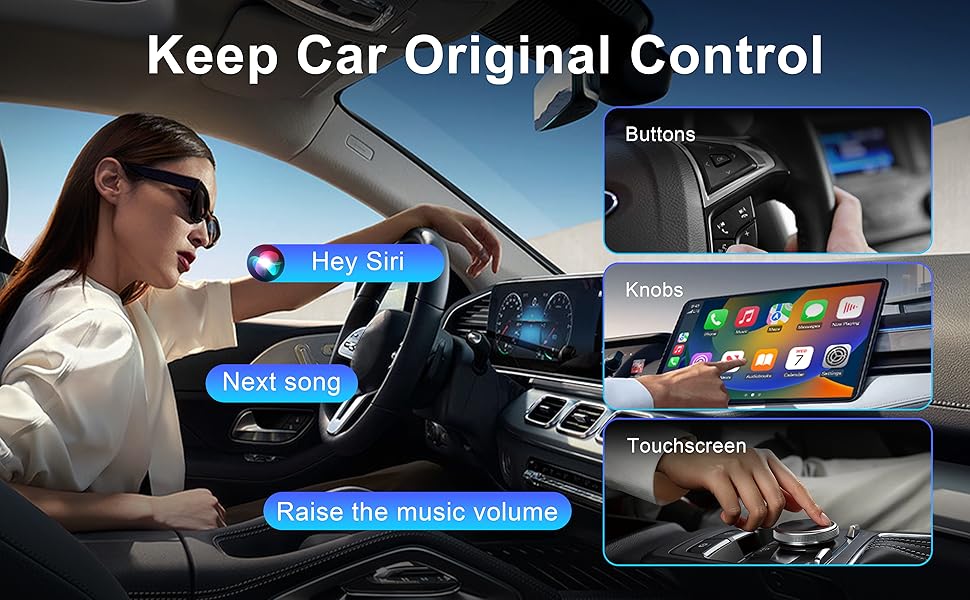
Image: CarPlay interface demonstrating control via car's original buttons, knobs, and touchscreen.
- Raakskermbeheer: Interact directly with the car's display for navigation, music, and app selection.
- OEM-knopbeheer: Use your vehicle's factory-installed rotary knobs and buttons to navigate the CarPlay/Android Auto interface.
- Stuurwielbeheer: Utilize your steering wheel buttons for volume adjustment, track skipping, and answering calls.
- Stemassistentbeheer: Activate Siri (for CarPlay) or Google Assistant (for Android Auto) using your car's voice command button or by saying the wake phrase (e.g., "Hey Siri"). This allows for hands-free control of navigation, calls, and music.
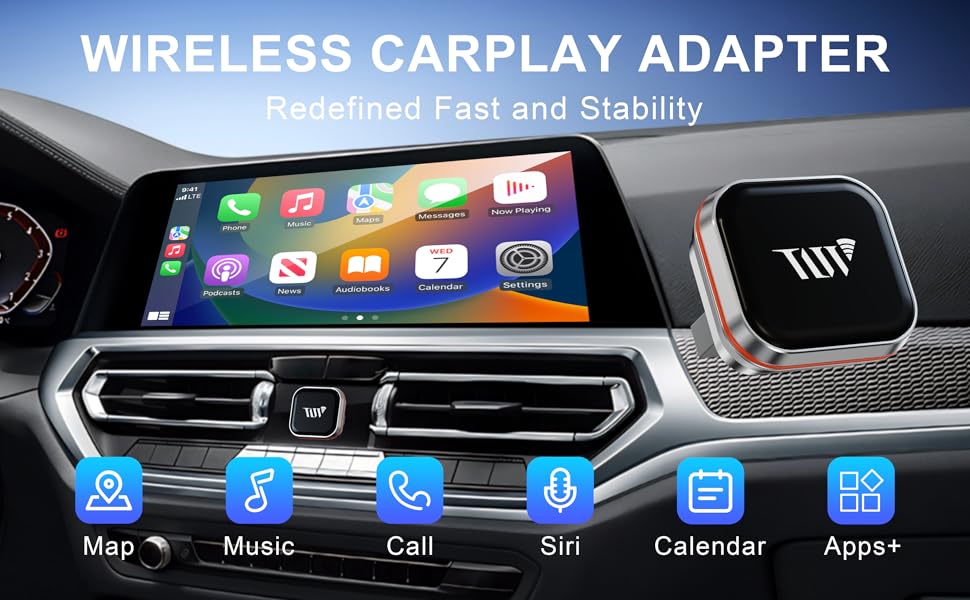
Image: The Wireless CarPlay Adapter interface showing common applications like Maps, Music, and Call functions.
5. Verenigbaarheid
This adapter is designed to work with vehicles that come with a factory-installed wired CarPlay system. It does not add CarPlay or Android Auto functionality to vehicles that do not already possess it.
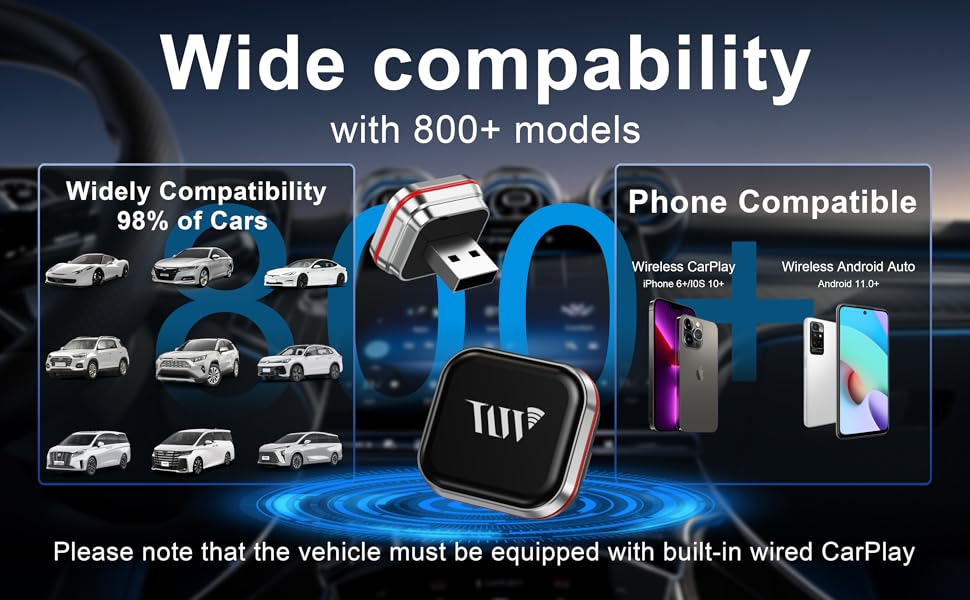
Image: Visual representation of device compatibility.
- iPhone-versoenbaarheid: Compatible with iPhone 6 or later running iOS 10 and above for Wireless CarPlay.
- Android-versoenbaarheid: Compatible with Android phones running Android 11 and above for Wireless Android Auto. Note: Huawei devices may not be compatible.
- Voertuigversoenbaarheid: Works with over 800 car models equipped with factory-installed wired CarPlay.
6. Probleemoplossing
If you encounter issues with your Wireless CarPlay Adapter, please refer to the following common solutions:
| Kwessie | Oplossing |
|---|---|
| Adapter not connecting automatically. | Ensure Bluetooth and Wi-Fi are enabled on your phone. Try forgetting the device in your phone's Bluetooth settings and re-pairing. Restart your phone and car's infotainment system. |
| Frequent disconnections during use. | Ensure your phone is within close proximity to the adapter and car's infotainment system. Avoid placing other wireless devices or large metal objects near the adapter that could cause interference. |
| No audio output from CarPlay/Android Auto. | Check your car's audio input settings to ensure it's set to the correct source (e.g., USB, Bluetooth). Verify that the volume on both your phone and car is turned up. |
| CarPlay/Android Auto not launching after connection. | Confirm that your car originally supports wired CarPlay/Android Auto. Some vehicles may require a specific USB port for data transfer. Try restarting your phone and the car's infotainment system. |
| Slow response or lag. | Ensure your phone's operating system is up to date. Close unnecessary apps running in the background on your phone. A strong Wi-Fi signal from the adapter is crucial for optimal performance. |
7. Spesifikasies
| Kenmerk | Detail |
|---|---|
| Handelsmerk | Trolinktek |
| Modelnommer | B48 |
| Verbindingstegnologie | Bluetooth, WiFi |
| Tipe beheerder | Android, iOS |
| Spesiale kenmerk | Apple CarPlay, Hands-Free Calling, Volume Control |
| Versoenbare toestelle | iPhone 6 and above (iOS 10+), Android 11 and above |
| Connector Tipe | USB Type A, USB Type-C |
| Klankuitvoermodus | Stereo |
| Kleur | Silwer |
| Produk afmetings | 0.98" D x 0.86" B x 0.86" H |
| Item gewig | 4 ons |
| Uitset krag | 5 Volt |
| Wattage | 5 watt |
| Beheer metode | Raak |
| Soort oudio-uitvoer | Bluetooth |
| Draadlose Tegnologie | Bluetooth |
8. Waarborg en Ondersteuning
The Trolinktek Wireless CarPlay Adapter (Model B48) comes with a 3 jaar waarborg, wat gemoedsrus verseker rakende die kwaliteit en prestasie daarvan.
For technical support, troubleshooting assistance, or warranty claims, please refer to the contact information provided in your product packaging or visit the official Trolinktek website. Please have your model number (B48) and purchase details ready when contacting support.