
Inleiding
Thank you for choosing the Origem Ski Helmet Speakers. These true wireless stereo headphones are designed to provide high-quality audio and convenient control while wearing a ski or snowboard helmet. Featuring HDR audio technology, Bluetooth 6.0 connectivity, and a glove-friendly button system, these speakers enhance your outdoor experience. Please read this manual carefully to ensure proper use and maintenance of your device.
Wat is in die boks
- Origem Ski Helmet Speakers (Left and Right)
- Draagbare laaikas
- Type-C laaikabel
- Gebruikershandleiding
Produk verbyview
The Origem Ski Helmet Speakers are compact and designed to fit into most audio-ready ski or snowboard helmets. Each speaker features a single multi-function button for easy control.
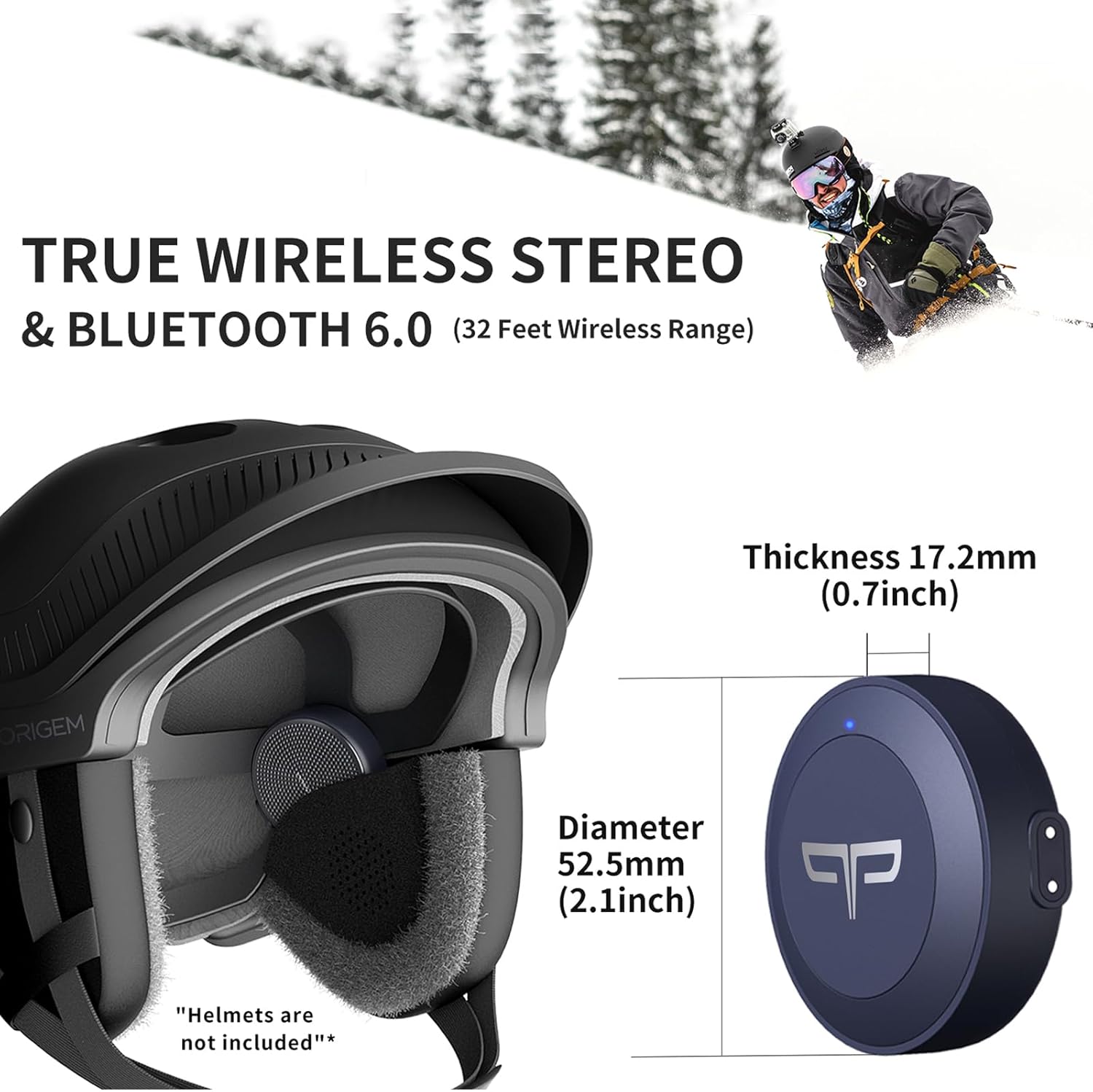
Image: Origem Ski Helmet Speakers showing dimensions (Diameter 52.5mm / 2.1inch, Thickness 17.2mm / 0.7inch).

Image: Close-up of Origem Ski Helmet Speakers highlighting HDR Audio and 40mm drivers.
Opstelling
1. Skakel aan
To power on the headphones, press and hold the multi-function button on either speaker for approximately 2 seconds until you hear a power-on prompt or see the indicator light illuminate.
2. Paring
After powering on, the speakers will automatically enter pairing mode. On your smartphone or Bluetooth-enabled device, navigate to the Bluetooth settings. Locate and select "SnowTune" from the list of available devices to establish a connection. Once paired, the speakers will indicate a successful connection.
3. Helmet Installation
The Origem Ski Helmet Speakers are designed to fit into the ear pockets of most audio-ready ski or snowboard helmets. Identify the left (L) and right (R) speakers. Carefully slide each speaker into the corresponding ear pocket of your helmet. Ensure they are securely seated for optimal sound and comfort.
Image: Demonstrates placing the left (L) and right (R) speakers into the helmet's ear pads.
Bedryfsinstruksies
The speakers feature a glove-friendly button system for easy control without removing your helmet.

Image: Icons representing various functions controlled by the single button: Music, Phone, Siri, Google Assistant, Volume.

Image: Detailed table of button functions for music, calls, and voice assistant.
1. Musiekweergawe
- Speel/pouse: Press the L/R earbud button once.
- Vorige snit: Press and hold the L earbud button for 2 seconds.
- Volgende snit: Press and hold the R earbud button for 2 seconds.
- Volume af: Double-click the L earbud button.
- Volume op: Double-click the R earbud button.
2. Oproepbestuur
- Beantwoord/beëindig oproep: Press the L/R earbud button once when receiving or during a call.
- Verwerp oproep: Press and hold the L/R earbud button for 2 seconds during an incoming call.
3. Stemassistent
- Aktiveer stemassistent: Triple-click the L/R earbud button to hear a "do" prompt tone, activating your phone's voice assistant (e.g., Siri, Google Assistant).
4. Skakel uit
To power off the headphones, press and hold the L or R button for 5 seconds until you hear a power-off prompt or the indicator light turns off.
Laai
The Origem Ski Helmet Speakers come with a portable charging case that provides extended battery life.
- Luidspreker Batterylewe: Up to 10 hours of listening time or 9 hours of talk time on a single charge.
- Laaikas: The charging case holds multiple charges, providing over 40 hours of total listening time.
- Vinnige laai: Place the speakers back into the charging case for 15 minutes to get up to 3 hours of listening time or 2 hours of talk time.
- Laai die saak: Use the provided Type-C charging cable to charge the case.

Image: The charging case with speakers inside, indicating 1.5 hours to full charge and up to 40 hours total battery life.
Onderhoud
To ensure the longevity and optimal performance of your Origem Ski Helmet Speakers, follow these maintenance guidelines:
- Skoonmaak: Wipe the speakers and charging case with a soft, dry cloth. Avoid using abrasive cleaners or solvents.
- Waterweerstand: The speakers are IPX4 water-resistant, providing protection against splashing water. Do NOT submerge the product in water or rinse it under running water.
- Berging: Store the speakers and charging case in a cool, dry place when not in use.
- Temperatuur: The speakers are designed to work effectively in temperatures as low as -20°C.
Probleemoplossing
If you encounter any issues with your Origem Ski Helmet Speakers, refer to the following common solutions:
- Geen krag: Ensure the speakers are charged. Place them in the charging case and connect the case to a power source.
- Kan nie koppel nie: Make sure Bluetooth is enabled on your device and the speakers are in pairing mode. If "SnowTune" does not appear, try turning the speakers off and on again.
- Geen klank: Check the volume levels on both your connected device and the speakers. Ensure the speakers are properly installed in your helmet.
- Intermitterende verbinding: Ensure your device is within the Bluetooth range (up to 10 meters) and there are no significant obstructions.
- Kontroles reageer nie: Ensure the speakers are powered on and connected. Try restarting the speakers and your connected device.
For further assistance, please refer to the official Origem support channels.
Spesifikasies
| Model Naam | MDN05297 |
| Materiaal | Plastiek |
| Tipe luidspreker | Buitelug |
| Spesiale kenmerke | Built-In Voice Assistant, Lightweight, Rechargeable Battery, Sweatproof, True Wireless Bluetooth |
| Bluetooth weergawe | 6.0 |
| Bluetooth-reeks | 10 meter (32 voet) |
| Oudiobestuurdergrootte | 40 millimeter |
| Impedansie | 80 ohm |
| Item gewig | 35 gram (1.23 onse) |
| Luidspreker afmetings | Diameter 52.5mm (2.1inch), Thickness 17.2mm (0.7inch) |
| Waterweerstandvlak | IPX4 (Waterbestand) |
| Werkstemperatuur | Bo -20°C |
| Battery Tipe | Litiumpolimeer (ingesluit) |
| Laaikas battery | 1000mAh |
| Verbindingstegnologie | Draadloos |
Veiligheidsinligting
- Moenie probeer om die produk uitmekaar te haal of te verander nie.
- Hou die produk weg van uiterste temperature, direkte sonlig en oop vlamme.
- Avoid exposing the product to excessive moisture beyond its IPX4 rating.
- Moenie die produk vir lang tye teen uitermatig hoë volumes gebruik nie om gehoorskade te voorkom.
- Always be aware of your surroundings when using the speakers, especially during outdoor activities.
Waarborg en Ondersteuning
The Origem Ski Helmet Speakers come with a limited warranty. Please refer to the warranty card included in your package or visit the official Origem webwebwerf vir gedetailleerde waarborgbepalings en -voorwaardes.
For technical support, product inquiries, or warranty claims, please contact Origem customer service through the contact information provided on the official webwebwerf of jou aankoopplatform.
Instruksionele video
Watch this video for a visual guide on unboxing, powering on, pairing, helmet installation, and controlling your Origem Ski Helmet Speakers.
Video: An instructional guide demonstrating the unboxing, power on, pairing, helmet installation, and control functions of the Origem Ski Helmet Speakers.