
1. Inleiding
The Fenvi FU-AX300 is a compact Wi-Fi 6 USB adapter designed to provide wireless connectivity to your desktop or laptop computer. It offers AX300 speeds on the 2.4 GHz band, making it suitable for everyday internet activities such as browsing, online classes, and HD streaming. Featuring OFDMA technology, it enhances efficiency in crowded network environments, and WPA3 security provides improved protection for your wireless connection. Its nano form factor allows it to remain plugged into a USB port without obstructing adjacent ports.
- AX300 Class Speed: Up to 287 Mbps on 2.4 GHz for reliable performance.
- Wi-Fi 6 Efficiency: OFDMA technology reduces network congestion.
- Verbeterde sekuriteit: Supports WPA3 encryption (requires compatible router).
- Ultra-kompakte ontwerp: Nano form factor for discreet use.
- Maklike installasie: Driver installation for Windows 11/10.
2. Pakketinhoud
Verifieer asseblief dat u pakket die volgende items bevat:
- Fenvi FU-AX300 Wireless USB Adapter
Note: Drivers are typically included on the device itself for easy installation or can be downloaded from the manufacturer's webwebwerf.
3. Opstelinstruksies
Follow these steps to install and set up your Fenvi FU-AX300 Wi-Fi 6 USB Adapter:
- Plaas die adapter in: Locate an available USB port on your desktop or laptop computer. Carefully insert the Fenvi FU-AX300 USB adapter into the USB port. Ensure it is fully seated.
- Drywerinstallasie (Windows 11/10):
- For most Windows 11/10 systems, the operating system may automatically detect and install the necessary drivers. Wait a few moments for this process to complete.
- If automatic installation does not occur, or if prompted, you may need to run the driver installer. The FU-AX300 is often "driver-free" meaning the driver is stored on the device itself and can be accessed like a USB drive.
- Open "This PC" or "My Computer" and look for a new drive labeled "FENVI" or similar. Double-click to open it and run the setup executable (e.g., "setup.exe" or "install.exe").
- Volg die instruksies op die skerm om die bestuurderinstallasie te voltooi.
- Alternatively, download the latest drivers from the official Fenvi support website if you encounter issues.
- Verifieer installasie: After driver installation, check your computer's Device Manager (search for "Device Manager" in Windows search) under "Network adapters" to confirm that the Fenvi FU-AX300 adapter is listed and functioning correctly.
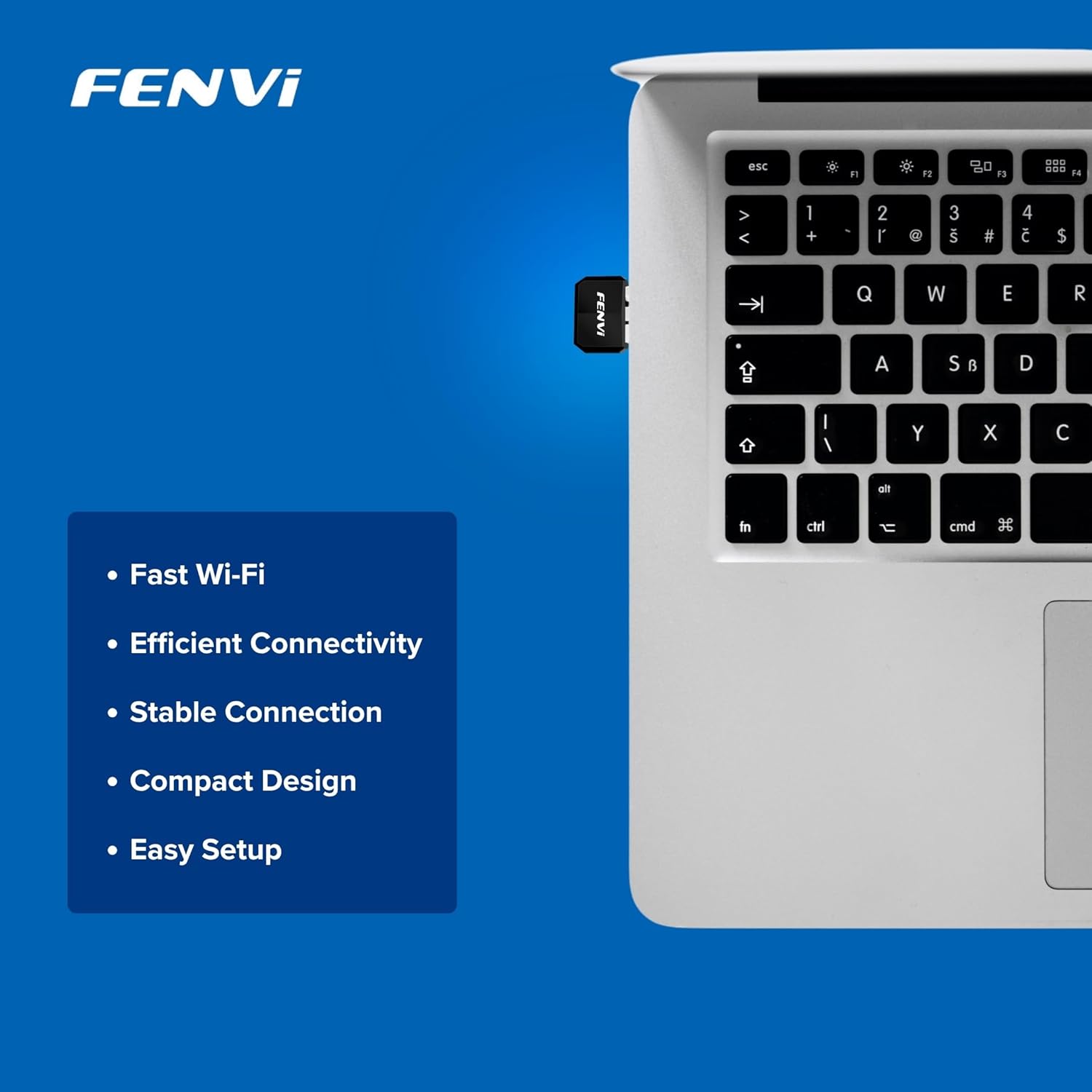
Image: The Fenvi FU-AX300 adapter shown plugged into a laptop, demonstrating its small size. Key features such as Fast Wi-Fi, Efficient Connectivity, Stable Connection, Compact Design, and Easy Setup are listed alongside.
4. Bedryfsinstruksies
Once the drivers are successfully installed, you can connect to a wireless network:
- Toegang tot Wi-Fi-instellings: Click on the Wi-Fi icon in the system tray (usually in the bottom-right corner of your screen) or navigate to Instellings > Netwerk en internet > Wi-Fi.
- Kies netwerk: 'n Lys van beskikbare Wi-Fi-netwerke sal verskyn. Kies jou verlangde netwerk (SSID).
- Koppel: Click "Connect" and enter the network security key (Wi-Fi password) if prompted.
- Bevestig verbinding: Once connected, the Wi-Fi icon will indicate an active connection, and you should have internet access.

Image: This diagram illustrates the benefits of Wi-Fi 6 technology, specifically OFDMA and MU-MIMO, in improving network efficiency compared to older Wi-Fi 4 standards, especially in scenarios with multiple connected devices.
5. Onderhoud
To ensure optimal performance and longevity of your Fenvi FU-AX300 adapter, consider the following maintenance tips:
- Hou bestuurders opgedateer: Periodically check the Fenvi official webwebwerf vir die nuutste dryweropdaterings. Opgedateerde drywers kan werkverrigting, stabiliteit en sekuriteit verbeter.
- Maak saggies skoon: If necessary, gently clean the adapter with a soft, dry cloth. Avoid using liquid cleaners or solvents.
- Vermy fisiese skade: While compact, avoid bending or applying excessive force to the adapter when it is plugged in or stored.
- Optimale plasing: For best signal strength, ensure the adapter is not obstructed by other objects or placed in an enclosed space.
6. Probleemoplossing
If you encounter issues with your Fenvi FU-AX300 adapter, refer to the following troubleshooting steps:
- Geen Wi-Fi-netwerke opgespoor nie:
- Maak seker dat die adapter stewig in 'n USB-poort ingeprop is.
- Verify that the drivers are correctly installed in Device Manager. Reinstall drivers if necessary.
- Check if your computer's Wi-Fi is enabled (e.g., via a physical switch or keyboard shortcut).
- Restart your computer and your Wi-Fi router.
- Stadige verbindingspoed:
- Maak seker dat jy binne die bereik van jou Wi-Fi-router is.
- Minimaliseer steuring van ander elektroniese toestelle (bv. mikrogolfoonde, koordlose telefone).
- Update your adapter's drivers to the latest version.
- Gaan jou internetdiensverskaffer se spoed na.
- "Driver not compatible with Windows 11" (as per some user feedback):
- While the product is advertised for Windows 11/10, if you face compatibility issues, ensure you have downloaded the absolute latest drivers directly from the Fenvi official webwebwerf.
- Try installing the driver in compatibility mode for an earlier Windows version if available.
- Contact Fenvi technical support for specific Windows 11 driver assistance.
- Gereelde ontkoppelings:
- Move closer to your Wi-Fi router.
- Maak seker dat jou router se firmware op datum is.
- Disable power-saving features for the USB port in Device Manager (under USB Root Hub properties, Power Management tab, uncheck "Allow the computer to turn off this device to save power").
7. Spesifikasies

Image: This image displays the compact dimensions of the Fenvi FU-AX300 USB adapter, measuring 24mm in length, 16mm in width, and 7mm in thickness. It also highlights the 3-year warranty.
| Kenmerk | Detail |
|---|---|
| Handelsmerk | Fenvi |
| Modelnommer | FU-AX300 |
| Hardeware-koppelvlak | USB 2.0 |
| Dataskakelprotokol | IEEE 802.11a (Wi-Fi 6 / 802.11ax compatible) |
| Data-oordragtempo | Tot 300 Mbps (2.4 GHz) |
| Sekuriteit | WPA3 (router support required) |
| Kenmerke | MU-MIMO, OFDMA |
| Versoenbare bedryfstelsels | Windows 11, Windows 10 |
| Produkafmetings (L x B x H) | 40 x 20 x 15 Millimeter |
| Item gewig | 25 gram |
| Kleur | Swart |
| Land van oorsprong | China |

Image: This image provides a summary of the Fenvi FU-AX300's key specifications, such as its brand (Fenvi), model (FU-AX300), Wi-Fi standard (IEEE 802.11ax), USB 2.0 interface, WPA3 security, 2.4GHz data rate, MU-MIMO/OFDMA features, Windows 7/10/11 compatibility, and 3-year warranty.
8. Waarborg en Ondersteuning
Waarborginligting: The Fenvi FU-AX300 Wi-Fi 6 USB Adapter comes with a 3-jaar vervaardigerwaarborgBewaar asseblief u bewys van aankoop vir waarborgeise.
Tegniese ondersteuning: For further assistance, driver downloads, or troubleshooting not covered in this manual, please visit the official Fenvi support website or contact their customer service. Contact details are typically available on the manufacturer's webwebwerf of produkverpakking.
Vervaardiger: Fenvi
Kontakbesonderhede van invoerder: Compassco No 98 1st Floor Digital Park Road Yeshwanthpur Industrial Suburb Bangalore Karnataka 560022 India
Packer Contact Information: Shenzhen fenvi Technology Co., Ltd 401C West Area,North Block, High tech Industrial Park,Beier Road,Bantian Community, Bantian Street, Longgang District, Shenzhen China