
1. Inleiding
The DeerAsk 4G LTE Car Security Camera (Model PR02) is a dual 1080P dash cam designed to provide comprehensive vehicle surveillance. It features remote live view, AI motion alerts, real-time GPS tracking, and two-way audio communication. This manual provides detailed instructions for setting up, operating, and maintaining your device.

Image: DeerAsk 4G LTE Car Security Camera, showing its compact design with front and interior lenses.
2. Pakketinhoud
Verifieer dat alle items in jou pakket teenwoordig is:
- DeerAsk 4G LTE Car Security Camera (Model PR02)
- OBD-II Power Cable
- 32GB SD Card (pre-installed or separate)
- Adhesive Mounting Strips
- Gebruikershandleiding
3. Opstelling en installering
Follow these steps to install your DeerAsk Car Security Camera:
- Maak die voorruit skoon: Choose a suitable location on your car's windshield, typically near the rearview spieël, en maak seker dat dit nie jou view. Clean the area thoroughly to ensure proper adhesion.
- Heg die kamera aan: Remove the protective film from the adhesive mounting strip on the camera bracket. Firmly press the camera onto the cleaned area of the windshield for at least 30 seconds.
- Koppel krag: Locate your vehicle's OBD-II port (usually under the dashboard on the driver's side). Plug the provided OBD-II power cable into the port. Route the cable neatly along the windshield trim and dashboard to the camera, ensuring it does not interfere with driving controls or airbags.
- Insert SIM Card (if not pre-installed): If your SIM card is not pre-installed, gently insert it into the designated SIM card slot on the device.
- Plaas SD-kaart in: Ensure the 32GB SD card is properly inserted into the TF card slot. The device supports up to 128GB SD cards.
- Pas kamerahoek aan: Once mounted, adjust the camera's angle to capture the desired view of the road and the vehicle's interior.
- Download UBoxPro App: Scan the QR code in the user manual or search for "UBoxPro" in your smartphone's app store (https://app.ubianet.com/app/uboxpro/). Install and register an account following the in-app instructions.
- Pair Device with App: Follow the app's tutorial to connect your camera. This typically involves scanning a QR code on the device or using Bluetooth for initial pairing.

Image: Close-up of the DeerAsk camera showing the TF card slot, SIM card slot, microphone, and Type-C charging port.

Image: Visual guide for easy installation, highlighting the OBD power cable connection and optional hardwiring kit.
Video: Demonstrates the installation process of the DeerAsk 4G LTE Dash Cam, including mounting and cable routing.
Video: Shows how to connect the UBoxPro app to the dash cam for initial setup and live view.
4. Bedryfsinstruksies
4.1 Remote Live View
Access a high-definition live stream of your car's surroundings directly on your phone via the UBoxPro App, no matter the distance, using the built-in 4G LTE connectivity.

Image: The UBoxPro app displaying remote live view from the dash cam, showing both front and interior camera feeds.
4.2 AI Motion Alert & 24/7 Parking Surveillance
The camera is equipped with advanced microwave radar and a G-sensor to identify human motion and impacts around your car. It filters out false alarms, sending instant notifications to your phone for real threats. This ensures reliable 24/7 parking surveillance.

Image: Depicts the AI radar system detecting movement around a parked car and sending an alert to a user's phone.
4.3 Dual 1080P HD + Infrared Night Vision
The front camera records in crisp 1080P, capturing road details. The interior camera, equipped with infrared night vision, monitors the cabin clearly even in total darkness, providing full HD evidence from both angles.

Image: Illustrates the dual 1080P cameras (front and interior) with infrared night vision, capturing clear footage dag en nag.
4.4 Tweerigting-klank
Utilize the two-way audio feature to deter suspicious individuals or communicate with occupants inside the car remotely through the app.

Image: Shows the two-way talk feature in action, enabling remote voice communication with the car's interior.
4.5 Real-Time GPS Tracking
With precise GPS+LBS dual positioning, you can track your vehicle's real-time location and review its driving history via the UBoxPro app.
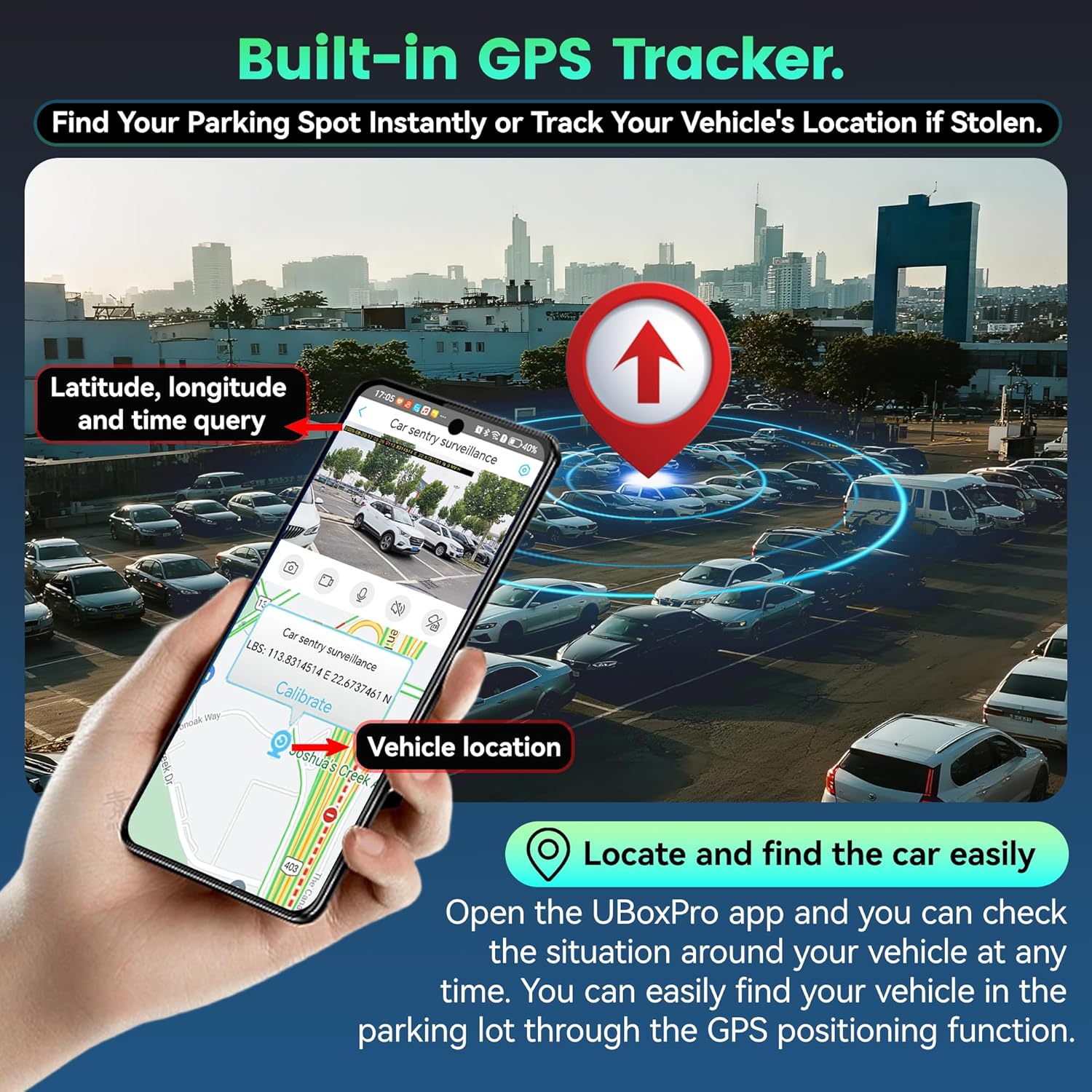
Image: The UBoxPro app displaying real-time GPS tracking, showing the vehicle's location on a map.
4.6 Cloud Storage & Local Recording
Event videos are automatically uploaded to secure cloud storage, and instant notifications are sent to your phone. This ensures evidence is safely stored even if the camera is stolen. Local recording to the included 32GB SD card is also available (supports up to 128GB).

Image: Shows the dash cam's support for both local SD card storage and cloud storage, with details on data plans.
Video: Demonstrates how the dash cam captures and stores evidence in case of a hit-and-run incident.
Video: A functionality demonstration of the DeerAsk 4G LTE Dash Cam, showcasing verskeie kenmerke.
4.7 Privaatheidsmodus
The device includes a privacy cover for the interior camera. You can slide the privacy cover to hide the interior camera or press the dedicated privacy mode button to disable the interior camera and audio.

Image: Demonstrates the privacy mode, where the interior camera can be covered for privacy.
5. Onderhoud
- SD-kaartbestuur: Regularly check the SD card for available space. While loop recording overwrites older footage, important event videos are locked. Periodically back up essential footage na 'n rekenaar of wolkberging.
- Skoonmaak: Keep the camera lenses and windshield area clean for optimal video quality. Use a soft, dry cloth to wipe the lenses.
- Firmware -opdaterings: Check the UBoxPro app periodically for firmware updates to ensure your device has the latest features and performance improvements.
6. Probleemoplossing
- Toestel skakel nie aan nie: Ensure the OBD-II cable is securely connected to both the camera and the vehicle's OBD-II port. Check your car's power supply.
- Programverbindingskwessies: Verify your smartphone has a stable internet connection. Ensure Bluetooth is enabled for initial pairing. Restart the app and the camera if issues persist.
- No Remote Features: Remote features (live view, alerts, cloud upload) require an active 4G data plan. Ensure your SIM card has an active plan.
- Swak videogehalte: Clean the camera lenses and the windshield area. Ensure the camera is securely mounted and not vibrating.
- GPS Tracking Inaccurate: Ensure the GPS module is properly positioned and has a clear view van die lug.
7. Spesifikasies
| Kenmerk | Detail |
|---|---|
| Handelsmerk | DeerAsk |
| Modelnommer | PR02 |
| Video-resolusie | Dual 1080P (Front & Interior) |
| Konnektiwiteit | 4G LTE (pre-installed SIM card), Wi-Fi |
| Nagvisie | Infrared (IR) LED for interior camera |
| Berging | Supports up to 128GB SD card (32GB included) |
| Kragbron | Vehicle Power Socket (OBD-II) |
| Versoenbare toestelle | Passenger cars, trucks |
| Tipe vertoon | LCD |
8. Waarborg en Ondersteuning
The DeerAsk 4G LTE Car Security Camera comes with a 1-Year Manufacturer's Warranty. For technical assistance or warranty claims, please contact DeerAsk customer support. Refer to the product packaging or the UBoxPro app for contact details.
The product also includes a 30-day money-back guarantee and lifetime support, as mentioned in the product features.