
1. Inleiding
The BAOFENG UV-5R Mini is a compact, dual-band walkie-talkie designed for reliable communication. It features app programming, frequency copying, NOAA weather alerts, and adjustable power output. This manual provides essential information for the safe and efficient use of your radio.
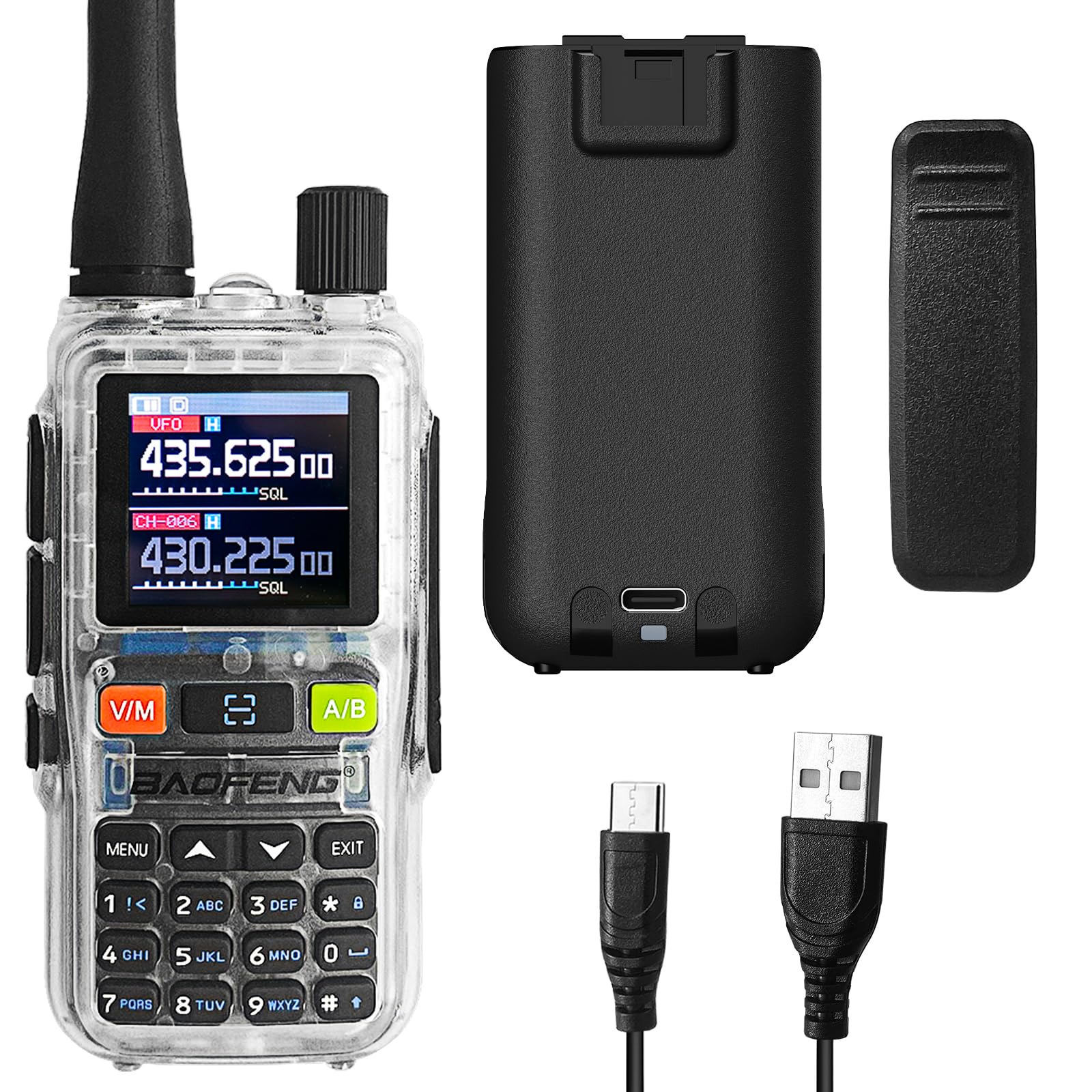
Figure 1: BAOFENG UV-5R Mini Radio. This image shows the front of the radio with its display and keypad.
2. Package Contents and Device Overview
2.1 Pakketinhoud
Maak seker dat alle items in jou pakket teenwoordig is:
- BAOFENG UV-5R Mini Radio
- Antenne
- Battery
- Gordelklem
- USB-C-laaikabel
- Gebruikershandleiding
2.2 Toestel verbyview

Figuur 2: Voorkant view of the radio with key components labeled, including Antenna, Flashlight, Volume Power Knob, LED Indicator, PTT-A Button, PTT-B Button, Screen, Accessory Port, A/B button, Microphone, Monitor button, Search/Flashlight button, V/M-VFO/MR button, and Numeric Keypad.

Figuur 3: Kant view of the radio, showing the PTT buttons and accessory port.

Figuur 4: Terug view of the radio, highlighting the USB-C charging port.
3. Opstelling
3.1 Batteryinstallasie en -laai
- Align the battery with the compartment on the back of the radio and slide it into place until it clicks.
- To charge, connect the provided USB-C cable to the radio's USB-C port and a compatible power source (e.g., computer, wall adapter, power bank, car charger).
- The LED indicator will show charging status. A full charge typically takes several hours.

Figure 5: The radio can be charged via USB-C from multiple sources, including a computer, wall plug, power bank, or car charger.
3.2 Antenna and Belt Clip Attachment
- Skroef die antenna kloksgewys op die konnektor bo-op die radio totdat dit vingervas is. Moenie te styf vasdraai nie.
- Attach the belt clip to the designated slot on the back of the radio by sliding it down until it locks securely.
4. Basiese werking
4.1 Aan/Af en Volumebeheer
- To power on, rotate the Volume Power Knob clockwise.
- To power off, rotate the Volume Power Knob counter-clockwise until it clicks.
- Adjust the volume by rotating the Volume Power Knob.
4.2 Kanaalkeuse en Frekwensiemodus
- Gebruik die V/M button to switch between Frequency (VFO) mode and Channel (MR) mode.
- In Channel mode, use the up/down arrow keys to select a channel.
- In Frequency mode, enter frequencies directly using the numeric keypad.
4.3 Versend en Ontvangs
- Press and hold the PTT-A or PTT-B button to transmit. Speak clearly into the microphone.
- Laat die PTT-knoppie los om te ontvang.
- The radio supports dual-band TX/RX and dual standby, allowing monitoring of two frequencies simultaneously.
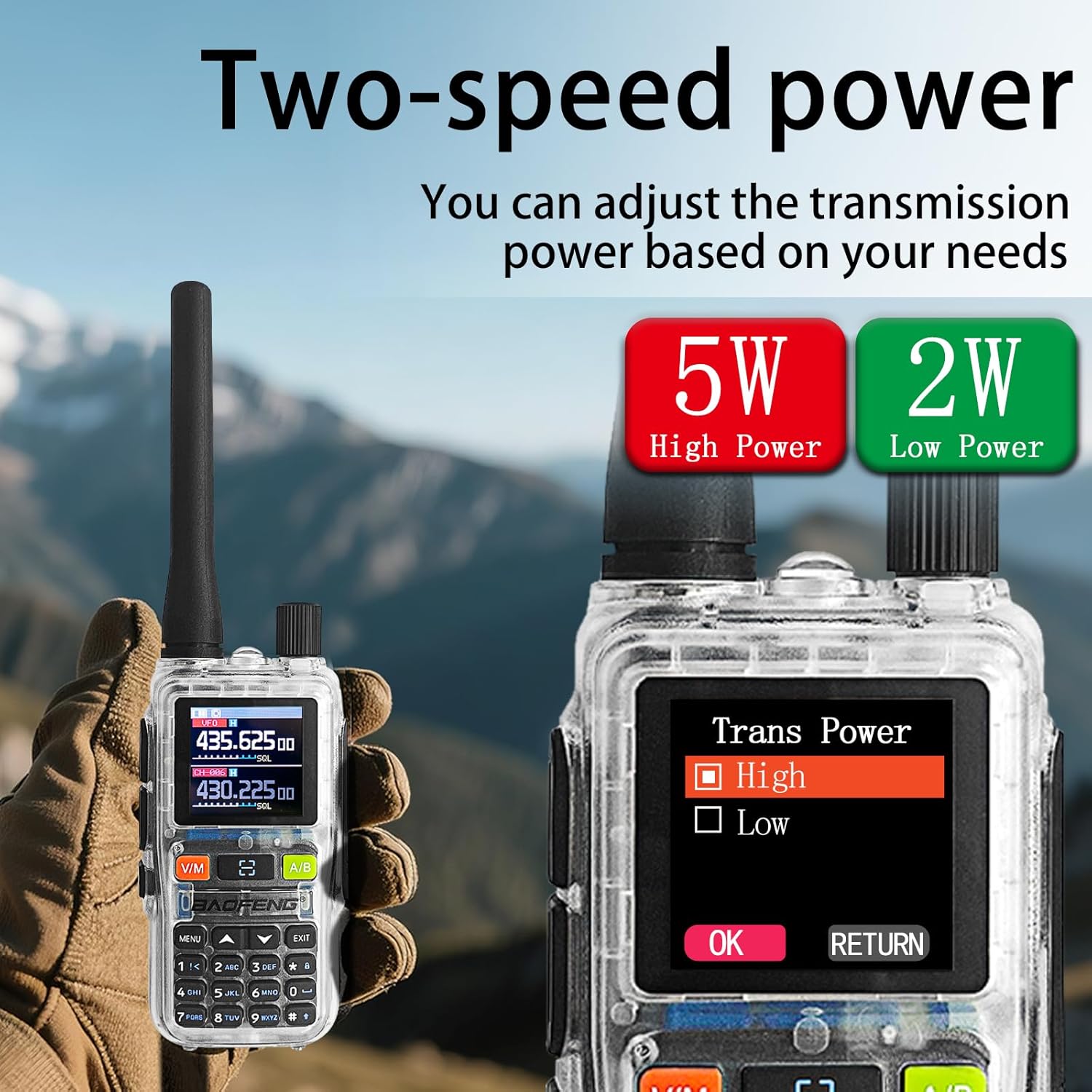
Figure 6: The radio's display showing two active frequencies for dual-frequency standby, with the PTT A/B buttons highlighted.
4.4 NOAA Weerwaarskuwings
- The radio can receive NOAA weather alerts. Refer to the menu settings for activating and configuring NOAA channels.

Figure 7: The radio supports NOAA Weather Alerts, providing critical weather information.
4.5 Adjustable Power Output
- The radio supports adjustable power output (5W/2W). This can be configured through the menu or app.
- Higher power (5W) provides greater range, while lower power (2W) conserves battery life.
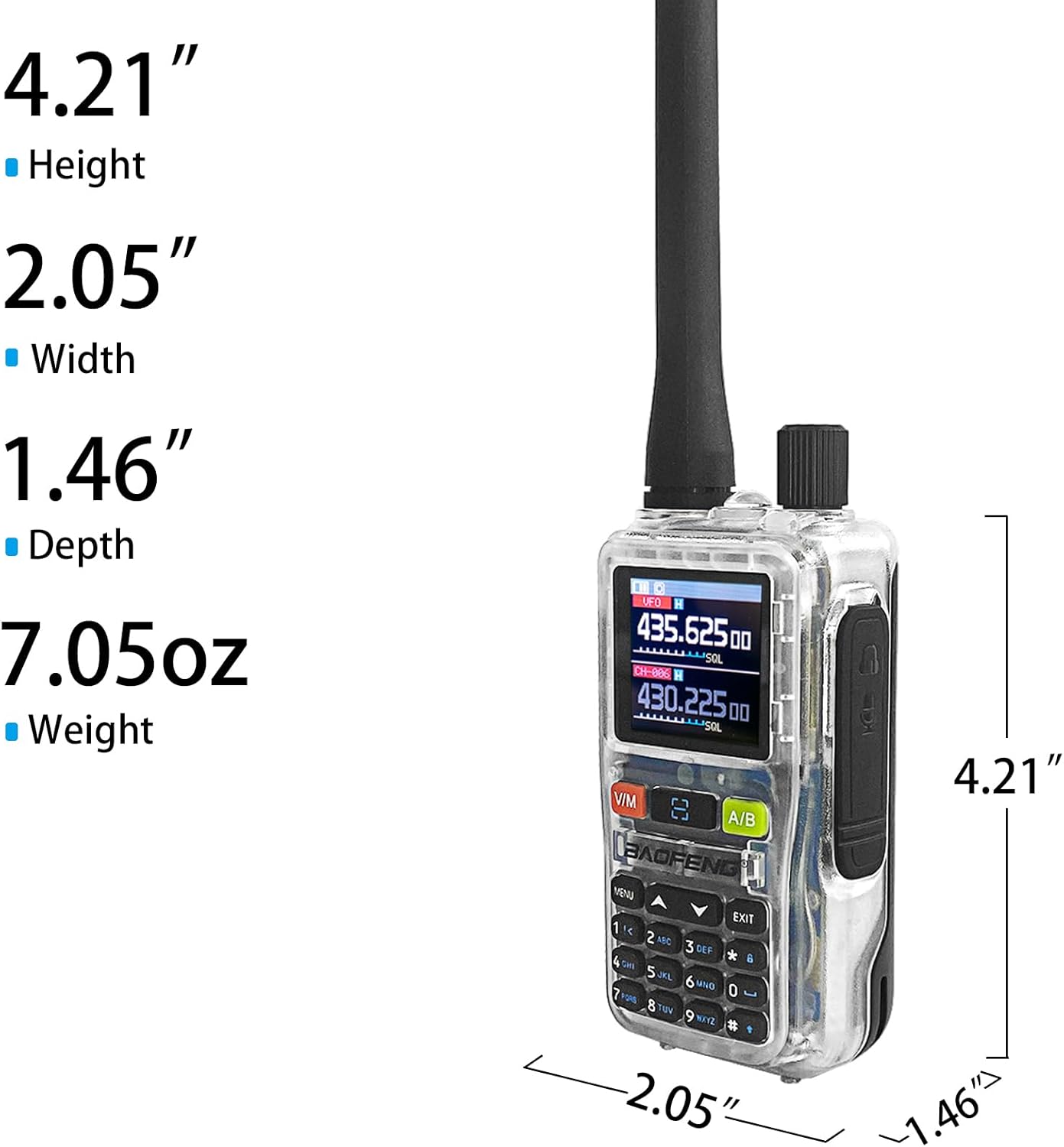
Figure 8: The radio offers adjustable transmission power, with options for 5W (High Power) and 2W (Low Power).
5. Advanced Features and Programming
5.1 App Programming (Ola Radio)
The BAOFENG UV-5R Mini can be programmed using the Ola Radio app on iOS or Android devices. This allows for efficient batch updates and configuration of multiple devices.
- Laai die "Ola Radio"-app af vanaf jou toestel se appwinkel.
- Enable "Wireless Cps" in the radio's menu (MENU > Wireless Cps > ON).
- Open the app and connect to your radio.
- Configure channel settings, frequency mode, RX/TX CTCSS/DCS codes, and power settings within the app.
- Save and upload configurations to the radio.

Figure 9: The radio's display showing "Wireless Cps" setting and a smartphone screen displaying the Ola Radio app for programming.
Video 1: Oorview of the BAOFENG UV-5R Mini Transparent Radio, demonstrating its features and compact design.
Video 2: Demonstration of the BAOFENG UV-5R Mini Radio, highlighting its dual-band capabilities and walkie-talkie functions.
5.2 Een-sleutel frekwensieparing
The radio supports one-key frequency pairing to quickly synchronize frequencies between two radios.
- Ensure both radios are powered on.
- On the transmitting radio, long-press the scan button (often labeled with a magnifying glass icon or similar).
- The radio will enter search mode and automatically detect the frequency of another nearby radio.
- Once detected, you can save the frequency to a channel.

Figure 10: Two radios shown side-by-side, illustrating the process of one-key frequency pairing by long-pressing the scan button.
5.3 Customizable Side Key (SK1)
The SK1 side key can be assigned to various functions for quick access:
- Flitslig: Aktiveer die ingeboude flitslig.
- VOX: Enables Voice Operated Exchange for hands-free transmission.
- Alarm: Aktiveer 'n noodalarm.
- Skandeer: Initiates channel or frequency scanning.
Refer to the radio's menu for customizing the SK1 function.

Figure 11: The radio's flashlight function is shown in use, useful for dark environments.
6. Onderhoud
6.1 Skoonmaak
- Vee die radio af met 'n sagte, damp lap. Moenie harde chemikalieë of skuur skoonmaakmiddels gebruik nie.
- Maak seker dat die USB-C-poort vry van stof en puin is.
6.2 Batterysorg
- Laai die battery voor die eerste gebruik volledig.
- Vermy oorlaai of heeltemal leegmaak van die battery om sy lewensduur te verleng.
- Bêre die radio en battery op 'n koel, droë plek wanneer dit nie vir lang tye gebruik word nie.
6.3 Algemene sorg
- The radio is not water-resistant. Avoid exposure to water or high humidity.
- Moenie die radio aan uiterste temperature blootstel nie.
- Handle the antenna carefully to prevent damage.
7. Probleemoplossing
| Probleem | Moontlike oorsaak | Oplossing |
|---|---|---|
| Radio skakel nie aan nie. | Battery is laag of nie korrek geïnstalleer nie. | Laai die battery. Plaas die battery stewig terug. |
| Kan nie oordra of ontvang nie. | Incorrect frequency/channel, low battery, or out of range. | Verify frequency/channel settings. Charge battery. Move closer to other radios. |
| Swak klank kwaliteit. | Swak sein, verkeerde squelch-instelling, of beskadigde antenna. | Adjust squelch level. Check antenna connection. Move to an area with better signal. |
| App programming fails. | "Wireless Cps" not enabled on radio, or app connection issue. | Ensure "Wireless Cps" is ON in radio menu. Restart app and radio. Check Bluetooth connection. |
8. Spesifikasies
| Kenmerk | Detail |
|---|---|
| Handelsmerk | BAOFENG |
| Modelnommer | UV-5R Mini |
| Aantal kanale | 999 |
| Frekwensiereeks | 136-174MHz, 400-520MHz |
| Kraguitset | 5W/2W (adjustable) |
| Maksimum praatbereik | 5 kilometer |
| Voltage | 12 Volt (DC) |
| Laai | USB-C vinnig laai |
| Vertoon | 1.44" TFT Screen |
| Waterweerstandvlak | Nie waterbestand nie |
| Ingesluit komponente | Antenna, Battery, Belt Clip |

Figure 12: Physical dimensions of the BAOFENG UV-5R Mini Radio: Height 4.21", Width 2.05", Depth 1.46", Weight 7.05oz.
9. Waarborg en ondersteuning
9.1 Waarborginligting
This BAOFENG UV-5R Mini Radio comes with a 1 jaar waarborg vanaf die aankoopdatum. Hierdie waarborg dek vervaardigingsdefekte en wanfunksies onder normale gebruik. Dit dek nie skade wat veroorsaak word deur misbruik, ongelukke, ongemagtigde wysigings of natuurrampe nie.
Behou asseblief jou aankoopbewys vir waarborgeise.
9.2 Kliëntediens
For technical assistance, troubleshooting, or warranty inquiries, please contact BAOFENG customer support through the retailer where the product was purchased or visit the official BAOFENG webwebwerf vir kontakinligting.


