
1. Produk verbyview
This manual provides essential information for the SGIN 15.6 Inch Laptop Computer, Model SGIN-Y101. It covers initial setup, operation, maintenance, and troubleshooting to ensure optimal performance and longevity of your device.
Sleutel kenmerke:
- Powerful Core i3 Processor: Equipped with an i3 (4-thread) CPU up to 3.9GHz for multitasking.
- Ample Storage and Speed: Features 16GB RAM and 1024GB SSD for quick application loading and smooth operation. Storage is expandable with a TF card up to 1TB.
- 15.6 Inch FHD IPS Display: Full HD 1920×1080 IPS screen with 180° viewing angles for vivid colors and sharp details.
- Verligte sleutelbord: White backlit keyboard for improved typing accuracy in low-light conditions. Activate with "FN" + "F5".
- All-Day Battery and Connectivity: 53.2Wh battery (7000mAh) providing up to 8 hours of battery life. Includes USB 3.0, HDMI, Micro SD slot, Kensington lock, and a headphone jack. Features WiFi 6.
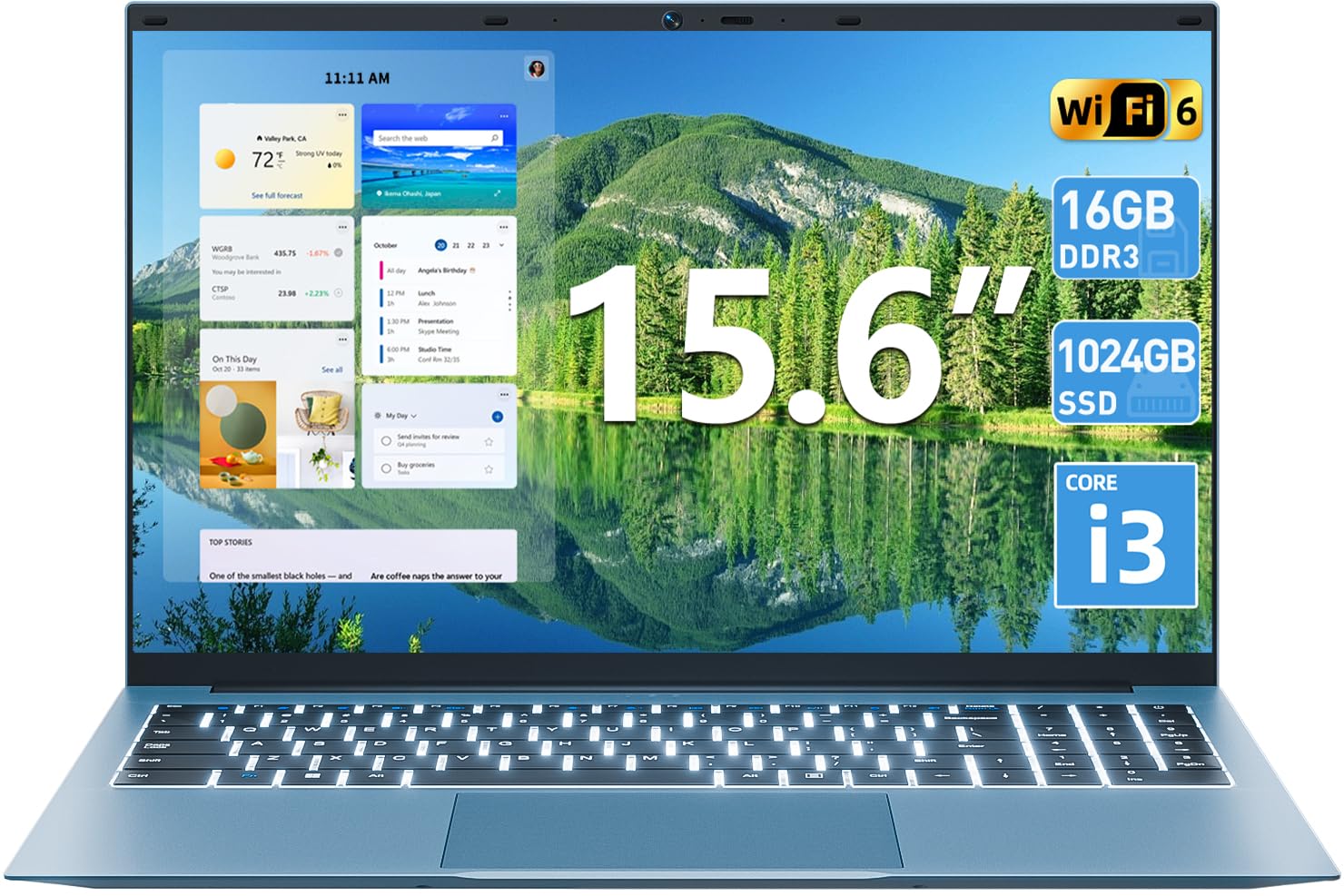
Beeld 1.1: verbyview of the SGIN 15.6 Inch Laptop Computer, highlighting its main features like RAM, SSD, Core i3 processor, Windows 11, battery, backlit keyboard, and WiFi 6.
2. Aanvanklike Opstelling
2.1 Uitpak van die skootrekenaar
Verwyder alle komponente versigtig uit die verpakking. Maak seker dat die volgende items teenwoordig is:
- SGIN 15.6 Inch Laptop
- Kragadapter
- Gebruikershandleiding

Image 2.1: The SGIN laptop, power adapter, and user manual as typically found in the package.
2.2 Laai die battery
Before first use, fully charge the laptop battery.
- Connect the power adapter to the charging port on the laptop.
- Steek die kragadapter in 'n muuraansluiting.
- Laat die skootrekenaar laai totdat die battery-aanwyser 'n volle lading wys.
Belangrik: Use only the provided power adapter to avoid damage to the laptop.
2.3 Powering On and Initial Windows Setup
- Maak die skootrekenaardeksel oop.
- Druk die aan/af-knoppie wat op die sleutelbord geleë is.
- Volg die instruksies op die skerm om die aanvanklike Windows 11-opstelling te voltooi, insluitend taalkeuse, netwerkverbinding en die skep van 'n gebruikersrekening.
3. Bediening van die skootrekenaar
3.1 Sleutelbord en raakvlak
The laptop features a full-size keyboard with a numeric keypad and a large touchpad for navigation.
- Verligte sleutelbord: To toggle the keyboard backlight, press the FN sleutel gelyktydig met die F5 sleutel.
- Raakbordgebare: Refer to Windows 11 settings for customizable touchpad gestures.

Image 3.1: The laptop's backlit keyboard and numeric keypad, shown illuminated for use in low-light conditions.
3.2 Aansluiting van randapparatuur
The laptop offers various ports for connecting external devices.
- USB-poorte: Koppel USB-toestelle soos muise, sleutelborde of eksterne berging.
- HDMI-poort: Koppel aan 'n eksterne monitor of TV vir uitgebreide vertoon.
- Tipe C-poort: For data transfer and potentially charging (check specific adapter compatibility).
- Micro SD-gleuf: Insert a Micro SD card for additional storage.
- Koptelefoonaansluiting: Sluit koptelefoon of eksterne luidsprekers aan.
- Kensington Slot Slot: Use a compatible security cable to secure your laptop.

Image 3.2: The left side of the laptop displaying the power input, Type-C port, HDMI port, and a USB port.
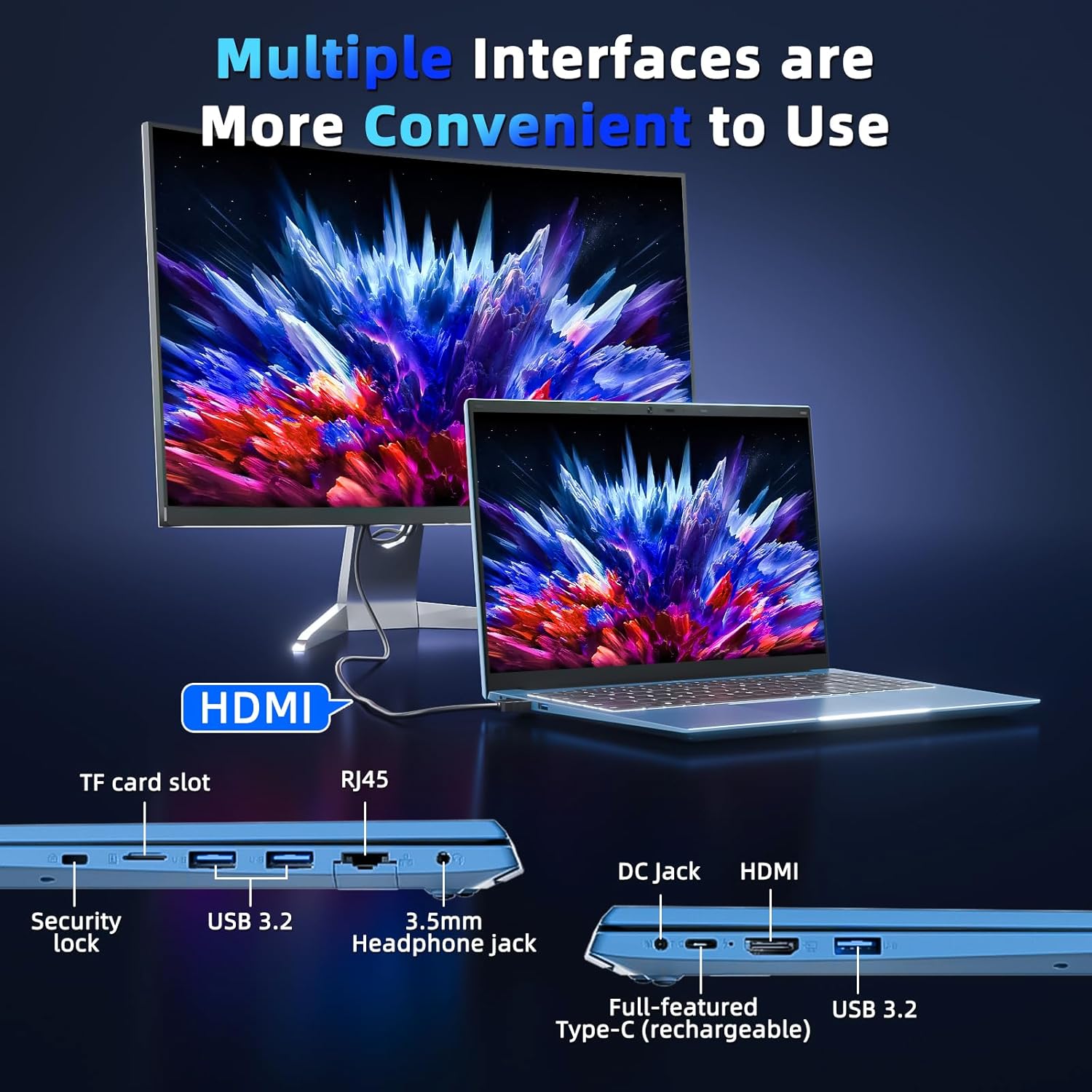
Image 3.3: The right side of the laptop displaying the Kensington lock slot, Micro SD card slot, two USB ports, and the headphone jack.
3.3 Wi-Fi-konnektiwiteit
The laptop supports Wi-Fi 6 for fast wireless internet access.
- Klik die Wi-Fi-ikoon in die taakbalk.
- Kies jou verlangde netwerk uit die lys.
- Voer die netwerkwagwoord in indien gevra en klik "Verbind".
For wired internet connection, use the Ethernet port.
4. Onderhoud en versorging
4.1 Skoonmaak van die skootrekenaar
- Gebruik 'n sagte, pluisvrye lap om die skerm en die buitekant skoon te maak.
- Vermy die gebruik van harde chemikalieë of skuurmateriaal.
- Vir hardnekkige vlekke, liggies veeampMaak die lap skoon met water of 'n skermskoonmaakoplossing.
4.2 Batterysorg
- Vermy om die battery gereeld heeltemal te ontlaai.
- Bêre die skootrekenaar op 'n koel, droë plek wanneer dit nie vir lang tye gebruik word nie.
- If the laptop will not be used for a long time, charge the battery to about 50-60% before storage.
4.3 Webcam Privacy
The laptop includes a physical webcam switch for privacy. Slide the switch to cover or uncover the webcam lens as needed.
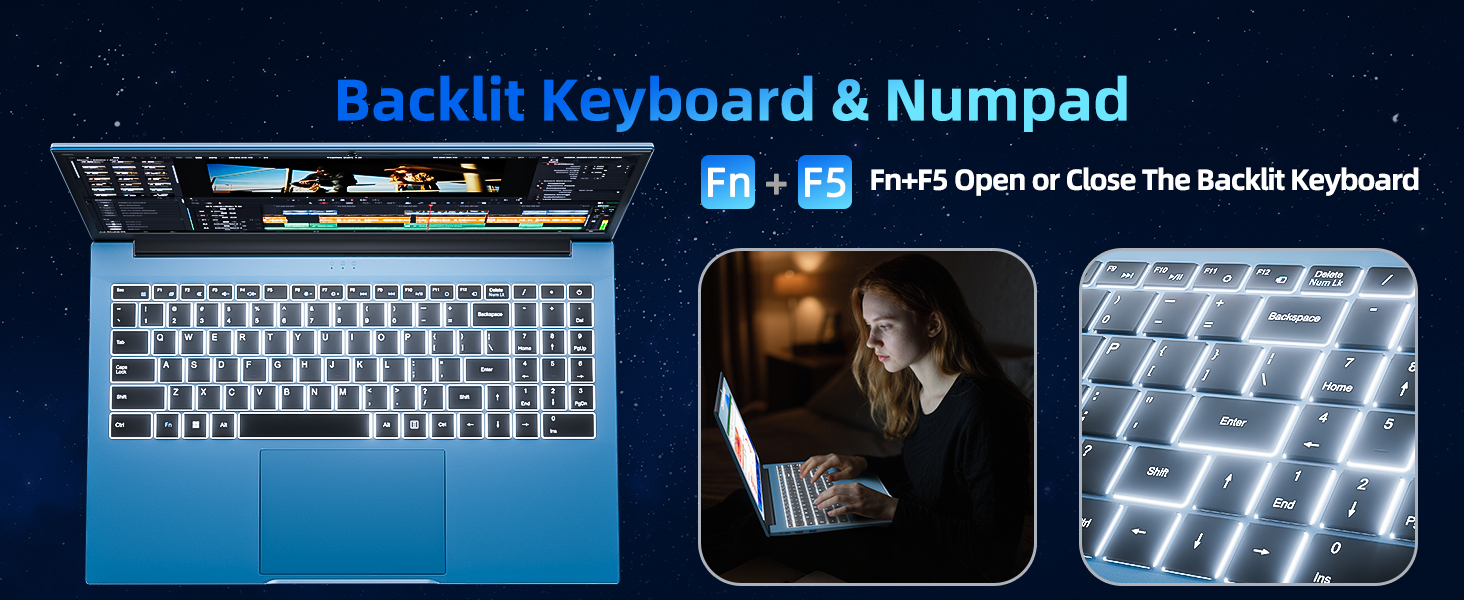
Image 4.1: Illustration of the physical webcam cover, demonstrating how to open and close it for privacy.
5. Probleemoplossing
5.1 Kragprobleme
- Skootrekenaar skakel nie aan nie: Maak seker dat die kragadapter stewig aan beide die skootrekenaar en 'n werkende kragaansluiting gekoppel is. Kontroleer of die battery gelaai is.
- Battery laai nie: Verify the power adapter connection. If the issue persists, contact customer support.
5.2 Vertoon kwessies
- Skerm is leeg: Ensure the laptop is powered on. Try adjusting the screen brightness using the function keys. If connected to an external monitor, disconnect it.
- Distorted image: Restart the laptop. Update display drivers if necessary.
5.3 Konnektiwiteitsprobleme
- Geen Wi-Fi-verbinding nie: Kontroleer of Wi-Fi in Windows-instellings geaktiveer is. Herbegin jou router en die skootrekenaar. Maak seker dat jy binne die bereik van 'n Wi-Fi-netwerk is.
- Bluetooth-toestel koppel nie: Ensure Bluetooth is enabled on both the laptop and the device. Make sure the device is in pairing mode.
6. Spesifikasies
| Kenmerk | Detail |
|---|---|
| Handelsmerk | SGIN |
| Modelnommer | SGIN-Y101 |
| Skerm grootte | 15.6 duim |
| Vertoon resolusie | 1920 x 1080 piksels (Volle HD IPS) |
| SVE Model | Core i3 (10th Gen, Intel Core i3-10100) |
| CPU Speed (Max) | 3.9 GHz |
| RAM | 16 GB DDR3 SDRAM |
| Berging | 1024GB SSD (Expandable with TF card up to 1TB) |
| Bedryfstelsel | Windows 11 |
| Battery kapasiteit | 53.2 Wh (7000mAh) |
| Draadlose konneksie | WiFi 6 (802.11ax), Bluetooth |
| Hawens | USB 3.0, HDMI, Micro SD slot, Kensington lock, Headphone jack, Type-C |
| Sleutelbord | Agterlig |
| Webnok | Yes (with physical privacy switch) |
| Gewig | 2.52 kilogram |
7. Waarborg en Ondersteuning
The SGIN 15.6 Inch Laptop Computer comes with a 1-year limited protection warranty.
For technical assistance, troubleshooting, or warranty claims, please contact SGIN customer support. They offer 24/7 instant help. Refer to the contact information provided with your product packaging or visit the official SGIN webwebwerf vir ondersteuningsbesonderhede.
8. Produkvideo
Video 8.1: An official product video demonstrating the SGIN 15.6 Inch Laptop Computer, including its physical features and some operational aspects. This video is provided by the seller, SGIN Lap US.