
1. Inleiding
This manual provides essential information for setting up, operating, maintaining, and troubleshooting your NIMO N158 15.6-inch laptop. Please read this manual thoroughly before using your device to ensure optimal performance and longevity.
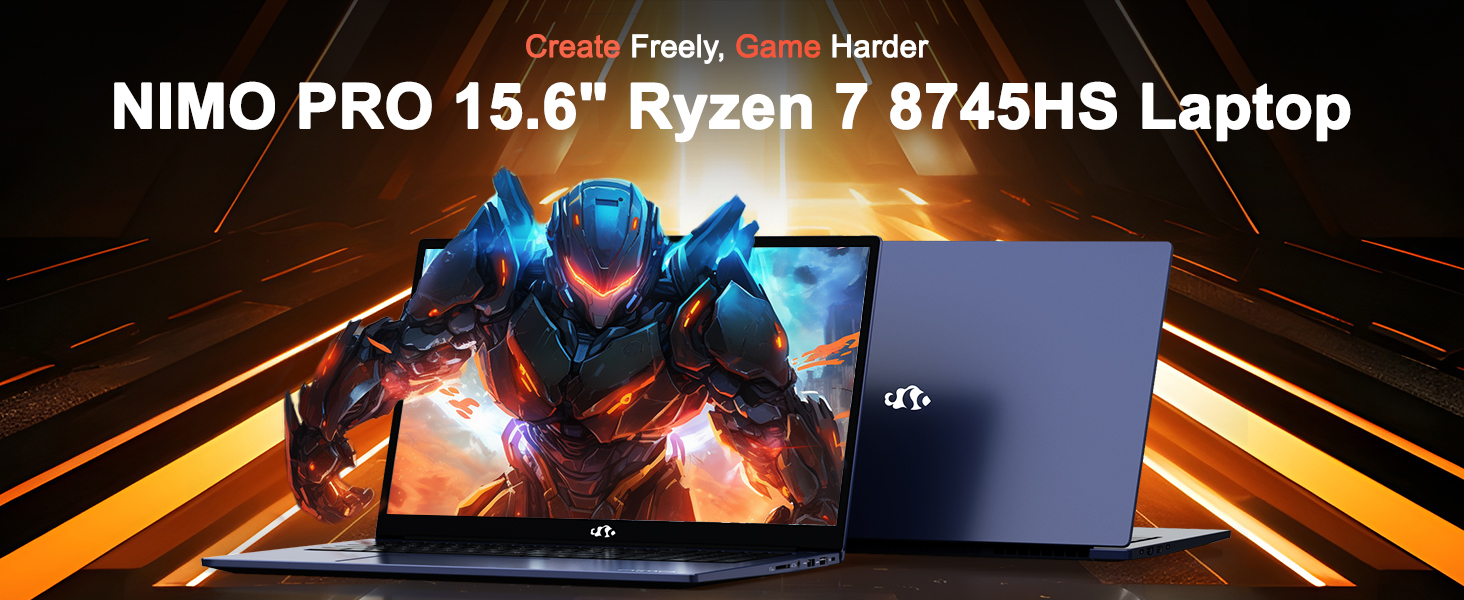
Image: The NIMO N158 15.6-inch laptop, showcasindie ontwerp en belangrikste kenmerke daarvan.
2. Produk verbyview
The NIMO N158 is a high-performance laptop designed for productivity and entertainment. It features an AMD Ryzen 7 8745HS processor, 64GB DDR5 RAM, and a 1TB PCIe 4.0 SSD.
2.1 Sleutelkomponente
- Verwerker: AMD Ryzen 7 8745HS (8 Cores, 16 Threads, up to 4.9GHz)
- Grafika: AMD Radeon 780M Integrated Graphics
- Geheue: 64GB DDR5 RAM (4800 MHz)
- Berging: 1TB PCIe 4.0 SSD
- Vertoon: 15.6-inch Full HD (1920x1080) IPS Anti-Glare
- Bedryfstelsel: Windows 11 Tuis
- Battery: 75Wh Lithium Polymer
2.2 Poorts en Koppelvlakke
The NIMO N158 laptop offers a variety of ports for connectivity:

Image: Diagram illustrating the various ports and interfaces on the NIMO N158 laptop.
- 1 x USB 2.0-poort
- 3 x USB 3.0-poorte
- 1 x USB 4.0 Type-C Port (with 100W PD fast charging support)
- 1 x HDMI -poort
- 1 x Koptelefoonaansluiting
- 1 x SD-kaartleser
- 1 x Kensington Slot Slot
3. Opstelling
3.1 Aanvanklike aanskakeling en laai
- Unpack the laptop and the included 100W Type-C PD Fast Charger.
- Connect the charger to the USB Type-C port on the laptop and to a power outlet. The Charger LED will illuminate.
- Laat die skootrekenaar vir ten minste 30 minute laai voor die eerste gebruik, of totdat die battery-aanwyser voldoende lading toon.
- Druk die kragknoppie om die skootrekenaar aan te skakel.

Image: The NIMO N158 laptop connected to its 100W Type-C fast charger, illustrating the charging process.
3.2 Bedryfstelselopstelling
Upon first boot, you will be guided through the Windows 11 Home setup process. Follow the on-screen instructions to configure your language, region, network connection, and user account.
3.3 Opstelling van vingerafdrukleser
For enhanced security, set up the integrated fingerprint reader during the Windows 11 setup or later via Windows Settings > Accounts > Sign-in options. This allows for quick and secure login.
4. Bedryfsinstruksies
4.1 Sleutelbord en raakvlak
- Verligte sleutelbord: The keyboard features backlighting for comfortable typing in low-light conditions. Use the designated function key (Fn + F key combination, typically) to adjust brightness or toggle the backlight.
- Numeriese sleutelbord: A dedicated numeric keypad is included for efficient data entry.
- Precision Gesture Touchpad: Die raakvlak ondersteun multi-aanraking-gebare vir navigasie. Verwys na Windows-instellings vir die aanpassing van raakvlak-gebare.

Image: A user interacting with the NIMO N158 laptop, highlighting the backlit keyboard and fingerprint reader on the touchpad.
4.2 Vertoon
The 15.6-inch Full HD IPS anti-glare display provides clear and vibrant visuals. Adjust display settings (resolution, brightness, color) through Windows Display Settings.

Image: The NIMO N158 laptop displaying a vibrant image on its 15.6-inch Full HD IPS screen, emphasizing visual quality.
4.3 Webnok
The laptop includes a 2MP webcam. For privacy, a physical webcam shield or switch is integrated. Ensure the webcam is open when in use and closed when not needed.

Image: A visual representation of the NIMO N158 laptop's privacy-focused camera, showing the open and closed states of the webcam switch.
4.4 Prestasie en Multitaakverrigting
The AMD Ryzen 7 8745HS processor and 64GB DDR5 RAM provide robust performance for demanding tasks, content creation, and gaming. The 1TB PCIe 4.0 SSD ensures fast boot times and application loading.

Image: A close-up of the AMD Ryzen 7 8745HS processor chip, highlighting its core specifications.
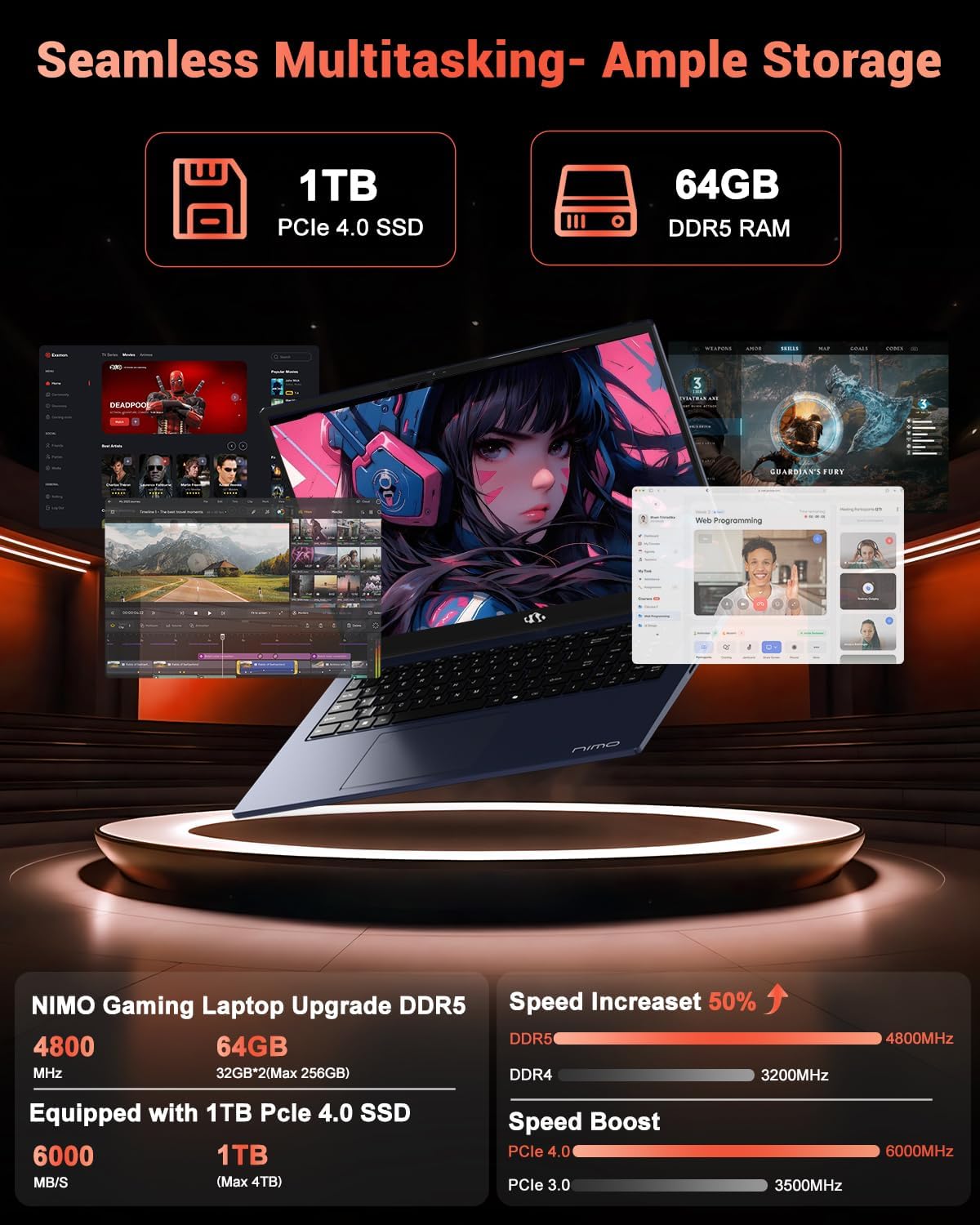
Image: The NIMO N158 laptop displaying multiple applications open, demonstrating its multitasking capabilities with 64GB RAM and 1TB SSD.
5. Onderhoud
5.1 Algemene sorg
- Hou die skootrekenaar skoon deur oppervlaktes met 'n sagte, droë lap af te vee.
- Avoid exposing the laptop to extreme temperatures, direct sunlight, or moisture.
- Moenie swaar voorwerpe op die skootrekenaar plaas nie.
- Verseker behoorlike ventilasie deur nie die luggate te blokkeer nie.
5.2 Upgradability
The NIMO N158 features an upgradable design, allowing for expansion of memory (RAM) and storage (SSD). Consult a qualified technician or refer to official NIMO support resources before attempting any internal upgrades to avoid voiding your warranty.
6. Probleemoplossing
If you encounter issues with your NIMO N158 laptop, consider the following basic troubleshooting steps:
- Geen krag: Maak seker dat die laaier stewig gekoppel is en dat die kragaansluiting funksioneel is. Probeer 'n ander aansluiting.
- Vertoon kwessies: Check external display connections if using one. Adjust screen brightness. Restart the laptop.
- Stadige prestasie: Maak onnodige toepassings toe. Kontroleer vir agtergrondopdaterings. Maak seker dat daar voldoende vrye stoorplek is.
- Verbindingsprobleme: Restart your Wi-Fi router. Reconnect to the Wi-Fi network. Update network drivers.
- Stelsel vries: Druk en hou die aan/af-knoppie vir 10-15 sekondes in om 'n afskakeling te forseer, en herbegin dan.
For persistent issues, refer to the NIMO support webwebwerf of kontak kliëntediens.
7. Spesifikasies
| Kenmerk | Spesifikasie |
|---|---|
| Handelsmerk | NIMO |
| Model Naam | NIMO N158B |
| Skerm grootte | 15.6 duim |
| Skermresolusie | 1920 x 1080 Pixels (FHD IPS) |
| Verwerker | AMD Ryzen 7 8745HS (up to 4.9 GHz) |
| RAM | 64 GB DDR5 (4800 MHz) |
| Hardeskyf | 1024 GB SSD (PCIe 4.0) |
| Grafiese medeverwerker | AMD Radeon 780M |
| Bedryfstelsel | Windows 11 Tuis |
| Draadlose tipe | 802.11a/b/g/n/ac (Wi-Fi 6E) |
| USB 2.0-poorte | 1 |
| USB 3.0-poorte | 3 |
| USB 4.0 Tipe C-poorte | 1 |
| Gemiddelde batterylewe | 15.5 ure |
| Item gewig | 3.8 pond |
| Produk afmetings | 14.07 x 8.98 x 0.76 duim |
| Spesiale kenmerke | Backlit Keyboard, Fingerprint Reader, HD Audio, Numeric Keypad |
8. Waarborg en Ondersteuning
NIMO is committed to providing excellent customer service and product support.
8.1 Waarborginligting
Your NIMO N158 laptop comes with a 2 jaar waarborg from the date of purchase. This warranty covers manufacturing defects and hardware malfunctions under normal use. Please retain your proof of purchase for warranty claims.

Image: A technician performing maintenance on a laptop, representing the 2-year support provided by NIMO.
8.2 Retourbeleid
NIMO offers a 90-dae moeitevrye terugkeerbeleid. If you are not satisfied with your purchase, you may return the product within 90 days from the date of purchase. Please refer to the official NIMO return policy for detailed terms and conditions.

Image: A delivery person handing a package to a customer, illustrating the 90-day return policy.
8.3 Kliëntediens
Our dedicated support team is available to assist you with any questions or issues. You can reach us via:
- E-pos: service@nimopc.com
- Aanlyn: Visit the official NIMO webwebwerf vir algemene vrae en ondersteuningsbronne.
We strive to provide quick solutions and a worry-free experience.

Image: Customer service representatives wearing headsets, representing professional customer assistance.