
1. Produk verbyview
The Baseus Picogo Power Bank is a compact, lightweight, and versatile magnetic portable charger designed for convenience and efficiency. Featuring Qi2 certification for 15W wireless charging and a 20W USB-C output, it provides reliable power for your devices on the go. Its ultra-slim design includes a built-in kickstand for hands-free viewing.
Sleutel kenmerke:
- Ultra-kompakte ontwerp: Smaller than a credit card and weighing approximately 0.3 lbs (138g), making it highly portable.
- Qi2 Certified Wireless Charging: Delivers up to 15W fast wireless charging for compatible devices.
- 20W USB-C Wired Charging: Provides rapid wired charging for devices via the USB-C port.
- 5000mAh batterykapasiteit: Offers approximately 1.5 full charges for most iPhone models.
- Geïntegreerde skopstaander: Laat handvry toe viewin beide portret- en landskaporiëntasies.
- Sterk magnetiese belyning: Equipped with 11 reinforced N52 magnets for a secure attachment to MagSafe-compatible devices.
- Premium materiale: Crafted with an aluminum alloy shell and a soft-touch silicone coating for durability and grip.
- Verbeterde veiligheid: Features NTC Smart Temperature Control and multiple protection mechanisms (over-voltage, onder-voltage, over-charge, over-discharge, over-current, short circuit, over-power).

Image: The Baseus Picogo Power Bank attached to the back of an iPhone, demonstrating its ultra-compact size and the integrated kickstand in use. The image emphasizes its portability and hands-free viewvermoë.
2. Wat is in die boks
Upon opening your Baseus Picogo Power Bank package, you should find the following items:
- Baseus Picogo Power Bank (Model: PPKPC-0520S)
- USB-C na USB-C laaikabel
- Gebruikershandleiding (hierdie dokument)

Image: The Baseus Picogo Power Bank, its retail packaging, and the included USB-C charging cable, illustrating the complete product contents.
3. Opstelling
Aanvanklike laai van die kragbank:
- Connect the provided USB-C cable to the USB-C port on the Baseus Picogo Power Bank.
- Koppel die ander kant van die USB-C-kabel aan 'n versoenbare USB-C-kragadapter (nie ingesluit nie).
- The LED indicators on the power bank will light up to show the charging status. A full charge is indicated when all four LEDs are solid.
- Allow approximately 1 hour and 54 minutes for a full recharge using a 20W or higher power adapter.

Image: The Baseus Picogo Power Bank connected to a wall adapter via a USB-C cable, illustrating the process of recharging the power bank.
Kontroleer batteryvlak:
Druk die kragknoppie een keer om view the current battery level indicated by the LED lights:
- 1 LED: 0-25%
- 2 LED's: 25-50%
- 3 LED's: 50-75%
- 4 LED's: 75-100%

Image: A visual guide explaining how the LED indicators on the Baseus Picogo Power Bank correspond to its remaining battery charge levels.
4. Bedryfsinstruksies
Wireless Charging (MagSafe Compatible):
- Ensure your device is MagSafe compatible (iPhone 12-17 series) or has a MagSafe-compatible case.
- Align the Baseus Picogo Power Bank with the back of your device. The strong magnets will snap it into place.
- Wireless charging will begin automatically. The power bank delivers up to 15W for fast wireless charging.
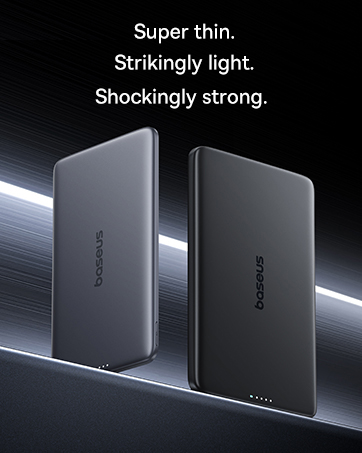
Image: The Baseus Picogo Power Bank magnetically attached to an iPhone, demonstrating active wireless charging with the Qi2 logo visible.
Wired Charging (USB-C Output):
- Connect a USB-C cable (provided or your own) to the USB-C port on the Baseus Picogo Power Bank.
- Koppel die ander kant van die kabel aan jou toestel se laaipoort.
- Wired charging will commence. The power bank supports up to 20W output for rapid charging.

Image: The Baseus Picogo Power Bank connected via a USB-C cable to one iPhone while wirelessly charging another, showcasing its dual-device charging capability.
Using the Built-in Kickstand:
- Gently pull out the integrated aluminum kickstand from the back of the power bank.
- Position your device (with the power bank attached) on a flat surface.
- Verstel die skopstaander na jou verlangde viewing angle for hands-free use in portrait or landscape mode.
Image: The Baseus Picogo Power Bank attached to an iPhone, with its kickstand extended to support the phone in an upright position for hands-free viewing.
Verenigbaarheid:
The Baseus Picogo Power Bank is compatible with:
- iPhone 12-17 Series (MagSafe wireless charging)
- MagSafe-compatible cases
- AirPods 3 / Pro 2
- Other USB-C powered devices (via wired connection)
Dit is nie versoenbaar nie with non-magnetic cases, Samsung phones (for wireless charging), or other Android phones (for wireless charging).
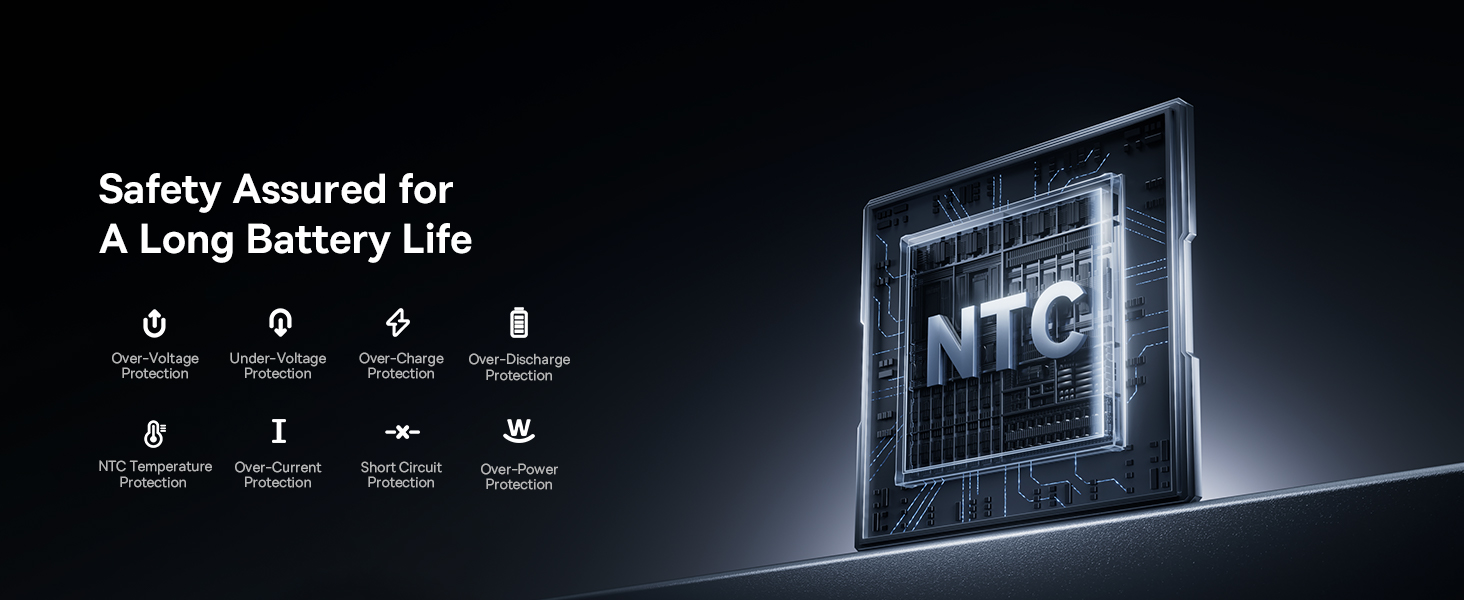
Image: A visual chart detailing compatible and incompatible devices for the Baseus Picogo Power Bank, including various iPhone models, AirPods, and other USB-C devices.
5. Onderhoud
- Skoonmaak: Gebruik 'n sagte, droë lap om die kragbank skoon te maak. Vermy die gebruik van harde chemikalieë of skuurmiddels.
- Berging: Bêre die kragbank op 'n koel, droë plek weg van direkte sonlig en uiterste temperature.
- Batterysorg: To prolong battery life, avoid fully discharging the power bank regularly. Recharge it when the battery level is low.
- Vermy druppels: While durable, avoid dropping the power bank to prevent internal damage.
6. Probleemoplossing
- Toestel laai nie draadloos nie:
- Maak seker dat jou toestel MagSafe-versoenbaar is of 'n MagSafe-versoenbare omhulsel het.
- Kontroleer of die kragbank en jou toestel behoorlik belyn is.
- Verify the power bank has sufficient charge.
- Stadige laai:
- Ensure you are using a compatible cable and power adapter for optimal charging speeds.
- Charging may slow down at 80% to protect the battery, especially if the device gets warm. Moving to a cooler area may help.
- Kragbank herlaai nie:
- Kontroleer die USB-C-kabel en kragadapter vir skade.
- Maak seker dat die kragadapter korrek funksioneer.
- Magnetic Connection is Weak:
- Ensure your device or case is genuinely MagSafe compatible.
- Remove any non-magnetic accessories or thick cases that may interfere with the magnetic connection.
7. Spesifikasies
| Kenmerk | Detail |
|---|---|
| Modelnommer | PPKPC-0520S |
| Battery kapasiteit | 5000 miljoenamp Ure (mAh) |
| Draadlose uitset | 5W / 7.5W / 15W (Qi2-gesertifiseerd) |
| USB-C-uitset | 20W Maks |
| USB-C-invoer | 5V=3A; 9V=2.22A |
| Totale uitset | 20W Max (when charging two devices simultaneously) |
| Produk afmetings | 3.4 x 2.3 x 0.5 duim |
| Item gewig | 0.3 lbs (approximately 138g) |
| Battery Tipe | Litium polimeer |
| Materiaal | Silicone, Aluminum alloy |
| Kleur | Grys |
8. Waarborg en Ondersteuning
Baseus bied 'n 2-jaar vervangingsbelofte for this product. For any issues or support, please contact Baseus customer service. Details can typically be found on the product packaging or the official Baseus webwebwerf.
9. Belangrike veiligheidsinligting
- Moenie die kragbank aan uiterste temperature, direkte sonlig of vuur blootstel nie.
- Moenie die toestel self uitmekaar haal, wysig of herstel nie.
- Hou buite bereik van kinders.
- Vermy om die toestel te laat val of aan sterk impakte te onderwerp.
- Gebruik slegs oorspronklike of gesertifiseerde kabels en adapters.
- If the power bank swells, emits an odor, or becomes excessively hot, discontinue use immediately.
10. Produkvideo oorview
Video: 'n Amptelike oorwinningview of the Baseus Picogo Power Bank, highlighting its ultra-mini size, 15W Qi2 wireless charging, strong magnetic attachment, and built-in kickstand. It demonstrates the product's key features and portability.