
1. Inleiding
Thank you for choosing the PEICHENG PC-01 Wireless Bluetooth Earphones. These earphones are designed to provide a high-quality audio experience with advanced Bluetooth 6.0 technology, a comfortable over-ear hook design, and a portable charging case. This manual provides detailed instructions for setup, operation, and maintenance to ensure optimal performance and longevity of your device.
2. Wat is in die boks
- PEICHENG PC-01 Wireless Bluetooth Earphones (Left and Right)
- Laaikas
- Gebruikershandleiding (hierdie dokument)
3. Produk verbyview
The PEICHENG PC-01 earphones feature an ergonomic over-ear hook design for a secure and comfortable fit, making them suitable for various activities. They utilize BlueSignal 6.0 technology for stable wireless connections and deliver High-Resolution Audio with deep bass.
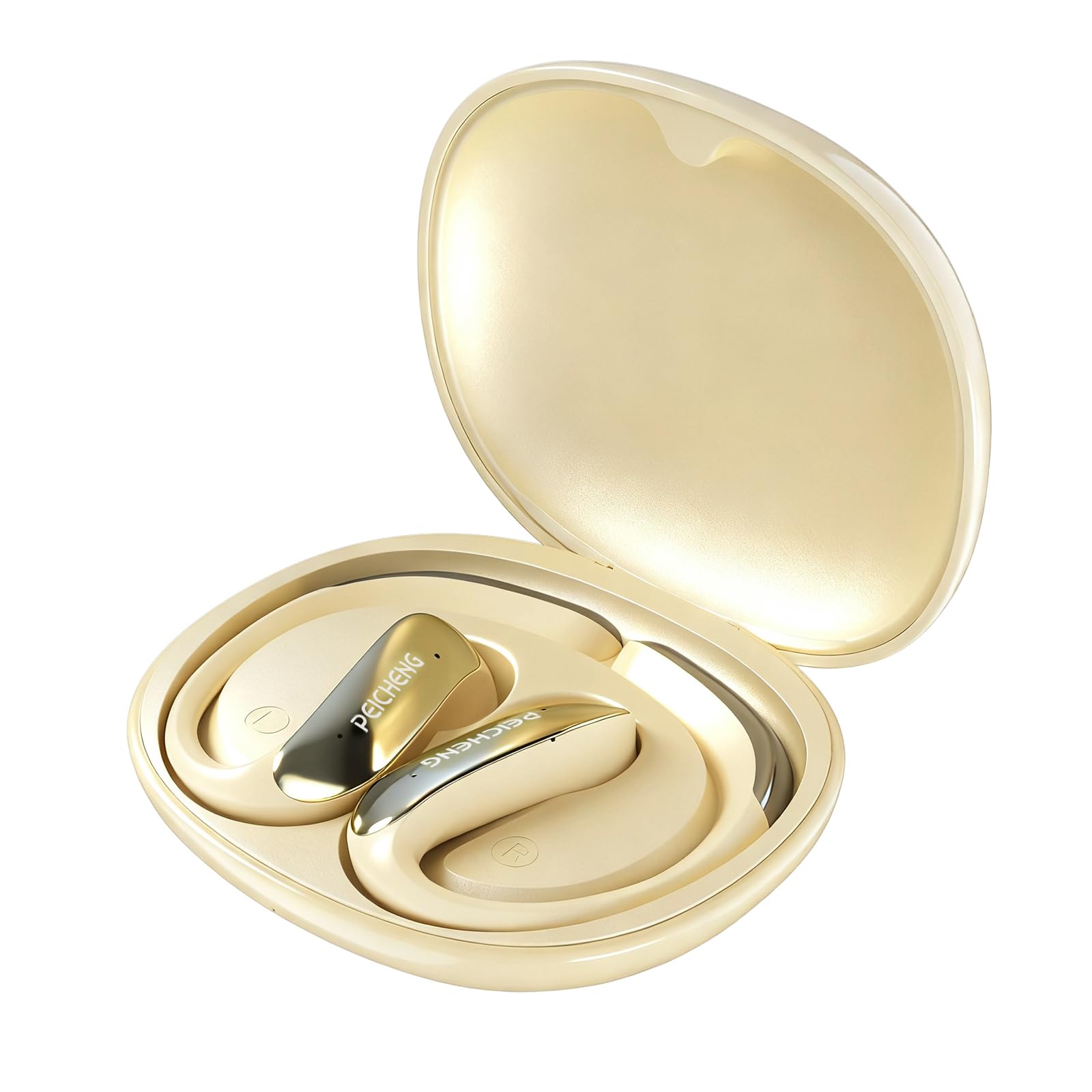
Figure 3.1: PEICHENG PC-01 Wireless Bluetooth Earphones and Charging Case.
Sleutel kenmerke:
- BlueSignal 6.0 Technology: Ensures stable, faster, and efficient wireless connections with low latency.
- Hoë-resolusie oudio: Delivers immersive sound with deep, powerful bass.
- Over-Ear Hook Design: Provides a secure and comfortable fit for extended wear.
- Liggewig konstruksie: Enhances comfort and reduces ear fatigue.
- Self-contained Space Audio: Creates an immersive sound experience.
- Vee roeping uit: Integrated microphones ensure sharp and intelligible conversations.
- Draagbare laaikas: 300mAh capacity for all-day power.

Figuur 3.2: oorview of PEICHENG Wireless Earbuds features.

Figure 3.3: Internal driver design for immersive sound.

Figure 3.4: Compact and portable charging case.
4. Opstelling
4.1 Laai die oorfone en houer
Before first use, fully charge the earphones and charging case. The charging case has a 300mAh battery capacity, providing multiple charges for the earphones.
- Plaas die oorfone in die laaikas en maak seker dat hulle korrek geplaas is.
- Connect a USB Type-C charging cable to the charging port on the case and plug the other end into a compatible USB power source.
- The indicator lights on the case will show the charging status. A full charge typically takes approximately 2 hours.
4.2 Bluetooth -koppeling
The PEICHENG PC-01 earphones use BlueSignal 6.0 technology for efficient pairing with various devices.
- Maak seker dat die oorfone gelaai is en in die laaikas geplaas is.
- Open the charging case. The earphones will automatically enter pairing mode, indicated by a flashing LED light (specific color/pattern not provided, assume standard).
- On your device (smartphone, tablet, laptop, smartwatch, TV), go to the Bluetooth settings.
- Soek vir available devices and select "PEICHENG PC-01" from the list.
- Once connected, the LED indicator on the earphones will typically stop flashing or change to a solid light.
- Die oorfone sal outomaties weer aan die laaste gekoppelde toestel koppel wanneer dit uit die houer gehaal word, indien Bluetooth op die toestel geaktiveer is.

Figure 4.1: BlueSignal 6.0 connectivity with various devices.
5. Bedryfsinstruksies
The PEICHENG PC-01 earphones feature touch controls for managing audio playback and calls.
5.1 Raak kontroles
The touch-sensitive area on each earphone allows for various functions. Specific gestures and their corresponding actions are detailed below:
- Speel/pouse: Enkeltik op enige oorfone.
- Volgende snit: Dubbeltik op die regter oorfone.
- Vorige snit: Dubbeltik op die linker oorfone.
- Beantwoord/beëindig oproep: Enkeltik op enige oorfone tydens 'n inkomende oproep.
- Verwerp oproep: Press and hold on either earphone during an incoming call.
- Aktiveer stemassistent: Triple tap on either earphone (if supported by your device).
Note: Volume control is managed directly from your connected device.
5.2 Oproepfunksionaliteit
The integrated microphones ensure clear communication during calls.
- When a call comes in, tap either earphone once to answer.
- To end an active call, tap either earphone once.
- To reject an incoming call, press and hold either earphone.

Figure 5.1: Earbud in use for clear calling.
5.3 Oudiomodusse
The earphones feature Self-contained Space Audio, designed to provide an immersive listening experience by creating a sense of isolated sound.

Figure 5.2: Self-contained Space Audio feature.
6. Onderhoud
Behoorlike onderhoud verseker die lang lewensduur en prestasie van jou oorfone.
- Skoonmaak: Gebruik 'n sagte, droë lap om die oorfone en laaikas skoon te maak. Vermy die gebruik van skuurmiddels of harde chemikalieë.
- Berging: Wanneer dit nie gebruik word nie, bêre die oorfone in hul laaikassie om hulle teen stof en skade te beskerm.
- Waterblootstelling: The earphones are not specified as waterproof. Avoid exposure to water or excessive moisture.
- Temperatuur: Moenie die oorfone of omhulsel aan uiterste temperature (warm of koud) blootstel nie.
7. Probleemoplossing
If you encounter issues with your PEICHENG PC-01 earphones, refer to the following common solutions:
| Probleem | Oplossing |
|---|---|
| Oorfone koppel nie |
|
| Geen klank of lae volume nie |
|
| Oorfone laai nie |
|
| Touch controls unresponsive or delayed |
|
8. Spesifikasies
| Kenmerk | Detail |
|---|---|
| Model Naam | PC-01 |
| Handelsmerk | PEICHENG |
| Verbindingstegnologie | Draadloos, Bluetooth |
| Bluetooth weergawe | 6.0 (BlueSignal 6.0) |
| Oorplasing | Oor Oor |
| Vormfaktor | Oor Oor |
| Tipe oudiobestuurder | Dinamiese bestuurder |
| Impedansie | 15 ohm |
| Geraasbeheer | Geen |
| Spesiale kenmerk | Self-contained Space Audio |
| Beheer metode | Raak |
| Batterylewe (Oorfone) | 5 ure |
| Laaikas batterykapasiteit | 300mAh |
| Laai tyd | Ongeveer 2 ure |
| Hardeware-koppelvlak | USB Tipe C |
| Versoenbare toestelle | Smartphones, Notebooks, Tablets, TVs, Smartwatches |
| Materiaal | Plastiek, silikoon |
| Produk afmetings | 3.2 x 2.8 x 1.4 duim |
| Item gewig | 5 onse |
| UPC | 607606229639 |
9. Amptelike Produkvideo
Video 9.1: 'n Oorview of the PEICHENG PC-01 Wireless Bluetooth Earphones, showcasing their design, features, and charging capabilities.
10. Waarborg en Ondersteuning
For warranty information or technical support, please refer to the documentation included with your purchase or contact PEICHENG customer service through the retailer where the product was purchased. Keep your proof of purchase for warranty claims.