
1. Inleiding
Thank you for choosing the Bontempi 24-Key Mini Electronic Keyboard. This manual provides essential information for the safe and proper use, setup, operation, and maintenance of your new musical instrument. Please read these instructions carefully before use and retain them for future reference.
2. Veiligheidsinligting
- Waarskuwing: Nie geskik vir kinders onder 3 jaar nie as gevolg van klein onderdele.
- Hou altyd toesig oor kinders tydens speel.
- Moenie ou en nuwe batterye meng nie. Moenie alkaliese, standaard (koolstof-sink) of herlaaibare (nikkel-kadmium) batterye meng nie.
- Plaas batterye met korrekte polariteit (+ en -).
- Verwyder uitgeputte batterye uit die produk.
- Verwyder batterye as die produk vir 'n lang tydperk nie gebruik gaan word nie.
- Moenie batterye in vuur gooi nie.
- Hou die produk weg van water en vog.
3. Pakketinhoud
Maak seker dat alle items in die pakket teenwoordig is:
- Bontempi 24-Key Mini Electronic Keyboard
- Battery cover (pre-installed or separate)

Image 1: Bontempi 24-Key Mini Electronic Keyboard in its retail packaging. The keyboard is red with black and white keys, and the packaging highlights its 24-key feature and various functions.
4. Opstelling
4.1 Battery installasie
- Vind die batterykompartement aan die onderkant van die sleutelbord.
- Using a screwdriver (not included), carefully open the battery compartment cover.
- Insert 4 x AA 1.5V alkaline batteries (not included) into the compartment, ensuring the correct polarity (+/-) as indicated inside.
- Plaas die deksel van die batterykompartement terug en maak dit met die skroef vas.
4.2 Aanskakel
Locate the 'POWER ON' switch, usually on the front panel of the keyboard. Slide the switch to the 'ON' position to power on the device. Slide it to 'OFF' when not in use.
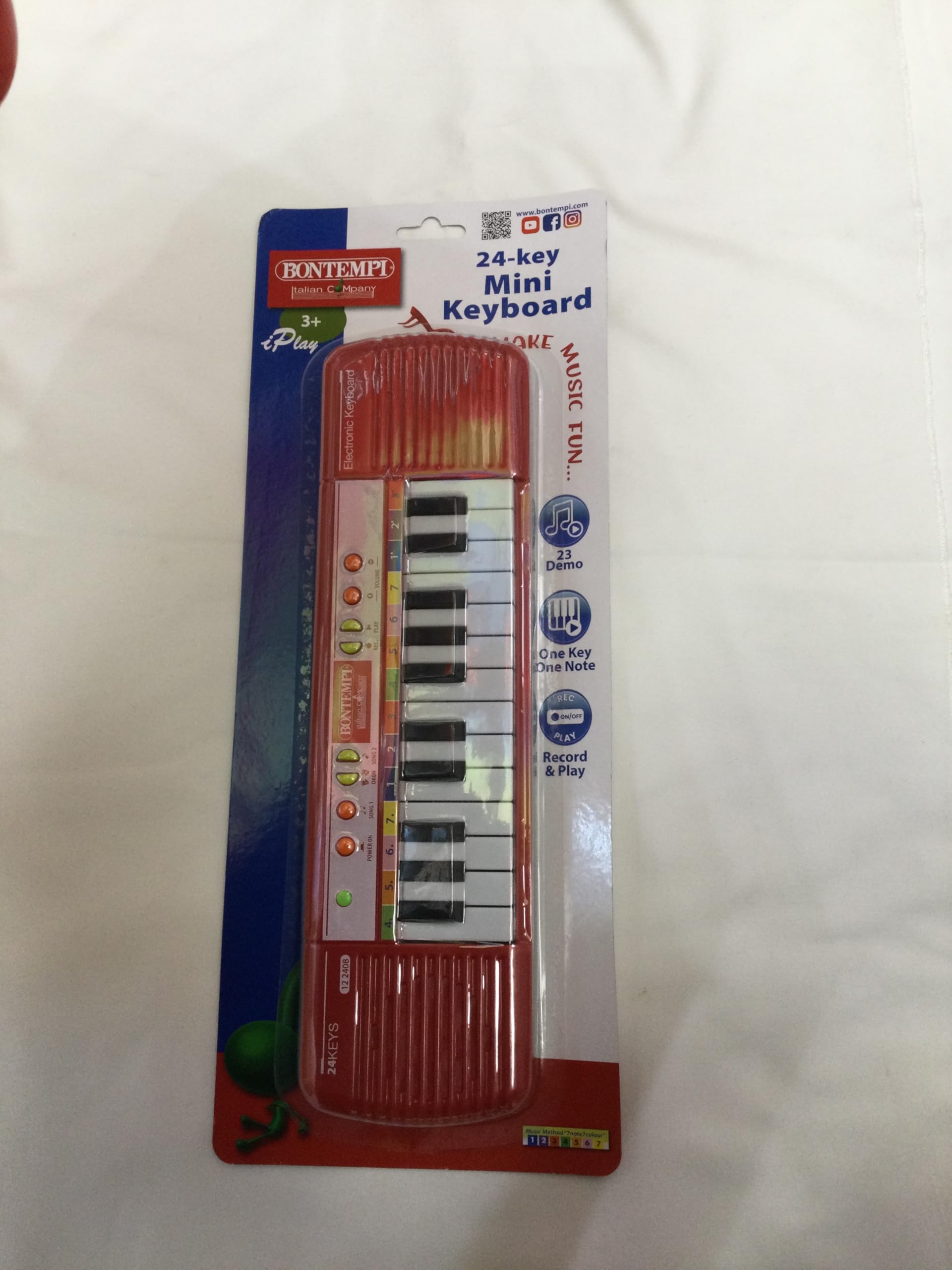
Beeld 2: Bo view of the Bontempi 24-Key Mini Electronic Keyboard. Shows the 24 keys, speaker grilles on both sides, and control buttons including 'POWER ON', 'SONG 1', 'SONG 2', 'DEMO', 'ONE KEY ONE NOTE', 'RECORD & PLAY', and 'VOLUME +/-'.
5. Bedryfsinstruksies
5.1 Playing Notes
Press any of the 24 black and white keys to play individual musical notes.
5.2 Volume-aanpassing
Use the 'VOLUME +' and 'VOLUME -' buttons to increase or decrease the sound output of the keyboard.
5.3 Demo-liedjies
Press the 'SONG 1', 'SONG 2', or 'DEMO' buttons to listen to pre-recorded melodies. Press the button again to stop the playback.
5.4 One Key One Note Function
Press the 'ONE KEY ONE NOTE' button to activate this mode. In this mode, pressing any key will play the next note of a pre-selected melody, allowing for simplified play-along.
5.5 Record and Playback
- Rekord: Press the 'RECORD' button. Play your desired melody on the keys. The keyboard will record your sequence of notes.
- Speel: After recording, press the 'PLAY' button to listen to your recorded melody.
6. Onderhoud
6.1 Skoonmaak
To clean the keyboard, wipe it with a soft, dry cloth. Do not use abrasive cleaners, solvents, or immerse the product in water. Avoid spraying liquids directly onto the keyboard.
6.2 Berging
Store the keyboard in a cool, dry place, away from direct sunlight and extreme temperatures. If the keyboard will not be used for an extended period, remove the batteries to prevent leakage.
7. Probleemoplossing
- Geen klank of verwronge klank nie:
- Kontroleer of die sleutelbord aangeskakel is.
- Ensure the volume is not set to minimum.
- Vervang die batterye met nuwes, en verseker die korrekte polariteit.
- Sleutels reageer nie:
- Gaan batterykrag na en vervang indien nodig.
- Maak seker dat daar geen rommel onder die sleutels vassit nie.
8. Spesifikasies
- Modelnommer: 12 2404
- Aantal sleutels: 24
- Afmetings (L x B x H): 36 x 10 x 2 cm (14.17 x 3.94 x 0.79 duim)
- Gewig: 400 gram (0.88 lbs)
- Kragbron: 4 x AA 1.5V batteries (Alkaline recommended, not included)
- Materiaal: Plastiek
- Aanbevole ouderdom: 3 jaar en ouer
- GTIN/UPC: 047663336374
9. Waarborg en Ondersteuning
This product is covered by the standard warranty provided by your retailer at the time of purchase. Please retain your proof of purchase for any warranty claims.
For technical support, spare parts, or further assistance, please contact your retailer or the manufacturer directly. Information regarding spare parts availability is currently not provided by the manufacturer.