
Inleiding
Welcome to your new SGIN 15.6 Inch Laptop Computer. This manual provides essential information for setting up, operating, and maintaining your device. Please read this manual thoroughly before using your laptop to ensure proper function and longevity.
Wat is in die boks
- SGIN 15.6 Inch Laptop Computer
- Kragadapter (laaier)
- Gebruikershandleiding (hierdie dokument)
- Windows 11 Home Operating System (pre-installed)
- Warranty Information (1 Year Repair Service, 30 Days Return)
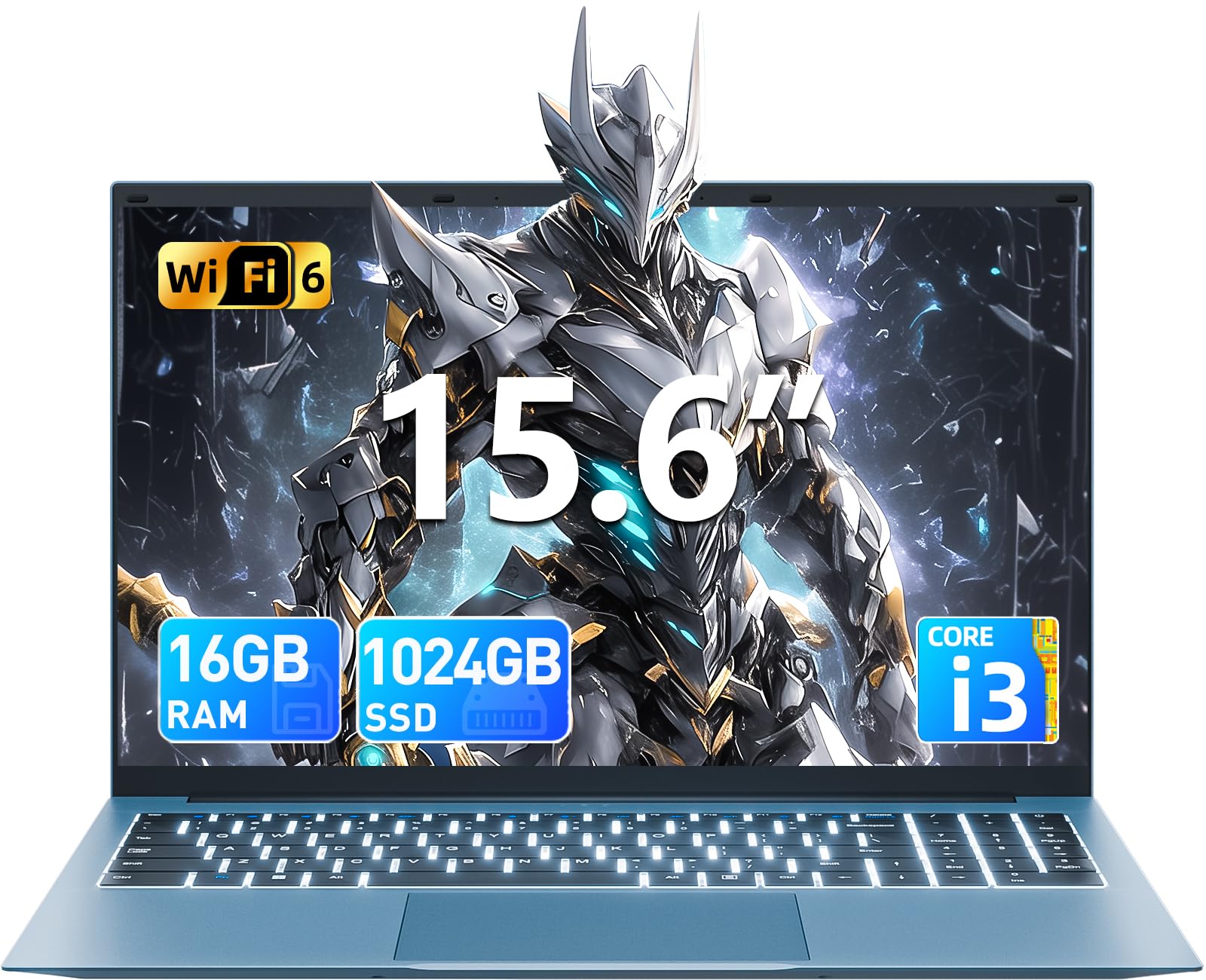
Produk verbyview
Familiarize yourself with the key features and components of your SGIN laptop.
Aanvanklike opstelling
Skakel aan
Connect the power adapter to the charging port on the laptop and then to a standard electrical outlet. Press the power button, typically located on the top right of the keyboard, to turn on the device.
Bedryfstelselopstelling
Upon first boot, you will be guided through the Windows 11 Home setup process. Follow the on-screen instructions to configure your language, region, connect to a Wi-Fi network, and create a user account. Ensure you have an active internet connection for updates during this process.
Bediening van jou skootrekenaar
Sleutelbord en raakvlak
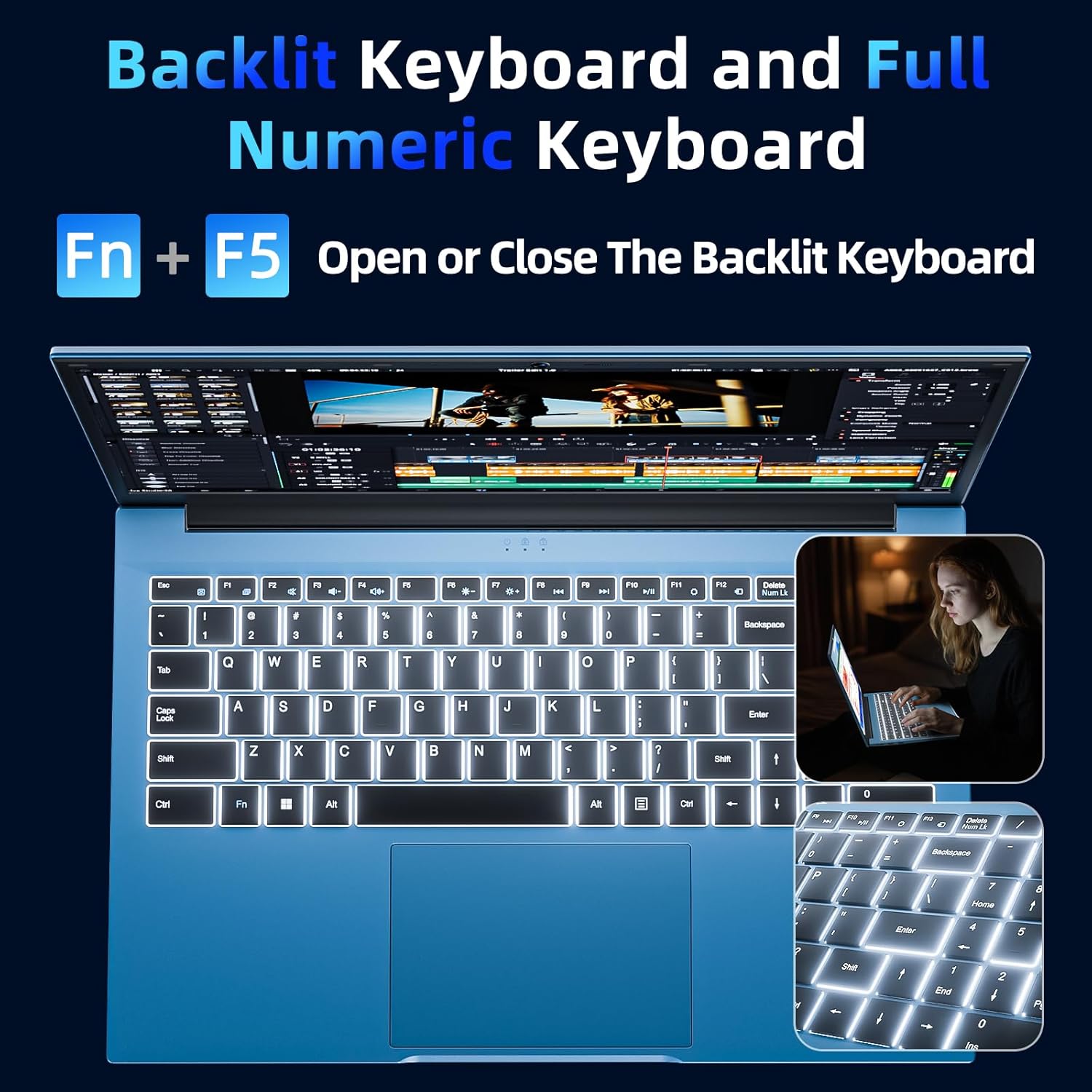
Your laptop features a full-size keyboard and a responsive touchpad for navigation and input.
Backlit Keyboard Function
To activate or deactivate the keyboard backlight, press the "Fn" + "F5" keys simultaneously. This feature is useful in low-light environments.
Vertoon
The 15.6-inch Full HD (1920x1080) IPS screen delivers vivid colors and sharp details. The display features a 180° hinge, allowing the screen to lay flat for easy sharing and collaboration.
Konnektiwiteit
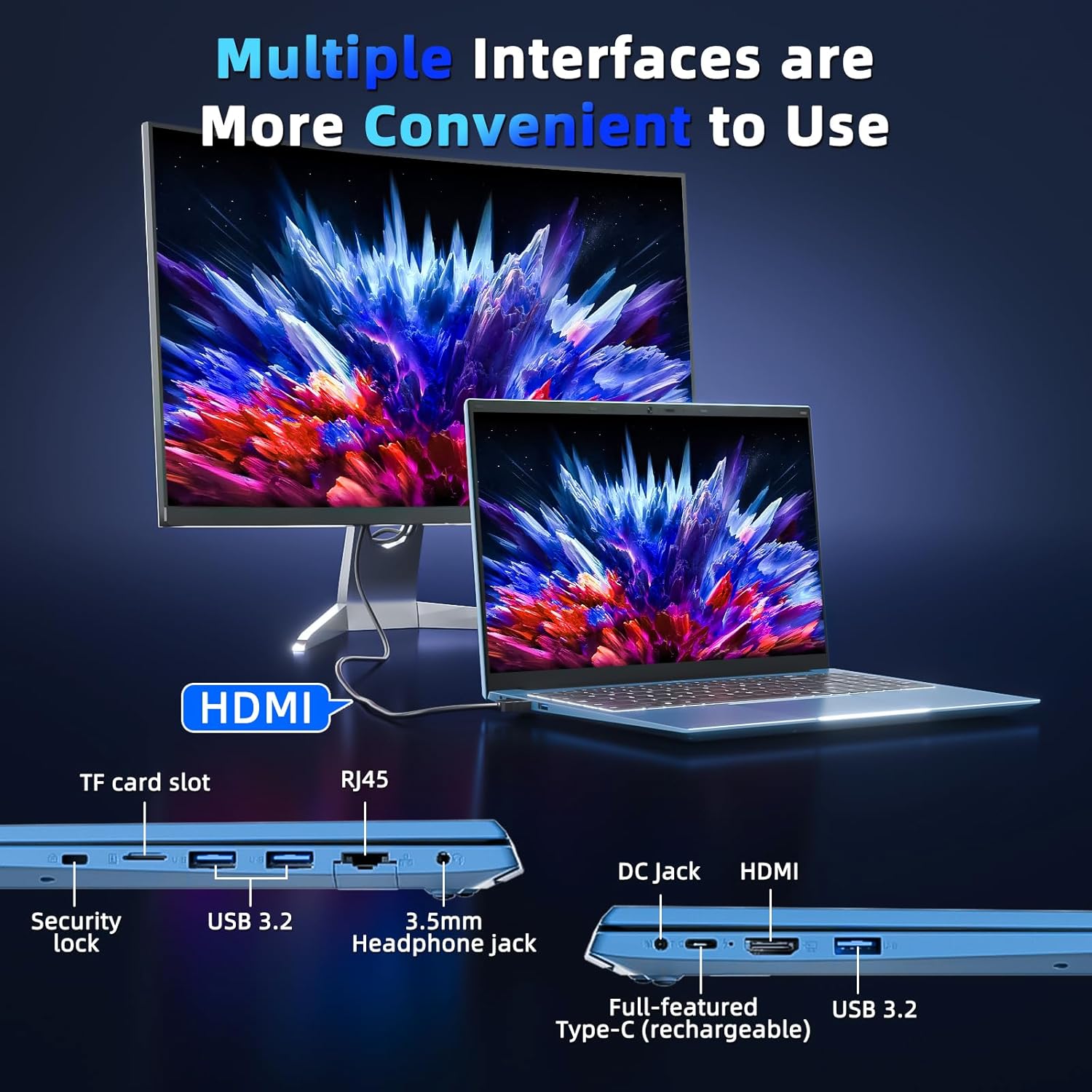
Your laptop is equipped with various ports for connecting external devices and network access:
- USB 3.0 Poorte: Vir hoëspoed-data-oordrag met versoenbare toestelle.
- HDMI-poort: Koppel aan eksterne monitors of projektors.
- Tipe C-poort: A versatile port for data, display, and power delivery.
- Micro SD-gleuf: Expand storage with a TF card up to 1TB.
- Koptelefoonaansluiting: Vir klankuitvoer na oorfone of eksterne luidsprekers.
- Ethernet-poort (RJ45): Vir bedrade netwerkverbindings.
- Kensington Slot Slot: For physical security of your device.
Batterybestuur
The integrated 53.2Wh (7000mAh) rechargeable battery provides up to 8 hours of battery life. For optimal battery longevity, ensure the laptop is fully charged before initial use and avoid frequent deep discharges. Disconnect the charger once the battery is full to prevent overcharging.

Tegniese spesifikasies
| Kenmerk | Detail |
|---|---|
| Model Naam | SGIN-Y101 |
| Vertoon grootte | 15.6 duim |
| Skermresolusie | 1920 x 1080 piksels (Vol HD) |
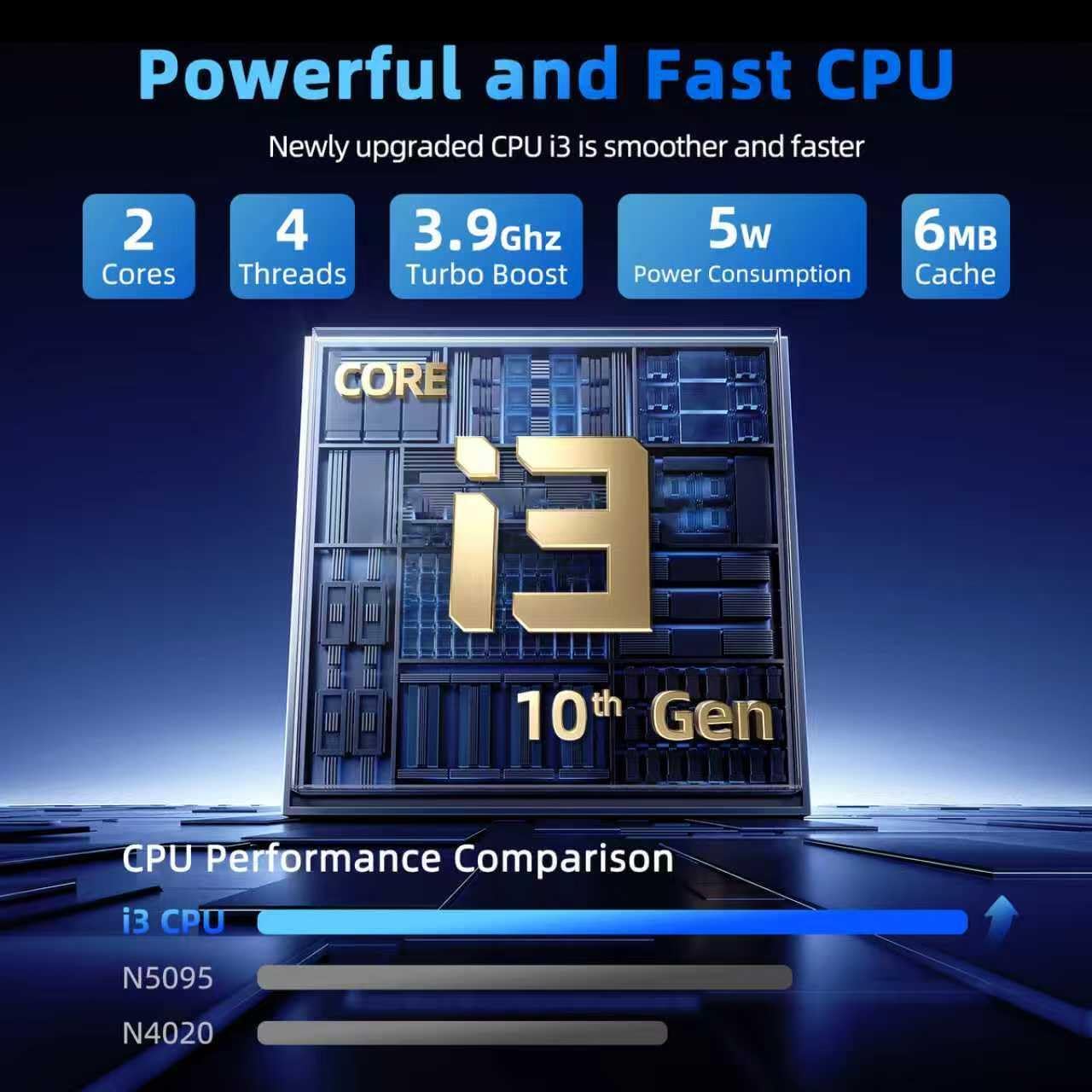
| Verwerker | Intel Core i3-10100 (up to 3.9GHz) |
| RAM | 16 GB DDR3 |
| Hardeskyf | 1024 GB SSD |
| Grafiese medeverwerker | Geïntegreerde |
| Bedryfstelsel | Windows 11 Tuis |
| Draadlose tipe | WiFi 6, Bluetooth |
| Hawens | USB 3.0 (x3), HDMI, Type-C, Micro SD slot, Ethernet (RJ45), Headphone Jack, Kensington Lock |
| Battery | 53.2Wh (7000mAh) Lithium Ion |
| Item gewig | 4.99 pond |
| Produk afmetings | 15.6 x 9 x 0.6 duim |
Onderhoud en versorging
To ensure the longevity and optimal performance of your SGIN laptop, follow these maintenance guidelines:
- Skoonmaak: Gently wipe the screen with a microfiber cloth designed for electronics. For the chassis, use a soft, dry cloth. Avoid harsh chemicals or abrasive materials.
- Omgewing: Operate the laptop in a clean, dry environment. Avoid exposure to extreme temperatures, direct sunlight, dust, and liquids.
- Ventilasie: Ensure the ventilation openings are not blocked to prevent overheating. Do not use the laptop on soft surfaces like beds or couches that can obstruct airflow.
- Data-rugsteun: Rugsteun gereeld jou belangrike data na 'n eksterne skyf of wolkberging om dataverlies in geval van onvoorsiene probleme te voorkom.
- Sagteware-opdaterings: Keep your operating system and applications updated to benefit from the latest security patches and performance improvements.
Opsporing van algemene probleme
Skootrekenaar skakel nie aan nie
- Ensure the power adapter is securely connected to both the laptop's charging port and a functional electrical outlet.
- Verifieer dat die kragpunt werk deur 'n ander toestel in te prop.
- If the battery is completely drained, allow the laptop to charge for at least 30 minutes before attempting to power it on again.
Keyboard Backlight Not Working
- Druk die "Fn" + "F5" keys simultaneously to toggle the backlight on or off.
- Check your system settings for any keyboard backlight options that might be disabled.
Stadige prestasie
- Close any unnecessary applications or browser tabs running in the background.
- Ensure your Windows 11 operating system and device drivers are up to date.
- Run a system scan for malware or viruses that could be impacting performance.
- Verify that your 1024GB SSD has sufficient free space, as a full drive can slow down the system.
Waarborg en Ondersteuning
Your SGIN laptop includes a 1-year protection plan and access to 24/7 customer support. For technical assistance, warranty claims, or service inquiries, please refer to the contact information provided with your product or visit the official SGIN support webwebwerf.
