
1. Produk verbyview
The BOSGAME P6 Mini PC is a compact desktop computer designed for various tasks, from demanding professional applications to light gaming and home entertainment. It features an AMD Ryzen 9 6900HX processor, 32GB LPDDR5X RAM, and a 1TB PCIe 4.0 NVMe SSD, offering high performance in a small form factor.
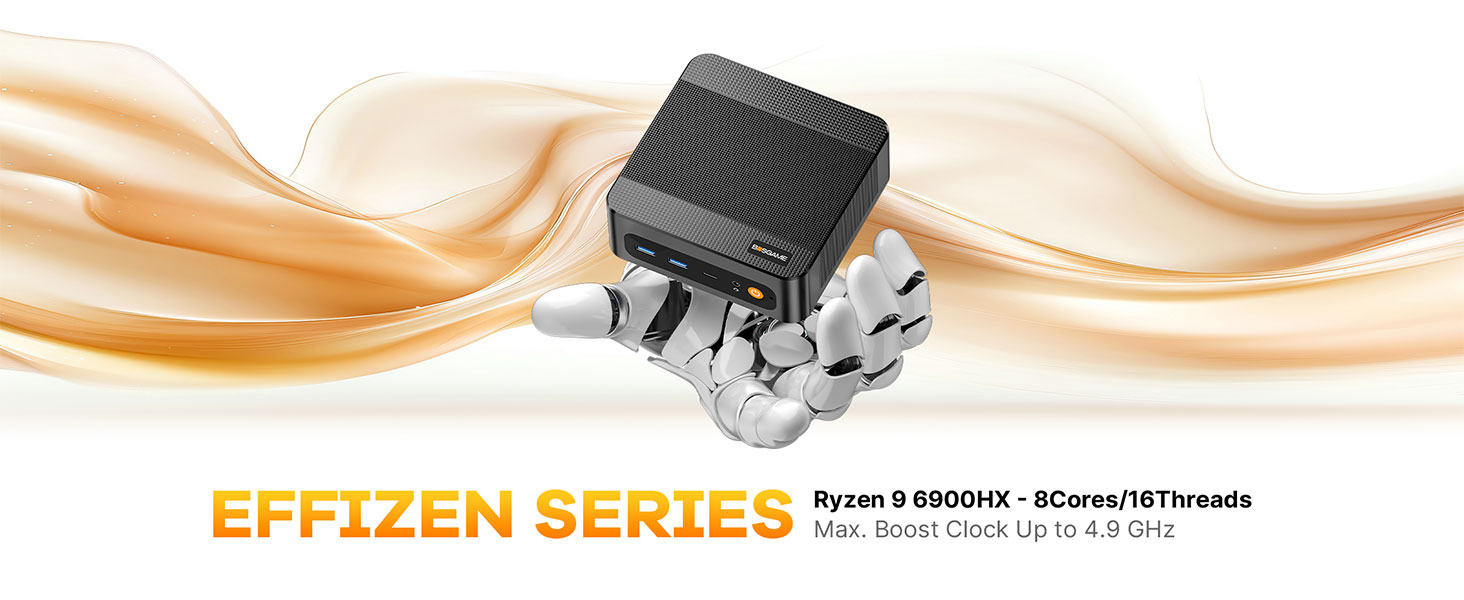
Beeld: Oorview of the BOSGAME P6 Mini PC highlighting its compact design and key features.
Video: 'n Kort oorsigview of the BOSGAME P6 Mini PC's design and functionality, suitable for work environments.
2. Wat is in die boks
Verifieer dat alle items in die pakket teenwoordig is:
- BOSGAME P6 Mini PC (1 unit)
- Gebruikershandleiding (1 eenheid)
- HDMI 2.0 Cable (1 unit)
- 19V 3.42A, 65W Power Adapter (1 unit)
- VESA Mount & Screws (1 set)
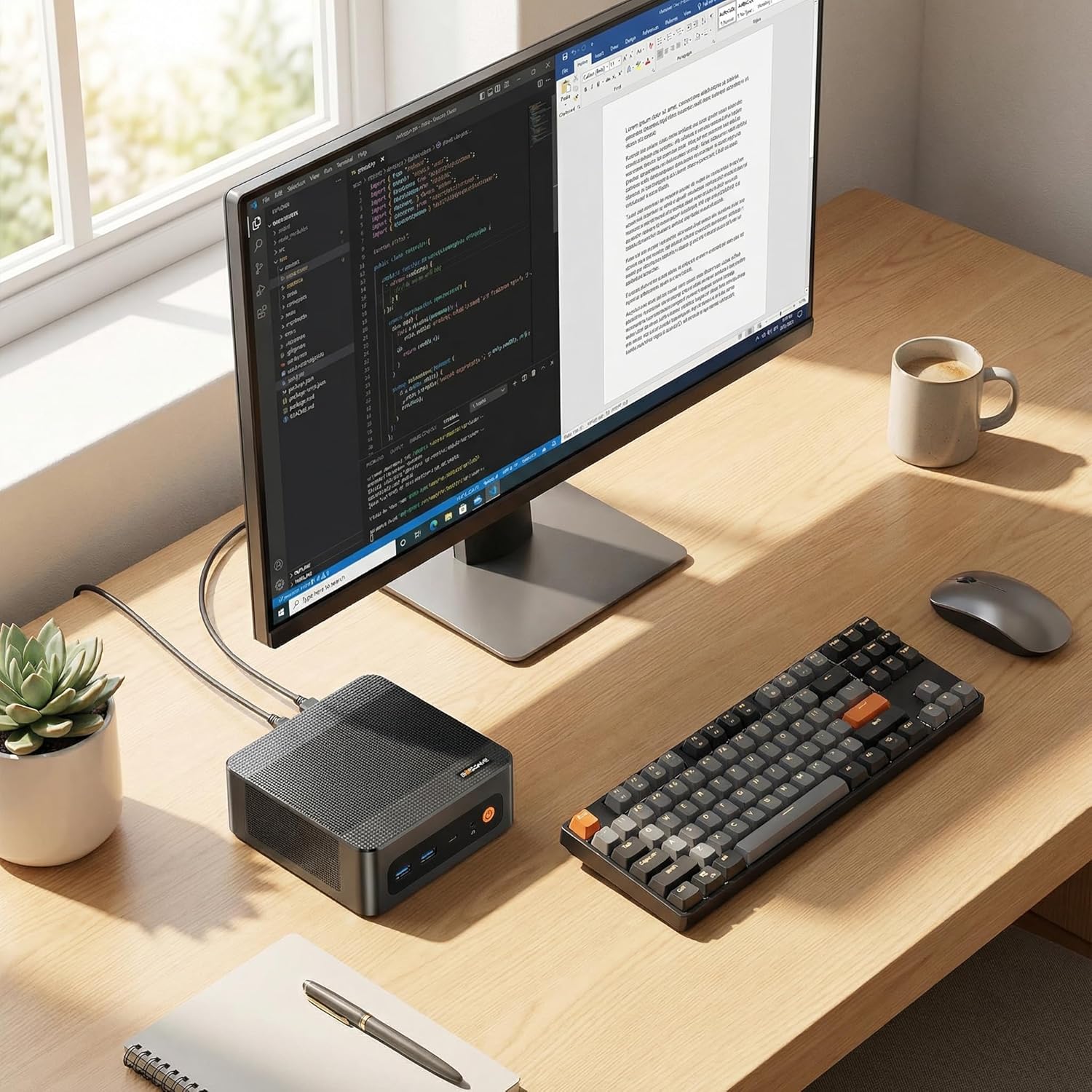
Image: All components included in the BOSGAME P6 Mini PC package.
3. Opstelgids
3.1 Aanvanklike verbinding
- Connect your monitor(s) to the HDMI, DisplayPort, or USB-C ports on the Mini PC.
- Koppel jou sleutelbord en muis aan die beskikbare USB-poorte.
- Connect the power adapter to the DC-in port on the Mini PC and then to a power outlet.
- Druk die aan/af-knoppie aan die voorkant van die Mini-rekenaar om dit aan te skakel.
3.2 VESA-monteringinstallasie
The BOSGAME P6 can be mounted to the back of a VESA-compatible monitor or under a desk for a clutter-free setup.
- Attach the VESA mount bracket to the back of your monitor or desired surface using the provided screws.
- Slide the Mini PC into the VESA mount until it clicks securely into place.

Image: Different installation methods for the BOSGAME P6 Mini PC.
4. Bedryfsinstruksies
4.1 Krag aan/af
- Krag aan: Druk die kragknoppie op die voorpaneel.
- Skakel af: Click the Start menu in Windows, then select Power > Shut down. Alternatively, press and hold the power button for 5 seconds to force a shutdown (not recommended for regular use).
4.2 Bedryfstelsel
The Mini PC comes pre-installed with Windows 11 Pro. It is also compatible with Ubuntu for users who prefer a Linux environment.
- Windows 11 Pro: Follow the on-screen instructions for initial setup upon first boot.
- Ubuntu Compatibility: Users can install Ubuntu by creating a bootable USB drive and following standard installation procedures.
5. Konnektiwiteit
The BOSGAME P6 offers extensive connectivity options for various peripherals and network configurations.
5.1 Voorpaneelpoorte
- Kragknoppie: Om die toestel aan/af te skakel.
- Oudio-aansluiting: Vir oorfone of eksterne luidsprekers.
- USB-C (4K@60Hz): Full-featured port supporting data transfer, power delivery (PD3.0), and DisplayPort video output.
- USB 3.2 Gen2 (10Gbps) x2: Hoëspoed-data-oordragpoorte.
5.2 Agterpaneelpoorte
- DC-in: Kraginvoerpoort.
- RJ45 LAN x2: Dual Gigabit Ethernet ports for stable wired network connections.
- HDMI (4K@60Hz): Video output port.
- DisplayPort (4K@60Hz): Video output port.
- USB 3.2 Gen2 (10Gbps) x1: Hoëspoed data-oordragpoort.
- USB 2.0 (480Mbps) x1: Standaard data-oordragpoort.
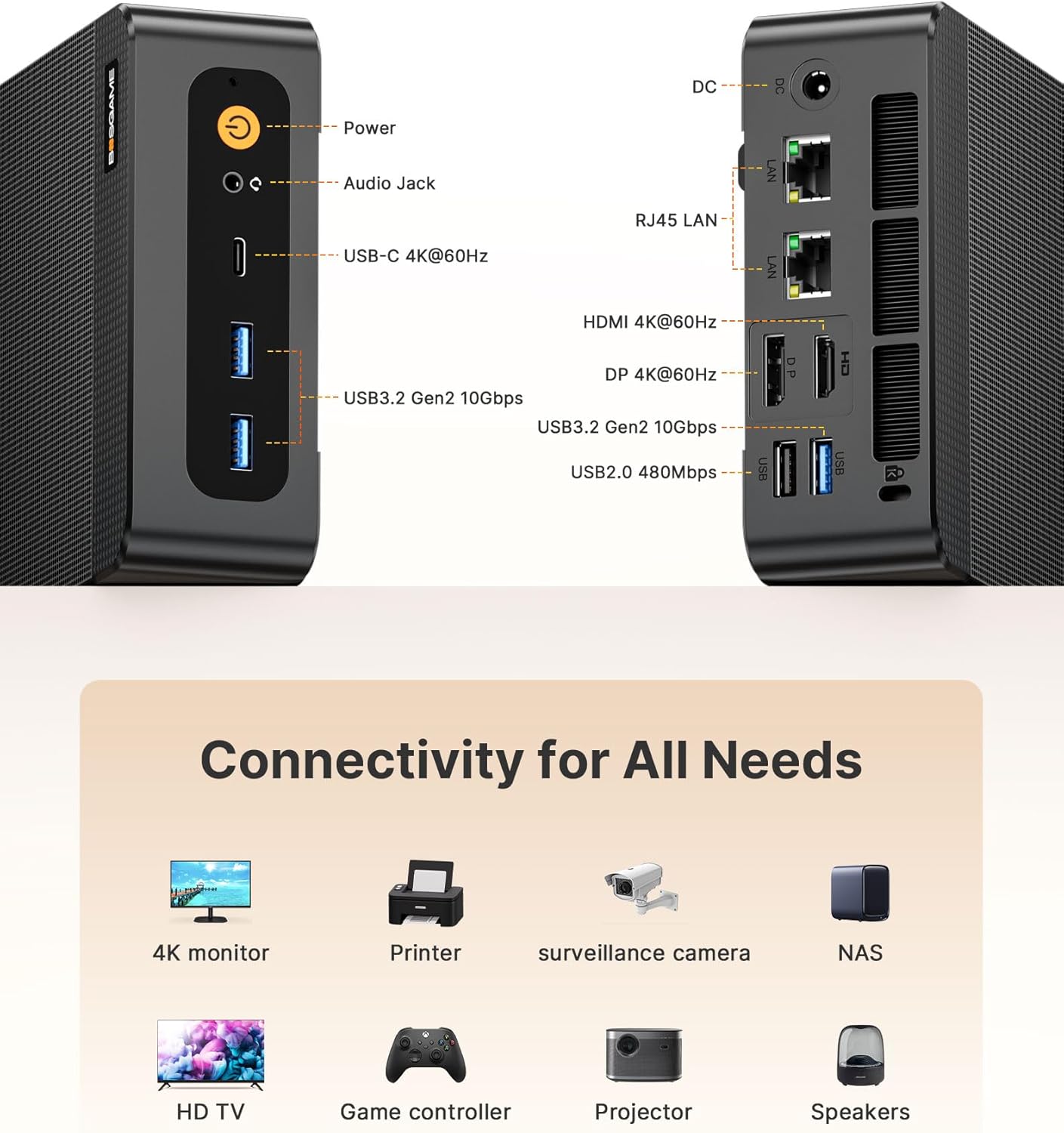
Image: Front and rear connectivity ports of the Mini PC.
5.3 Draadlose verbinding
- Wi-Fi 6E: Vir hoëspoed draadlose internettoegang.
- Bluetooth 5.3: Vir die koppeling van draadlose randapparatuur. Note: To activate Bluetooth 5.3, download the corresponding driver from the official Intel website; otherwise, it defaults to Bluetooth 5.2 speeds.

Image: Wireless connectivity features (Wi-Fi 6E and Bluetooth 5.3) and compatible devices.
6. Berging Uitbreiding
The Mini PC is equipped with a 1TB M.2 NVMe PCIe 4.0 x4 SSD and supports expansion up to 4TB with an additional M.2 NVMe drive.
- Skakel die Mini-rekenaar af en ontkoppel alle kabels.
- Carefully open the chassis (refer to the detailed user manual for specific instructions).
- Locate the additional M.2 NVMe slot.
- Insert the new M.2 NVMe SSD into the slot and secure it with the provided screw.
- Close the chassis and reconnect all cables.
7. Vertoonopstelling
The BOSGAME P6 supports triple 4K display output simultaneously via HDMI, DisplayPort, and USB-C, all at 60Hz.
- Connect your 4K monitors to the available HDMI, DisplayPort, and USB-C video output ports.
- Maak seker dat jou monitors op die korrekte invoerbron gestel is.
- In Windows Display Settings, configure your display arrangement (extend, duplicate, or show only on one display).

Image: Triple display setup with the Mini PC.
8. Heat Dissipation & Noise
The Mini PC incorporates advanced phase change materials and active heat sinks for the CPU, memory, and hard drives, ensuring efficient and stable heat dissipation. It operates at a low noise level of under 36 decibels.

Beeld: Intern view of the heat dissipation system.
9. Gebruikscenario's
The BOSGAME P6 Mini PC is versatile and suitable for a wide range of applications:
- Kantoor en Besigheid: Efficient for daily office tasks, presentations, and multitasking.
- Kreatiewe werk: Capable of handling photo and video editing, graphic design, and other demanding creative applications.
- Light Gaming: Enjoy various games at suitable settings thanks to the integrated Radeon 680M graphics.
- Tuis teater: Connect to your TV for streaming 4K content and multimedia playback.
- Home Server: Utilize dual LAN ports for network attached storage (NAS) or other server applications.

Beeld: Bvamples of the Mini PC in different work and entertainment settings.
Video: Demonstrates the compact size and versatile functionality of the P6 Mini PC in various environments.
10. Spesifikasies
| Kenmerk | Detail |
|---|---|
| Verwerker | AMD Ryzen 9 6900HX (8C/16T, up to 4.9GHz) |
| Grafika | AMD Radeon 680M |
| RAM | 32GB LPDDR5X (6400MHz) |
| Berging | 1TB M.2 NVMe PCIe 4.0 x4 SSD (Expandable up to 4TB) |
| Bedryfstelsel | Windows 11 Pro (pre-installed), compatible with Ubuntu |
| Video-uitset | HDMI 2.0 (4K@60Hz), DisplayPort (4K@60Hz), USB-C (4K@60Hz) |
| USB-poorte | 2x USB 3.2 Gen2 (front), 1x USB 3.2 Gen2 (rear), 1x USB 2.0 (rear), 1x Full-function USB-C |
| Netwerk | Dual 1000Mbps Gigabit Ethernet, Wi-Fi 6E, Bluetooth 5.3 |
| Afmetings | 129 x 123 x 44 mm |
| Gewig | 2.81 pond |
11. Probleemoplossing
11.1 Geen skermuitvoer nie
- Ensure all display cables (HDMI, DisplayPort, USB-C) are securely connected to both the Mini PC and the monitor.
- Verifieer dat die monitor aangeskakel is en op die korrekte invoerbron gestel is.
- Probeer om aan 'n ander vertoonpoort te koppel of 'n ander kabel te gebruik.
11.2 Geen krag
- Check if the power adapter is correctly connected to the Mini PC and a working power outlet.
- Maak seker dat die kragaansluiting funksioneel is deur dit met 'n ander toestel te toets.
11.3 Bluetooth 5.3 Not Active
- Download and install the latest Bluetooth 5.3 driver from the official Intel webwebwerf.
12. Waarborg en ondersteuning
All BOSGAME Mini Desktop PCs are covered by a 12-month assurance period. For any questions or support needs, please contact us through the following methods:
- Contact via Amazon: Log into your Amazon buyer's account, find your order, and click 'Get help' for product-specific assistance.
- E-pos ondersteuning: Send an email to the After-sales Support Team at su**pport@bos**game.com. You will receive a response as soon as possible.