
1. Inleiding
Thank you for choosing the comiso M11 Wearable Bluetooth Speaker. This manual provides essential information for setting up, operating, and maintaining your speaker. The M11 is designed for portability and convenience, featuring IPX7 waterproofing, Bluetooth 6.0 connectivity, and a built-in microphone for hands-free calls.
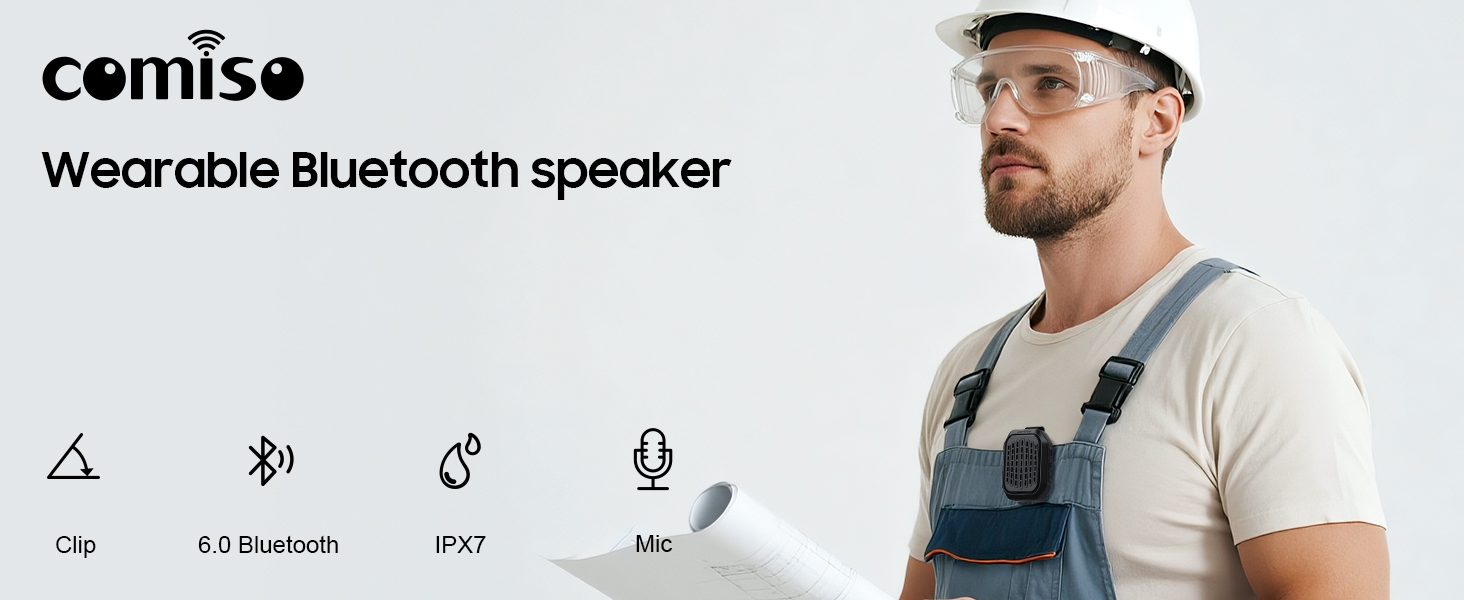
Beeld 1.1: verbyview of the comiso M11 speaker highlighting its key features: clip-on design, Bluetooth 6.0, IPX7 waterproof rating, and built-in microphone.
2. Pakketinhoud
Kontroleer asseblief die pakket vir die volgende items:
- 1 x comiso M11 Wearable Bluetooth Speaker
- 1 x USB-C laaikabel
- 1 x Lanyard
- 1 x Gebruikershandleiding (hierdie dokument)
3. Produk verbyview
The comiso M11 speaker features a compact design with a durable clip for easy attachment. Familiarize yourself with the speaker's components:
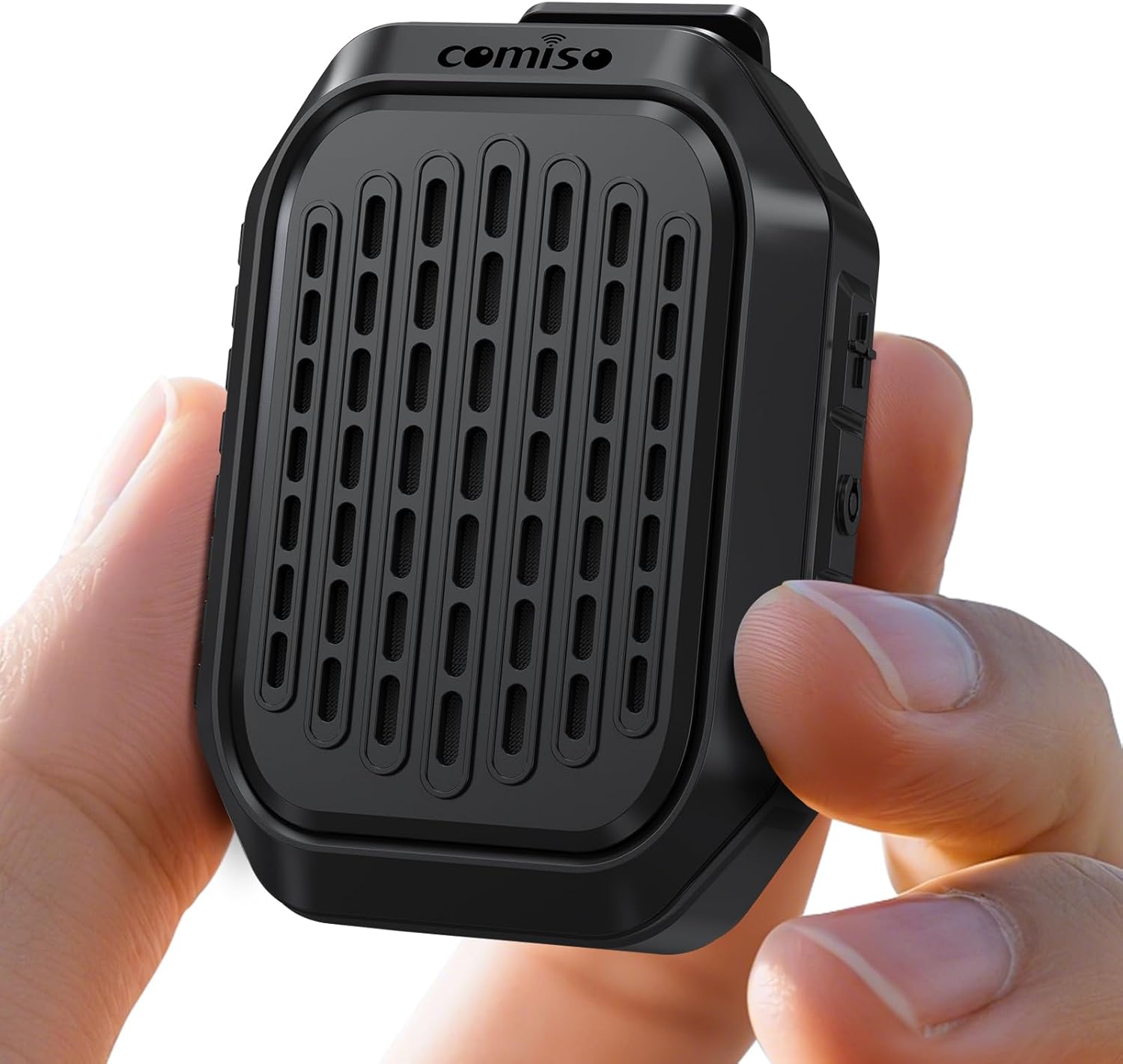
Image 3.1: The comiso M11 speaker, demonstrating its small, portable form factor when held in a hand.
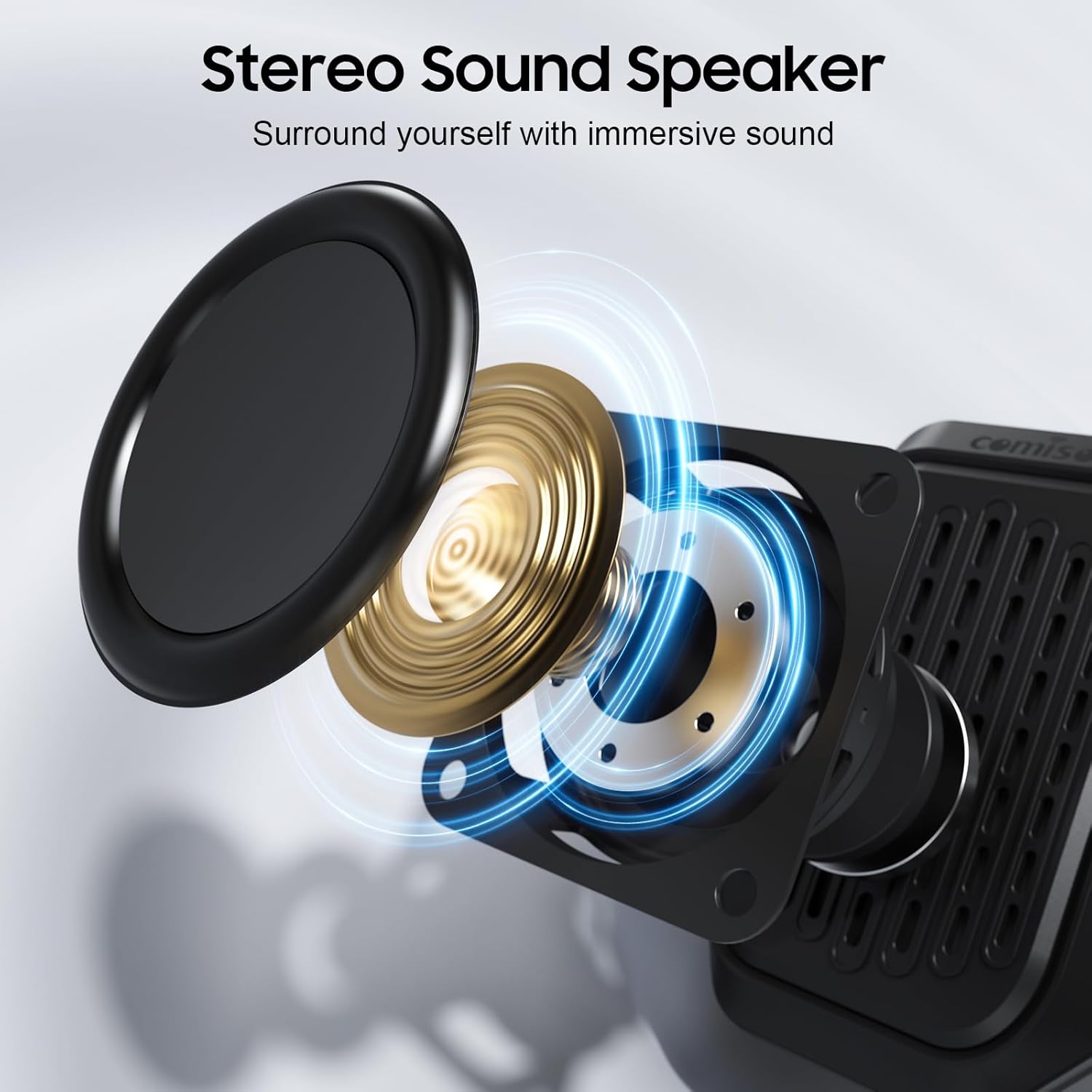
Image 3.2: An exploded diagram illustrating the internal components of the speaker, including the sound driver, designed for stereo sound output.
4. Opstelling
4.1 Laai die luidspreker
Before first use, fully charge your comiso M11 speaker. Use the included USB-C cable to connect the speaker to a compatible USB power source (e.g., wall adapter, computer USB port).
- Die laai-aanwyserliggie sal tydens laai brand.
- A full charge provides over 10 hours of playtime at 50% volume.
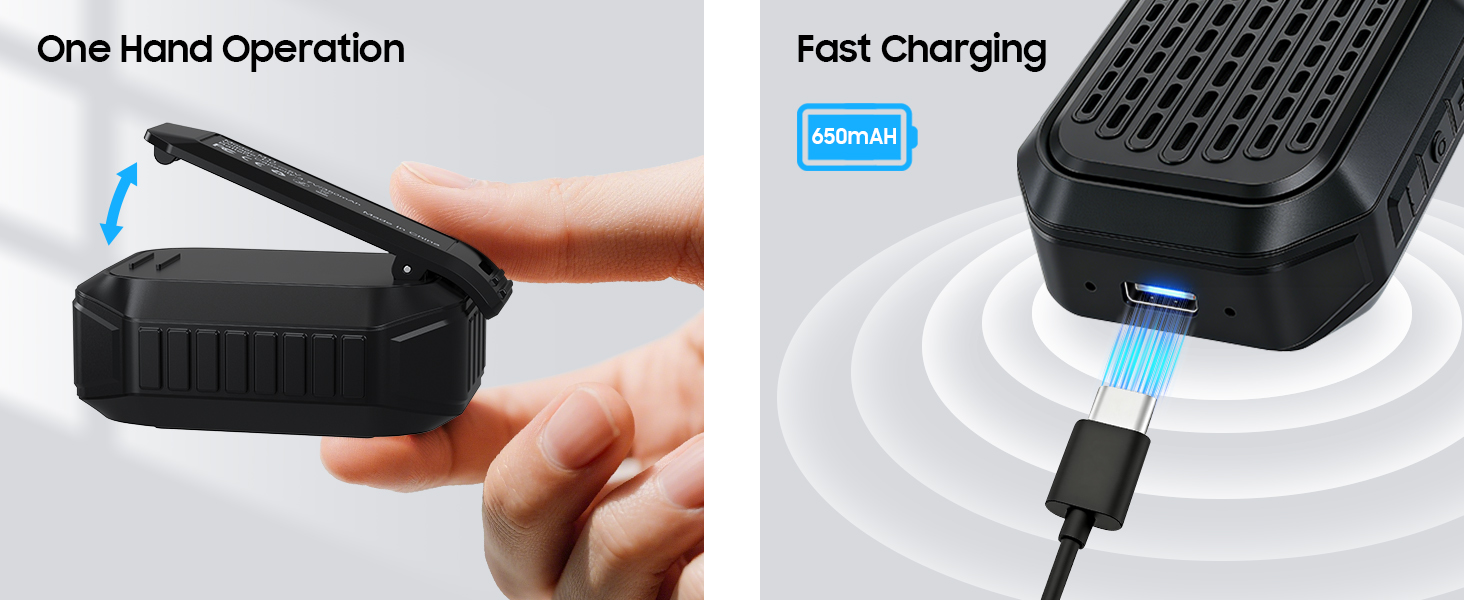
Image 4.1: The speaker's USB-C port connected for fast charging, alongside an illustration of its one-hand operable clip.
4.2 Bluetooth -koppeling
Om jou luidspreker aan 'n Bluetooth-geaktiveerde toestel te koppel:
- Maak seker dat die luidspreker gelaai en aangeskakel is.
- Aktiveer Bluetooth op jou slimfoon of ander toestel.
- Soek vir beskikbare toestelle en kies "M11" uit die lys.
- Once connected, the speaker will indicate a successful pairing (e.g., an audible tone or LED indicator change).

Image 4.2: A smartphone screen showing the Bluetooth pairing process, with the M11 speaker visible and ready for connection.
5. Bedryfsinstruksies
5.1 Krag aan/af
- Om aan te skakel: Druk en hou die aan/af-knoppie vir ongeveer 2 sekondes in.
- Om af te skakel: Druk en hou die aan/af-knoppie vir ongeveer 3 sekondes in.
5.2 Musiekweergawe
Once connected via Bluetooth, you can control music playback from your device or directly on the speaker (if applicable buttons are present).
- Speel/pouse: Druk die Speel/Pause-knoppie een keer.
- Volume op: Druk die Volume Op-knoppie.
- Volume af: Druk die Volume Af-knoppie.
- Volgende snit: Druk en hou die Volume Op-knoppie.
- Vorige snit: Druk en hou die Volume Down-knoppie.
5.3 Handvrye Oproepe
The built-in microphone allows for clear hands-free communication.
- Beantwoord oproep: Druk die Speel/Pause-knoppie een keer wanneer 'n oproep inkom.
- Beëindig oproep: Druk die Speel/Pause-knoppie een keer tydens 'n oproep.
- Verwerp oproep: Druk en hou die Speel/Pause-knoppie vir 2 sekondes in.

Image 5.1: A user demonstrating hands-free calling with the speaker clipped to their clothing, suitable for active environments.
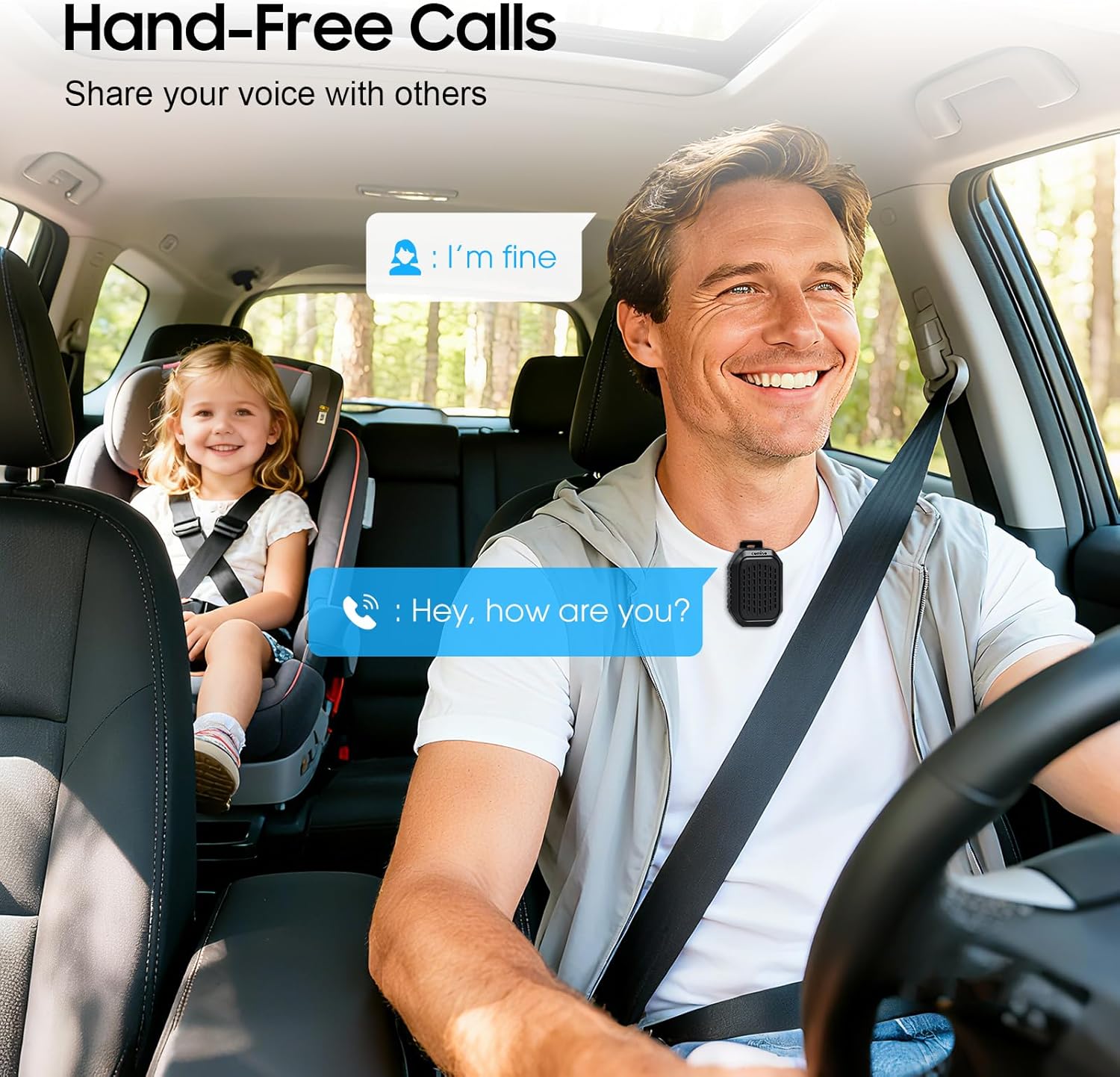
Image 5.2: The speaker facilitating hands-free communication while driving, clipped securely to a seatbelt.
5.4 Ware Draadlose Stereo (TWS) Paring
For an enhanced audio experience, you can pair two M11 speakers together to create a stereo sound system.
- Maak seker dat beide M11-luidsprekers aangeskakel is en nie aan enige ander Bluetooth-toestel gekoppel is nie.
- On either speaker, triple-press the Power button to enter TWS pairing mode.
- Die luidsprekers sal outomaties na mekaar soek en met mekaar verbind.
- Once paired, connect your device to one of the speakers via Bluetooth as described in Section 4.2.
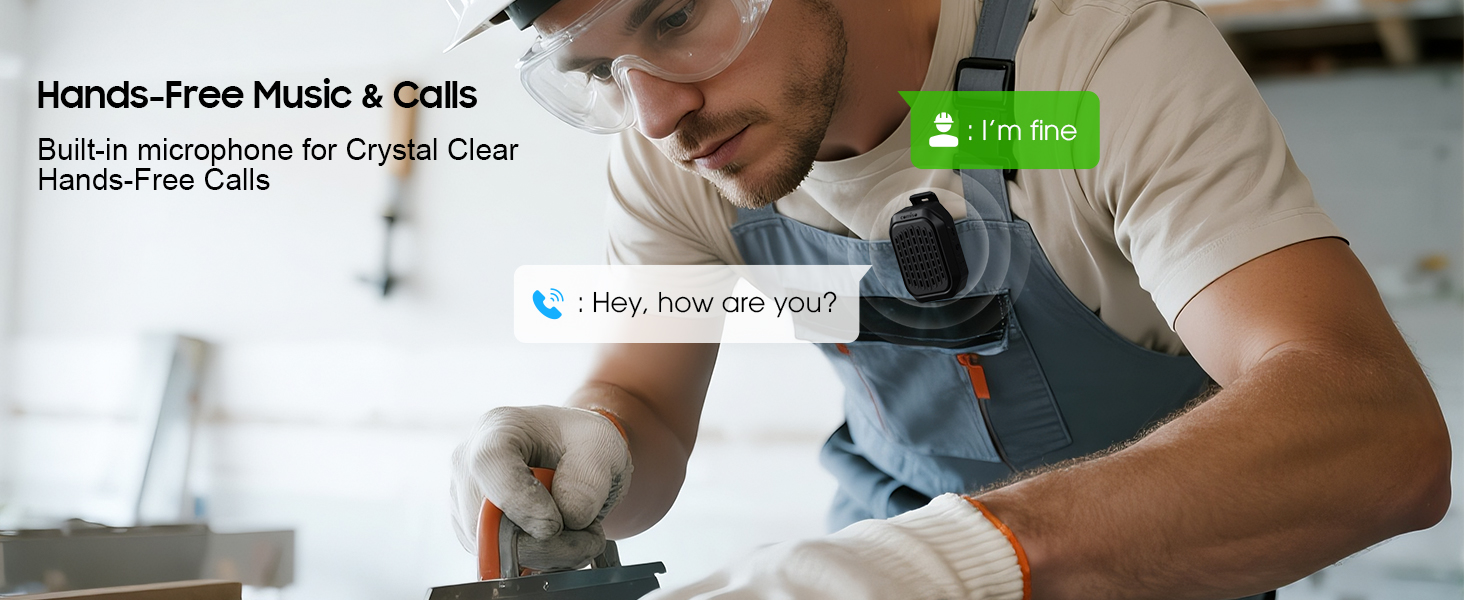
Image 5.3: Two M11 speakers wirelessly connected for a stereo audio experience, enhancing sound immersion.
5.5 Wearing the Speaker
The M11 speaker's anti-slip clip and included lanyard offer versatile wearing options.
- Clip-on: Easily attach the speaker to your shirt, backpack strap, belt, or jacket.
- Koord: Use the lanyard to hang the speaker on your bag, bike, or car.
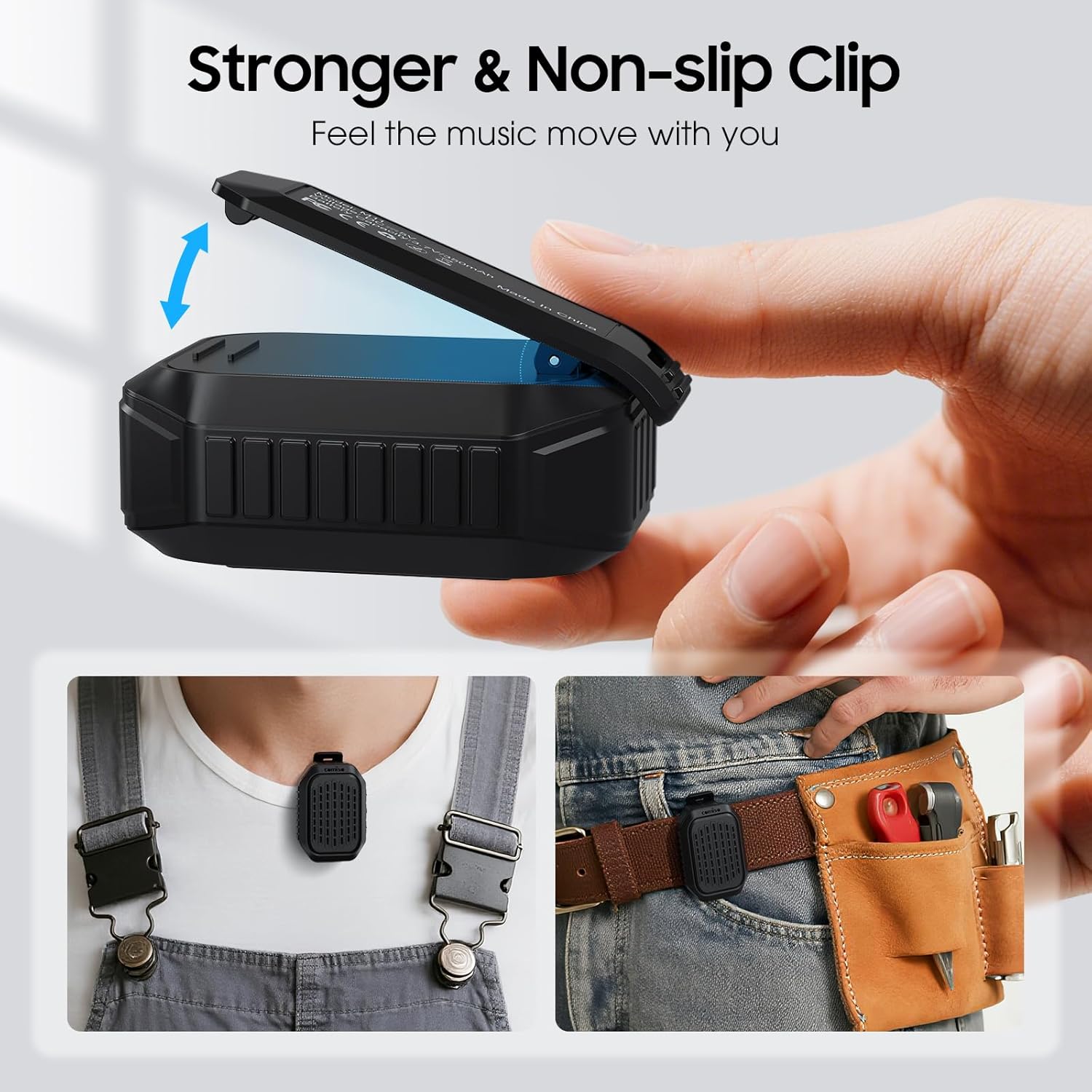
Beeld 5.4: 'n Gedetailleerde view of the speaker's strong, non-slip clip, designed for secure attachment to various items.
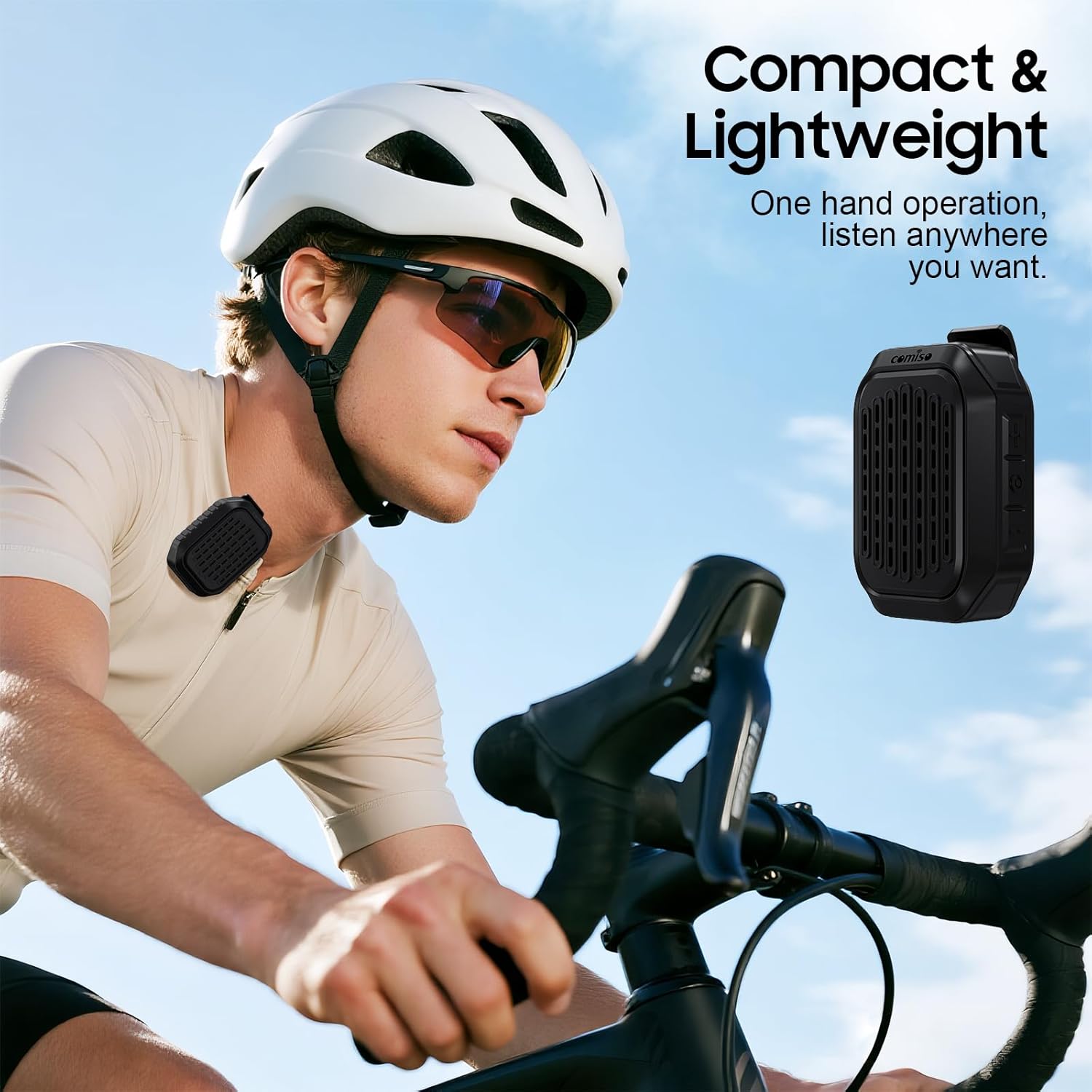
Image 5.5: A cyclist wearing the compact and lightweight speaker, demonstrating its suitability for outdoor activities.
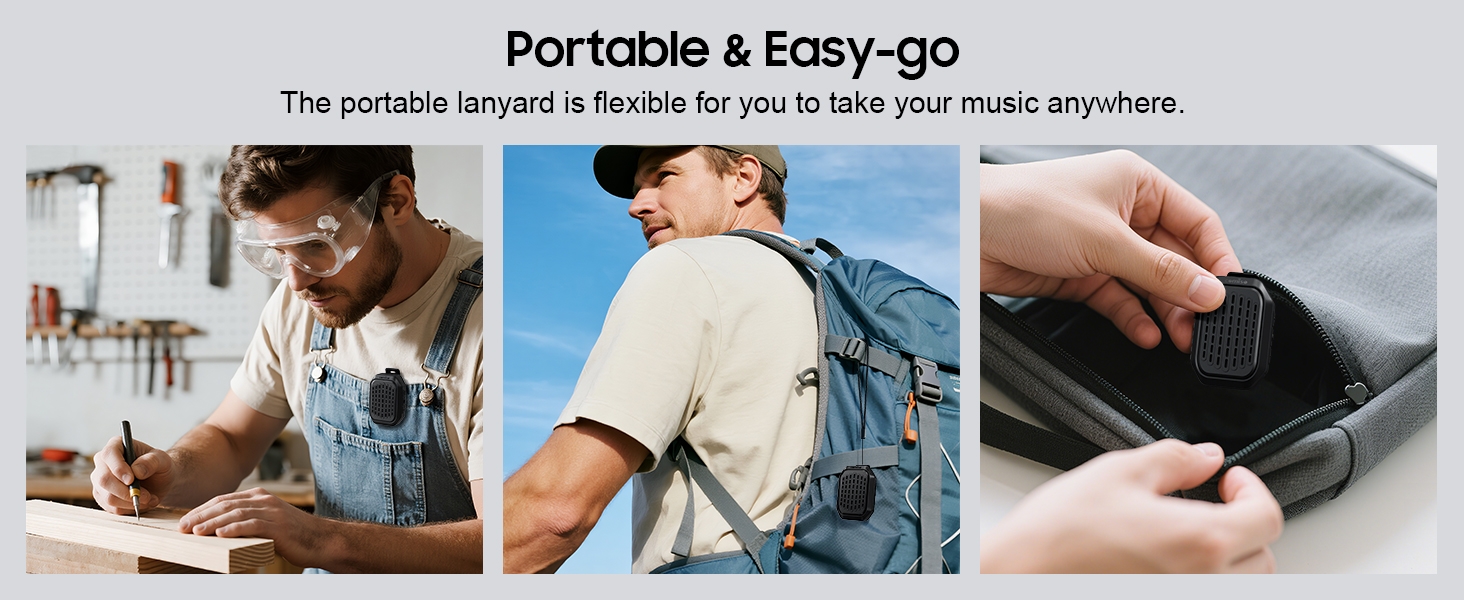
Beeld 5.6: Voorbeeldamples of the speaker's portability and ease of use, including being clipped to clothing, a backpack, and stored in a pocket.
6. Onderhoud
6.1 Waterbestandheid (IPX7)
The comiso M11 speaker is IPX7 waterproof, meaning it can be immersed in water up to 1 meter deep for 30 minutes. This makes it suitable for outdoor use and resistant to splashes and rain.
- Maak seker dat die laaipoortdeksel stewig toe is voordat die luidspreker aan water blootgestel word.
- Do not intentionally submerge the speaker for extended periods or beyond specified depths.
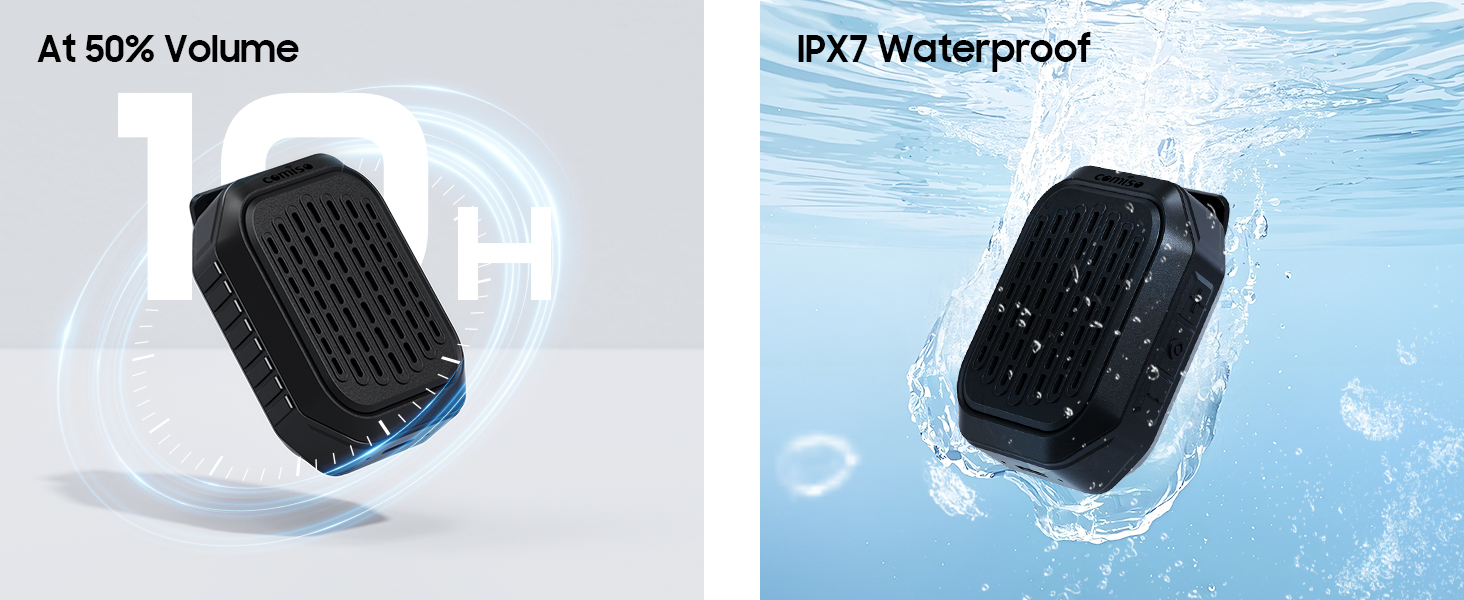
Image 6.1: The speaker submerged in water, illustrating its IPX7 waterproof capability, alongside an indicator of its 10-hour battery life.
6.2 Skoonmaak en berging
- Maak die luidspreker skoon met 'n sagte, damp lap. Moenie skuur skoonmaakmiddels of oplosmiddels gebruik nie.
- Bêre die luidspreker op 'n koel, droë plek weg van uiterste temperature en direkte sonlig.
- If not used for a long period, charge the speaker at least once every three months to maintain battery health.
7. Probleemoplossing
If you encounter issues with your comiso M11 speaker, please refer to the following common solutions:
- Luidspreker skakel nie aan nie:
Ensure the speaker is fully charged. Connect it to a power source using the USB-C cable and try again. - Kan nie met Bluetooth-toestel koppel nie:
Make sure the speaker is in pairing mode (check indicator light). Turn off and on Bluetooth on your device. Ensure the speaker is within the 10-meter range. Clear previous Bluetooth connections on your device and try pairing again. - Geen geluid of lae volume:
Check the volume levels on both the speaker and your connected device. Ensure the speaker is properly paired. If using TWS, ensure both speakers are connected correctly. - Swak oproepkwaliteit:
Ensure the speaker is close enough for the microphone to pick up your voice clearly. Check for environmental noise interference. - Luidspreker laai nie:
Verify the USB-C cable is securely connected to both the speaker and the power source. Try a different USB-C cable or power adapter.
8. Spesifikasies
| Kenmerk | Detail |
|---|---|
| Model Naam | M11 |
| Tipe luidspreker | Drabare Bluetooth-luidspreker |
| Bluetooth weergawe | 6.0 |
| Luidspreker Maksimum uitsetkrag | 5 Watt |
| Waterweerstandvlak | IPX7 (up to 1 meter for 30 minutes) |
| Batterylewe | Over 10 hours (at 50% volume) |
| Laaipoort | USB-C |
| Produk Afmetings (D x B x H) | 1.9" x 2.9" x 1.3" |
| Item gewig | 75 gram (2.65 onse) |
| Maksimum Bluetooth-reeks | 10 meter |
| Ingeboude mikrofoon | Ja |
| TWS-paring | Ja |
9. Veiligheidsinligting
Please read and follow these safety guidelines to ensure safe operation and prolong the life of your speaker:
- Moenie die luidspreker uitmekaar haal, herstel of wysig nie. Dit kan die waarborg ongeldig maak en veiligheidsrisiko's inhou.
- Hou die luidspreker weg van uiterste temperature, direkte sonlig en oop vlamme.
- Vermy om die luidspreker te laat val of aan sterk impakte te onderwerp.
- Do not use the speaker while charging in wet conditions.
- Hou buite bereik van kinders.
- Gooi die luidspreker en sy battery verantwoordelik weg volgens plaaslike regulasies.
10. Waarborg en Ondersteuning
For warranty information or technical support, please contact comiso customer service through the retailer where you purchased the product or visit the official comiso website. Please have your model number (M11) and purchase details ready.