
Vandlion V11B
Vandlion V11B 64GB Digitale Stemopnemer Gebruikershandleiding
Model: V11B
Inleiding
Thank you for choosing the Vandlion V11B Digital Voice Recorder. This manual provides detailed instructions on how to set up, operate, and maintain your device. Please read it carefully to ensure optimal performance and longevity of your recorder.

Image: The Vandlion V11B Digital Voice Recorder, a compact device shown held in a hand, highlighting its portable design.
Wat is in die boks
Verifieer dat alle items in die pakket teenwoordig is:
- 1 x Digital voice recorder
- 1 x USB-C Data Cable
- 1 x koptelefoon
- 1 x Gebruikershandleiding (hierdie dokument)

Image: A visual representation of the package contents, including the digital voice recorder, USB-C cable, headphones, lanyard, and user manual.
Toestel verbyview
Familiarize yourself with the physical components of your Vandlion V11B recorder.

Beeld: 'n Gedetailleerde view of the Vandlion V11B digital voice recorder, showing its display, control buttons (REC, SAVE, POWER, RESET), and integrated carabiner clip.

Image: The Vandlion V11B digital voice recorder shown attached to a backpack and a belt loop, illustrating its compact size and ease of carrying.
Sleutel kenmerke sluit in:
- Vertoon skerm: Shows recording status, time, battery level, and file inligting.
- REC/SAVE Switch: Slide up to start recording, slide down to save.
- Kragknoppie: Druk en hou om aan/af te skakel.
- RESET-knoppie: Small pinhole button for factory reset if needed.
- USB-C-poort: Vir laai en data-oordrag.
- Koptelefoonaansluiting: 3.5mm port for audio playback.
- Geïntegreerde knip: Vir maklike draagbaarheid.
Opstelling
1. Laai die toestel
Before first use, fully charge the recorder. Connect the supplied USB-C cable to the device's USB-C port and the other end to a computer or a USB power adapter (not included).
- 'n Volle lading neem ongeveer 1.5 uur.
- A fully charged device provides up to 20 uur of continuous recording.
- Die skerm sal die laaistatus aandui.

Image: The Vandlion V11B digital voice recorder connected to a laptop via its USB-C port for charging and data transfer.
2. Skakel aan/af
- Om aan te skakel: Druk en hou die KRAG knoppie totdat die skerm oplig.
- Om af te skakel: Druk en hou die KRAG knoppie totdat die skerm afskakel.
Bedryfsinstruksies
1. One-Button Recording
The device features a simple slide switch for quick recording.
- To start recording: Slide the REC/SAVE switch upwards to the "REC" position. The device will begin recording immediately.
- To save recording: Slide the REC/SAVE switch downwards to the "SAVE" position. The current recording will be saved, and the device will stop recording.

Image: An illustration demonstrating the one-button recording function, showing a finger sliding the REC/SAVE switch to initiate recording.
2. KI-geraasvermindering
The Vandlion V11B incorporates an advanced AI chip to enhance audio clarity by reducing background noise.
- This feature automatically identifies and minimizes distracting sounds, focusing on human speech.
- It is active during recording to provide high-fidelity voice capture.

Image: A graphic illustrating how AI noise reduction works, showing various types of noise (wind, static, hum) being filtered out to produce clear sound.
3. Voice Activated Recording (VOR)
The Voice Activated Recording function allows the device to record only when sound is detected, conserving memory and battery life.
- To enable VOR: Access the device's menu by long pressing the Speel/Pause/Bevestig button when not recording, then navigate to the VOR settings. Set VOR to "ON".
- Once enabled, slide the REC/SAVE button to "REC". The recorder will start recording when sound above a set threshold (e.g., >65dB) is detected and pause when sound falls below the threshold (e.g., <65dB).
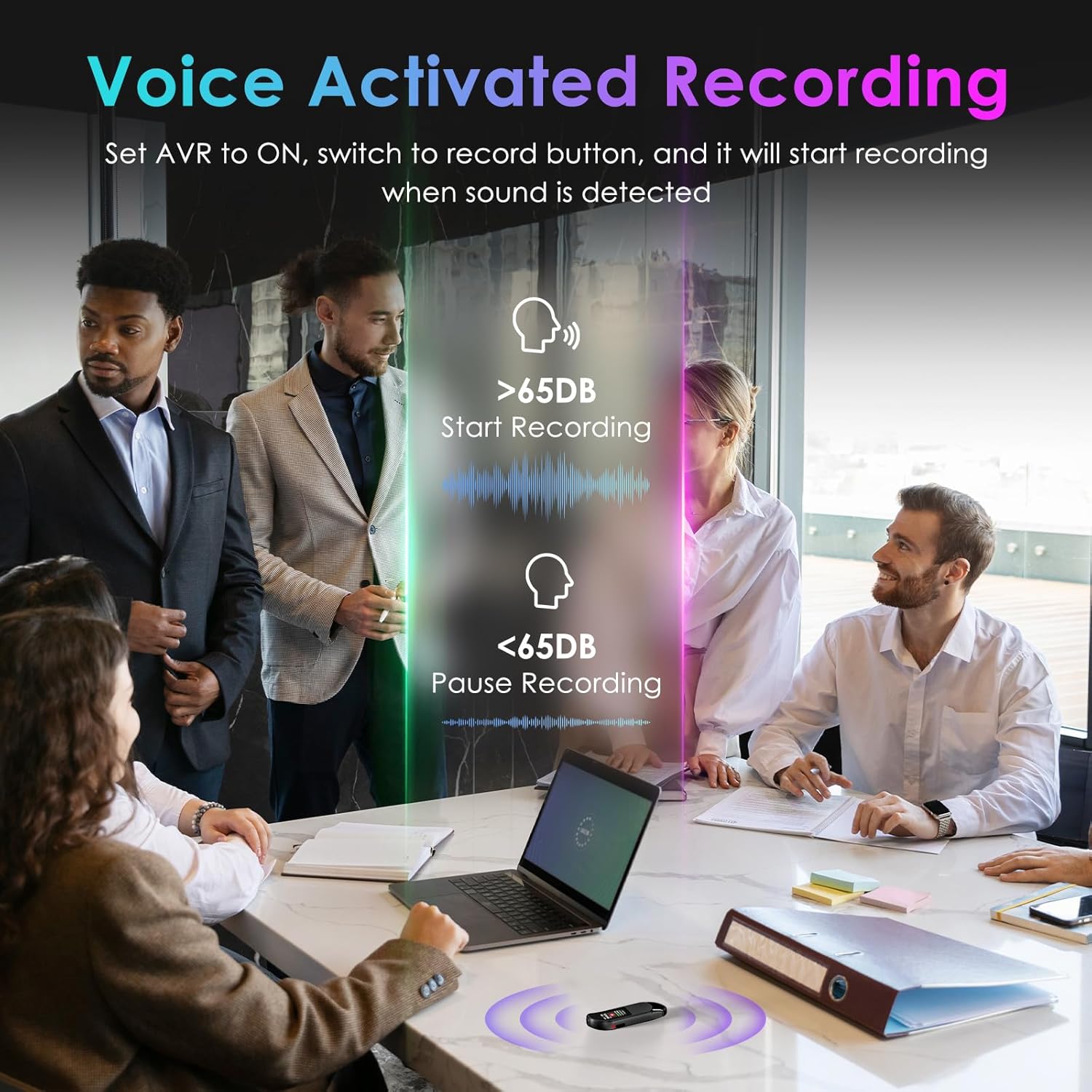
Image: A visual demonstrating voice-activated recording in a meeting, showing the device starting to record when sound is above 65dB and pausing when below.
4. Terugspeel
You can listen to your recordings directly from the device using headphones or by transferring files to a computer or Android phone.
- Gebruik oorfone: Connect the included headphones to the 3.5mm jack. Use the control buttons (Vol+, Vol-, Previous, Next, Play/Pause/Confirm) on the headphone cable to navigate and play recordings.
- Connecting to Computer/Phone: Oordrag files as described in the "File Management" section below.

Image: A diagram showing various playback methods: using wired headphones, connecting to a computer, and connecting to an Android phone. The image also illustrates the control buttons on the headphone cable for navigation.
5. Wagwoordbeskerming
To protect your recordings, you can set a 4-digit password.
- To set a password: Access the device's menu (long press the Speel/Pause/Bevestig button when not recording) and navigate to the "Password" settings. Follow the on-screen prompts to set your 4-digit code.
- Once enabled, the password will be required to access the device's files.

Image: A visual representation of the password protection feature, showing the device screen prompting for a 4-digit password.
6. File Bestuur en Oordrag
Recordings are saved with timestamps for easy organization. You can transfer files to a computer (Windows/Mac) or an Android phone.
- Connect the device to your computer or Android phone using the supplied USB-C cable.
- The device will appear as a removable storage drive.
- You can then drag and drop recording files (MP3 or WAV format) to your desired location.
- Let wel: This device is not compatible with iPhones for direct file oordra.

Image: The Vandlion V11B connected to a laptop via USB-C, demonstrating file transfer and showing example filenames with timestamps.
Onderhoud
- Hou die toestel droog en weg van uiterste temperature.
- Maak die toestel skoon met 'n sagte, droë lap. Moenie vloeibare skoonmaakmiddels gebruik nie.
- Vermy om die toestel te laat val of om dit aan sterk impakte te onderwerp.
- Regularly back up your recordings to prevent data loss.
- If the device becomes unresponsive, use a small pin to press the TERUGSTEL knoppie.
Probleemoplossing
| Probleem | Moontlike oorsaak | Oplossing |
|---|---|---|
| Toestel skakel nie aan nie. | Lae battery. | Laai die toestel vir ten minste 1.5 uur. |
| Kan nie opneem nie. | Memory full; device frozen. | Oordrag files to a computer to free up space. Press the RESET button. |
| Swak klank kwaliteit. | Microphone obstructed; excessive background noise. | Ensure microphone is clear. Use AI Noise Reduction in appropriate environments. |
| Kan nie oordra nie files to iPhone. | Device is not compatible with iPhone for direct transfer. | Oordrag files to a computer (Windows/Mac) or Android phone instead. |
| Wagwoord vergeet. | Wagwoord verlore. | Contact customer support for assistance. A factory reset might be required, which will erase all data. |
Spesifikasies
| Kenmerk | Detail |
|---|---|
| Modelnommer | V11B |
| Geheue berging kapasiteit | 64 GB (up to 900 hours of recording) |
| Opname-formaat | MP3 oudio, WAV |
| Oudio kwaliteit | 1536Kbps Crystal Audio |
| Geraasvermindering | KI geraas kansellasie |
| Batterylewe (opname) | Tot 20 uur |
| Laai tyd | Ongeveer. 1.5 uur |
| Versoenbare toestelle | Personal Computer (Windows/Mac), Smartphone (Android) |
| Hardeware-koppelvlak | USB Tipe C |
| Mikrofoonvormfaktor | Ingeboude |
| Koptelefoonaansluiting | 3.5 millimeter |
| Produk afmetings | 0.39"D x 0.86"B x 2.99"H (10mm x 22mm x 76mm) |
| Item gewig | 1.41 onse (40 gram) |
| Sigbare Skerm Diagonaal | 1" / 3 cm |
Waarborg en Ondersteuning
Vandlion products are built for performance and durability. For warranty information or technical support, please refer to the contact details provided with your purchase or visit the official Vandlion webwebwerf.
For common issues, please consult the Troubleshooting section of this manual.
Vervaardiger: Vandlion
Belangrike notas
- Always ensure the device is fully charged before important recording sessions.
- Regularly transfer and back up your recordings to avoid data loss.
- The device does not have a built-in speaker; headphones or external playback devices are required to listen to recordings.
Ask a question about this manual
Ask about setup, troubleshooting, compatibility, parts, safety, or missing instructions. Manuals+ will review the question and use this page’s manual context to help answer it.