1. Inleiding
The Inficon D-TEK Pro Refrigerant Leak Detector is designed for precise and rapid detection of refrigerant leaks. This device offers high sensitivity and an all-in-one Pro Mode for efficient leak identification. This manual provides essential information for the proper setup, operation, and maintenance of your D-TEK Pro.
5. Bedryfsinstruksies
5.1 Aan-/afskakel
- Om aan te skakel, druk en hou die kragknoppie in totdat die skerm verlig.
- Om af te skakel, druk en hou die kragknoppie in totdat die toestel afskakel.
5.2 Using Pro Mode for Leak Detection
The D-TEK Pro features an all-in-one Pro Mode that combines cloud hunting and pinpointing capabilities, allowing for efficient leak location.
- Ensure the device is powered on and in Pro Mode (refer to the display for mode indication).
- Move the sensor probe slowly around suspected leak areas. The device's superior airflow allows for detection from a greater distance.
- The D-TEK Pro will indicate the presence of refrigerants with high sensitivity, detecting down to 0.1 ppm.
- Follow the increasing readings to pinpoint the exact leak source.
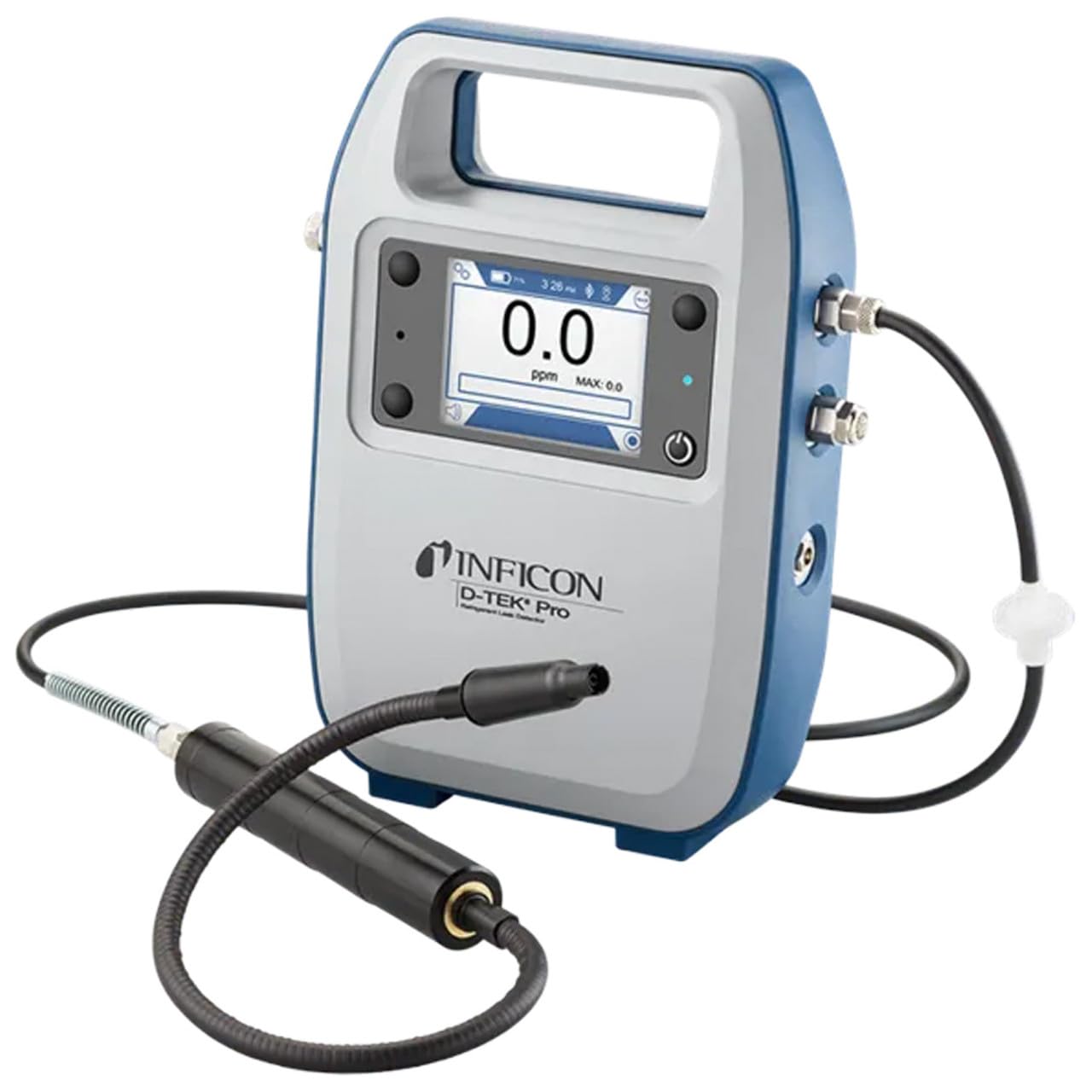
Figure 1: The Inficon D-TEK Pro being used to inspect a refrigeration unit. The display shows a 0.0 ppm reading, indicating no refrigerant detected at the current location. The device is held by a user's hand, demonstrating its portability and ease of use in an industrial setting.
5.3 Refrigerant Compatibility
The D-TEK Pro is designed to detect a wide range of refrigerants, including:
- CFCs (Chlorofluorocarbons)
- HCFCs (Hydrochlorofluorocarbons)
- HFCs (Hydrofluorocarbons)
- HFOs (Hydrofluoroolefins)
- Blends including A2Ls
5.4 Mobiele toepassingsintegrasie
Download the D-TEK Pro mobile app to enhance your leak detection workflow.
- Customer Reports: Generate detailed reports with photos and ppm tracking.
- GPS-dop: Confirm job location with integrated GPS functionality.
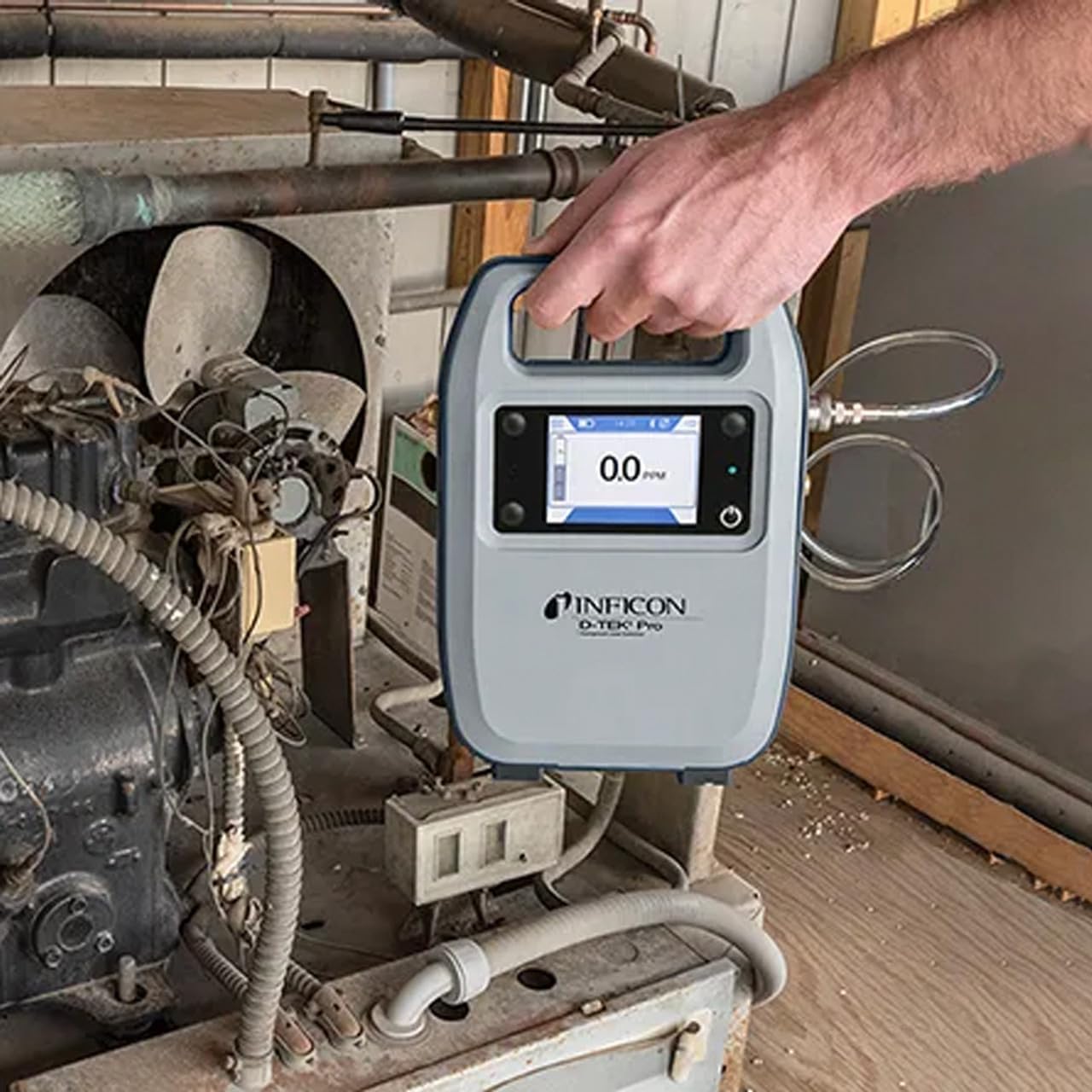
Figure 2: The Inficon D-TEK Pro connected to a smartphone, showcasing the mobile application's interface. This setup allows users to view real-time leak detection data, generate reports, and utilize GPS tracking for job site verification.
6. Onderhoud
6.1 Algemene Sorg en Skoonmaak
To ensure optimal performance and longevity of your D-TEK Pro:
- Vee die toestel af met 'n sagte, damp lap. Moenie skuur skoonmaakmiddels of oplosmiddels gebruik nie.
- Keep the sensor probe clean and free from debris.
- Store the device in its soft case when not in use to protect it from dust and physical damage.
6.2 Filtervervanging
The D-TEK Pro is designed for low maintenance, requiring no purging and no charcoal filters. However, spare filters are provided for specific applications or if the existing filter becomes visibly soiled or damaged.
- Locate the filter housing on the device.
- Verwyder die ou filter versigtig.
- Insert a new spare filter, ensuring it is seated correctly.
9. Waarborginligting
The Inficon D-TEK Pro Refrigerant Leak Detector comes with a 2 jaar waarborg from the date of purchase. This warranty covers defects in materials and workmanship under normal use. For warranty claims or detailed terms and conditions, please refer to the official Inficon webwebwerf of kontak kliëntediens.
10. Kliëntediens
For technical assistance, troubleshooting not covered in this manual, or general inquiries, please contact Inficon customer support.
- Aanlyn hulpbronne: Besoek die amptenaar Inficon Store on Amazon vir produkinligting en opdaterings.
- Kontakinligting: Refer to the Inficon official website for direct contact details (phone, email).
